





Looking for the best plugin for email marketing in WordPress and WooCommerce? Look no further. With ShopMagic you may send follow-ups, notifications, confirmations, newsletters, and more! Start building successful email marketing campaigns and send automated emails both in WordPress and WooCommerce. One more thing: the ShopMagic plugin is not only a marketing automation solution. Read more to see several examples of ShopMagic’s usage🚀.
Have you tried to customize emails and build email marketing campaigns in WooCommerce? Unfortunately, by default, you can use some standard email templates with little room for personalization, email triggers, filters, etc.😡
Luckily, you may use a free extension for your site😀 . Meet ShopMagic, the best email marketing plugin for WordPress and WooCommerce. Let’s begin!
- What is ShopMagic and where to download it?
- First example. ShopMagic to send WooCommerce follow up emails
- Second example. ShopMagic as a newsletter plugin
- Third example. ShopMagic as an e-commerce management plugin
- Fourth example. ShopMagic great integrations and add-ons
- Fifth example. ShopMagic as a sales plugin
- Summary & more use cases
What is ShopMagic and where to download it?
Let’s start with a brief introduction. ShopMagic is – by its definition – a follow-up email and marketing automation plugin. You can also recover abandoned carts, send notifications, build newsletter lists, and more. What’s very important, you are not bound to the standard WooCommerce email templates!
👉 Watch the video, which will introduce you to the most important functionalities of the plugin:
⭐ There are also paid addons that will fully allow you to customize any WooCommerce email marketing campaign. You can buy all addons at once in the addons bundle. Read more and discover ShopMagic addons.
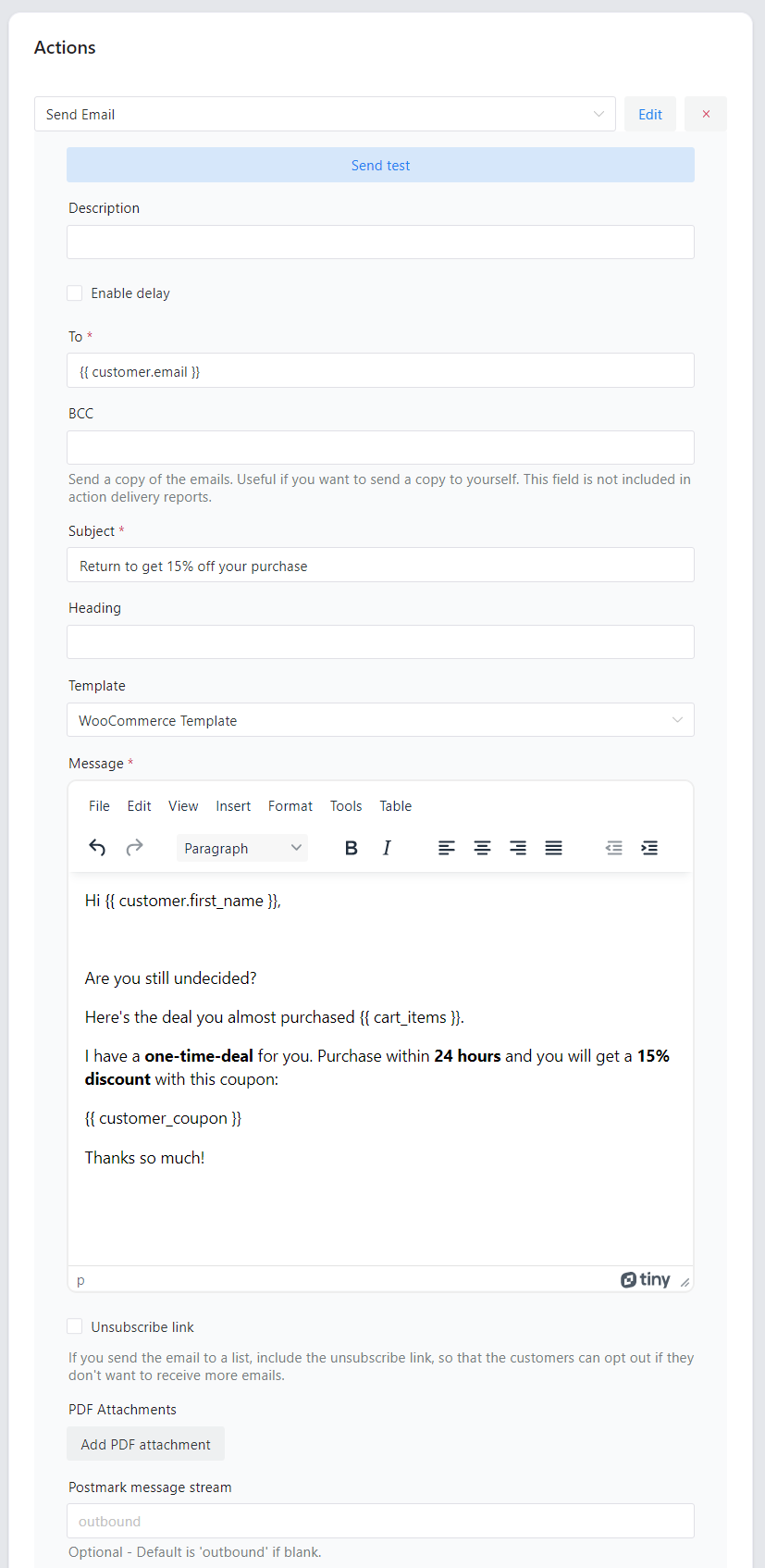
✅ Let’s see the email editor inside the plugin:
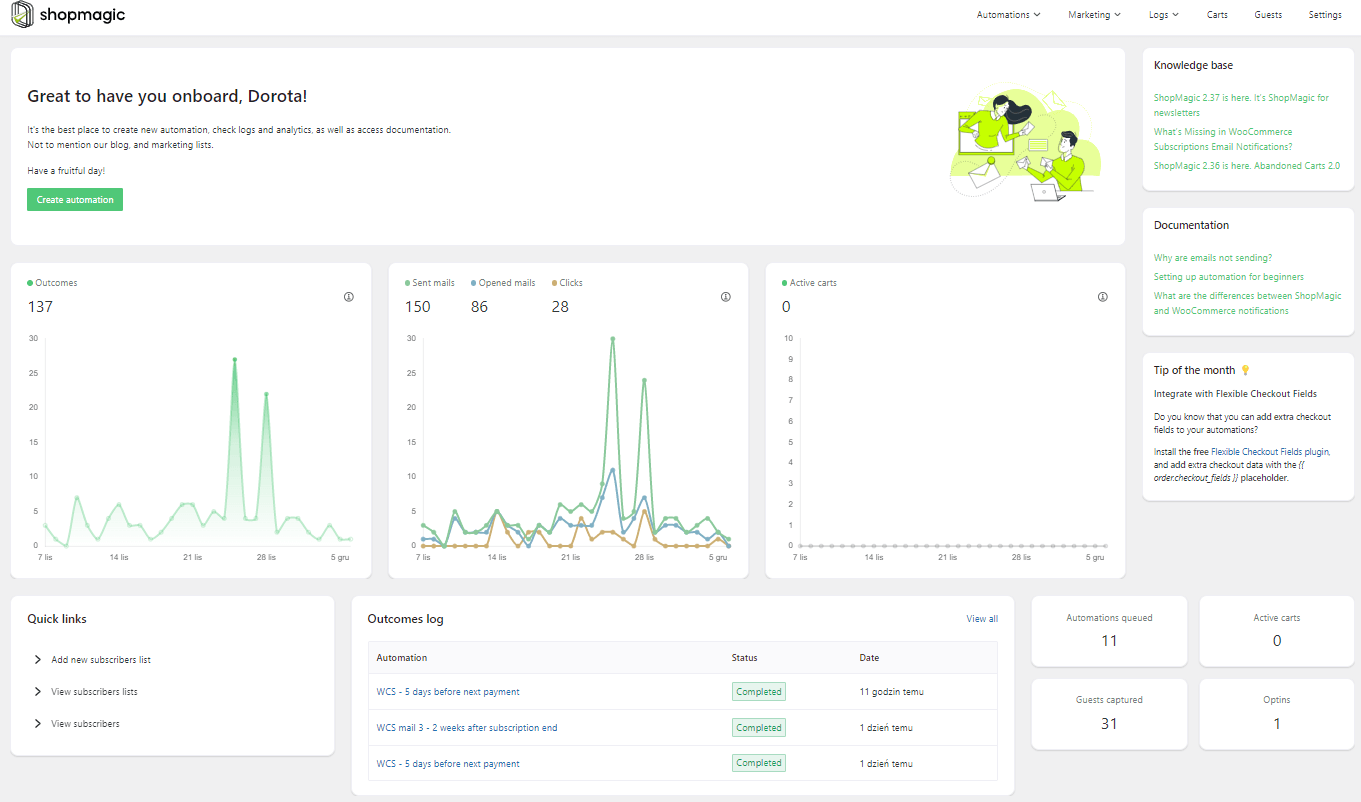
✅ What’s more, you can see and track the effects of all email campaigns (automations).
ShopMagic is widely used, currently, more than 10,000 stores worldwide use it daily. It’s also a highly-rated plugin. Our customers love its flexibility, possibilities, and support. We received a 100% positive support rating in the last months ⭐ – thank you!

Download the best WooCommerce email marketing plugin completely for free⤵️⤵️⤵️
ShopMagic: Email marketing plugin for WooCommerce
The best WooCommerce email marketing plugin available out there! Trust us - just try it out for free. WooCommerce email marketing made simple.
Download for free or Go to WordPress.org👉As already mentioned, you may find ShopMagic in your Plugins section, and in the WordPress dashboard as well.
First example. ShopMagic as a email marketing plugin for WooCommerce
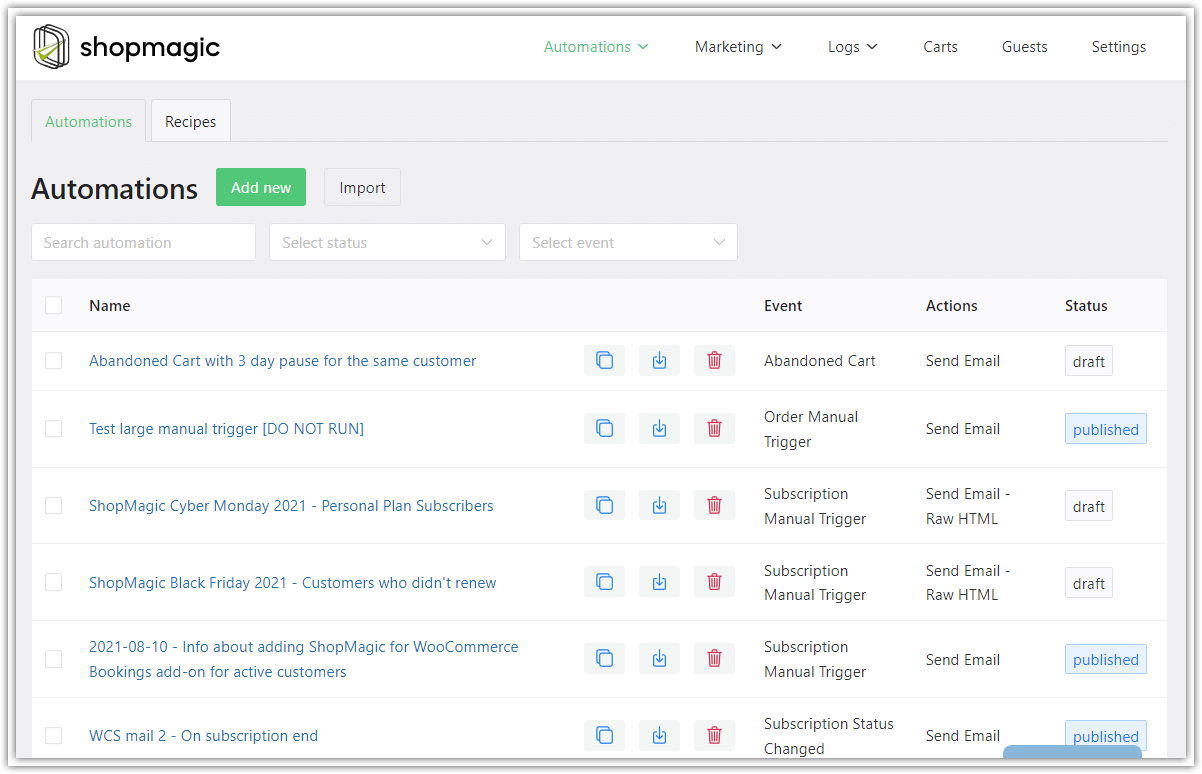
The standard way how you can use ShopMagic. With our plugin, you will be able to create follow-up emails for all of the WooCommerce order statuses. ShopMagic can do far more. It supports custom order statuses and orders with the order pending status. It’s a huge advantage over standard WooCommerce notifications.
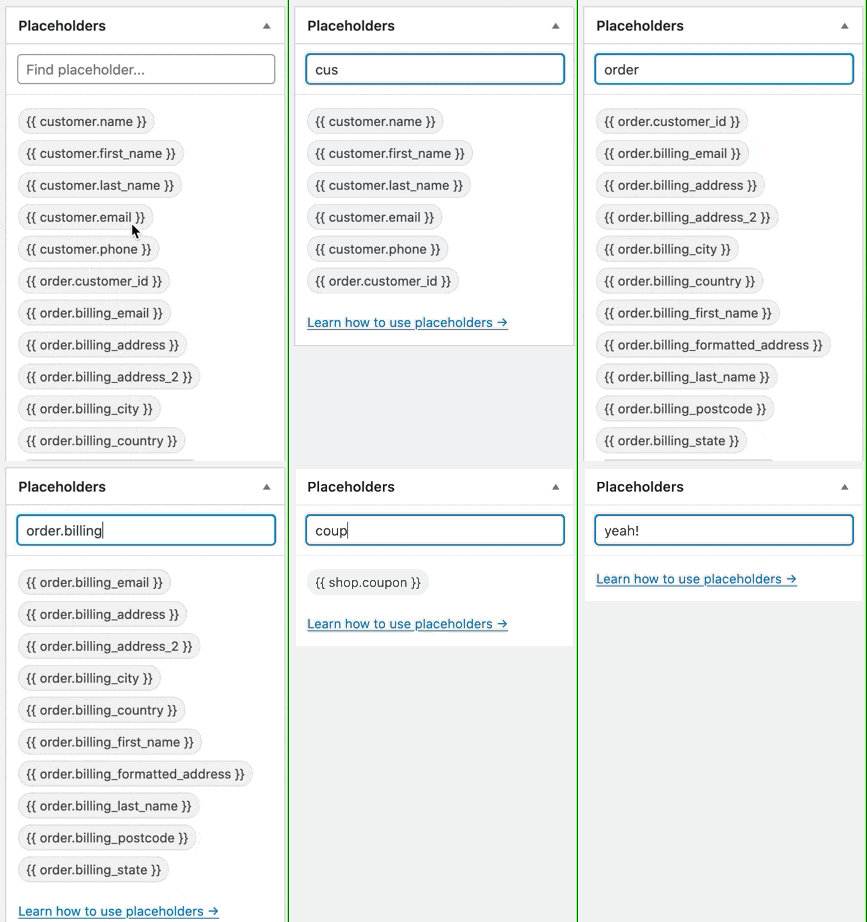
However, there are even more advantages💣. ShopMagic has placeholders. A lot of them. With these placeholders, you can easily grab the desired data and put them into your automation. Well, if you want – you can even create your placeholder⭐!
What’s even better is that the ShopMagic WooCommerce email marketing plugin is available for free😱!
ShopMagic: Email marketing plugin for WooCommerce
The best WooCommerce email marketing plugin available out there! Trust us - just try it out for free. WooCommerce email marketing made simple.
Download for free or Go to WordPress.orgSecond example. ShopMagic as a newsletter plugin
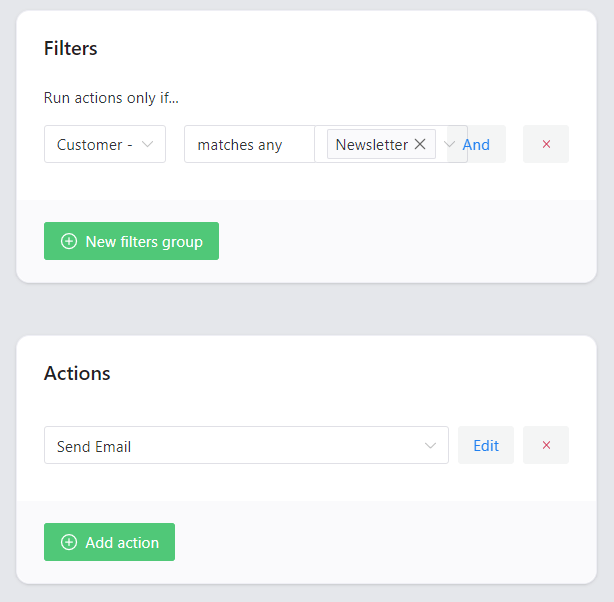
Isn’t it a mistake🤔? ShopMagic as a newsletter plugin🤔? If you are surprised, it means that you are not reading our blog regularly (gotcha! 😀 ) ShopMagic lets you create Marketing Lists and marketing opt-ins. So you can create a newsletter list and have multiple ways of subscribing to them with events and action triggers, for example, when customers opt in or out.
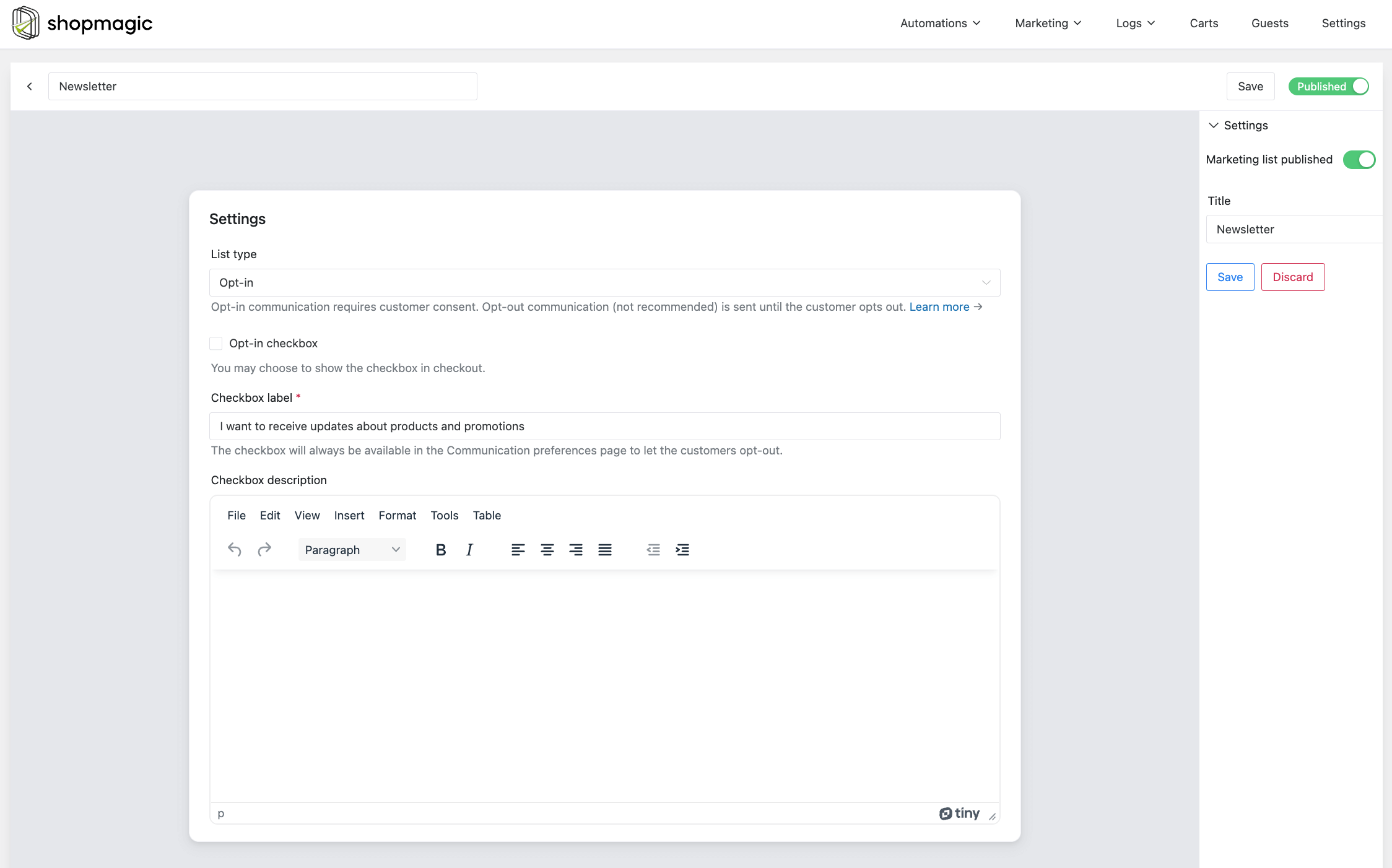
Another very useful add-on in ShopMagic is the Postmark Message Streams integration. With this integration, you can use Postmark for your marketing, newsletters, announcements, and all other communication sent with ShopMagic.

Third example. ShopMagic as an e-commerce management plugin
No way! You must be joking. Well, I’m not😎 . Not in this case and when we are discussing serious stuff 😉 In all of our guides we are creating follow-up emails to customers. So, let’s change the value in the To field, and instead of using a placeholder, use your warehouse email. Or shipping department email. Nothing stands in the way to create such automation for your internal warehouse.
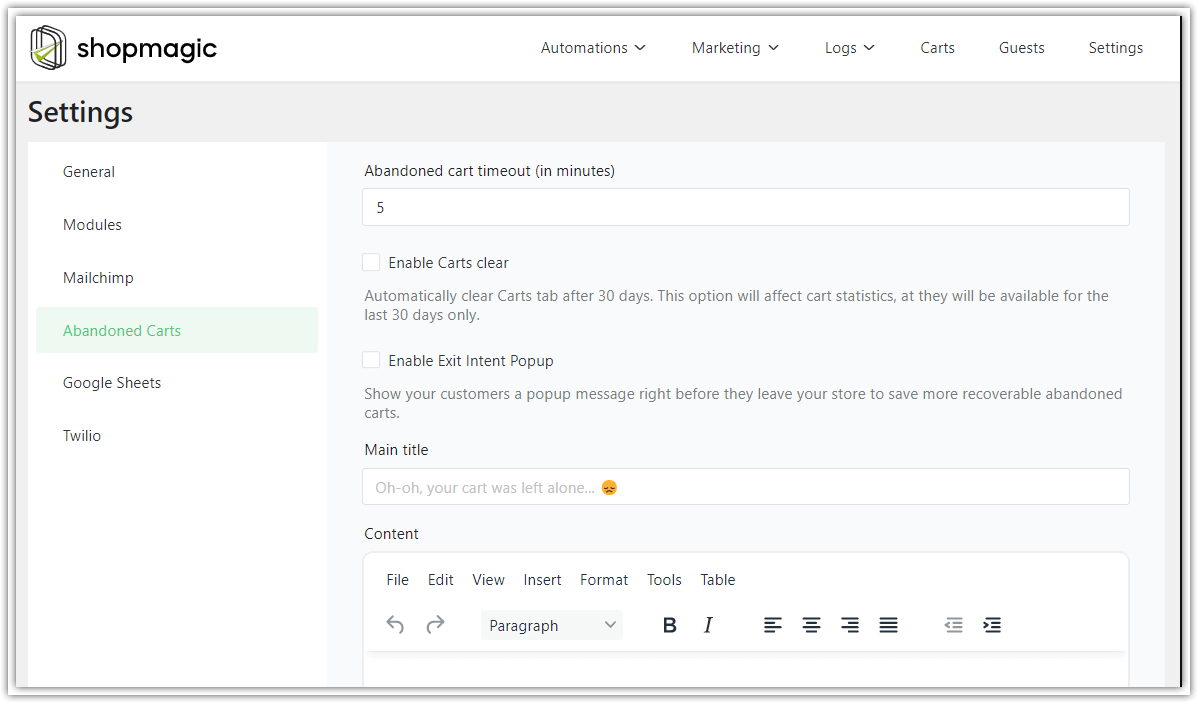
Fourth example. ShopMagic has great integrations and add-ons
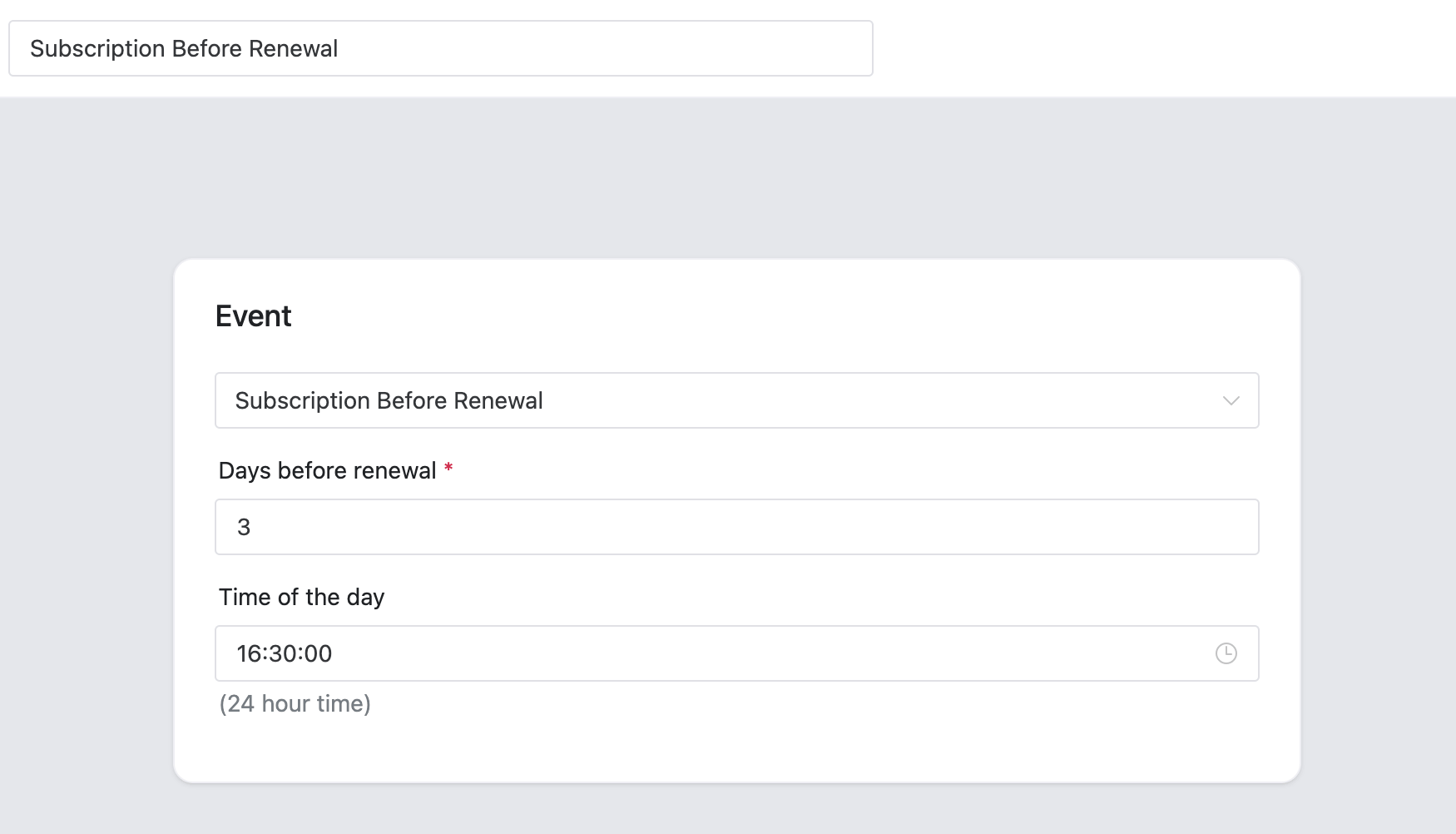
Here’s another interesting and not-so-obvious way how you can use ShopMagic. Currently, you can easily integrate our plugin with Slack, MailChimp, WooCommerce Subscriptions, and Postmark. Our last addition to the integration list is WooCommerce Subscription. It allows you to create automations based on subscription events, such as payments or status changes, and by doing that you can get higher conversions from your subscription products.
Fifth example. ShopMagic as a sales plugin
The best WooCommerce email marketing plugin should help you increase sales. Through new sales and increased conversions from the previous orders. To do this, we are using Review Requests and Customer Coupons add-ons. With Review Requests, you will be able to send direct links to purchased products. You can connect it with the option to delay an email and send such an email, let’s say 2 weeks after the initial purchase.
👉 With Customer Coupons, you will be able to send personalized coupons, which will be sent automatically to your customers. You just need to set initial conditions for such automation.
Summary & more use cases
Today, you’ve learned how to use the best (and free) email marketing plugin for WordPress and WooCommerce. If you want to see more use cases read our blog, but let me point you to some ideas here.
More guides on how to use the best WooCommerce email marketing plugin
If you are looking for guides or how-to articles, we have plenty of them. Below, you will find a list of email marketing automations with the plugin based on every WooCommerce order status.
WooCommerce email marketing plugin: more ideas
👉Let me show you a few great ways to increase your sales with the plugin.
-
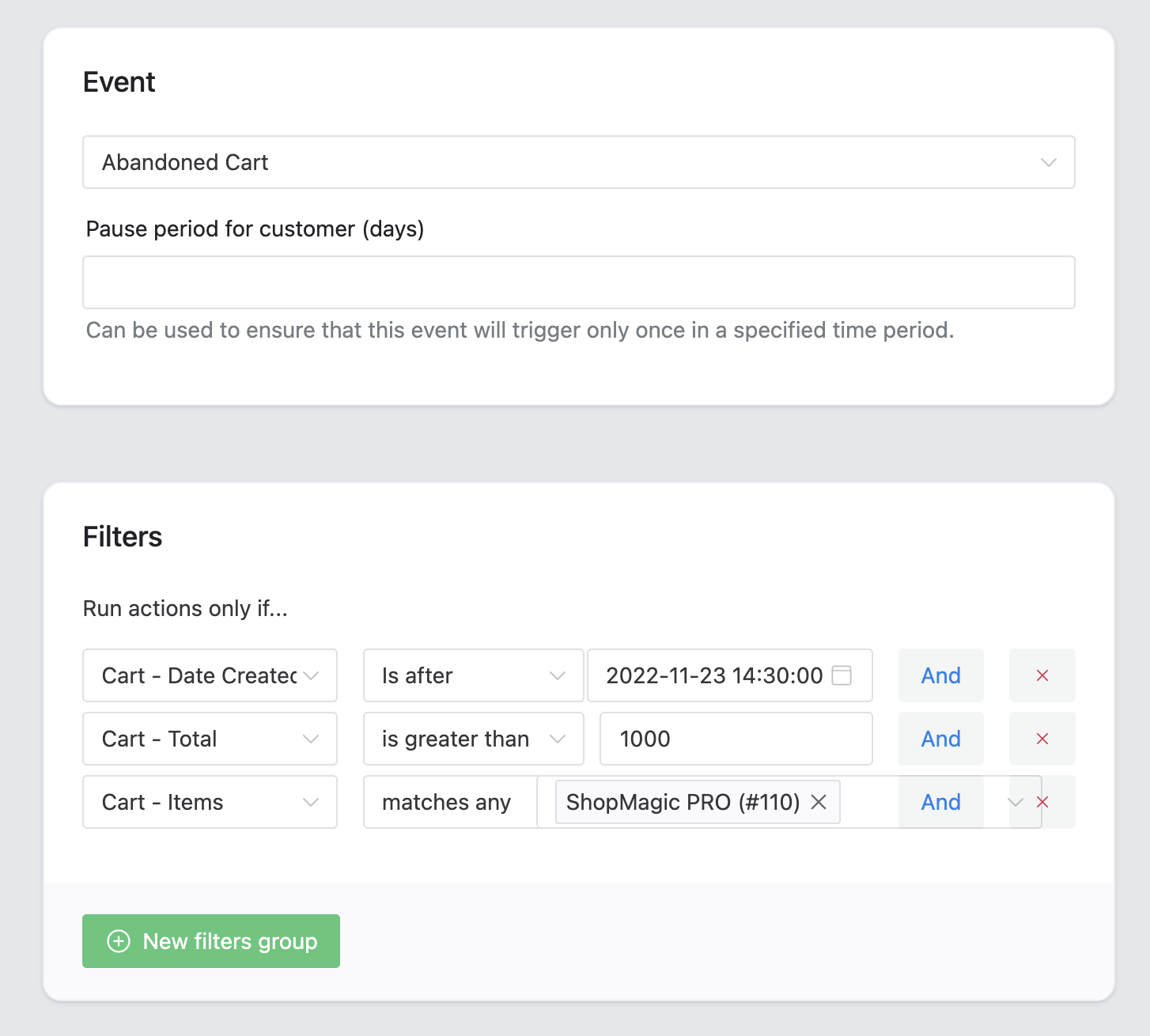
- ShopMagic🪄 lets you also recover abandoned carts!
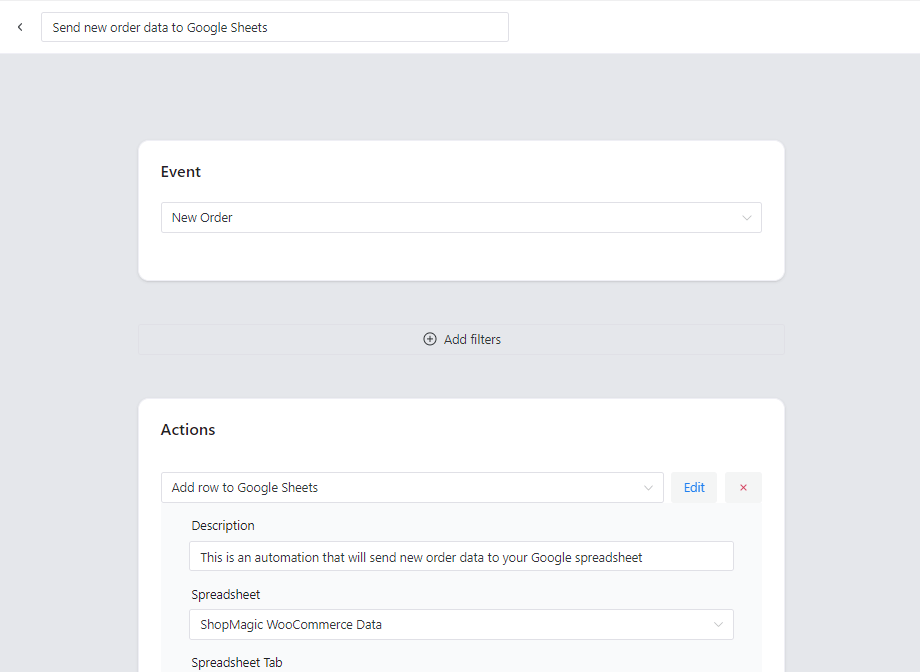
- You may also get the data from WordPress and WooCommerce to Google Sheets automatically!
💡Find out how to do it and read this article: Connect WooCommerce to Google Sheets.- Get the Contact Form 7 form submissions to build the best email marketing campaigns and convert subscribers into customers!
So, what’s your opinion on ShopMagic?
How do you use ShopMagic🤔? More like a WooCommerce email marketing plugin or newsletter plugin? Maybe you have another, different way of using ShopMagic? Let us know!
Finally, I encourage you to download the plugin⤵️⤵️⤵️ and read our blog.
WP DeskShopMagic: Email marketing plugin for WooCommerce
The best WooCommerce email marketing plugin available out there! Trust us - just try it out for free. WooCommerce email marketing made simple.
Download for free or Go to WordPress.orgLast Updated: August 19, 2026 - ShopMagic🪄 lets you also recover abandoned carts!
More about the best email marketing plugin for WooCommerce
-
WooCommerce automated emails

Automated Emails in WooCommerce. Find out how to send WooCommerce Automated Emails using Shopmagic. -
Send email after order in WooCommerce

Send new order email. In this article we give you tips on how to send New Order Emails in WooCommerce with Shopmagic.
