




WooCommerce does email the customer after an order, but not the one most people expect. The New order notification goes to the store admin; what the customer receives is the Processing order email once payment clears, or Order on-hold when payment is manual. That means the confirmation is tied to payment status rather than to the moment of ordering, and its content is limited to a subject, a heading and one extra paragraph. To send your own message the moment an order is placed, whatever its payment status, you need an automation. Below: exactly which email goes to whom, then the setup in three steps.
Does WooCommerce send an order confirmation email?
Yes, but the name is misleading. “New order” is the admin’s notification, not the customer’s receipt.
| Fires when | Goes to | |
|---|---|---|
| New order | An order is placed | Admin |
| Processing order | Payment is received | Customer |
| Order on-hold | Order awaits manual payment, such as a bank transfer | Customer |
| Completed order | The order is marked fulfilled | Customer |
| Cancelled order | Status changes to cancelled | Admin |
| Failed order | Payment fails | Admin |
| Customer invoice | You send it by hand | Customer |
So in a normal card payment flow the customer is not left in silence: the Processing order email arrives as their confirmation. Three things about it are worth knowing before you decide whether it is enough.
It depends on payment, not on ordering. If the payment never completes, the order stays pending and the customer gets nothing at all, which is the exact case where a message would help most.
Its wording is barely editable. Subject, heading and one additional paragraph, with the body text living in a PHP template.
Failed and cancelled orders tell the customer nothing. Both notifications are admin-only, so a customer whose payment failed finds out by noticing that nothing arrived.
That gap is why stores add an automation: a message that fires when the order is placed, regardless of what the payment gateway did next.
ShopMagic - Send & Customize WooCommerce Order Email
Is WordPress not sending confirmation emails? Try ShopMagic. WooCommerce order email made simple. Send customized confirmation emails and notifications based on the personalized email template!
Download for free or Go to WordPress.orgTable of contents
- Does WooCommerce send an order confirmation email?
- What is a WooCommerce order email?
- How a WooCommerce email confirmation works
- Why the first message after a purchase matters
- Standard WooCommerce template compared with ShopMagic
- Send a custom confirmation email in 3 steps
- Customize the template
- Summary
- Frequently asked questions
What is a WooCommerce order email?
A transactional email sent when an order changes state. In WooCommerce terminology there is no “after order email” as such: what people mean by it is either the admin’s New order notification or the customer’s Processing order message, depending on which side of the shop they are standing on.
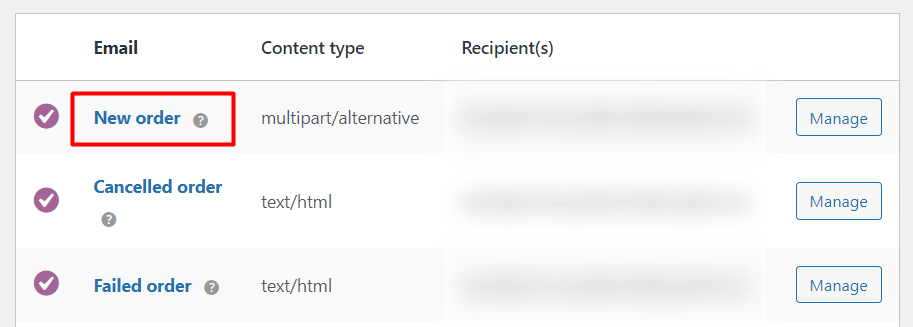
How a WooCommerce email confirmation works
Two limits shape everything else.
The recipient is fixed per email type. Admin notifications take a list of addresses you type in, and there is no way to point them at the buyer, because that address changes with every order. This is the same restriction that stops cancelled order emails reaching customers.
The content is barely editable. The default WooCommerce emails give you a subject, a heading and one additional paragraph. Anything else means editing a PHP template, and personalisation beyond the customer’s name is not available at all.
That is why over 10,000 store owners, developers and marketers use email marketing plugins like ShopMagic to take over the messages WooCommerce sends.
Thanks for this awesome plugin! If you're running a WooCommerce store, the default email messages are very generic and absolutely need to be customized. This plugin makes the process a lot faster, simpler, less prone to error, and of course with more features. It's a must-have if you're using WooCommerce.

Why the first message after a purchase matters
Someone who has just paid is waiting for confirmation that it worked. Silence in that window is read as a problem, and the customer’s own explanation is always worse than the truth: the payment failed, the shop is not real, the order went nowhere.

This is the opening move against post-purchase dissonance, and it is cheap to get right.
It also carries more weight than it looks. WP Desk telemetry from 19,803 WooCommerce stores, collected in August 2026, shows 86.2% of orders placed as guests. A guest has no account to check the order in, so the confirmation email is the only proof of purchase they hold until something arrives.
The standard WooCommerce template compared with ShopMagic
The default emails do their job and look like every other WooCommerce store’s.
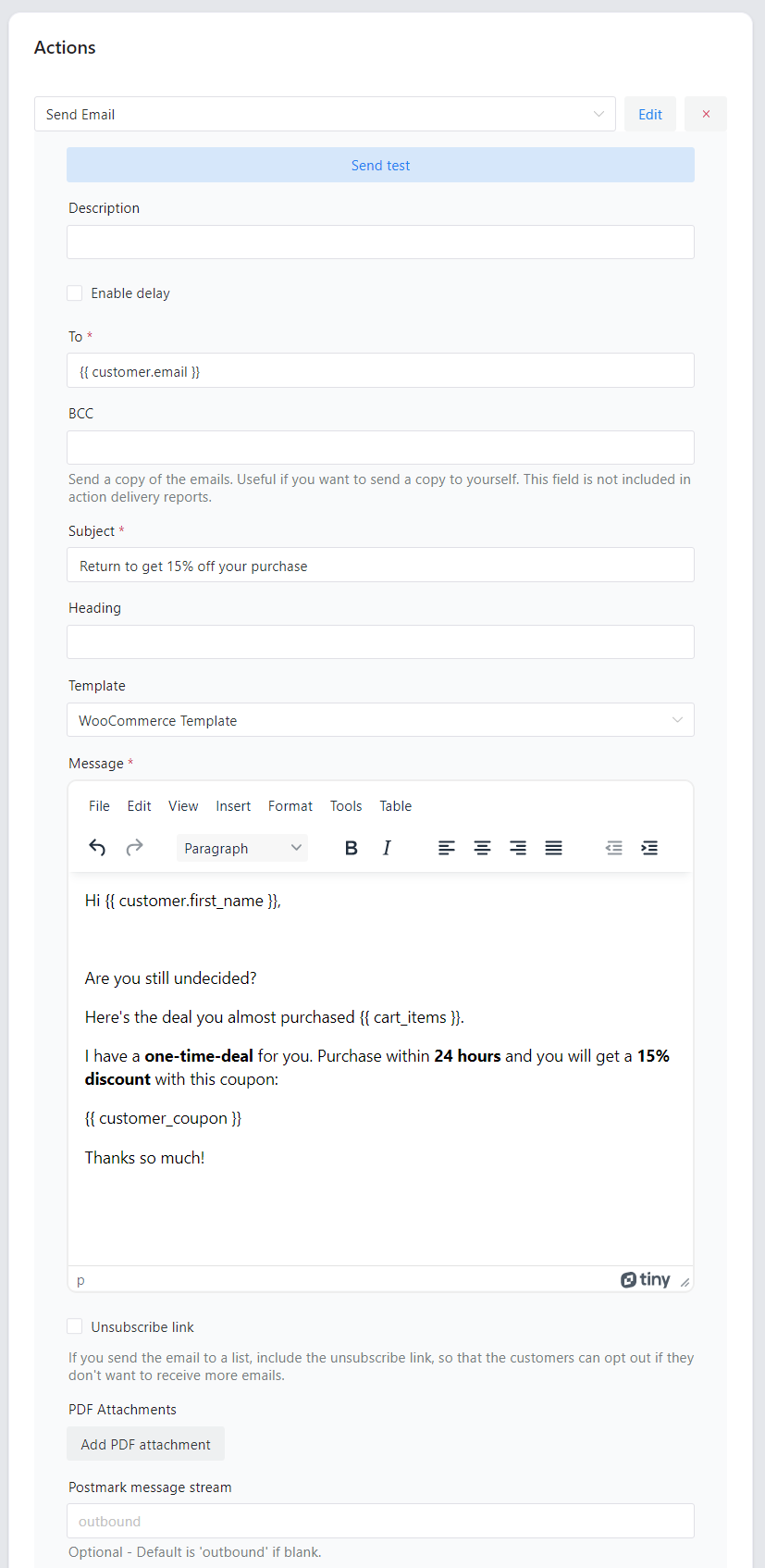
A replacement can carry your wording, your structure and content that varies by customer.
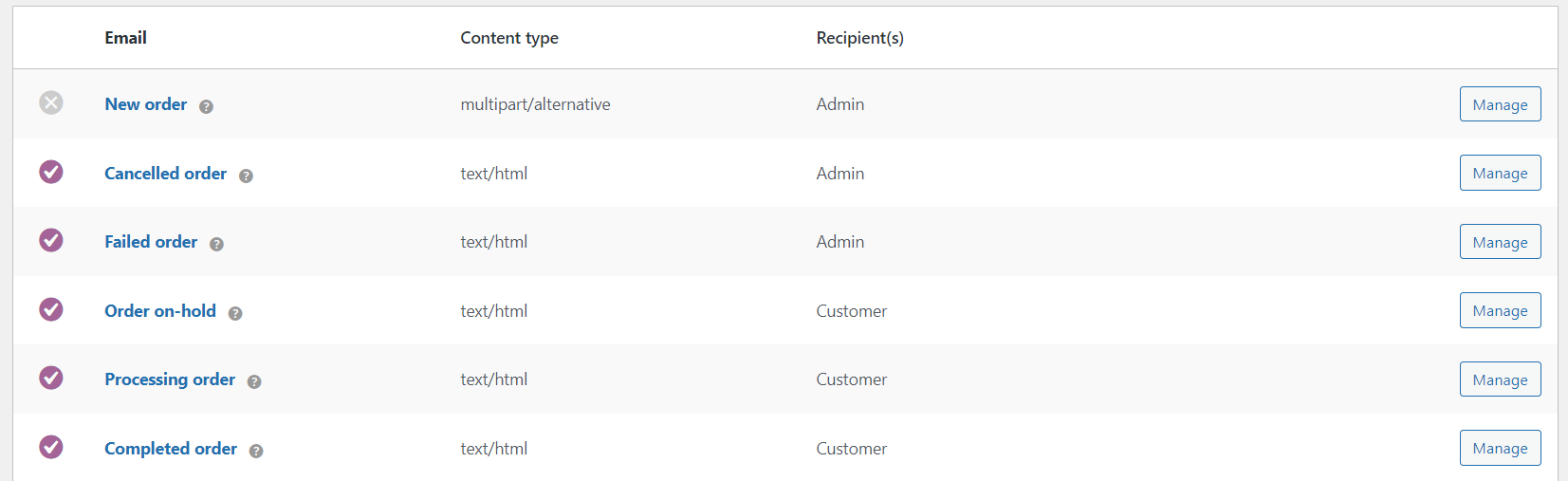
Which notifications never reach the customer
- New order
- Cancelled order
- Failed order
The middle two matter most. A cancellation and a failed payment are the two moments a customer most needs to hear from you, and both are silent by default.
⬇️ A short video showing how the setup looks:
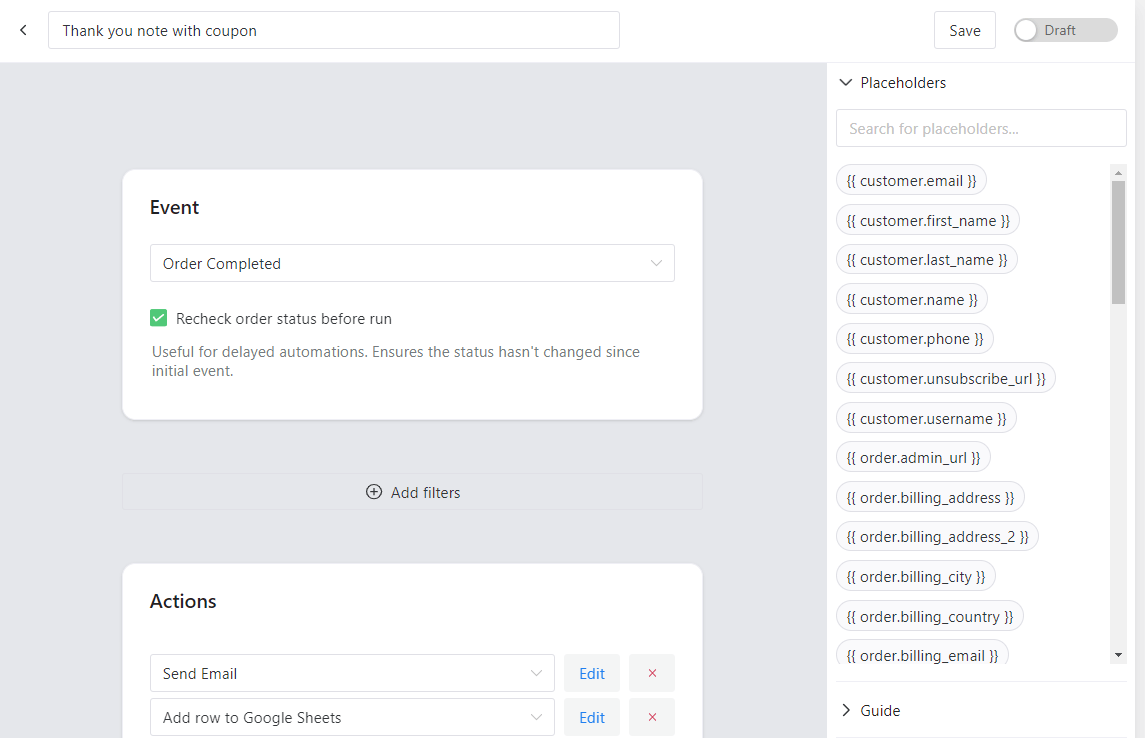
Which event to choose
The event decides when your email goes out, and picking the wrong one is the most common mistake in this setup.
| You want the email to arrive | Event |
|---|---|
| As soon as the order is placed, paid or not | New Order |
| Once payment has been received | Order Processing |
| Only for orders awaiting manual payment, such as a transfer | Order On-Hold |
| When the order is fulfilled or shipped | Order Completed |
Note the last two rows, because the words are misleading. Completed means fulfilled, not paid. A confirmation attached to Order Completed will not arrive when the customer pays; it arrives when you ship, which in some stores is days later.
- New Order (this guide)
- Pending Order
- Processing Order
- Cancelled Order
- Completed Order
- Failed Order
- On-Hold Order
- Refunded Order

Send a custom confirmation order email in WooCommerce: 3 steps
Step 1: install and activate ShopMagic
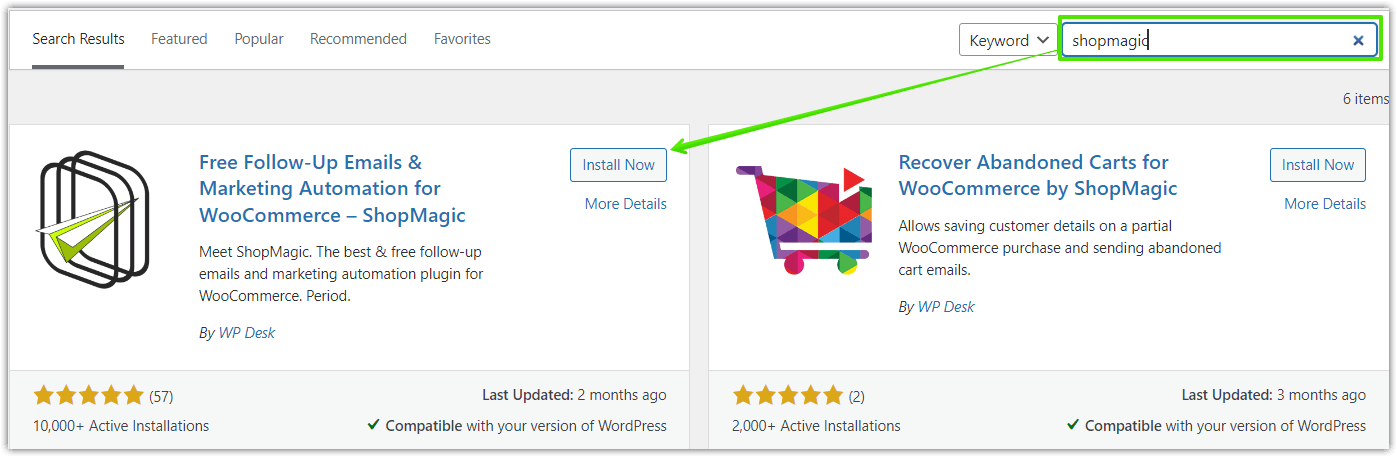
Install the plugin from your admin panel.
Search for “ShopMagic” under Plugins → Add New, or download it from WordPress.org.
ShopMagic - Send & Customize WooCommerce Order Email
Is WordPress not sending confirmation emails? Try ShopMagic. WooCommerce order email made simple. Send customized confirmation emails and notifications based on the personalized email template!
Download for free or Go to WordPress.orgStep 2: create the automation and choose the event
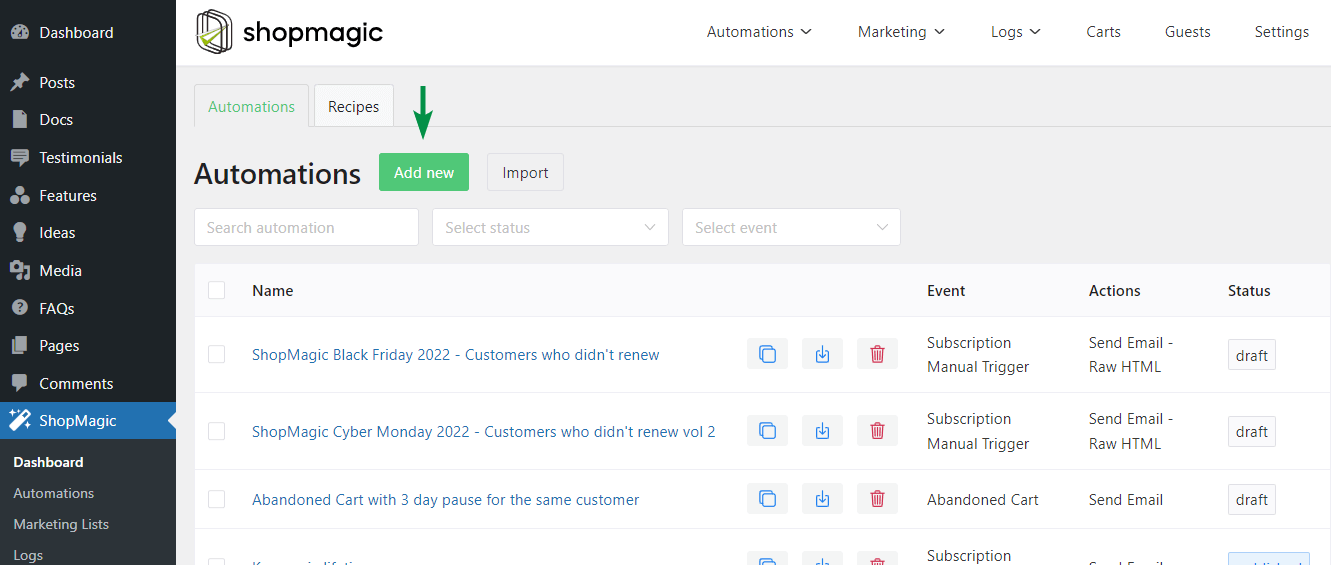
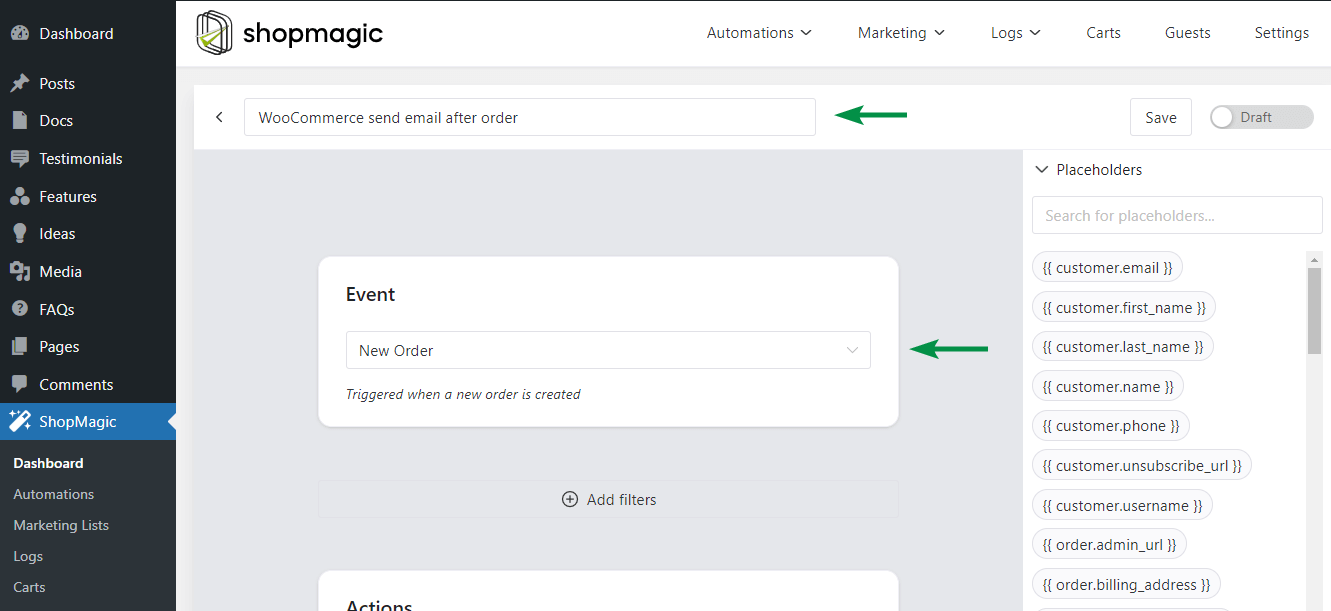
Add an automation and set its event to New Order.
Go to ShopMagic → Automations → Add New and name it, for example “Order confirmation to customer”. The name is for your reference only.
New Order fires the moment the order is created, before the payment result is known, which is what makes it different from anything WooCommerce can send the customer on its own.
Filters are optional. Leave them empty for the first automation, because an excluded test order looks identical to a broken setup.
Step 3: add the email and write it
Add a Send Email action, put the customer placeholder in the recipient field, and write the message.
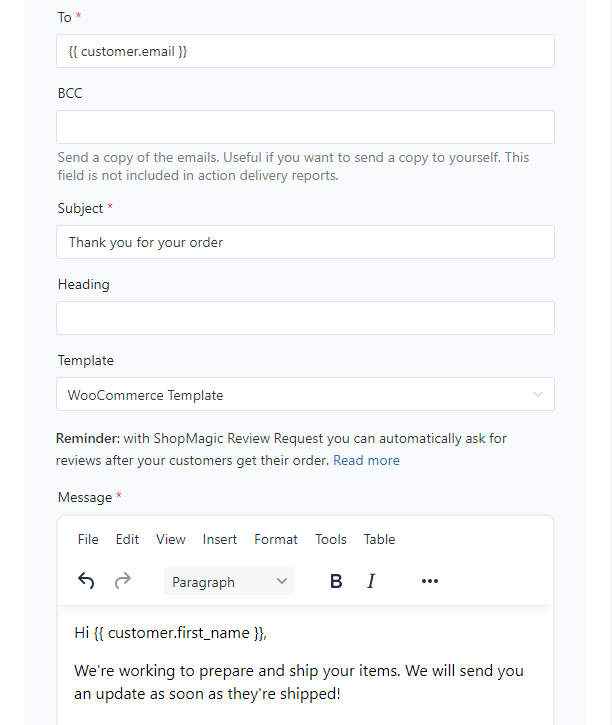
Choose Send Email as the action. Enter the subject, for example Thank you for your order, and put {{ customer.email }} in the To field, which resolves to the address used on that order.
One decision to make before going live: whether to switch off the WooCommerce Processing order email. If your new message already confirms the purchase, leaving both on means two emails for one order. If you turn the default off, remember that the setting is now load-bearing, and deactivating the plugin later leaves the customer with nothing.
Customize your WooCommerce after order email template
The action lets you pick a Template. The WooCommerce one is used by default, and you can supply your own instead.
Ready-made content blocks cover the common cases, such as thanking the customer or requesting a review. Insert the “Thank you for your order” block and edit it, or write the message from scratch.
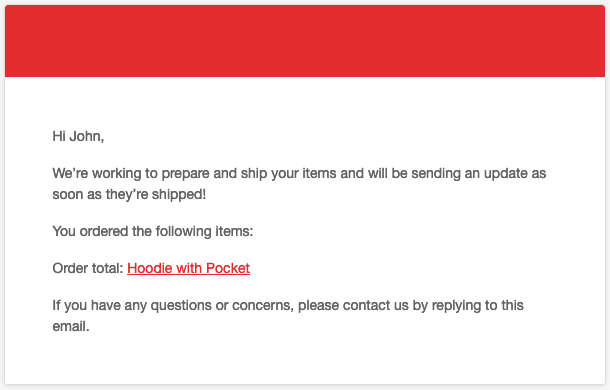
Send yourself a test before relying on it. A placeholder that does not resolve is invisible in the editor and obvious in the inbox.
Summary
WooCommerce does confirm orders to customers, just not with the email whose name suggests it. New order is the admin’s notification. The customer’s confirmation is Processing order when payment clears, or Order on-hold when payment is manual, which means the message is tied to the payment result rather than to the act of ordering. When payment never completes, the order sits pending and the customer hears nothing, and the same is true of failed and cancelled orders, both of which are admin-only.
What you can change in the default emails is a subject, a heading and one extra paragraph. Everything else sits in a PHP template, and there is no way to vary the message by customer or by what was bought.
An automation closes both gaps. Three steps: install the plugin, create an automation on the New Order event so the message goes out the moment the order exists, and add a Send Email action with {{ customer.email }} as the recipient. Choose the event deliberately, since Completed means fulfilled rather than paid, and decide whether the WooCommerce Processing email stays on, because leaving both running sends two confirmations for one order.
ShopMagic - Send & Customize WooCommerce Order Email
Is WordPress not sending confirmation emails? Try ShopMagic. WooCommerce order email made simple. Send customized confirmation emails and notifications based on the personalized email template!
Download for free or Go to WordPress.orgFrequently asked questions
Does WooCommerce send an order confirmation email to the customer?
Yes, but it is the Processing order email, sent when payment is received, or Order on-hold for manual payment methods. The New order email goes to the admin.
Why did my customer not receive any email after ordering?
Most often the payment never completed, so the order stayed pending and no customer email was triggered. Check the order status before assuming a mail server problem.
Can the New order email be sent to customers?
Not from the settings screen. It takes a fixed list of addresses, and a buyer’s address changes with every order.
Which event should I use for an order confirmation?
New Order, if you want the message to arrive as soon as the order is placed regardless of payment. Order Processing, if it should wait for payment to clear.
Is Order Completed the same as paid?
No. Completed means the order has been fulfilled. Payment usually moves an order to Processing, so a confirmation attached to Completed arrives when you ship rather than when the customer pays.
Will my customers get two emails?
They will if your automation duplicates the WooCommerce Processing order email and both are enabled. Either disable the default or write your message so the two do different jobs.
How do I address the email to the person who ordered?
Use the {{ customer.email }} placeholder in the recipient field. It resolves to the address on that particular order.
Can I customize the default WooCommerce confirmation without a plugin?
Only the subject, the heading and one additional paragraph. Changing the body means copying the PHP template into a child theme.

delay not available on my dashboard
Hi Paul. Delayed Actions is part of ShopMagic PRO. If you upgraded ShopMagic to PRO version and still do not see an option to delay, contact us directly via support form https://shopmagic.app/support/