



In this article, you’ll learn how to create, customize, and send emails in WordPress with a free plugin. WordPress email marketing is a powerful way for businesses to reach their users and customers. See how to create, send, and manage email campaigns, track results, and automate marketing processes in your WordPress.
The lack of an option to customize emails in WordPress is its big drawback.
The good news is that you may use a free plugin to set up email marketing in WordPress. See the benefits of email marketing in WordPress like sending follow-ups, newsletters, and using more marketing actions!
ShopMagic: WordPress Email Marketing
Create, customize, and send your WordPress emails with ShopMagic. WordPress email marketing is now made simple.
Download for free or Go to WordPress.orgTable of contents
- Does WordPress have email marketing?
- How to prepare WordPress email marketing that goes along with your business strategy?
- Create an effective email marketing campaign in WordPress with ShopMagic!
- The benefits of using a free WordPress email marketing plugin
- How to customize your WordPress emails? In-depth tips
Does WordPress have email marketing?
Let’s start with the basics 😎. WordPress is a wonderful CRM, we all know that. However, the built-in function for sending emails will not give you what you expect when thinking about WordPress email marketing.
Yes – there are some email templates WordPress will use to send emails. For example, customers will receive emails about account creation, or lost passwords. WordPress will send an email when it encounters an error. But there is no place (except for core files or hooks) you can go to customize WordPress emails!
So, there are some emails in WordPress but you cannot use them for real email marketing.
But, as usual, you can use a free plugin 😊.
✅ Let’s have a closer look at ShopMagic. It’s a free email marketing plugin for WordPress (and WooCommerce). You can use it to create, customize, and send better emails in WordPress in a few minutes. Download the plugin.
ShopMagic: WordPress Email Marketing
Create, customize, and send your WordPress emails with ShopMagic. WordPress email marketing is now made simple.
Download for free or Go to WordPress.orgWhat plugin should I use to create an email marketing campaign in WordPress?
How to create a working email marketing campaign?
Are there any tips or best practices for existing campaigns and strategies?
Well, you’re in the right place! Grab your favorite drink and enjoy further reading ☕.
How to prepare WordPress email marketing that goes along with your business strategy?
ShopMagic 🪄 and its email marketing features are an effective way to grow your business. It allows you to reach out to your customers and prospects with targeted messages that are tailored to their interests. With the right strategy, you can use email marketing to build relationships, increase sales, and drive more traffic to your website.
➡️ Let’s start with 5 tips when building successful email marketing in WordPress.
-
Create an email list
The first step in any email marketing campaign is to create an email list.

Let your customers sign up for a marketing list Make sure to include an opt-in form on your website, so visitors can easily sign up for your list.
💡 You can use ShopMagic to create both email lists and opt-in forms, which you can add to your WooCommerce store with just a shortcode. -
Segment your customers
Customer segmentation (a.k.a. filtering) will allow you to send more targeted messages to each customer group. For example, you can use ShopMagic to segment customers by ordered products, order date, and order total, or use any other of more than 30 filters available to you.
💡 If you need some advanced customer segmentation, have a look at the Advanced Filters add-on.
ShopMagic filters -
Craft engaging content
Once you segment your customer base, you need to craft engaging content that will appeal to each group. This could include blog posts, videos, or other types of content. Make sure to include a call-to-action in each message, so readers know what to do next. Our plugin won’t write content for you 😉, but at the same time, ShopMagic will let you use the email template of your choice.
We have also prepared some nice e-mail Recipes (templates) for our PRO users. Just have a look:
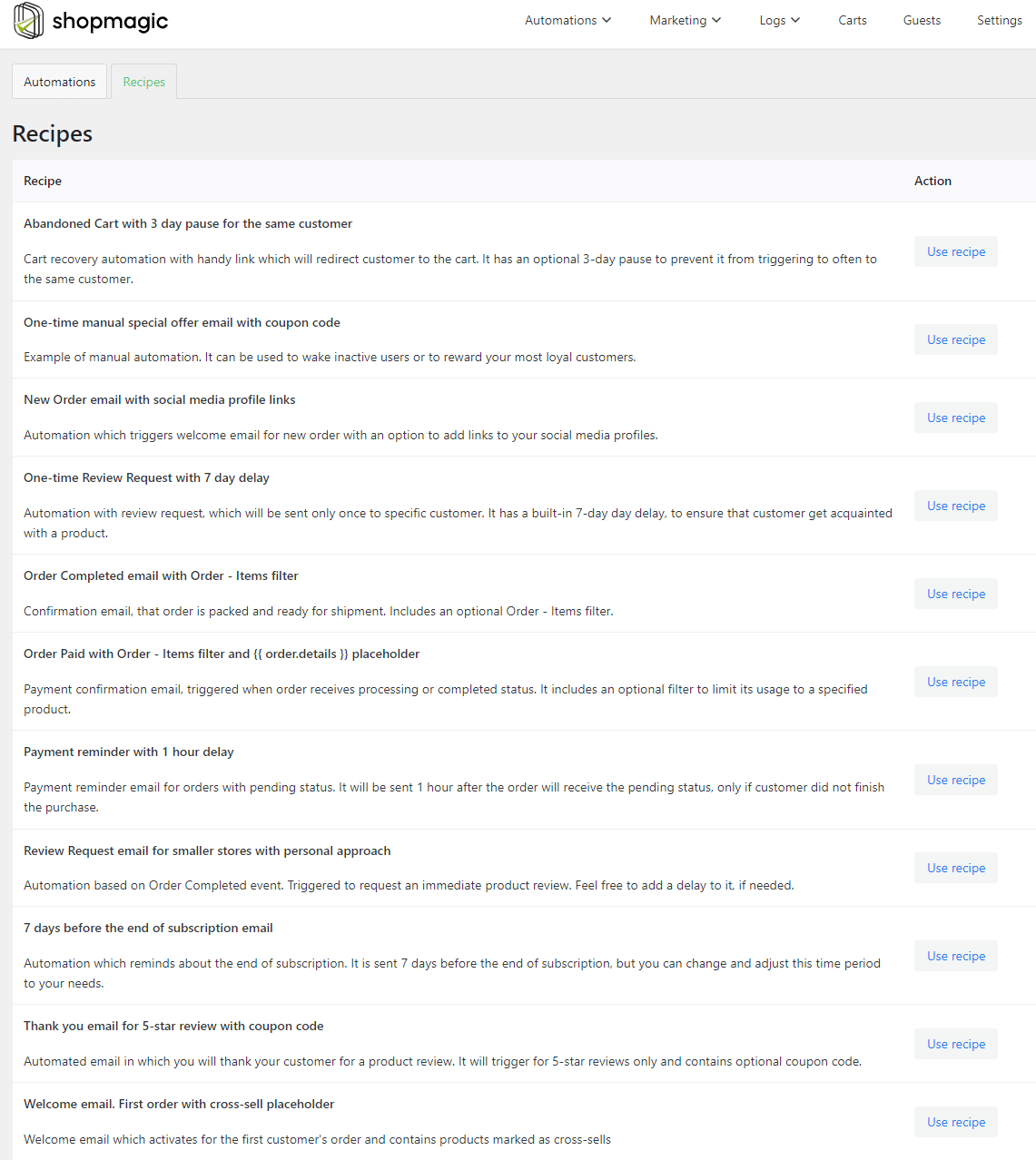
ShopMagic E-mail Recipes -
Automate your campaigns
Automation is key when it comes to successful email marketing in WordPress. You can use ShopMagic to send automated emails in WordPress and WooCommerce. Create engaging campaigns and ensure that your messages are sent out on time. This will save you time and help you stay organized.
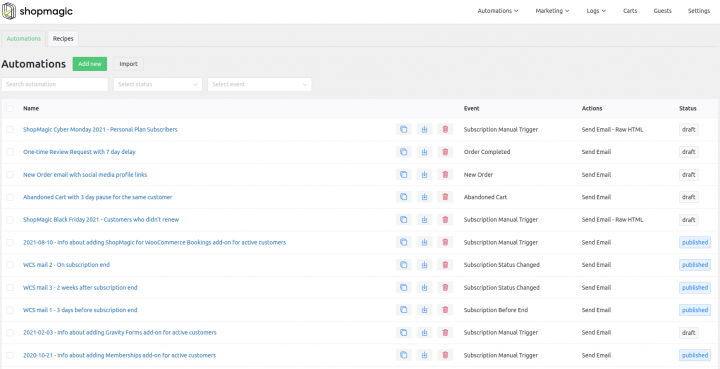
-
Track your results
Finally, you should track the results of your email marketing campaigns. This will help you understand what is working and what isn’t. In ShopMagic, simply, move to the Email Tracker tab to track open rates, click-through rates, and other metrics.
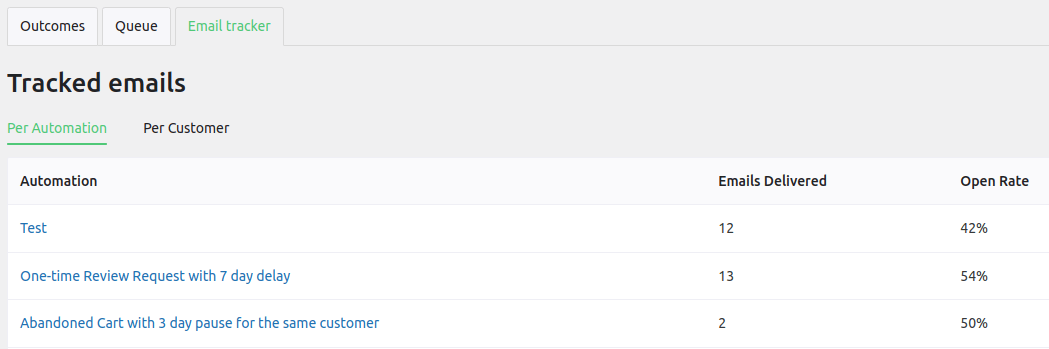
ShopMagic tracker ✅ By following these tips, you can use WordPress email marketing to grow your business. With the right strategy, you can build relationships, increase sales, and drive more traffic to your website.

Create an effective email marketing campaign in WordPress with ShopMagic!
WordPress email marketing is an effective way to reach out to potential customers and build relationships. With ShopMagic, you can create, personalize, and send beautiful emails and track all marketing campaigns in WordPress. And, you can track if you reach your goals with a mail log, outcomes, queue, and graphs.
Follow the steps below to create a successful email marketing campaign with WordPress and ShopMagic!
-
Set Your Goals
Before you start your email marketing campaign, it’s important to set your goals. What do you want to achieve with your campaign? Are you looking to increase sales, build brand awareness, or generate leads? Setting clear goals will help you create an effective email marketing campaign with WordPress and ShopMagic.
Also, define what things, results, and numbers you count on along the way to reach your goal.
-
Target your emails
Do you remember the last chapter when I wrote about customer segmentation? Once you’ve set your goals, it’s time to segment email recipients who you want to target with your emails.
💡 A perfect tool for targeting a specified group of customers is the ShopMagic Manual Actions add-on.Use it to send emails at a specified time to a specified group of customers only. One thing to remember is to…
-
Design Your Emails
Once you’ve selected an email recipient, it’s time to use an email customizer to design your WordPress emails.
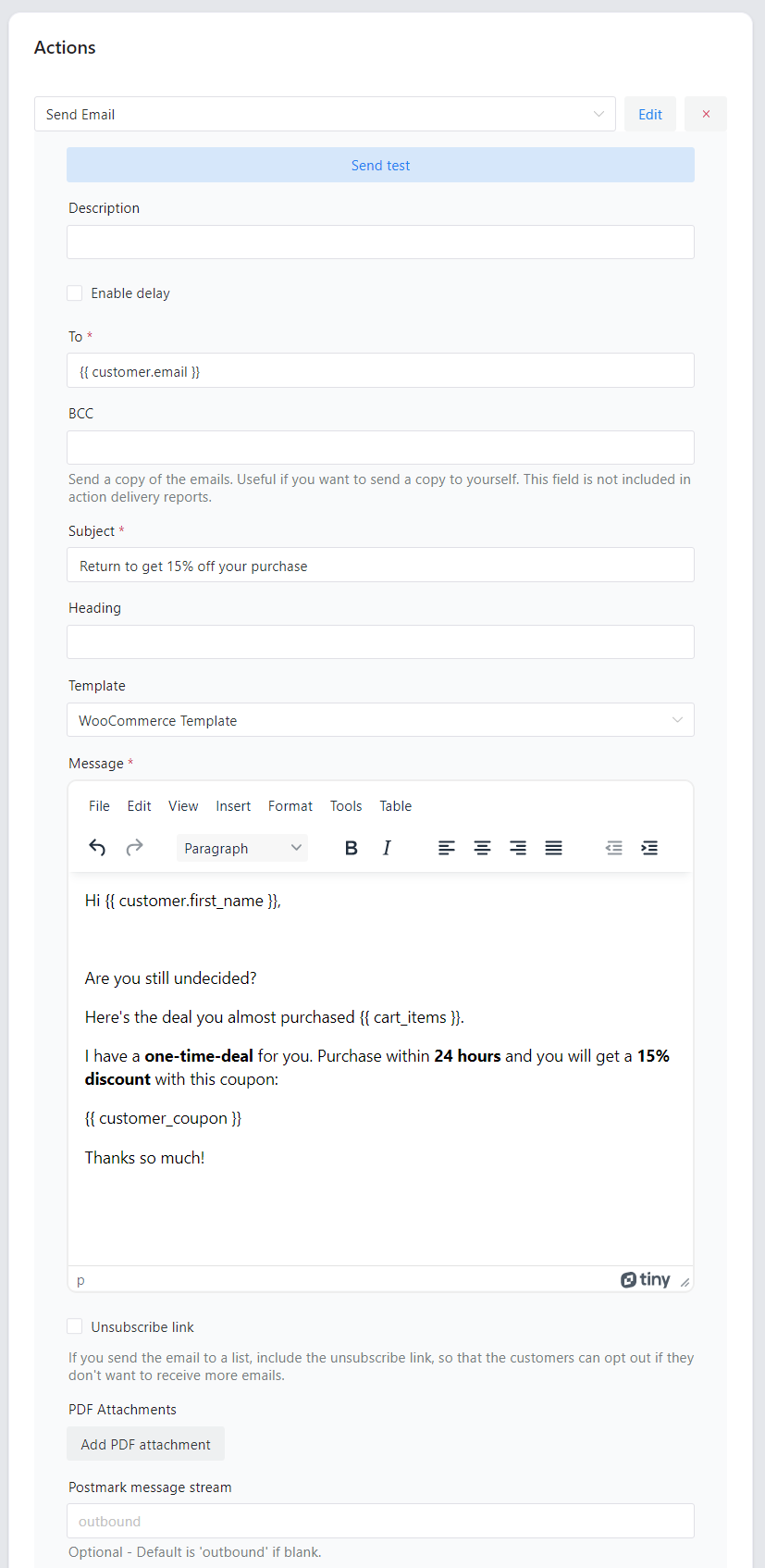
ShopMagic email creator ShopMagic will let you use WooCommerce templates, no template or HTML template of your choice. It is entirely up to you. Make sure to include a call-to-action in your emails so that your readers know what to do next.
-
Send Your Emails
Once you’ve designed your messages, it’s time to send your new WordPress emails out.
💡 If you want to delay or schedule your emails, think about the ShopMagic Delayed Actions add-on. This add-on will let you send all emails accordingly to your preferences.
ShopMagic Delayed Actions addon -
Analyze Your Results
After you’ve sent out your emails, it’s important to analyze the results. Previously I mentioned the Email Tracking tab in ShopMagic.
➡️ Have a look at how analyzing Open rate and Click rate per customer looks like in ShopMagic:

So, you may use the plugin as your WordPress mail log plugin e.g. check if WordPress can send emails properly.
✅ Following these five steps, will let you create an effective email marketing campaign with a tool of your choice. Fingers crossed that it will be the ShopMagic plugin for WordPress and WooCommerce.
The benefits of using a free WordPress email marketing plugin
Email marketing is an effective way to reach out to potential customers and keep existing customers engaged. It is also a great way to build relationships with customers and increase brand loyalty. However, setting up an email marketing campaign can be time-consuming and expensive.
😁 Fortunately, ShopMagic is a WordPress plugin, which you can use entirely for free email marketing.
ShopMagic: WordPress Email Marketing
Create, customize, and send your WordPress emails with ShopMagic. WordPress email marketing is now made simple.
Download for free or Go to WordPress.orgThe benefits of using a free WordPress email marketing plugin.
- One of the main benefits of using the ShopMagic email marketing plugin is that it can save time and money.
Instead of having to hire a professional to design and manage an email marketing campaign, a plugin can do the work for you. This can save you time and money, as you won’t have to pay for a professional’s services. You can use ShopMagic to create, customize, and send emails in WordPress but also WooCommerce.
- Another benefit of using Shopmagic? The plugin helps you create more effective email and marketing campaigns.
Marketing lists, basic filters, email tracking, and support for HTML templates are all available in the free version of our plugin. These features can help you create more effective campaigns that are tailored to your target audience.
- Finally, using ShopMagic can help you stay organized.
As you can see below, ShopMagic has a very intuitive dashboard. You can use the dashboard as your email marketing command center, in which all the necessary information is available with one mouse click.
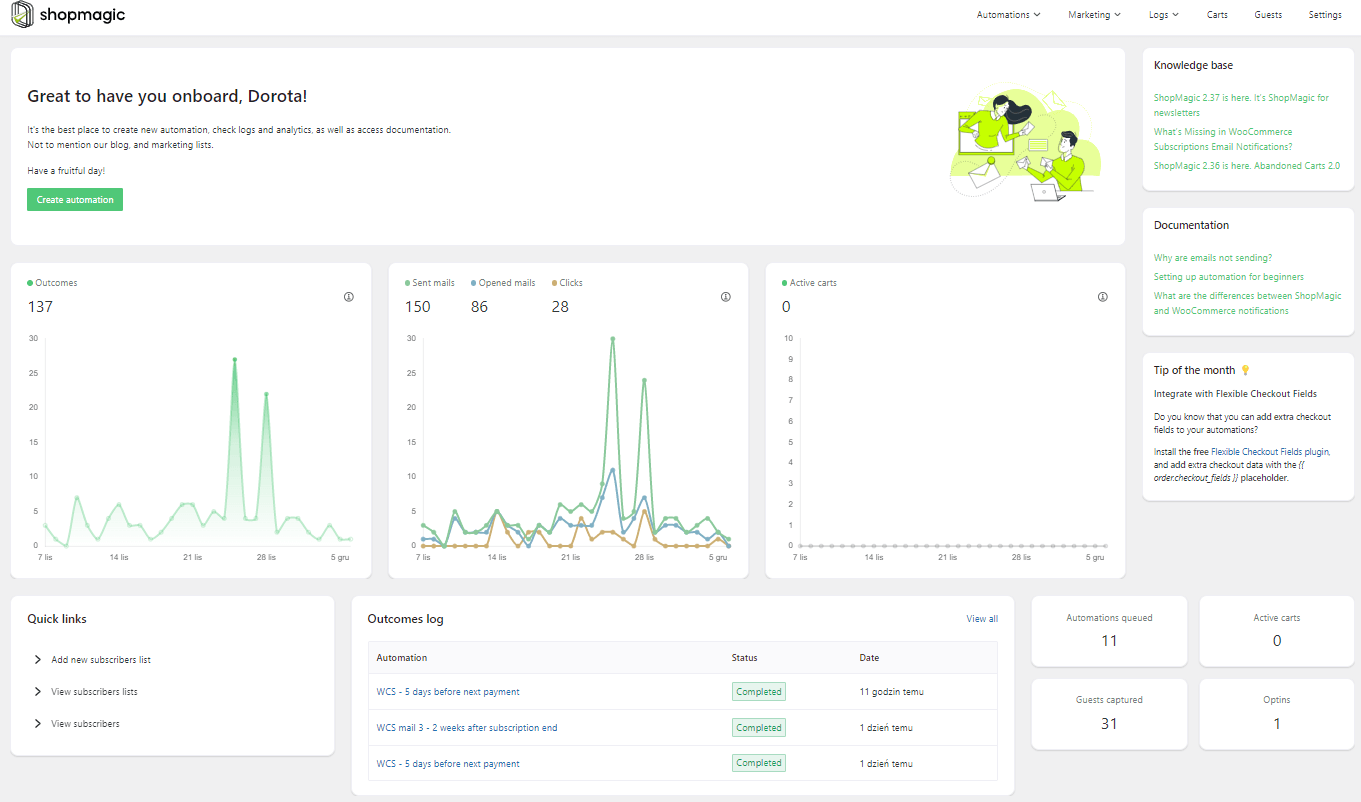
ShopMagic dashboard
To sum up, ShopMagic can be a great way to save time and money while creating more effective campaigns. It can also help you stay organized and ensure that WordPress sends your emails to the right people at the right time.
If you’re looking for an easy and cost-effective way to get started with email marketing, there’s no better way to go. Just install and activate ShopMagic.
How to customize your WordPress emails? In-depth tips
First, you’ll need an email marketing campaign or strategy. However, you may look for some tips, on how to optimize it.
👉🏾 Here are the top 5 tips, which you can use to take your strategy to the next level:
-
Utilize Email Automation
Automation is a great way to streamline your email marketing strategy for WordPress (and WooCommerce).
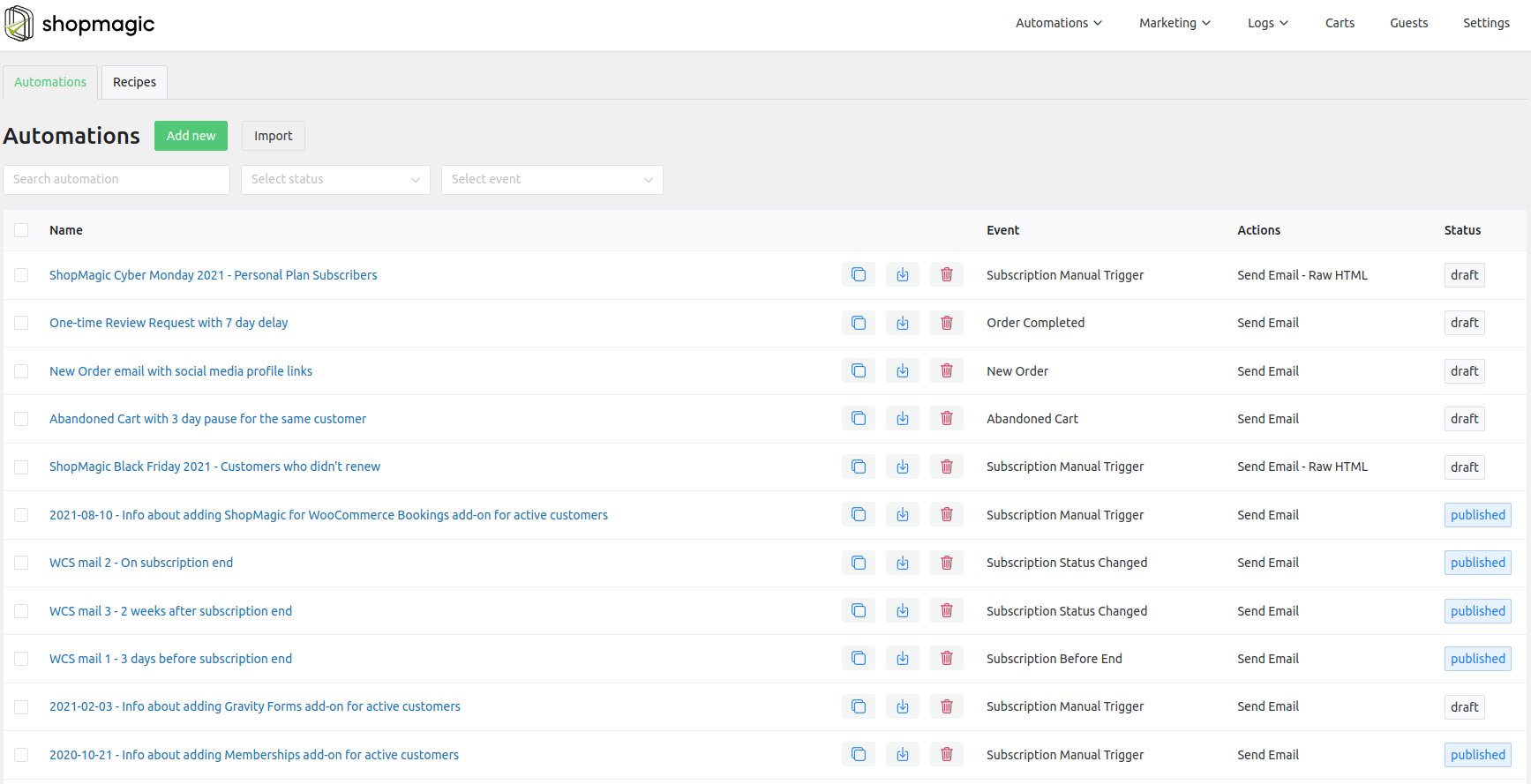
Automations created in ShopMagic 💡 Automation allows you to send emails to customers at predetermined times, such as when they sign up for your newsletter or when they purchase a product.This helps to ensure that your emails are sent out on time and that customers are receiving the information they need. Not to mention, that do not use email marketing automation nowadays is a big no-no.
-
Personalize Your Messages
Personalizing your emails can help to make them more effective. You can customize WordPress personalize emails by including the customer’s name, using their language, and including relevant content. In ShopMagic, you have more than 100 placeholders, which you can use to personalize your communication.
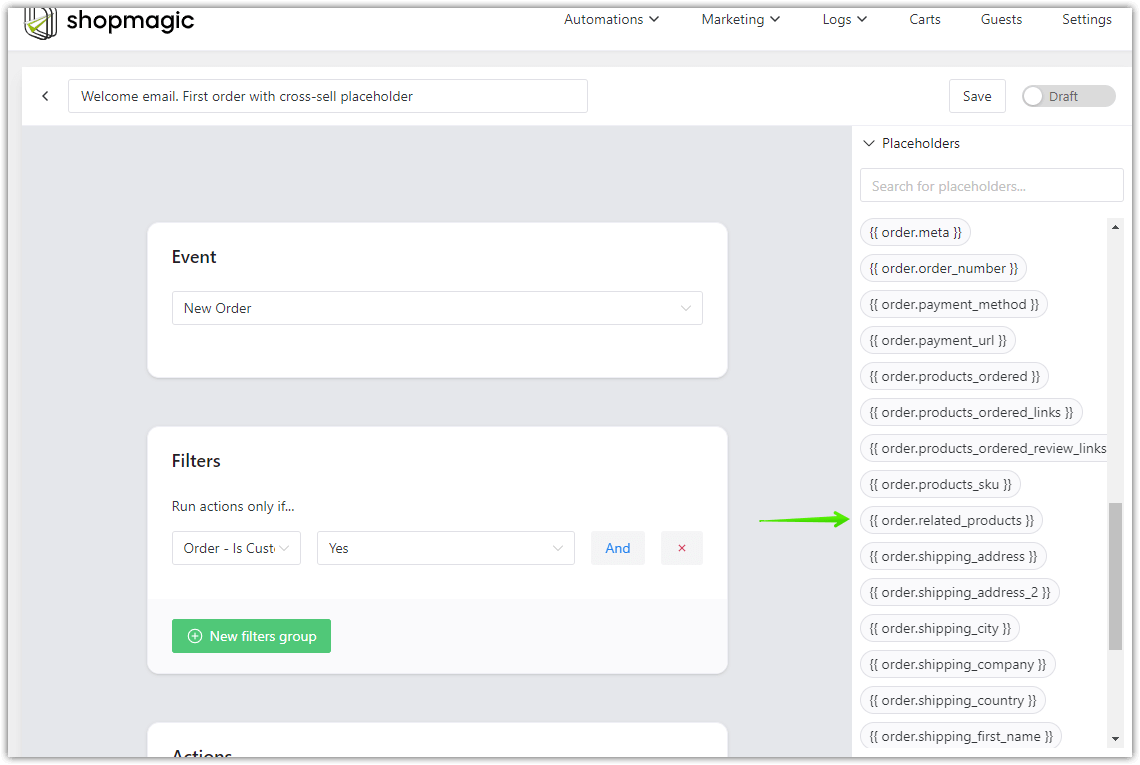
ShopMagic placeholders So, when WordPress will send your custom email templates, users will feel like you are speaking directly to them. Of course, it may help to increase their engagement.
-
Use Segmentation
Ok. I know that you can be bored with the word segmentation😉 . However, in my opinion, it is key to creating successful marketing campaigns in WordPress. Thanks to it, your emails are reaching the right people. If your emails are reaching the correct people, they are more likely to engage with your content. Which is the easiest way for higher conversion rates from each WordPress email you’ll send.

ShopMagic filters -
Monitor Your Performance
Monitoring your email performance (and mail log) is essential for optimizing your WordPress email marketing strategy. You should track metrics such as open rates, click-through rates, and unsubscribe rates.
This will help you to identify areas where you can improve and ensure that your emails are reaching the right people. So, even if you do use Google Analytics right now, do yourself a favor and create a GA account and connect it with your WooCommerce store. You’ll thank me later 😉.
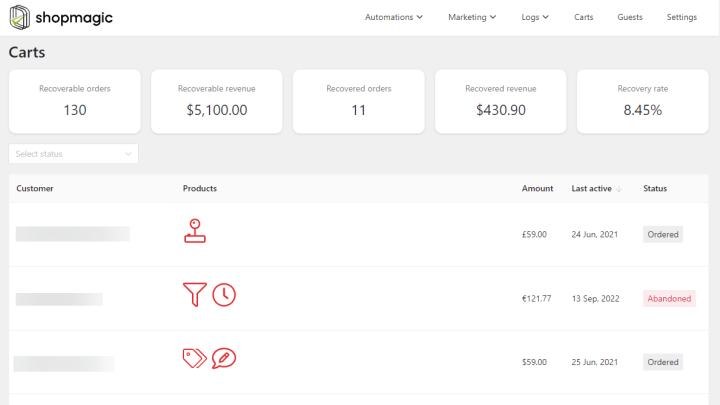
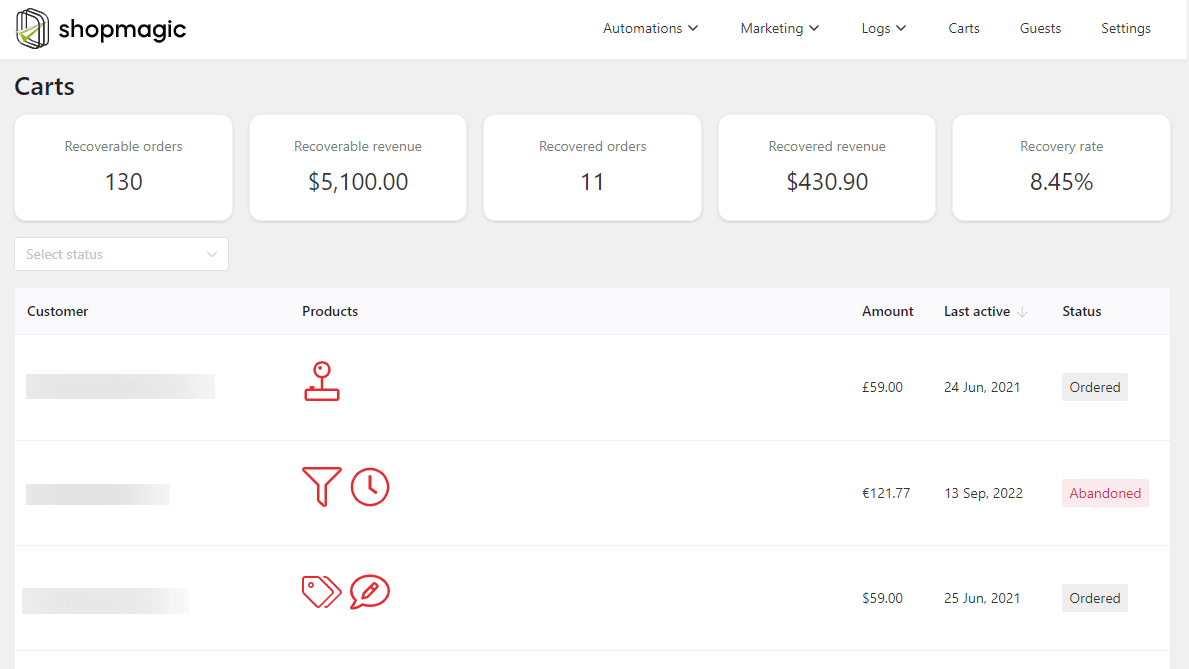
For example, ShopMagic lets you check the effects of abandoned cart email campaigns in WooCommerce.
-
Test Your Emails
Testing your emails is a great way to ensure that they are effective, and look exactly as you designed them. You can test different subject lines, content, and design elements to see which ones are most effective. This will help you to optimize your emails and ensure that they are reaching the correct people. In ShopMagic we love simple solutions, so once your email is ready, just click Send Test, and check the email in your inbox.
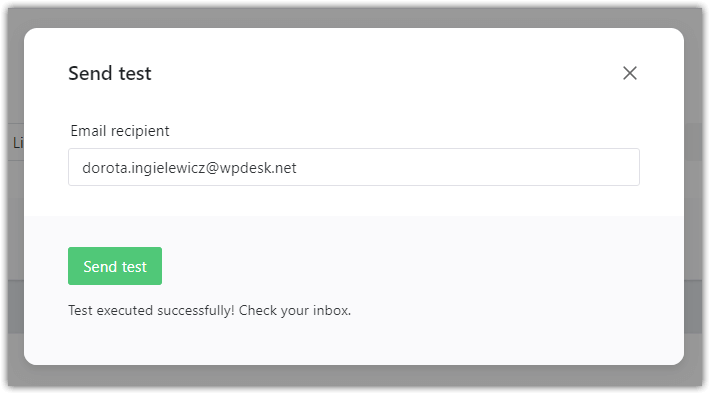
ShopMagic can send a test email -
Choose an Email Service Provider
It’s more like a friendly reminder. Your emails can be beautifully designed, and your marketing campaign can be buttoned up to the last detail. However, if your emails won’t reach your customers, well… all your hard work will go for nothing. That’s why you need to choose a reliable email service provider. There are many options available, so it is important to do your research and find the one that best meets your needs.
💡 If you ask me – we’re using Mailchimp but you can also use Postmark.Of course, you can send emails and log WordPress email campaigns inside ShopMagic reports as well.
By following these best practices, you can ensure that your WordPress email marketing campaigns are successful. With the right goal, target audience, email service provider, content, and optimization, you can create campaigns that will help you reach your goals.
Summary & more about ShopMagic
WordPress Email Marketing with a free plugin is a great way to reach out to your customers and build relationships with them. It is an easy and cost-effective way to stay in touch with your customers and keep them informed about your business.
With ShopMagic, you can easily create, customize, and send emails in WordPress. Also, you may check if WordPress will send an email with logs, tracking your campaigns, and analyzing the outcomes.
You can do far more, as we designed our plugin as an all-in-one WooCommerce email marketing solution. Fingers crossed that you’ll find it useful.
ShopMagic: WordPress Email Marketing
Create, customize, and send your WordPress emails with ShopMagic. WordPress email marketing is now made simple.
Download for free or Go to WordPress.orgIf you have any questions let us know.
Send WordPress email – read more!
-
Email template customizer (ShopMagic)

Create beautiful emails. Learn how to use a free plugin to send custom emails in WordPress and WooCommerce. -
WooCommerce free automations

WordPress automations. Learn how to send WooCommerce and WordPress follow-ups & automated emails.
