





Guest checkout is one checkbox: WooCommerce → Settings → Accounts & Privacy → Allow customers to place orders without an account. Turn it on and buyers complete a purchase without registering, which removes the biggest friction point in most checkouts. What you give up is everything an account carries: an order history the customer can look up, a basis for segmentation, and a dependable way to reach them again. The compensation is the address they type at checkout, which becomes the only thread connecting you to that buyer. Below: the setting, the three options around it, and what changes in your emails once most orders are guest orders.
How to enable guest checkout in WooCommerce
Go to WooCommerce → Settings → Accounts & Privacy and tick Allow customers to place orders without an account.
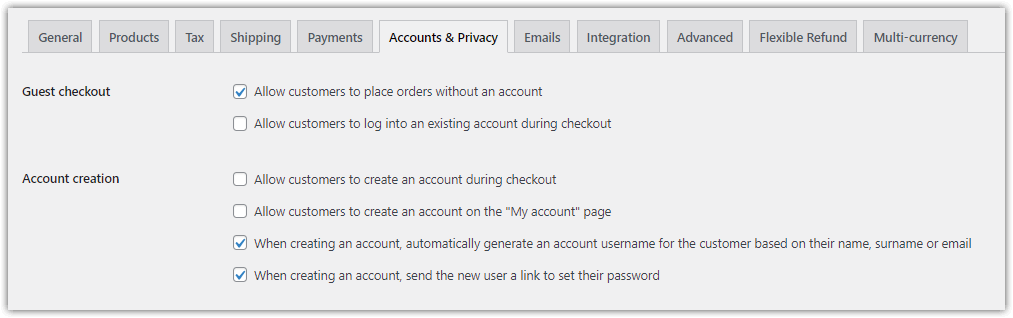
Three neighbouring settings decide how the rest of the experience behaves, and they are worth setting deliberately rather than leaving at whatever they were:
| Setting | What it does |
|---|---|
| Allow customers to place orders without an account | Guest checkout itself |
| Allow customers to log into an existing account during checkout | Lets returning customers sign in without leaving the page |
| Allow customers to create an account during checkout | Offers registration as an option rather than a requirement |
| Allow customers to create an account on the “My account” page | Registration outside the buying flow |
The combination most shops want is the first and third together: nobody is forced to register, and anyone who wants an account can have one without abandoning the purchase to get it.
It is also what most stores already run. WP Desk telemetry from 19,803 WooCommerce stores, collected in August 2026, shows 86.2% allow orders without an account.
What guest checkout gains you, and what it costs
| You gain | You lose |
|---|---|
| A shorter checkout with no registration step | An order history the customer can look up themselves |
| Fewer abandoned carts at the account wall | Saved addresses, so the next purchase is no faster |
| First-time buyers who would not have registered | Segmentation based on who a customer has been before |
| Less personal data stored than an account implies | A reliable channel back to that buyer |
None of these are reasons to leave it off. Forcing registration costs sales from people who were ready to pay, and a customer who registers only because they were made to is not a customer you have retained. The point is that the costs are real and land later, in support tickets asking where an order is and in marketing that has nobody to address.
Table of contents
- How to enable guest checkout
- What guest orders change about your emails
- Abandoned carts from guest checkout
- Sending at volume with Postmark or Mailchimp
- Summary
- Frequently asked questions
What guest orders change about your emails
A guest leaves one piece of contact information: the address typed at checkout. Everything that happens after the sale runs through it, because there is no account page to return to.
Three practical consequences.
The order emails are the order history. A registered customer can open My Account and see what they bought; a guest cannot. If your confirmation is thin, that customer has no record of the purchase at all, which is where “where is my order” tickets come from.
Segmentation has to come from the order, not the customer. Filters based on previous purchases or customer lifetime value have nothing to work with for a guest. Filters based on what is in this order, its value, its category, its shipping method, work exactly the same for both.
Consent has to be asked at checkout or not at all. There is no later moment. If you want to send anything beyond transactional messages, the opt-in belongs on the checkout page alongside the address field.
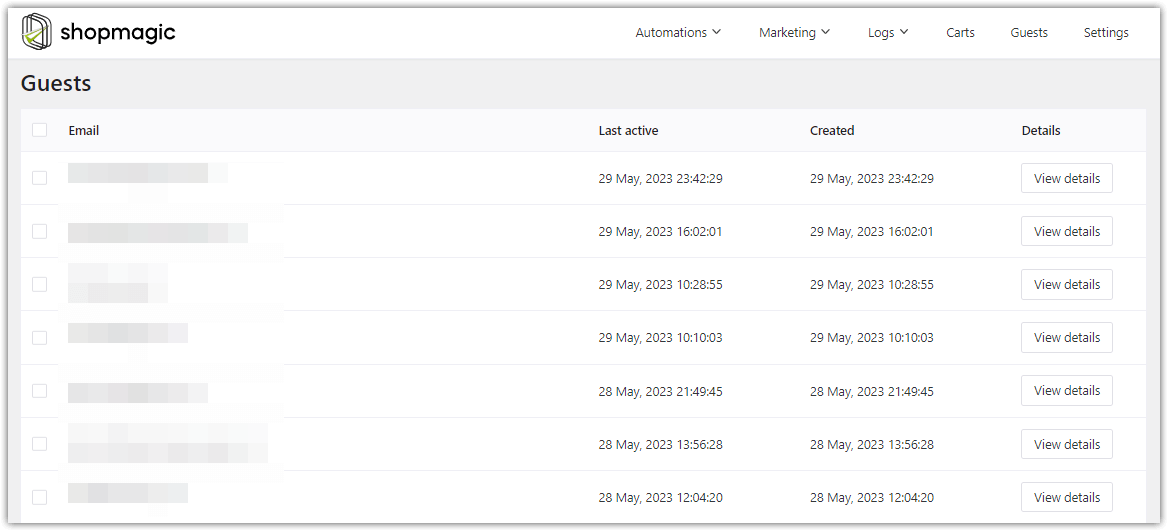
ShopMagic treats guests and registered customers the same way for sending purposes: as long as an address was captured, an automation can reach it.
ShopMagic
Send custom emails in WooCommerce and enjoy our Postmark WordPress integration. Sending WooCommerce follow up e-mails for guest checkout too!
Download for free or Go to WordPress.orgAbandoned carts from guest checkout
Guest checkout and abandoned carts intersect at one point: whether the email address was captured before the customer left.
A guest who reaches the address field and leaves at the payment step can be emailed. One who leaves before typing an address cannot, by anyone, with any plugin. That is why checkout field order matters more in a guest-heavy store than in one where most buyers are logged in.
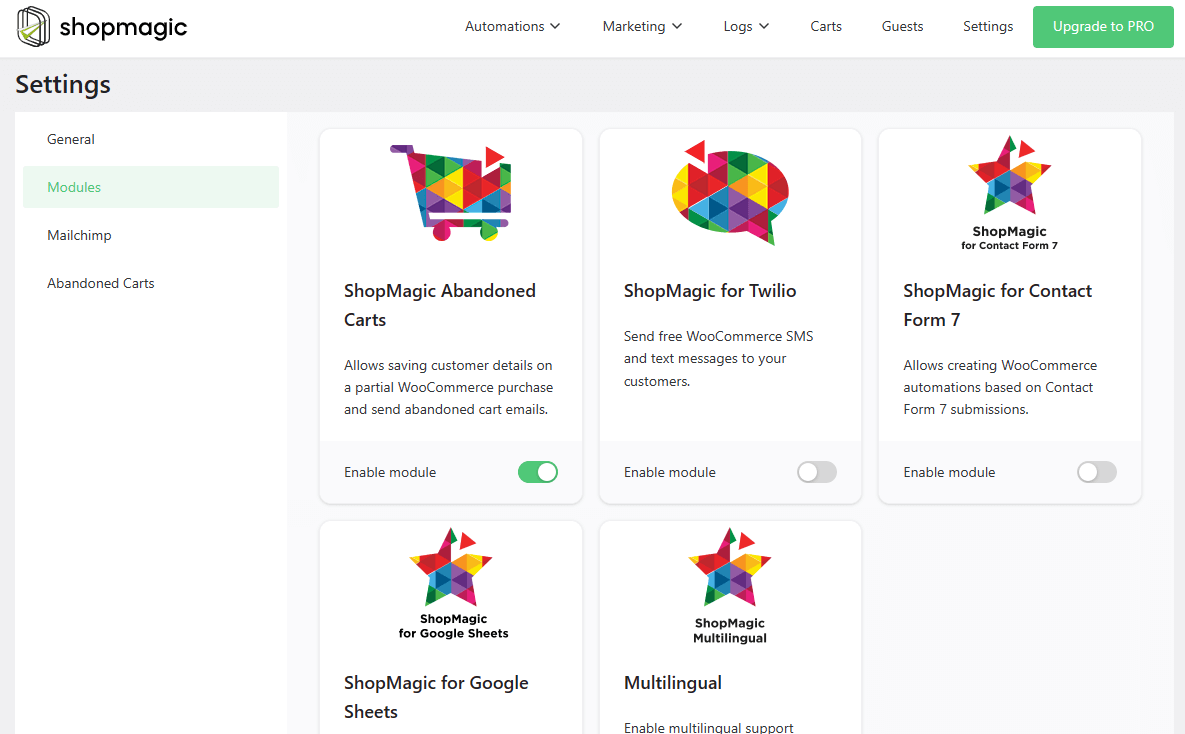
The free Abandoned Carts add-on records the cart and the address, and sends a reminder on the schedule you set. It is enabled in the plugin settings alongside the other free add-ons.
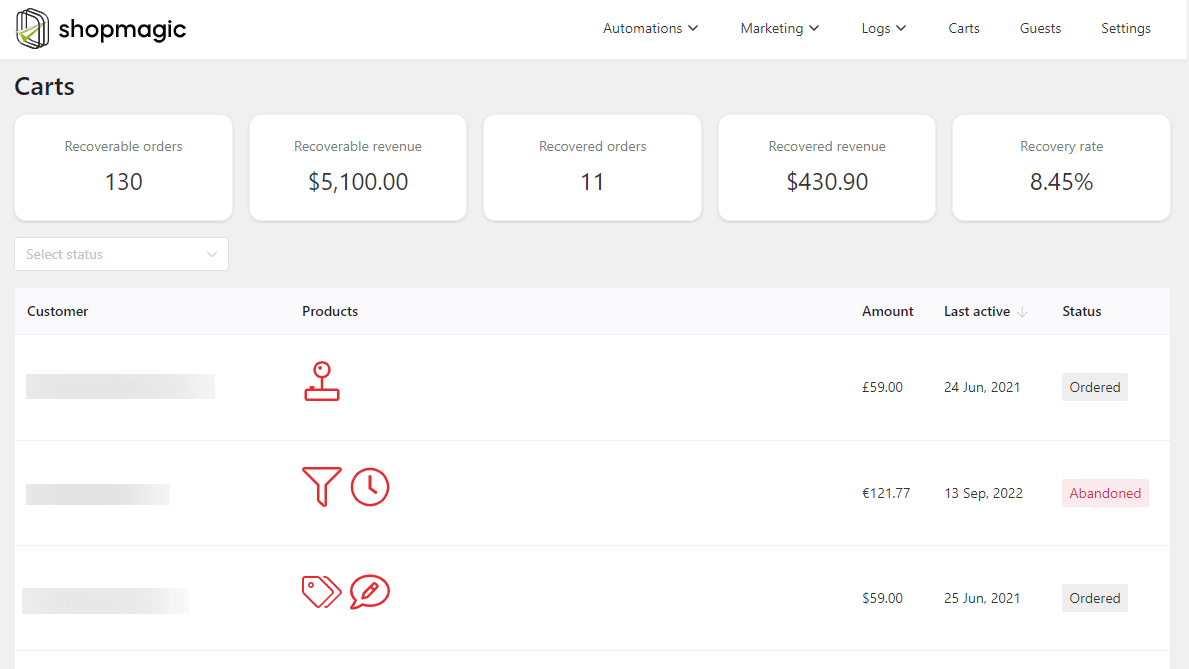
Recovered carts are reported, so you can see whether guest orders come back at a different rate from registered ones. Worth checking rather than assuming: in some shops guests recover better, because the people who insisted on not registering are also the people who simply got interrupted.
Sending at volume with Postmark or Mailchimp
Once most of your orders are guest orders, your email list and your customer list are the same thing, and deliverability stops being a background concern.
ShopMagic sends through whatever WordPress is configured to use, which means it works with a transactional service rather than replacing one.
Postmark message streams
Postmark separates transactional and broadcast traffic into different streams, so a newsletter that attracts complaints cannot damage delivery of your order confirmations. For a store where the order email is the customer’s only record of their purchase, that separation is worth having.
To route ShopMagic emails through a specific stream:
- Add a message stream in your Postmark account.
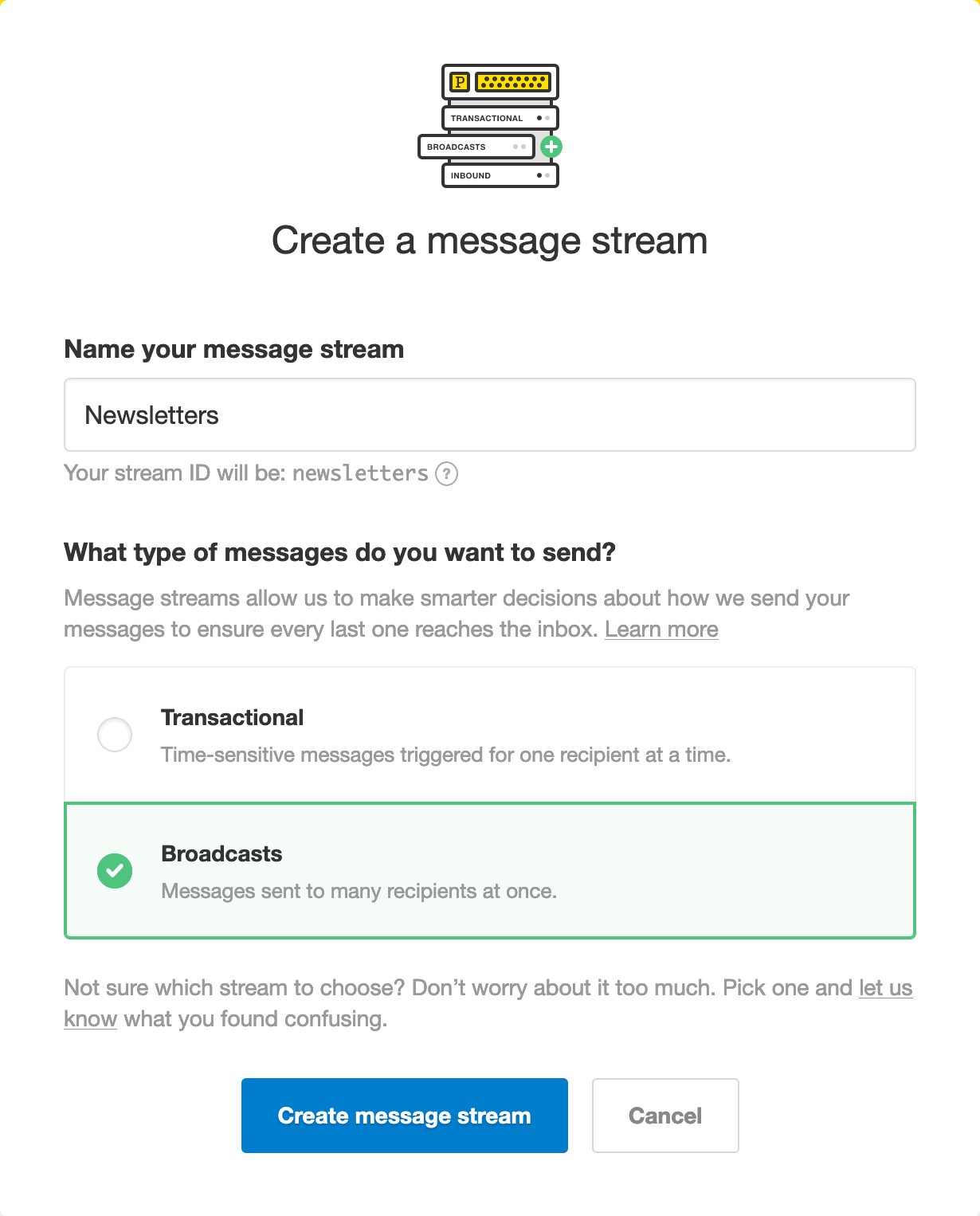
Adding a message stream - Copy the stream ID,
newslettersin the example above. - Enable the integration with a filter, for example in a site-specific plugin or your child theme:
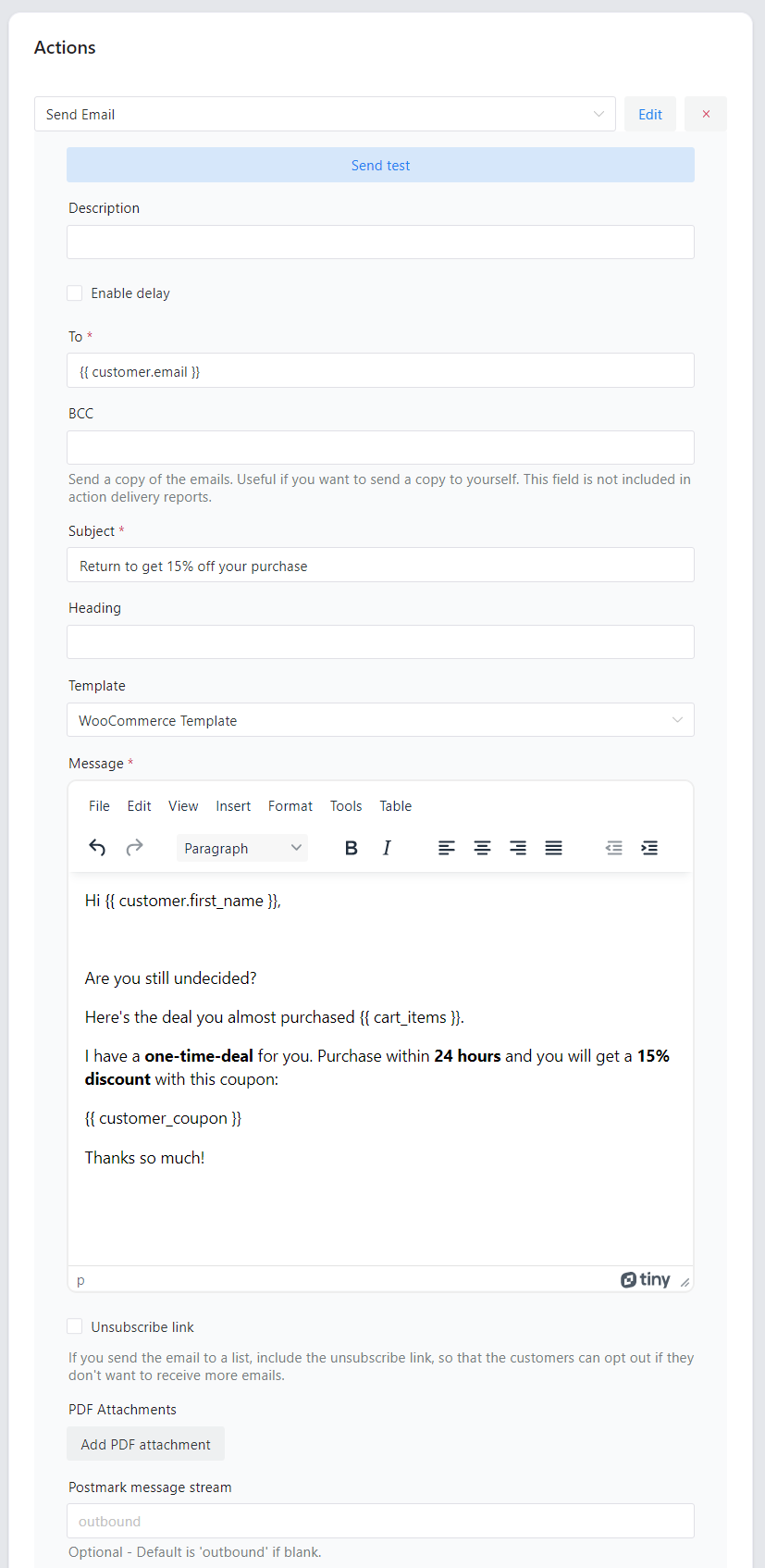
add_filter( 'shopmagic/core/postmark/enabled', '__return_true' ); - Add the stream ID to the email action in your automation.

The stream ID field
Every email from that action then uses that stream.
Mailchimp

Summary
Guest checkout is one setting in WooCommerce → Settings → Accounts & Privacy, and it is already on in the large majority of stores. Pair it with the option to create an account during checkout, so registration is available without being compulsory, and the checkout stops costing you the buyers who were not going to sign up.
What it changes sits downstream. A guest has no My Account page, so the order emails become their only record of the purchase, their only route back to you, and the only place a consent question can realistically be asked. Segmentation shifts with it: anything based on who the customer has been before has nothing to work with, while anything based on this order, its value, its contents, its shipping method, works exactly as it does for registered buyers.
For abandoned carts the dividing line is simply whether the address was captured before the customer left, which makes the order of your checkout fields a revenue question rather than a design one. And once most of your orders are guest orders, your customer list is your email list, which is the point at which separating transactional from marketing traffic, through message streams or a separate marketing tool, stops being optional housekeeping.
ShopMagic
Send custom emails in WooCommerce and enjoy our Postmark WordPress integration. Sending WooCommerce follow up e-mails for guest checkout too!
Download for free or Go to WordPress.orgFrequently asked questions
How do I enable guest checkout in WooCommerce?
WooCommerce → Settings → Accounts & Privacy, then tick “Allow customers to place orders without an account”.
Should I allow guest checkout?
For most shops yes, since forcing registration loses buyers who were ready to pay. Pair it with the option to create an account during checkout so registration stays available.
Do guests receive order emails?
Yes. The emails go to the address entered at checkout, exactly as they do for registered customers.
Can guests see their order history?
No. Without an account there is no My Account page, which is why the order confirmation is effectively their receipt and their record.
Can I send abandoned cart emails to guests?
Yes, as long as the address was captured before they left. Someone who abandons before reaching the address field cannot be contacted by any plugin.
Can I segment guest customers?
By the order, yes: value, products, category, payment and shipping method. By purchase history, no, because a guest leaves none.
Can a guest create an account later?
Yes, and WooCommerce has a separate setting for account creation on the My Account page. The order already placed as a guest will not automatically attach to it.
How do I ask guests for marketing consent?
At checkout, because there is no later opportunity. An opt-in beside the address field is the only reliable moment for a buyer who never registers.
