



Welcome aboard! It is another article in our series of guides. Today, I will focus on creating WooCommerce reminder emails. I will also show you how to send product review requests with WooCommerce discount coupons to reward customers with a small bonus for their effort. As always, the whole process will be fully automated, thanks to ShopMagic and once we set it up, we can literally forget about it.
Are you tired of manual reminder emails or asking for product reviews?
Would you like to send both reminder emails and thank-you messages with discount coupons for a WooCommerce product review? Let’s use ShopMagic to send beautiful, customized, and automated emails today! Ok, buckle up, and let’s get started 🚀!
Table of contents
- Do you need WooCommerce reminder emails?
- Let’s create customized emails in WooCommerce in 3 steps!
- WooCommerce reminder emails with discount coupons for a product review!
- Summary & more about ShopMagic
Do you need WooCommerce reminder emails?
By default, you can use WooCommerce standard emails for order statuses:
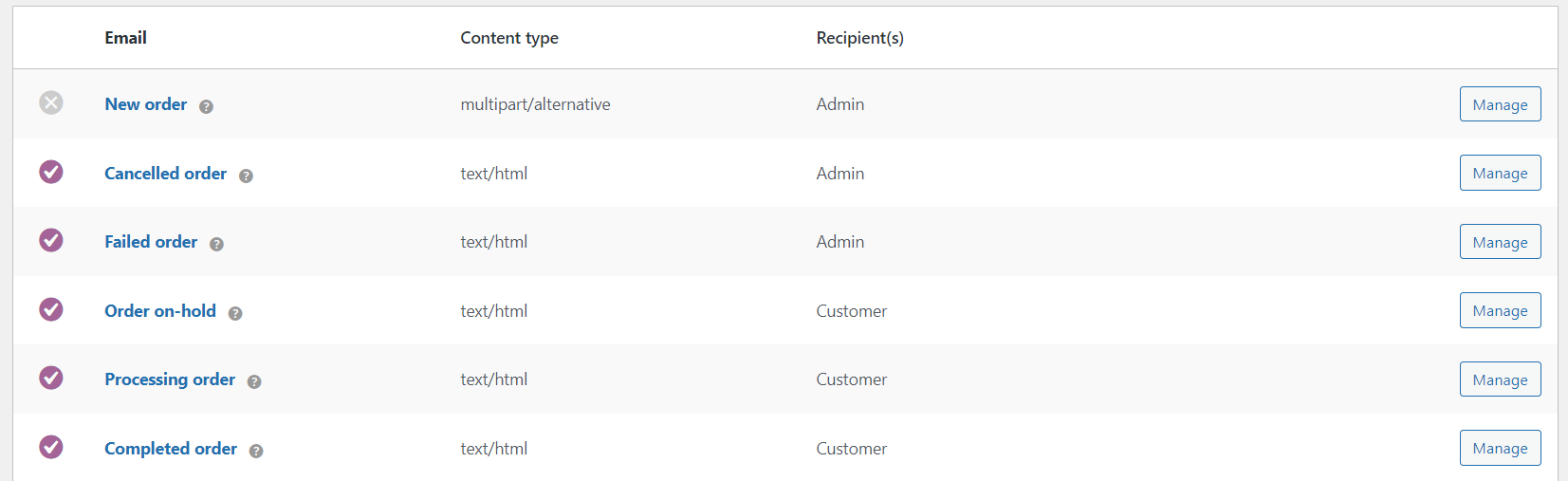
You may adjust their layout by overwriting the PHP email template:
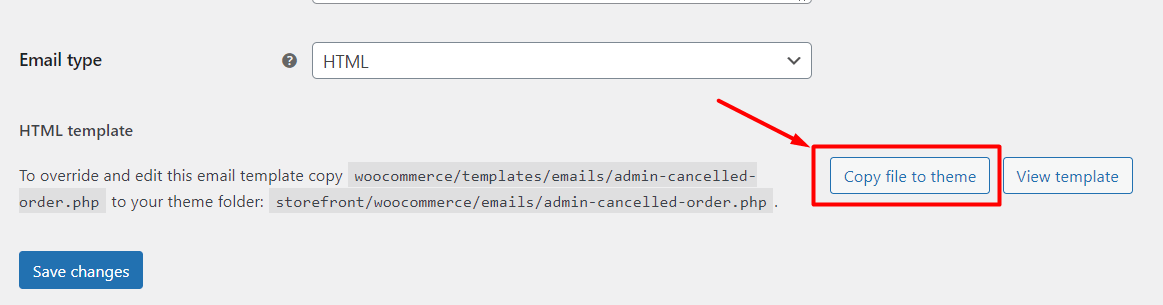
But, first, you need to know PHP:
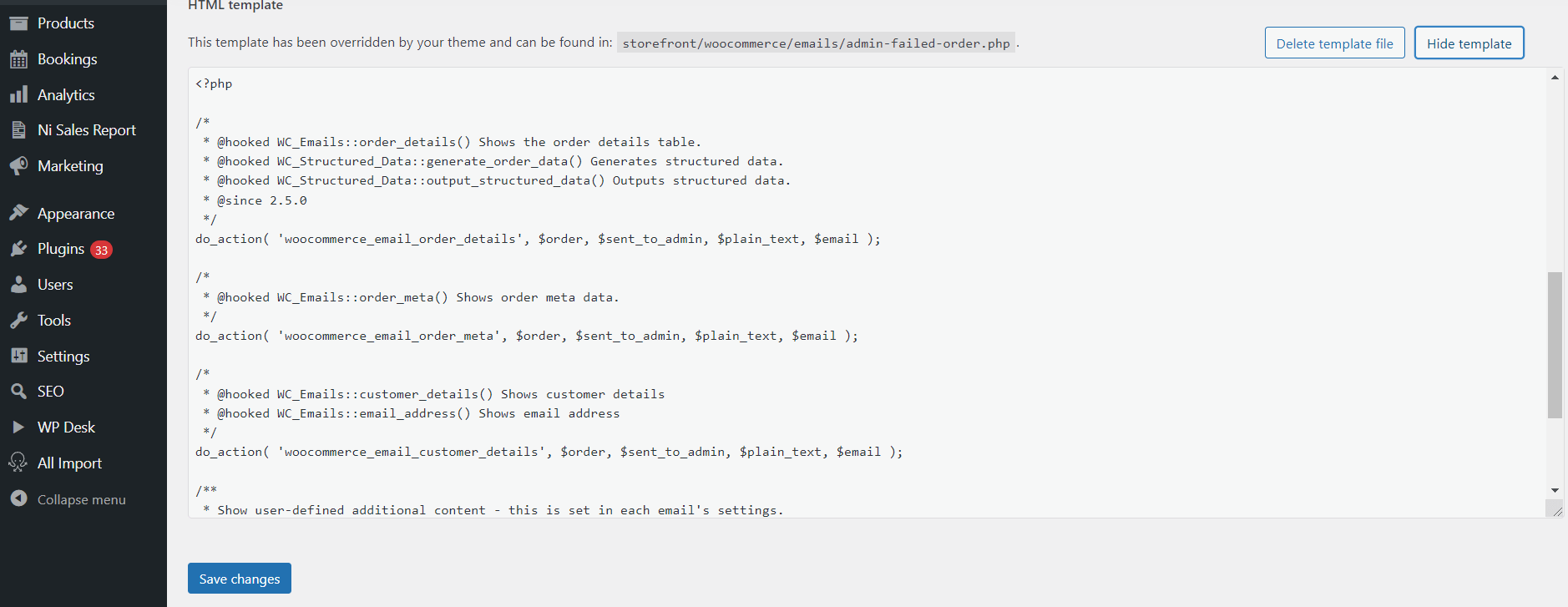
Secondly, and most importantly, you are bound to these order-status-based email triggers, but you cannot send customized WooCommerce emails according to the time, customers, and conditions you want!
Let’s create customized emails in WooCommerce in 3 steps!
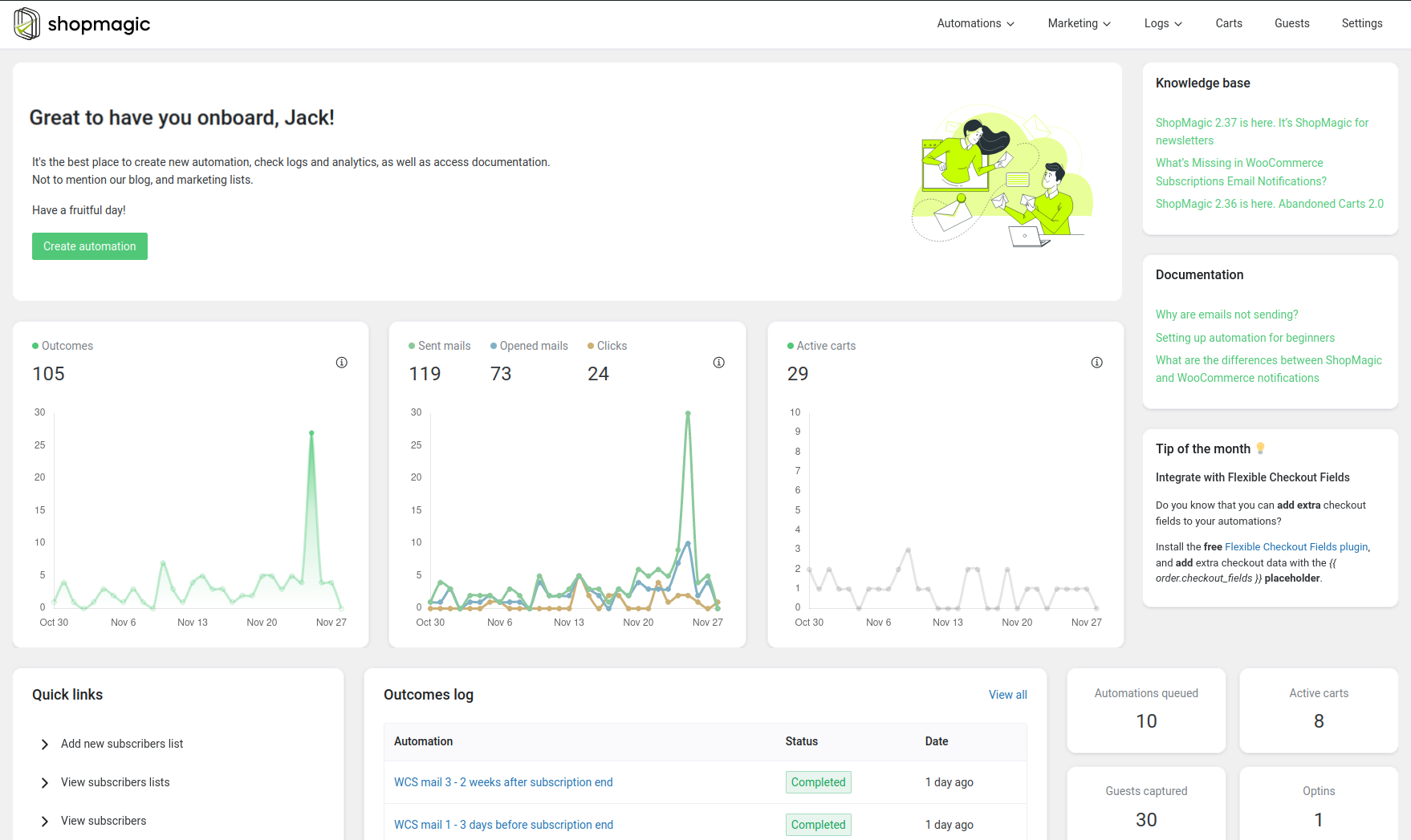
Let’s see now how to come from the default WooCommerce emails to this:
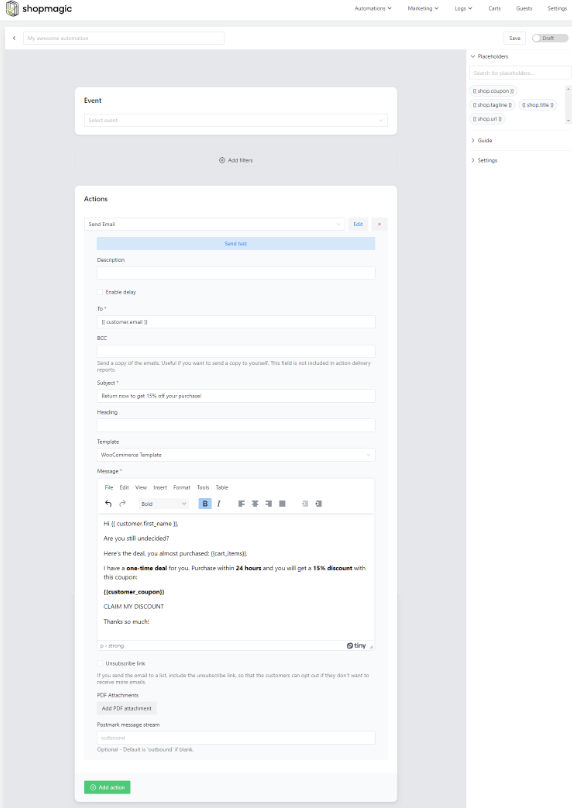
Fully automated,
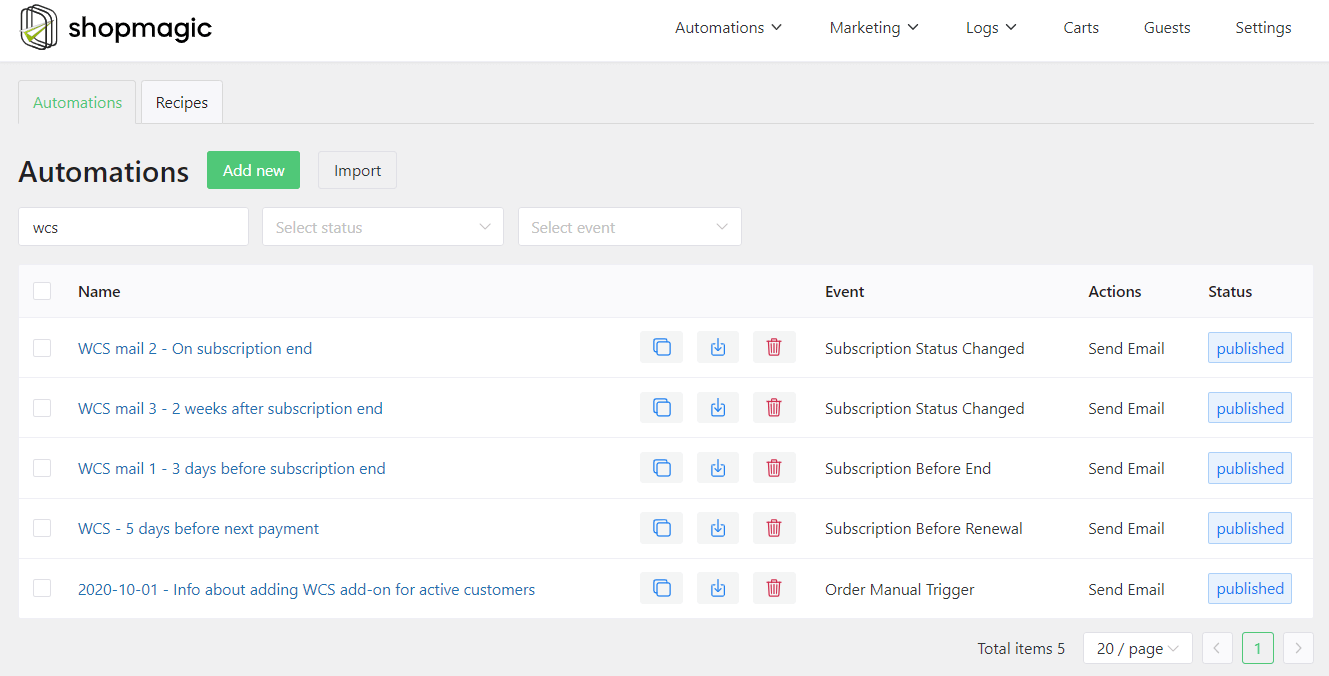
customizable,
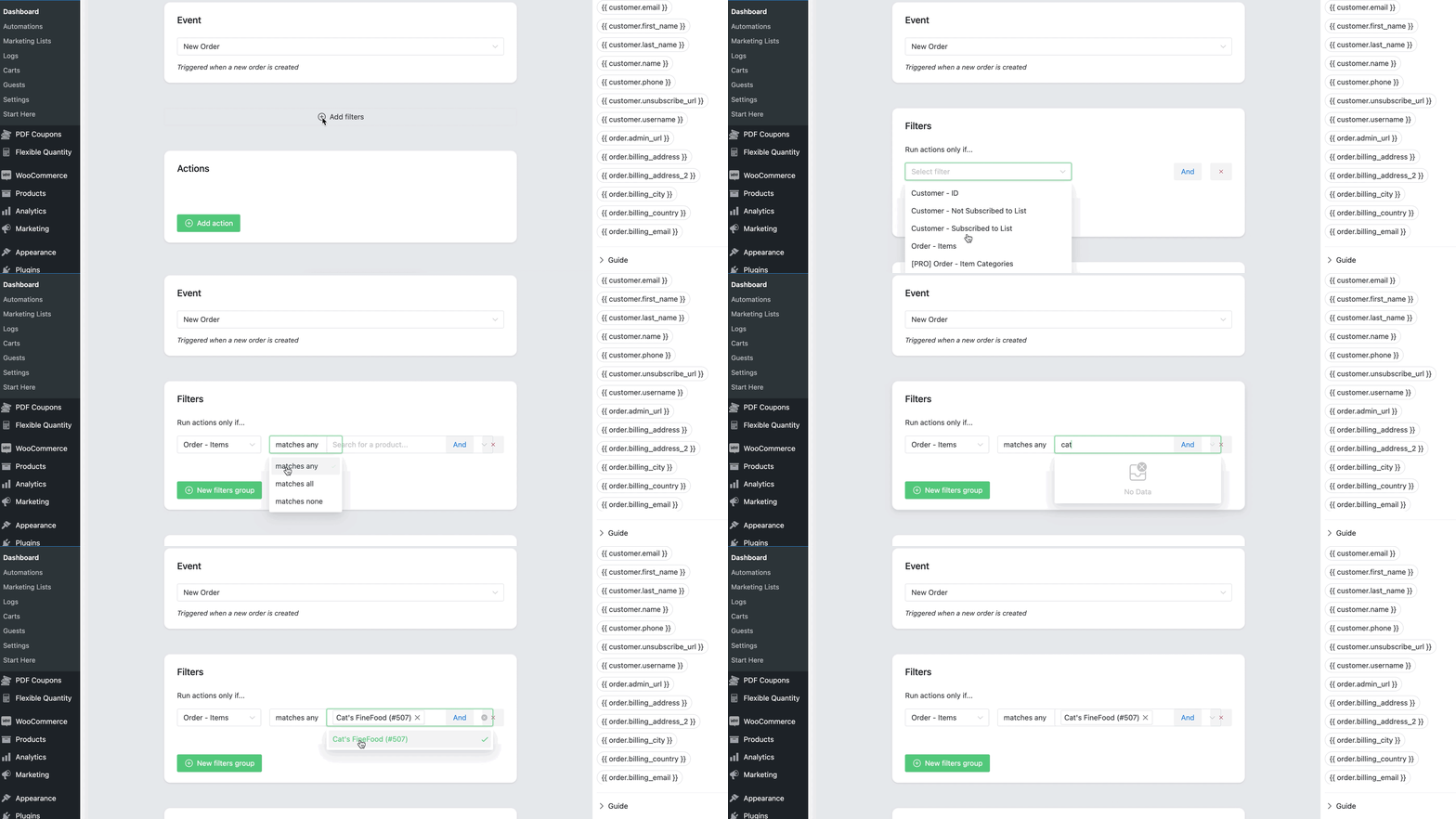
and reported!
Step 1: Setup and requirements for an automation
First of all, you will need our marketing automation plugin – ShopMagic. Secondly, as already mentioned above, the free version of ShopMagic won’t be enough to send WooCommerce discount coupons for a product review. We will need ShopMagic PRO.
I assume that you already installed our Customer Coupons add-on 😎. If not, you will find it in your account. Download it, install, and activate it like any other plugin.
Step 2: Create your first WooCommerce reminder email
If you are familiar with any of our guides, you know what to do 😉. You can go directly to step three, which is about setting up an action to send WooCommerce review coupons. Otherwise, click ShopMagic → Add New in your WordPress menu.
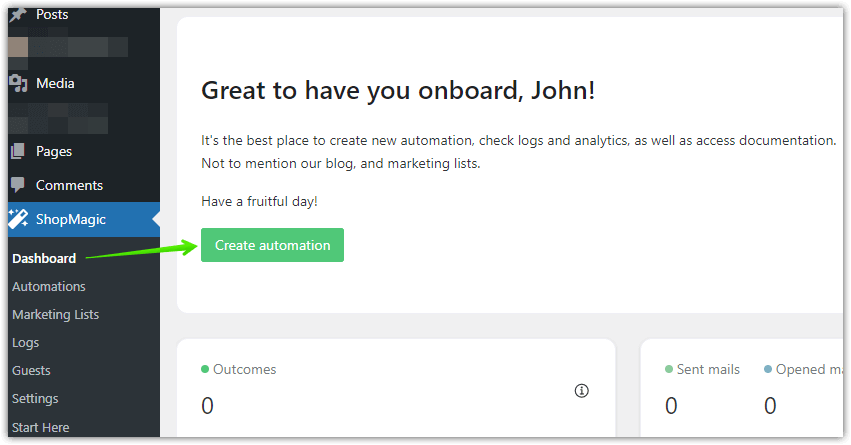
Secondly, you should see a workflow for our new automation and it should look like this one:
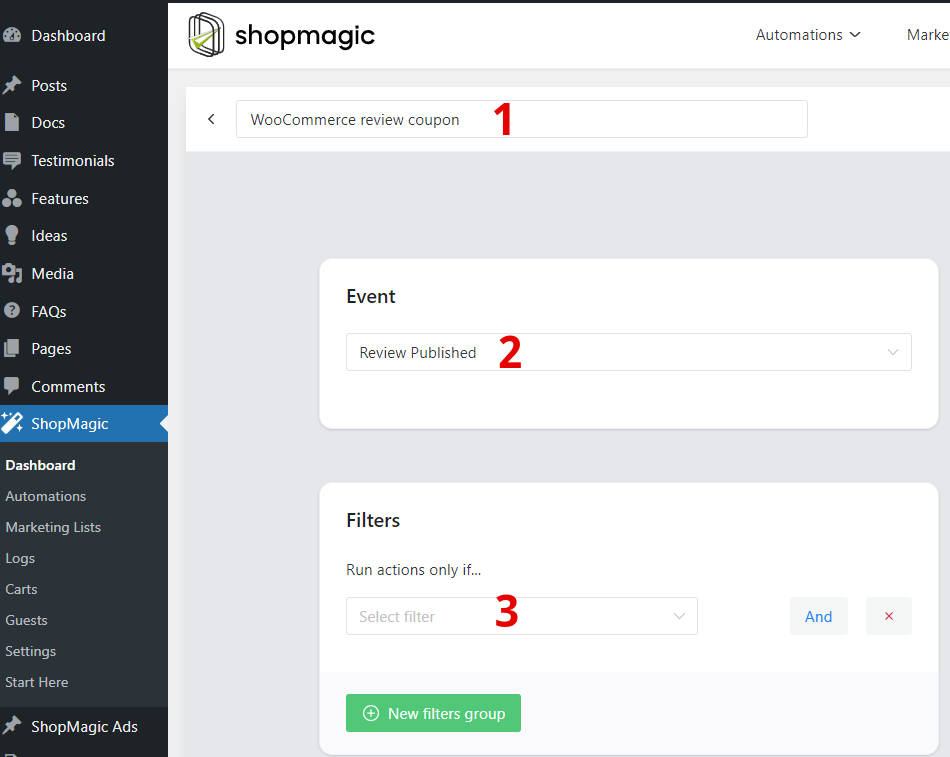
Here, you can set up an Event, Filter, and name your automation. The field marked with the number (1️⃣) is a place to write a name for the automation. It’s only for your reference, but it’s a good idea to use an easy-to-distinguish name. As you can see my choice is the “WooCommerce review coupon“.
For an Event (2️⃣) we will use a newly added Review Published. In other words, when a review will be published, ShopMagic will detect it and trigger the automation.
Filter (3️⃣) is a feature that lets you decide – is your automation global, for all of the products? Or maybe only for a specified product or group of products? It’s entirely up to you. I’m creating global automation for all products.
Step 3: Set up the Action and send WooCommerce reminder emails
In the third and last step, we will create an email to the customer. Action has lots of different options, so let me walk you through them step by step.
👉 First of all, check out a screenshot, where all of the options will be properly marked. You will find the detailed explanation below it.
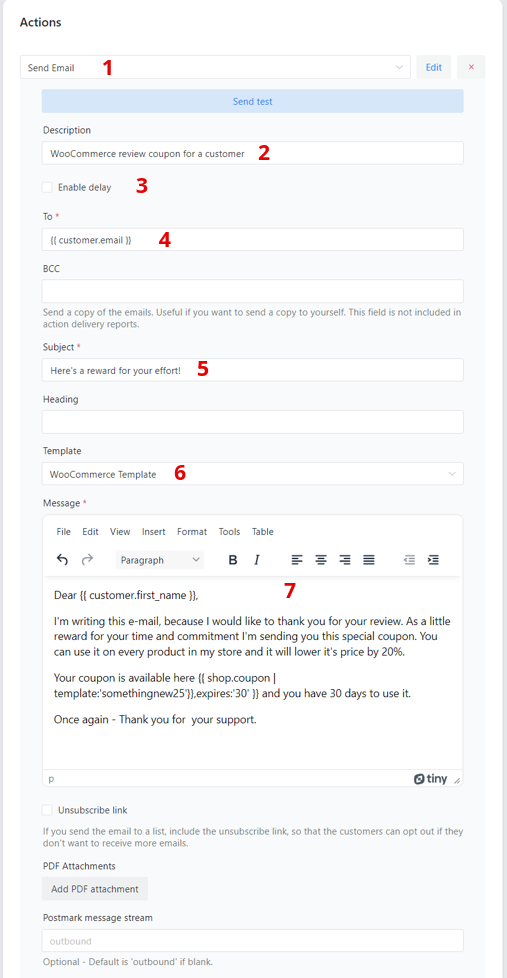
- Action. Choose the Send Email action.
- Description. It’s for your reference only. Usually, it’s connected to the type of automation. In my example, it is “WooCommerce review coupon for a customer“.
- An option to delay an email. We won’t be using it while creating WooCommerce review discount coupons but it is a very useful feature. When the delay is checked, your email will be sent with a specified delay. ✅ You can choose from minutes, hours, days, and even weeks. If you are looking for an example, of how you can benefit from it, check out this article ➡️
- To is usually filled with a placeholder {{customer.email}}. ShopMagic will use customer email from the order and assign them to this field automatically.
- Email subject. It’s a place for your creativity. Simple “Thank you for your order!” or something more sophisticated like “Hey! Open me ASAP. It’s me, your WooCommerce Review Coupon!”. It’s up to you.
- Template. Choose from a WooCommerce template or none. The template is responsible for the style of your email.
- Message field. Similar to the subject, it’s another place where you can personalize your message. Choose from a visual or text editor. Messages created here will be sent to your customers in our WooCommerce review discount coupon automation.
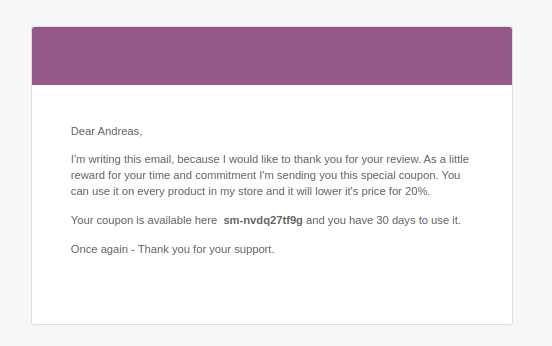
If you are interested in how this email will look in the customer’s mailbox, here’s a screenshot:
WooCommerce reminder emails with discount coupons for a product review!
In my other article about review requests, we were creating a WooCommerce review request email. The importance of reviews is pretty obvious for every store owner. Reviews become an important factor when a customer is comparing products and asking himself – To buy or not to buy 🤔?
So, if we “hired” a customer and are receiving an excellent and comprehensive review of one of our products, it sounds like a good idea to reward loyal customers. And that is a place for WooCommerce discount coupons for a product review.
ShopMagic: WooCommerce Reminder Emails
Thank your customers for product reviews and notify your staff about new reviews. Send WooCommerce reminder emails and gain profit!
Add to cart or View DetailsSummary & more about ShopMagic
Today, you’ve learned how to create, customize, and send email reminders with discount coupons in WooCommerce. This is only one of many useful features available in ShopMagic PRO!
Besides the WooCommerce review discount coupons, you can request a review, create a coupon for a customer and delay action for a certain amount of time.
Check out other features of ShopMagic!
Purchase ShopMagic PRO → Try the demo →
As always, if you have any questions about WooCommerce reminder emails & review discount coupons or ShopMagic in general, please use the comment section below.
More about WooCommerce reminder emails
-
Send WooCommerce payment reminder email with ShopMagic

Payment reminders in WooCommerce. Send WooCommerce payment reminders with ShopMagic. This tutorial will show you how to do it. -
WooCommerce subscription reminder email

Subscription reminder email in WooCommerce. Find out how to use ShopMagic to send WooCommerce subscription reminder emails.
