





ShopMagic is a free marketing automation plugin for WooCommerce and the closest free equivalent to AutomateWoo. The free version carries the automation engine itself: events, filters, actions, unlimited automations, email logs, open and click tracking, and abandoned cart recovery that covers guest carts as well as logged-in ones. The paid tier adds timing and targeting rather than features you can see: delays, advanced segmentation, manual sends, review requests and customer coupons. AutomateWoo has no free version at all, and charges separately for several add-ons where ShopMagic includes every add-on in one licence. Below: what maps across, where AutomateWoo is genuinely still ahead, and how to tell which side of the line your store falls on.
Is there a free AutomateWoo alternative?
Yes, with one honest qualification: free gets you the engine, not the entire feature list.
ShopMagic’s free version is not a trial or a crippled demo. It includes the thing AutomateWoo is actually built around, which is the ability to say “when X happens, check Y, then do Z”. Events cover WooCommerce order statuses and WordPress actions such as a published post or a new comment. Filters narrow who qualifies. Actions send an email, post to Slack, send an SMS through Twilio or write a row to Google Sheets. There is no cap on how many automations you build, no contact limit, and no branding added to your emails.
Three things in the free version are worth naming because people assume they are paid. Abandoned cart recovery is free, and it covers guest carts, not only carts belonging to logged-in customers. Email logs are free, so you can see what was sent, what is queued and what failed. Open and click tracking is free, with no limit on how much data is collected.
What you pay for is time and precision. Delays, which turn a notification into a follow-up sequence. Advanced segmentation, for conditions the built-in filters do not cover. Manual sends, for one-off announcements you trigger yourself. Review requests and per-customer coupon codes. None of those change how an email looks; they change when it goes and to whom.
The structural difference from AutomateWoo is twofold. AutomateWoo has no free tier, so the comparison is between something and nothing at the entry point. And AutomateWoo sells several of its add-ons separately, while a ShopMagic PRO licence includes all of them, present and future. Current prices are on the ShopMagic pricing page and on AutomateWoo’s own, and both are worth checking rather than taking from an article.
ShopMagic
Looking for an alternative to the AutomateWoo WordPress plugin? Meet ShopMagic: the best AutomateWoo alternative available!
Download for free or Go to WordPress.orgTable of contents
- Is there a free AutomateWoo alternative?
- What marketing automation for WooCommerce means
- What ShopMagic is
- Feature comparison
- What ShopMagic covers
- Summary
- Frequently asked questions
What marketing automation for WooCommerce means
Stripped of the definitions, it comes down to one thing: the store does something on its own when a condition is met, so a message that should go out after a purchase, a delay or an abandoned cart goes out without anyone remembering to send it.
What is the ShopMagic WooCommerce automation plugin?
A WooCommerce automation plugin built around events, filters and actions, with a free core and optional paid add-ons.
We know AutomateWoo well, having used it ourselves before building this, which is also why the comparison below includes the places where it still wins.
ShopMagic
Looking for an alternative to the AutomateWoo WordPress plugin? Meet ShopMagic: the best AutomateWoo alternative available!
Download for free or Go to WordPress.orgHow the licences differ
Three structural differences, independent of what either costs this month.
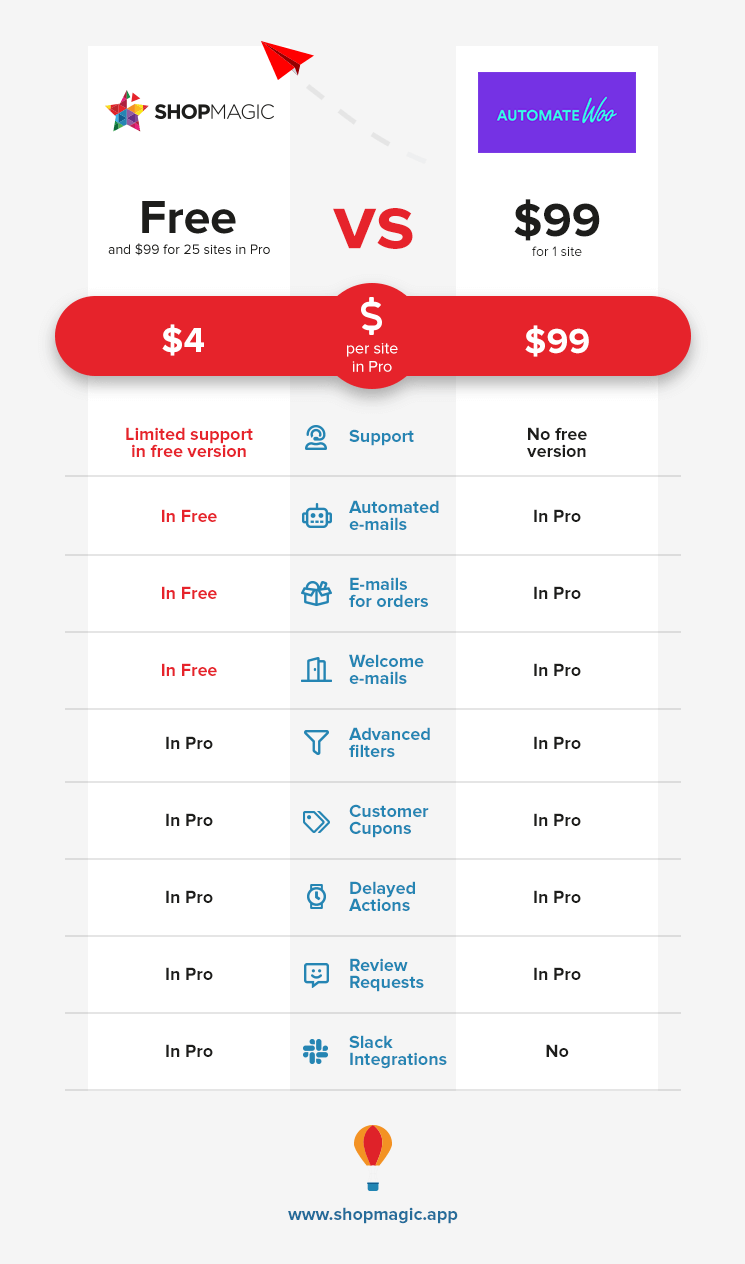
ShopMagic has a free version; AutomateWoo does not. At the entry point the comparison is not between two prices but between a working plugin and a purchase decision.
A ShopMagic PRO licence includes every add-on, current and future, rather than charging per extension.
Multi-site licences cost proportionally less. A single AutomateWoo licence covers one site; ShopMagic’s multi-site tiers bring the per-site figure down substantially for anyone running more than a handful of stores.
Check both pricing pages for today’s numbers before deciding on cost alone.
The add-on question
This is where the two models diverge most, and it is worth understanding before comparing headline prices.
AutomateWoo’s licence covers its core, with several add-ons sold separately on top. ShopMagic’s PRO licence covers everything, so the figure you see is the figure you pay, including add-ons released after you buy.
The practical effect: comparing the two core prices understates the gap for anyone who ends up wanting an add-on, and most stores do. The honest way to compare is to list the features you actually need, then price each plugin for that list rather than for its entry tier.
➡️ All ShopMagic add-ons ➡️ Pricing
Feature comparison
| Capability | ShopMagic | AutomateWoo |
|---|---|---|
| Free version | Yes | No |
| Events, filters and actions | Free | Paid |
| Unlimited automations | Free | Paid |
| Abandoned carts, including guest carts | Free | Paid |
| Email logs and queue | Free | Paid |
| Open and click tracking | Free | Paid |
| Raw HTML emails | Free | Paid |
| Custom order statuses | Free | Paid |
| Slack notifications | Free | Paid |
| SMS through Twilio | Free add-on | Paid |
| Google Sheets export | Free add-on | Not built in |
| Delayed actions | PRO | Paid |
| Advanced segmentation | PRO | Paid |
| Manual one-off sends | PRO | Paid |
| Review requests | PRO | Paid |
| Per-customer coupons | PRO | Paid |
| Add-ons included in the licence | All | Several sold separately |
Where AutomateWoo is still ahead
A comparison that only lists wins is not a comparison, so here is the other side.
The trigger and action library is larger. AutomateWoo has been built out over longer and covers more scenarios out of the box, which matters if your case is unusual enough that nothing in a shorter list matches it.
Integrations with other WooCommerce extensions run deeper, particularly Subscriptions and Bookings. If your store is built on those, check feature by feature rather than assuming parity.
It is a WooCommerce.com product, bought and updated inside the same account as the rest of your extensions. For teams with procurement rules about where software comes from, that is sometimes the deciding factor regardless of features.
The honest summary: if you need something specific that only AutomateWoo has, no price argument is relevant. If you need the common automations, ShopMagic covers them and the free version lets you find out before paying anything.
What ShopMagic covers
Action scheduler and custom order statuses
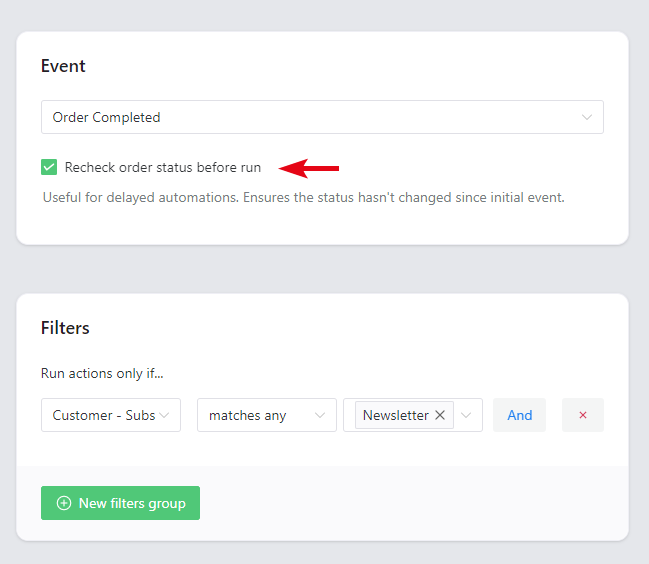
Rechecking the order status before an action runs is available in both free and PRO. It verifies the order is still in the expected state at the moment the action executes, which matters whenever anything happens between the trigger and the send.
Custom order statuses are fully supported, Slack is an available action, and scheduling runs through Action Scheduler rather than WP-Cron, which is the more reliable of the two on sites with light traffic.
Raw HTML email
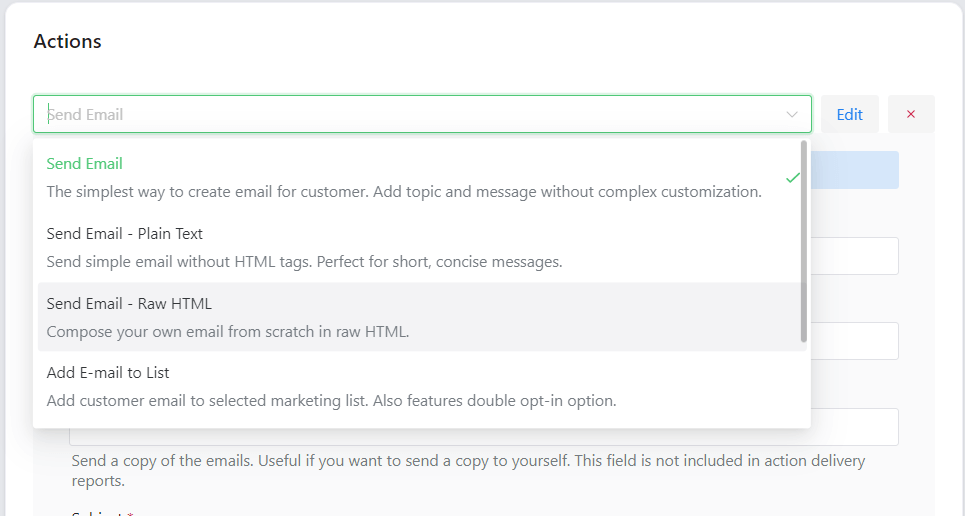
Emails can be plain text or a complete HTML document pasted in, which is what you want if a designer produced the template.
Worth remembering that email HTML is not web HTML: tables for layout, inline CSS, absolute image URLs. A modern page pasted in will render badly in Outlook however good it looks in a browser.
Support is available directly from the team for both free and paid users.
Review requests
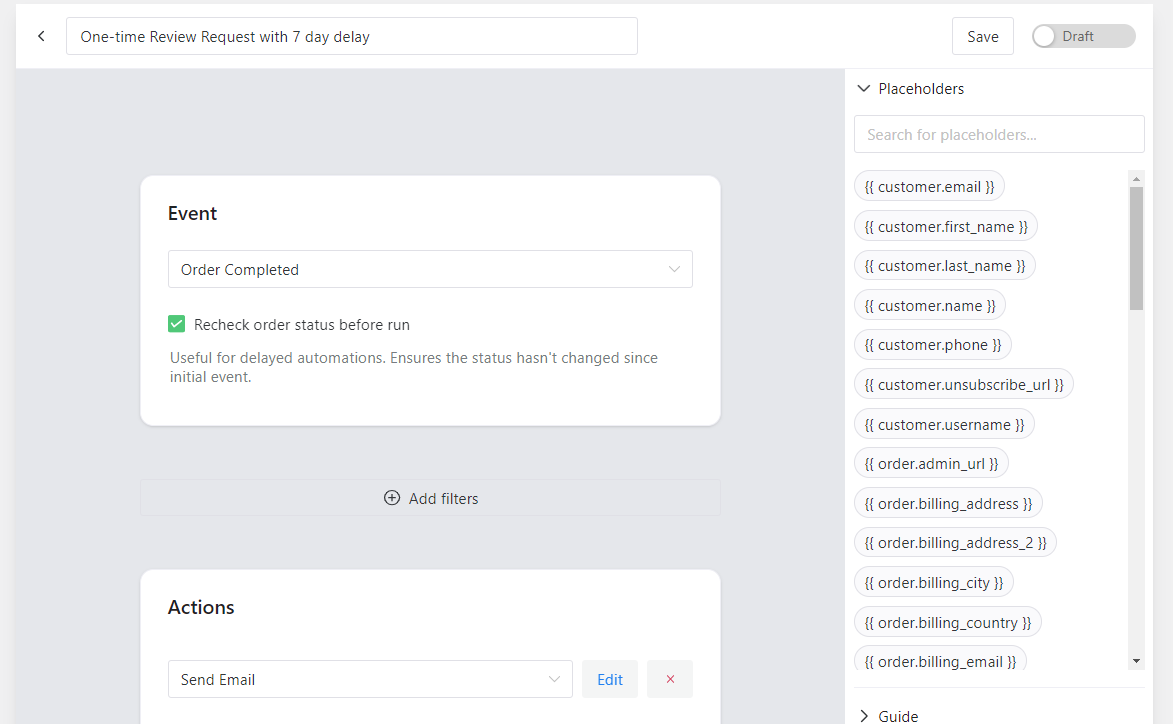
The Review Request add-on asks customers to review what they bought, and the Review Published event lets you respond when they do, whether that means thanking the customer or notifying your own team by email or Slack.
➡️ Review Request add-on ⬅️
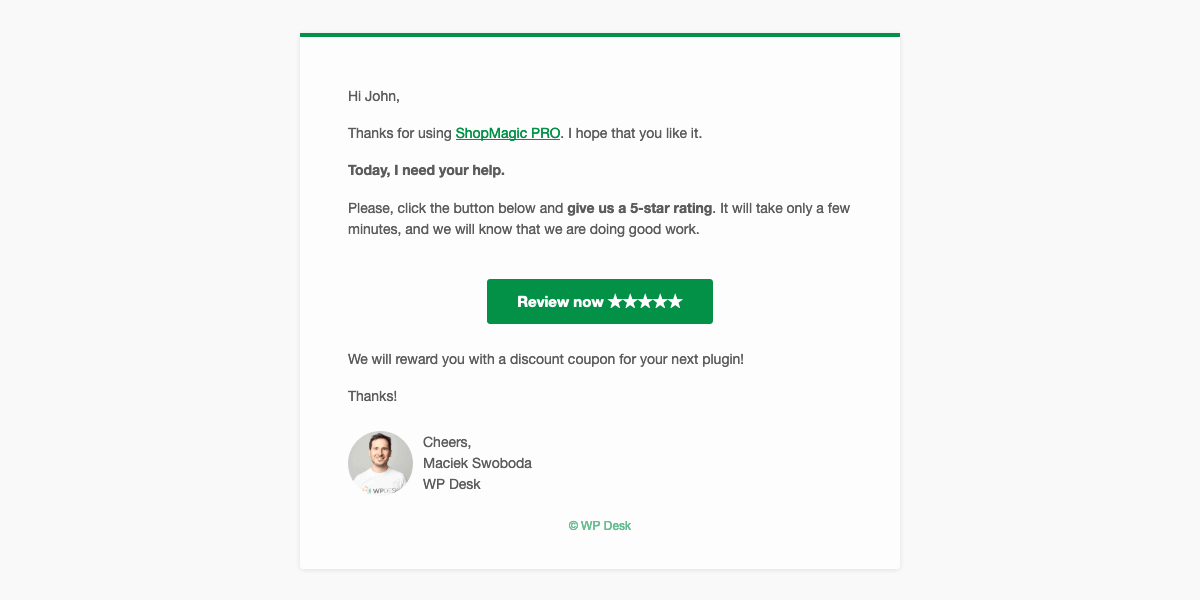
Send it on a delay. A review request that arrives before the parcel does is wasted.
Customer coupons
➡️ Customer Coupons add-on ⬅️
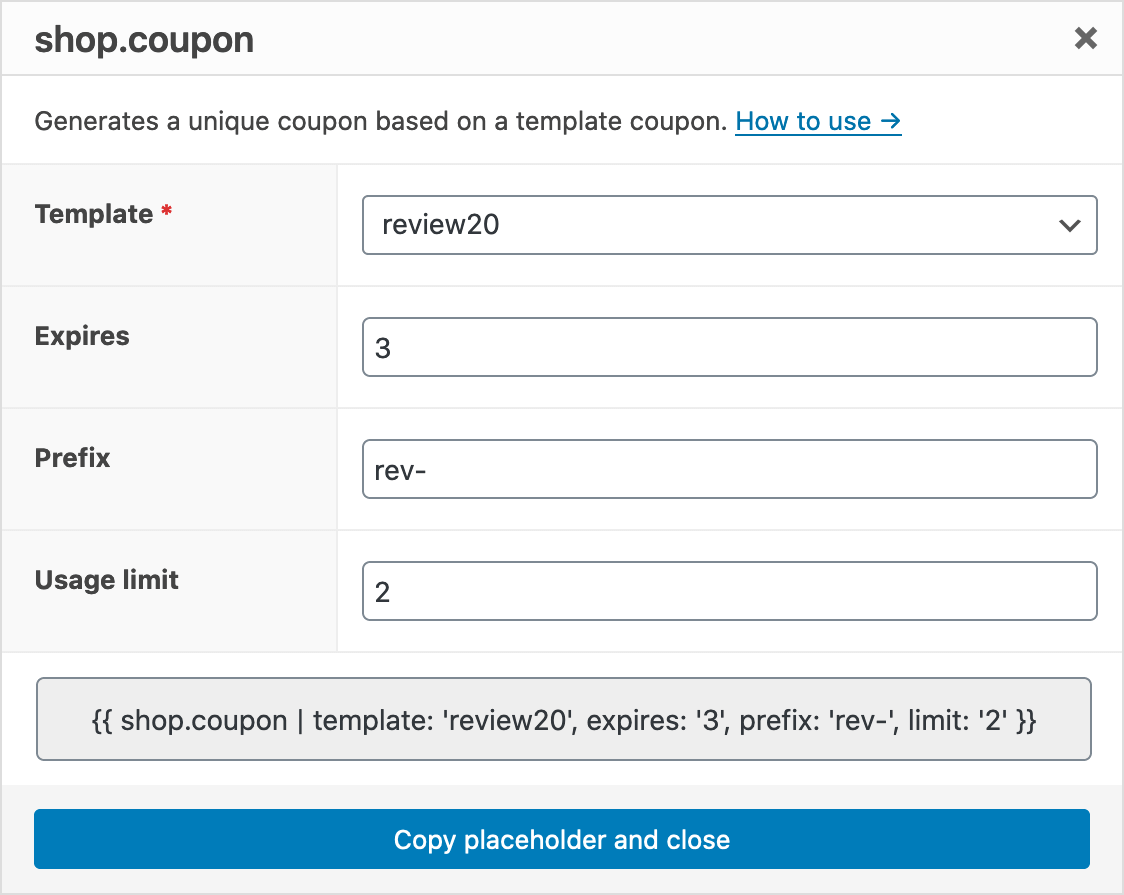
Generates a unique code per recipient rather than one shared code, which is the difference between a discount you can attribute and one that ends up on a coupon aggregator within a day. Thank-you codes, cross-sell codes, win-back codes all work from the same mechanism.
Advanced filters
➡️ Advanced Filters add-on ⬅️
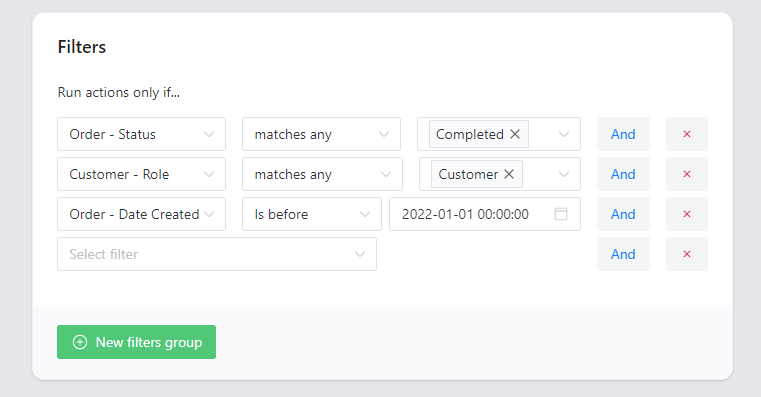
Conditional logic for segmenting by order value, product, category, payment method, shipping method and date ranges. Most of it is PRO, with some filters available free.
One caveat worth knowing before building a strategy on it: filters based on customer history only work for customers who have an account. In a store where most buyers check out as guests, the dependable filters are the ones reading the order itself.
Manual actions
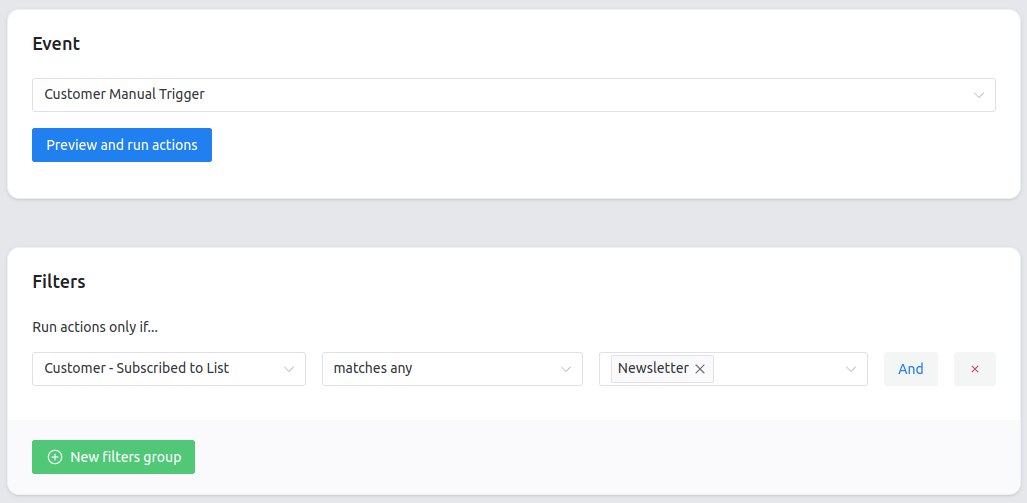
Manual Actions sends one-off messages you trigger yourself, for announcements and newsletters that have no event behind them.
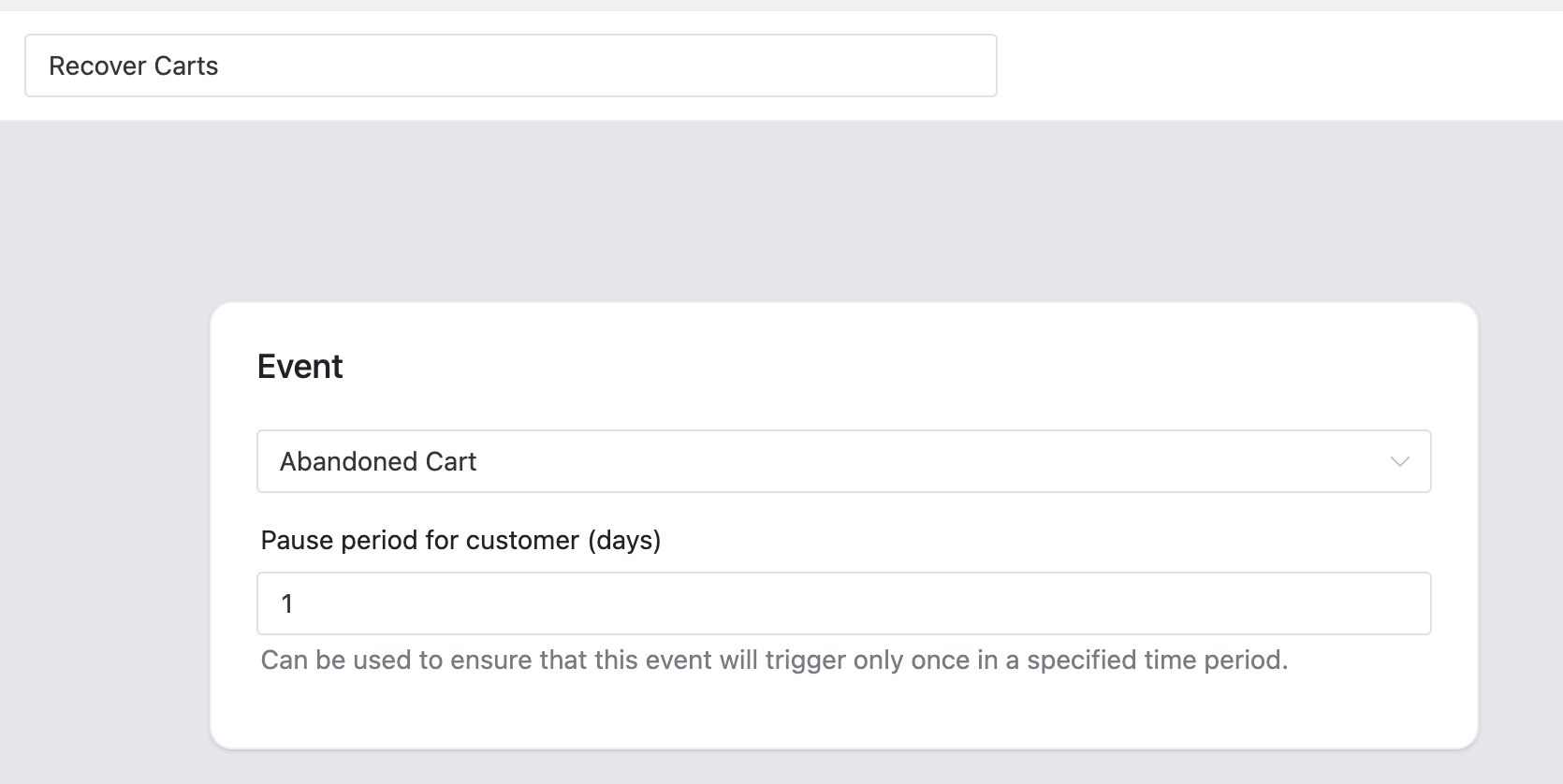
Abandoned carts
Covers guest carts as well as those of logged-in users, which matters because most WooCommerce buyers never create an account. A cart abandoned by someone who never registered is still recoverable, provided the address was captured before they left.
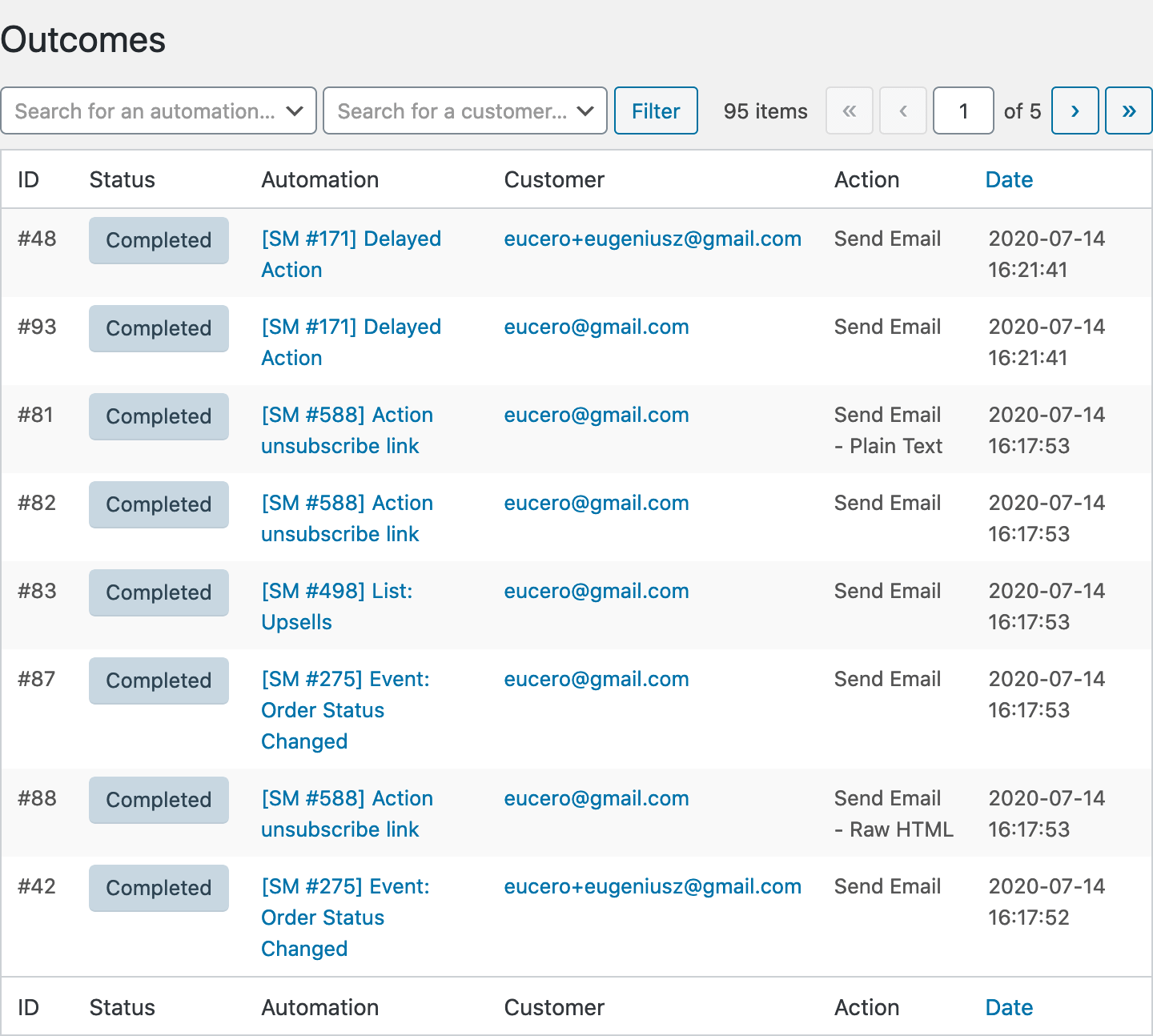
Email log
Shows the status of every email the plugin created and sent, in both free and PRO. This is the screen you need when an automation has quietly stopped, and it distinguishes a message that was never generated from one that was sent and never arrived, which are two completely different problems.
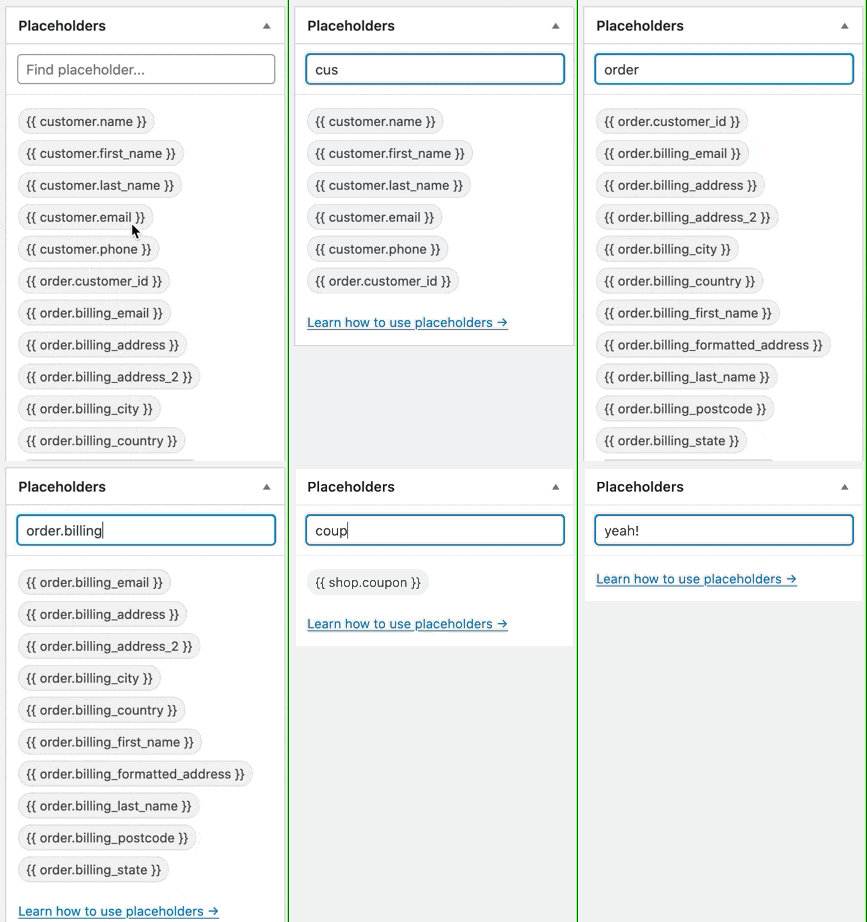
Filters and placeholders
New filters and placeholders are added regularly, many of them from customer requests, and both can be extended with your own if nothing existing fits.
Integrations
Mailchimp, Slack, Twilio and Google Sheets are available now. Feature requests go to the ideas board, which is where a good share of what shipped originally came from.
Summary
ShopMagic is a genuine free alternative to AutomateWoo in the sense that matters: the automation engine, events, filters and actions, unlimited automations, email logs, open and click tracking, and abandoned cart recovery including guest carts, all work without paying anything. AutomateWoo has no free tier, so at the point of deciding whether automation is worth it at all, there is no comparison to make.
The paid tiers differ in shape rather than only in price. ShopMagic’s PRO licence includes every add-on, present and future; AutomateWoo sells several separately. That means comparing the two entry prices understates the difference for anyone who ends up needing an add-on, which most stores do. Both pricing pages are worth reading directly, since figures quoted in articles go stale.
Where AutomateWoo is still ahead is worth saying plainly: a larger built-in trigger and action library, deeper integration with extensions like Subscriptions and Bookings, and the convenience of living inside the WooCommerce.com account. If your store depends on one of those, the free alternative is not an alternative for you.
For everyone else the sensible order is: install the free version, build the two or three automations you actually need, and only then work out whether delays, segmentation and per-customer coupons are worth a licence. That test costs nothing and answers the question better than any comparison table.
ShopMagic
Looking for an alternative to the AutomateWoo WordPress plugin? Meet ShopMagic: the best AutomateWoo alternative available!
Download for free or Go to WordPress.orgFrequently asked questions
Is there a free alternative to AutomateWoo?
Yes. ShopMagic’s free version includes the automation engine, unlimited automations, email logs, open and click tracking, and abandoned cart recovery. AutomateWoo has no free tier.
What do I have to pay for in ShopMagic?
Delays, advanced segmentation, manual one-off sends, review requests and per-customer coupons. Nothing that affects how an email looks.
Are abandoned cart emails free?
Yes, and the add-on covers guest carts as well as carts belonging to registered customers.
Do I pay extra for ShopMagic add-ons?
No. A PRO licence includes all of them, including ones released after you buy. AutomateWoo sells several of its add-ons separately.
What does AutomateWoo do that ShopMagic does not?
It has a larger built-in trigger and action library and deeper integration with extensions such as Subscriptions and Bookings. If your store depends on those specifically, check feature by feature.
Can I run ShopMagic on several sites?
Yes, with a multi-site licence, which brings the per-site cost down considerably compared with buying single-site licences.
Does ShopMagic work without WooCommerce?
Yes. It also runs on WordPress events such as a published post or a submitted form, so a site with no shop can use it.
How do I know whether the free version is enough?
Build the automations you need and see whether you reach for a delay or a condition. Those are the two things that mark the boundary, and you will hit them quickly if your plan requires them.
