




In this guide, I will teach you how to send order refund emails in WooCommerce. Inform customers about the refund process. Also, create interest in your WooCommerce products, build loyalty, and send a coupon code for their next purchase. Read to learn more!
By default, WooCommerce does not allow you to easily edit email content or send messages for specific events (like a refund).
That’s where the ShopMagic free plugin steps in!
Table of contents
- Send order refund emails in WooCommerce in 3 steps!
- Send customized emails in WooCommerce for free!
- Summary & more about the plugin
Send order refund emails in WooCommerce
In our example, we will create email automation to notify WooCommerce customers about the order refund 🤑. By creating an automated flow you will save a lot of time. Instead of sending emails manually, ShopMagic will do this for you, whenever the automation’s conditions are met.
Now, let’s create, customize, and send refund emails in WooCommerce!
Step 1: Install and activate ShopMagic
You can download ShopMagic for free from WordPress.org
ShopMagic
Wanna send order refund emails in WooCommerce? With ShopMagic you can do it easily! Create a customized WooCommerce refund email in a blink.
Download for free or Go to WordPress.orgYou may also install it right from your WordPress plugins section by searching for ShopMagic.
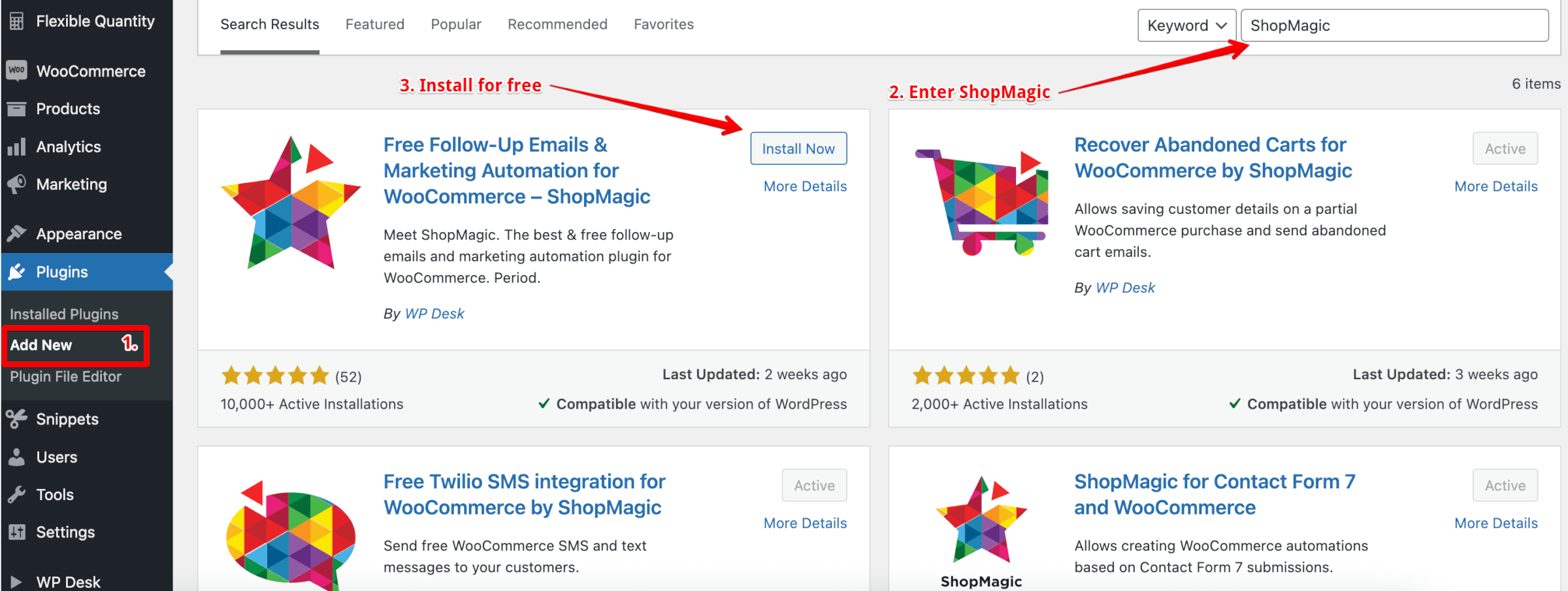
Step 2: Create automation to send a WooCommerce order refund email
Once you have ShopMagic installed and activated, let’s create your first automation. Choose: ShopMagic → Add New in your WordPress menu.
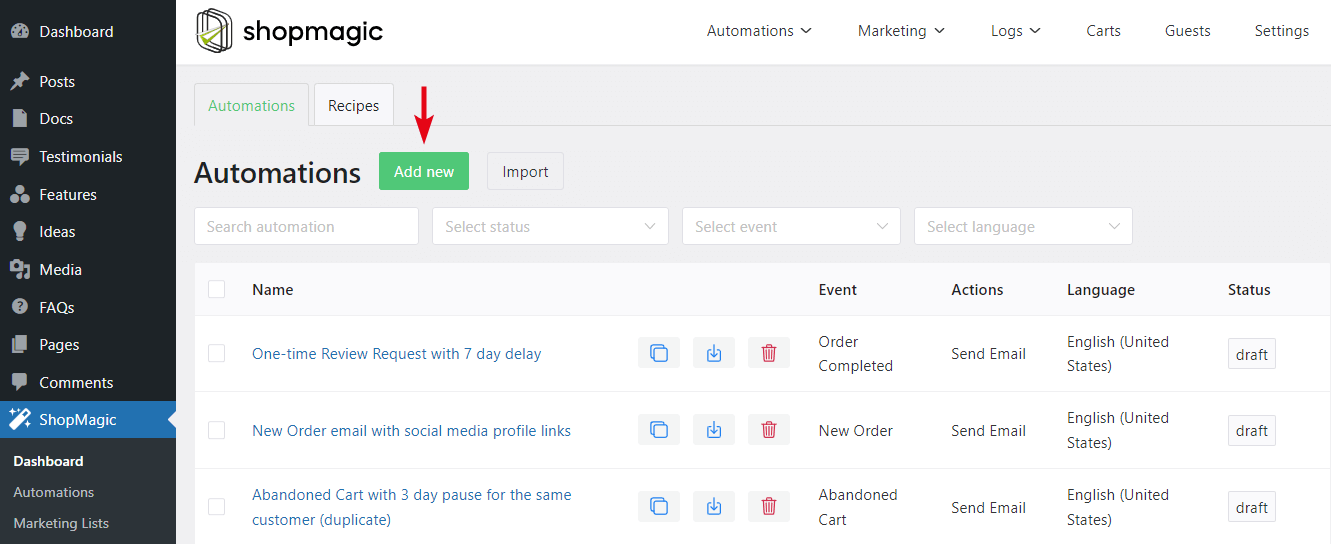
Enter a name for this automation, this is for your reference only. In my case, it’s WooCommerce order refunded email. (You can see it below⤵️). It won’t be visible to customers.
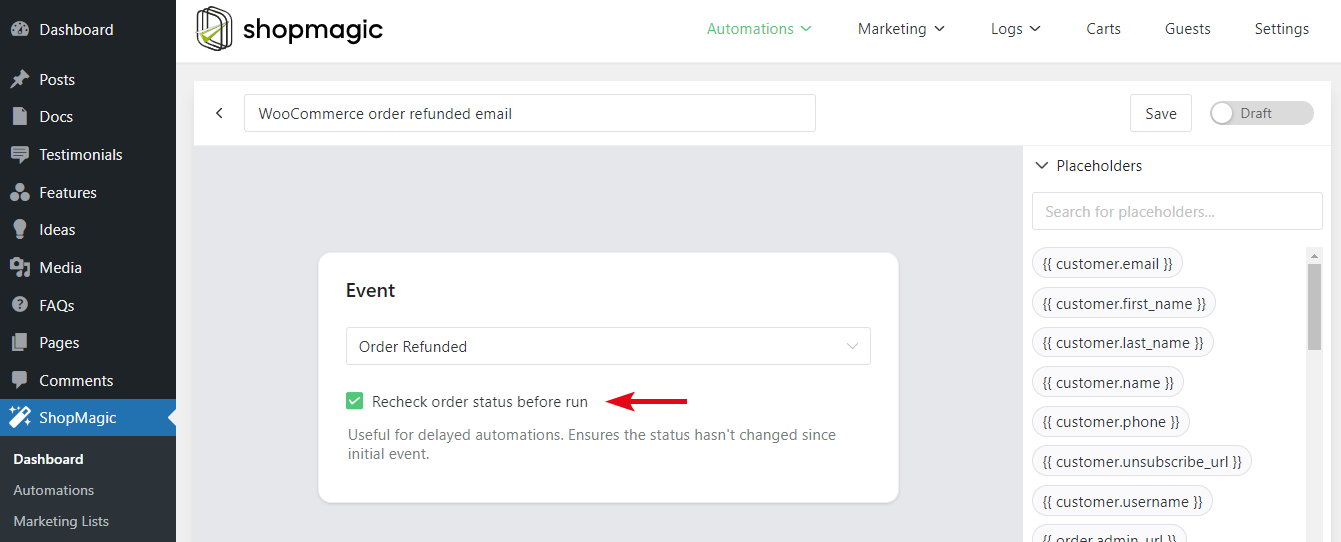
Next, choose an event: Order Refunded. This way you are telling ShopMagic to send an email to your customers (or shop employees) every time an order is refunded.
Step 3: Create the action to send the refund email
Now it’s the most important part 💣. Let’s configure the email message that we will send to the customer.
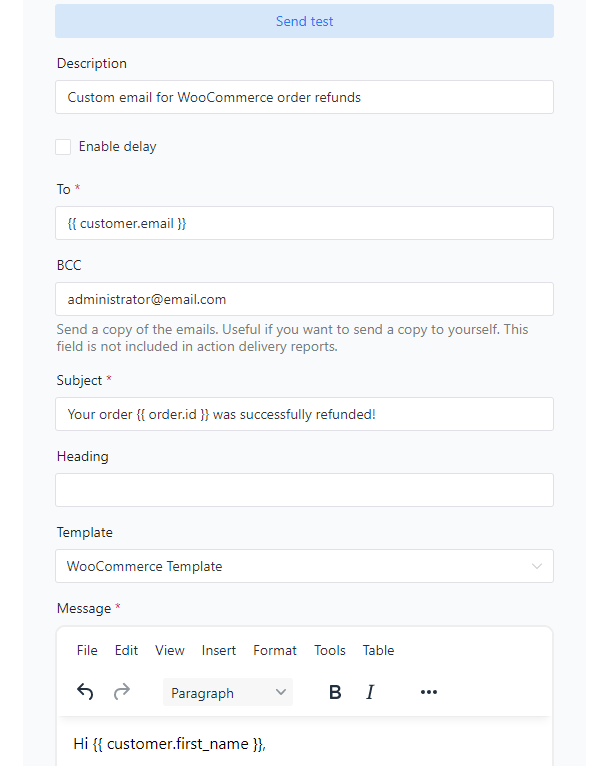
You may use the following options:
- Description – Created for your reference only. Thanks to the proper description, you will be able to distinguish one action from the other.
- To – Field where you are setting the recipient’s email. The easiest way to do it is with a placeholder
{{ customer.email }}, but you can also enter an actual email address here and send it to your employee or yourself. - Subject – You can type whatever you want in this field. It’s also possible to use placeholders here.
- Heading – ShopMagic supports email heading text in the WooCommerce template, which can be entered in this field.
- Template – WooCommerce email template is set by default. You can also choose not to use any template and start from scratch.
- Message – Enter your email here. You can choose from a visual and text editor. This field also supports media files, available in your WordPress library. To take full advantage of the message, we highly recommend using placeholders here.
That’s it! The next time you grant a refund, you will send a fully customized order refund email to your customer 😊.
Send customized emails for WooCommerce orders
Did you know, that ShopMagic lets you manage emails, and email marketing in WordPress and WooCommerce?
👉 One of the most powerful features that we developed is the ability to send customized emails like order refund emails in WooCommerce after certain events occur. You may also personalize emails for each WooCommerce status.
- New Order
- Pending Order
- Processing Order
- Cancelled Order
- Completed Order
- Failed Order
- On-Hold Order
- Refunded Order (this guide)
As you can see, with ShopMagic you may customize WooCommerce emails easily!
But don’t just take our word for it, over 10,000 WooCommerce stores use the plugin!
Our plugin utilizes the WordPress look & feel and is very easy to use due to the clean interface.
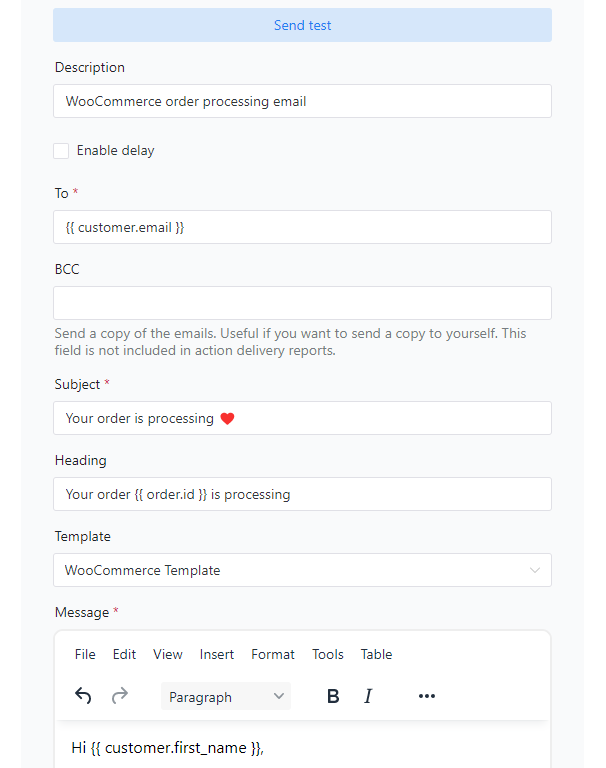
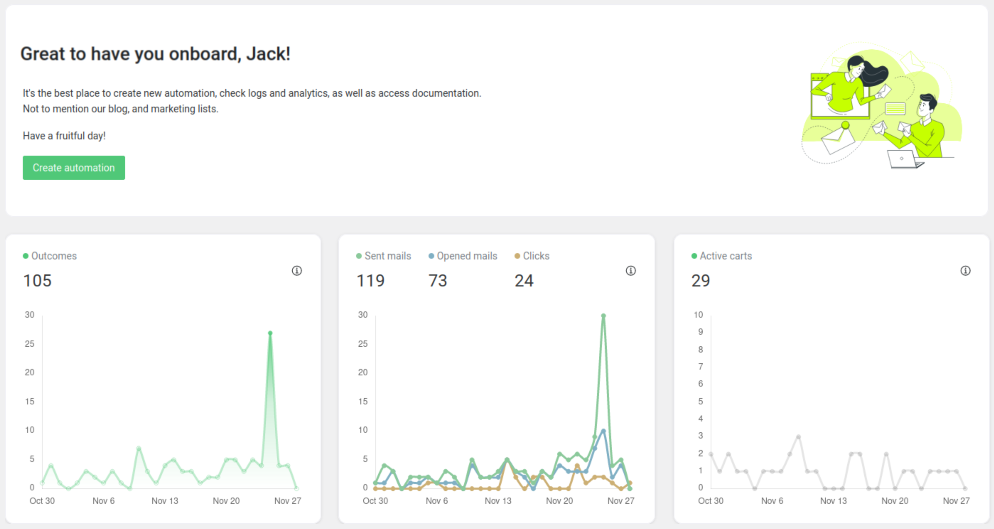
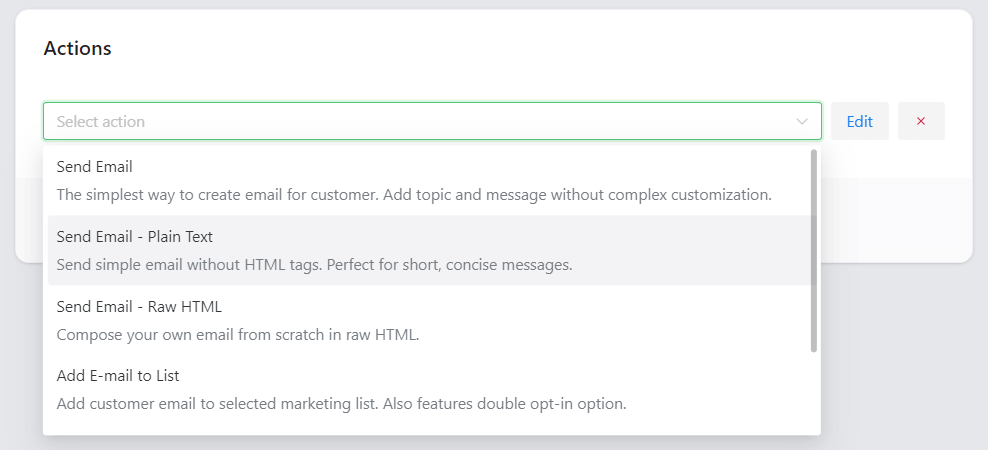
Have a look at the plugin’s layout and some features:
ShopMagic
Wanna send order refund emails in WooCommerce? With ShopMagic you can do it easily! Create a customized WooCommerce refund email in a blink.
Download for free or Go to WordPress.orgSummary & more about the plugin
In this guide, you’ve learned how to send a fully customized email to your WooCommerce customers after a refund. Please remember that WooCommerce does not allow you to easily change email messages without knowing PHP. You can do that with ShopMagic in a few minutes!
So go ahead and try it for free!
Are you ready to send a WooCommerce order refund email?
Finally, if you have any questions, let us know. And do not forget to check our blog!
Related to order refund emails in WooCommerce
-
WooCommerce email triggers

Email triggers explained. Everything you need to know about WooCommerce email triggers in WooCommerce. -
WooCommerce order on hold email

Send order on hold email. In this article we give you tips on how to send the best Order On Hold Email in WooCommerce.
