





In this guide, you’ll learn how to use a free plugin to send custom emails in WordPress and WooCommerce. I’ll also show you one of ShopMagic’s features – Raw HTML. It is very useful, but may not be commonly known. With Raw HTML, you will create beautiful and eye-catching email templates in no time. The Example and source code for the custom HTML email template for WordPress and WooCommerce will be available at the end of this article.
Are you missing an easy way to customize WooCommerce emails or send them in WordPress?
Today, I will show you a free email template customizer – ShopMagic to send beautiful emails in WordPress & WooCommerce!
ShopMagic free - WooCommerce email template customizer
Looking for a WooCommerce email template customizer? Look no longer. ShopMagic is your choice if you want to create WooCommerce email templates - including Raw HTML.
Download for free or Go to WordPress.orgTable of contents
- Default email templates in WooCommerce
- WooCommerce email template editor (graphical & HTML) for free
- Send custom emails in WordPress and WooCommerce!
- Let’s create a custom HTML email template in WooCommerce!
- Summary & more about ShopMagic
Default email templates in WooCommerce
By default, WooCommerce gives you some standard emails mainly for order notifications.
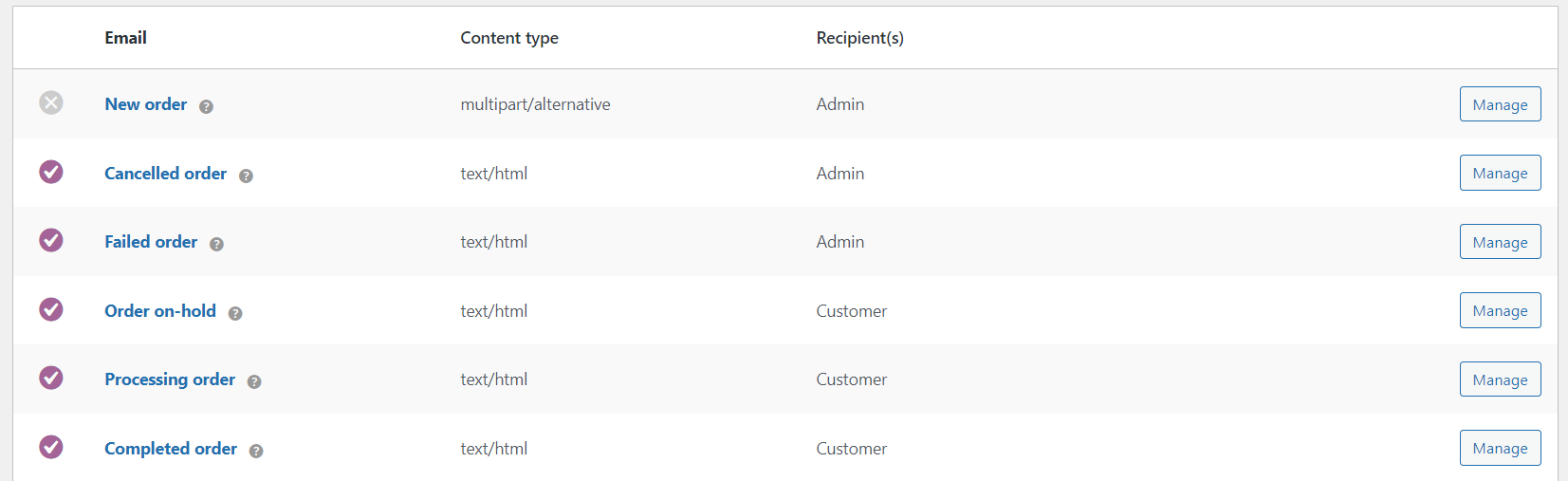
You can edit the email templates in WooCommerce but you will need some knowledge of PHP to change the email content.
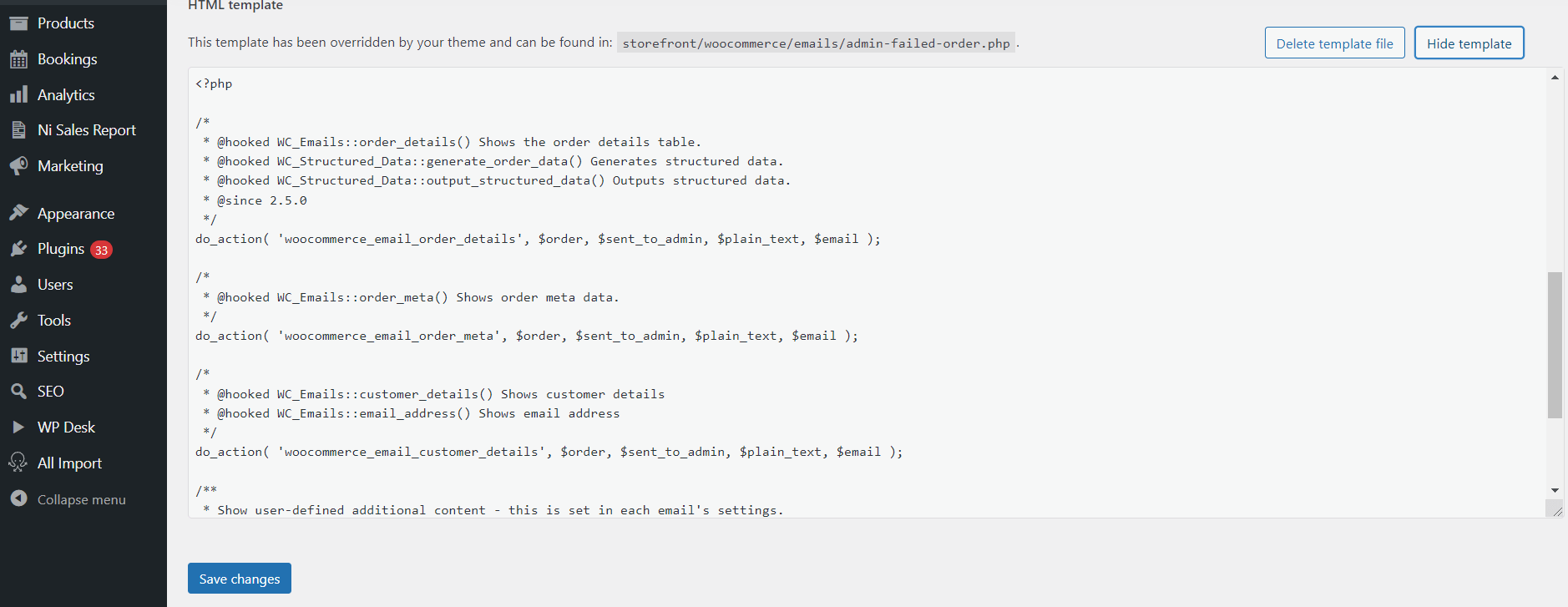
What’s more, your options are limited to default WooCommerce order-based email triggers.
As for WordPress, you can’t edit email templates without touching the core files!
But there is a solution 😎. Let me show you now how to use a free plugin to create custom email templates both for WordPress and WooCommerce!
WooCommerce email template editor (graphical & HTML) for free
The above title speaks for itself. The free version of our plugin is sufficient to create and use fully customizable email templates.
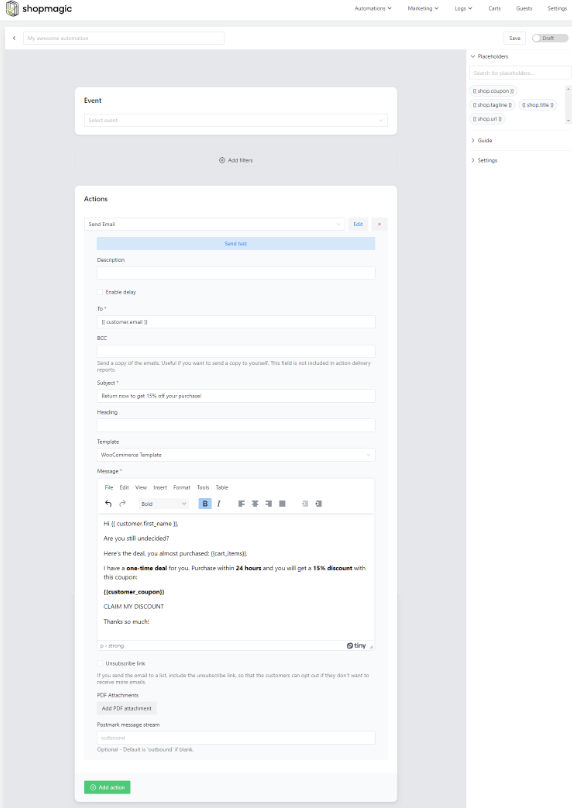
Do you want to use your customized HTML email templates for WordPress and WooCommerce? No problem!
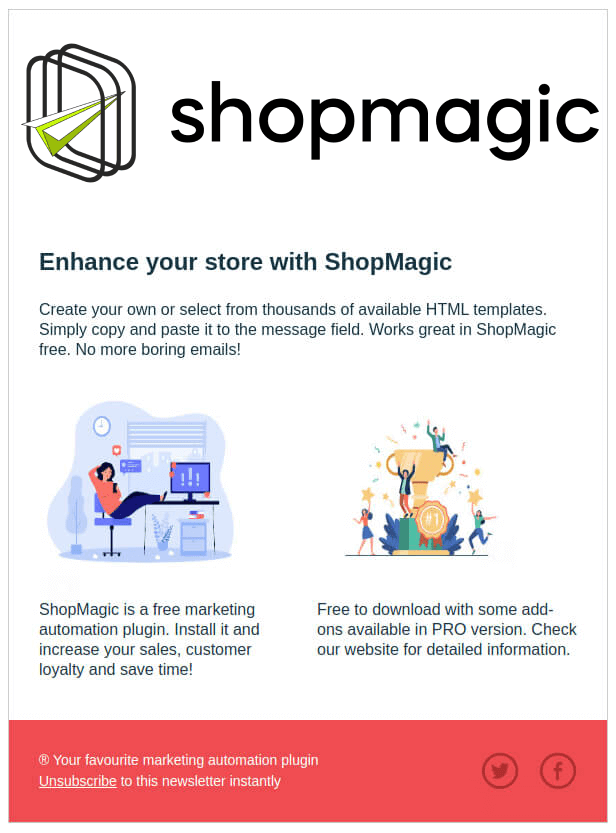
And the final effect?
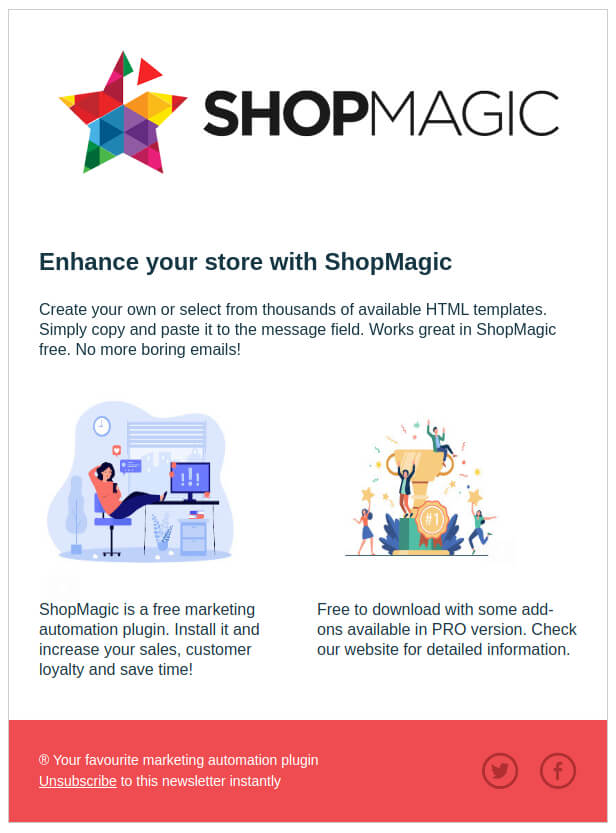
As always, you can enhance it with additional features, available in ShopMagic PRO, but any of these won’t be required in our example.
WooCommerce email template customizer for free
With ShopMagic, you can not only create custom WooCommerce HTML email templates. You can do much more. Here’s a sample list of the features available in the free version:
- Send customizable transactional emails
- Create an email for orders with the order pending status
- Test your automation before sending
- Create marketing lists compatible with GDPR
- Segment your customers with available filters
- Send custom emails in WordPress and WooCommerce
- Use unlimited email templates and WooCommerce marketing automation
ShopMagic free - WooCommerce email template customizer
Looking for a WooCommerce email template customizer? Look no longer. ShopMagic is your choice if you want to create WooCommerce email templates - including Raw HTML.
Download for free or Go to WordPress.orgEnhance your e-commerce store with PRO
Here are some features you will receive when you decide to upgrade to ShopMagic PRO:
- Delay an email for a specified time
- Advanced customer segmentation
- Manually triggered automation
- Request for a review
- Customer coupons
💸 Upgrade cost? $69 per year, which is only a bit more than $5 per month. I’m certain that you’ve read it thousands of times, but it is just the cost of one coffee 😉
ShopMagic free - WooCommerce email template customizer
Looking for a WooCommerce email template customizer? Look no longer. ShopMagic is your choice if you want to create WooCommerce email templates - including Raw HTML.
Add to cart or View DetailsOur customers love ShopMagic
I’m not exaggerating. Every day, we are receiving messages from both – free and PRO users, who are using ShopMagic regularly. We are receiving so many ideas for future improvement of ShopMagic, that we decided to gather them in one place. Our Ideas hub is open 24/7, so if you feel that we should add a feature or two, feel free to create an idea 😉.

Let’s create a custom HTML email template in WooCommerce!
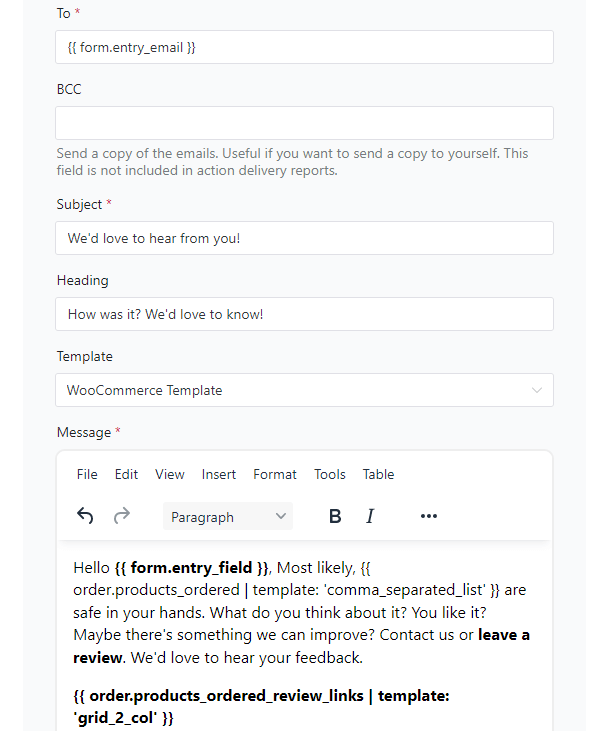
The following steps are about using HTML inside the email template customizer. Of course, you may use simple text and use the nice UI and graphical editor.
-
Get a free email templates customizer for WordPress and WooCommerce!
First, you need ShopMagic, obviously 😎. Creating any automation in our plugin is an easy, simple, and straightforward process.
If you haven’t installed ShopMagic yet, you have two options.
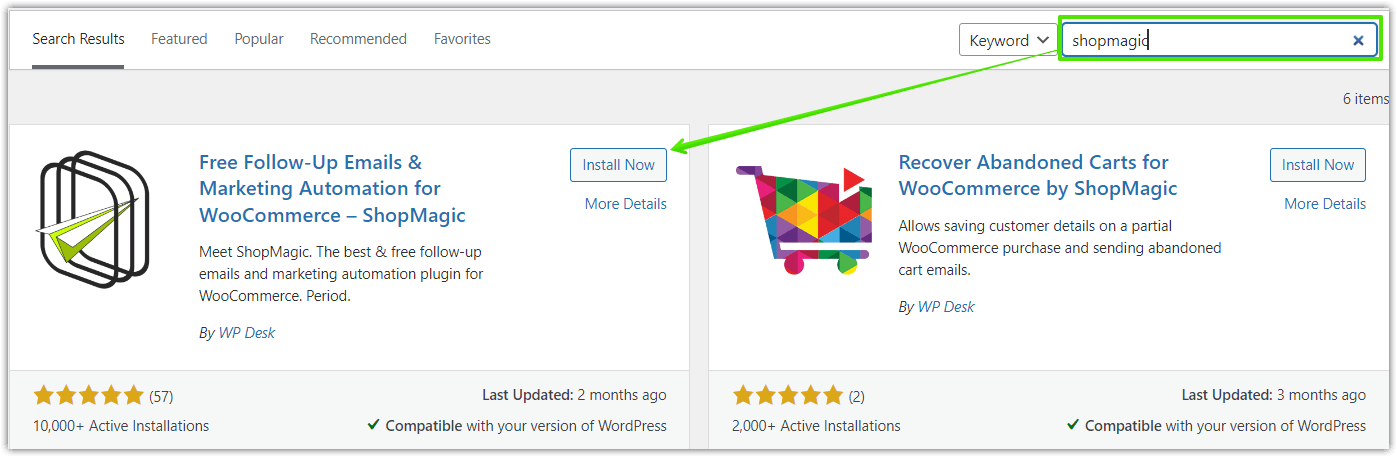
✅ First, you may download it directly from the Plugins section in your WordPress dashboard.
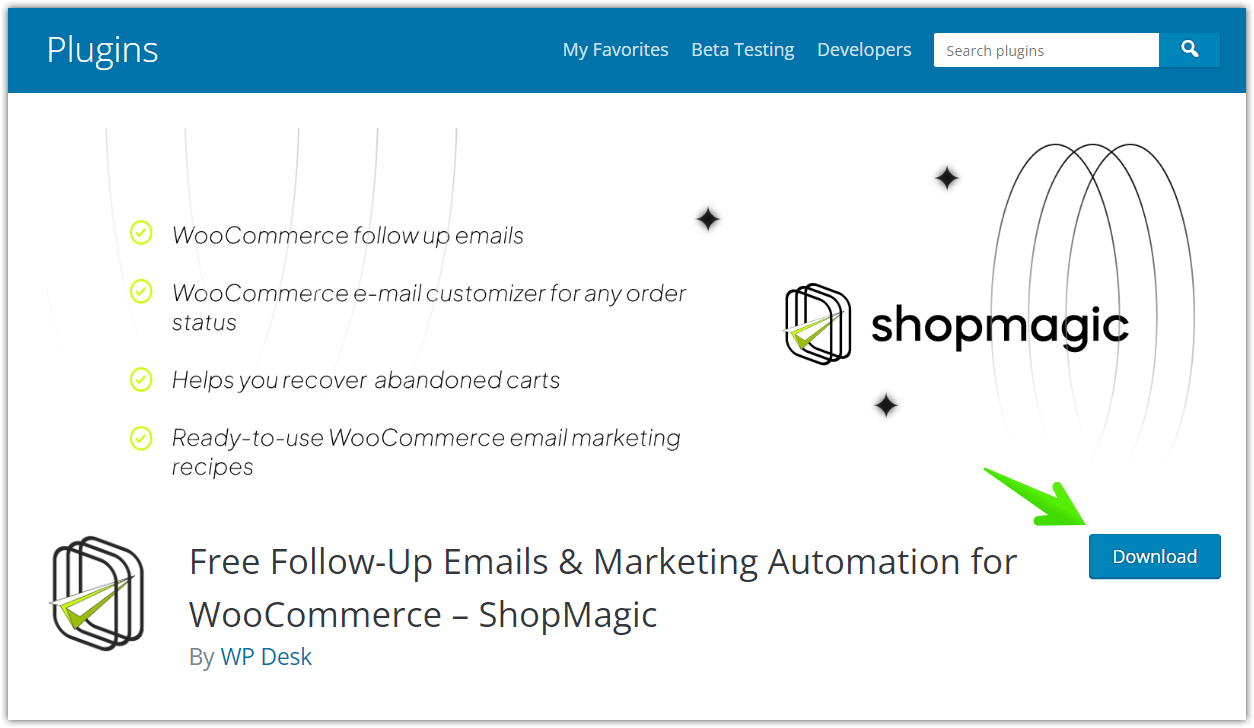
✅ Second, visit the WordPress.org repository to download the ShopMagic plugin in a .zip.
Pssst…. Or you can simply download it here ⤵️ ⤵️ ⤵️
WP DeskShopMagic free - WooCommerce email template customizer
Looking for a WooCommerce email template customizer? Look no longer. ShopMagic is your choice if you want to create WooCommerce email templates - including Raw HTML.
Download for free or Go to WordPress.orgLast Updated: August 19, 2026💡 Installation and activation process is the same, as for any other plugins. No login or credit card is required 😉! -
Create your custom email template for WooCommerce with new automation
Start with creating new automation!
For our newly created WooCommerce HTML email template, first, we need automation.
✅ Find ShopMagic in your dashboard and click on Add new.
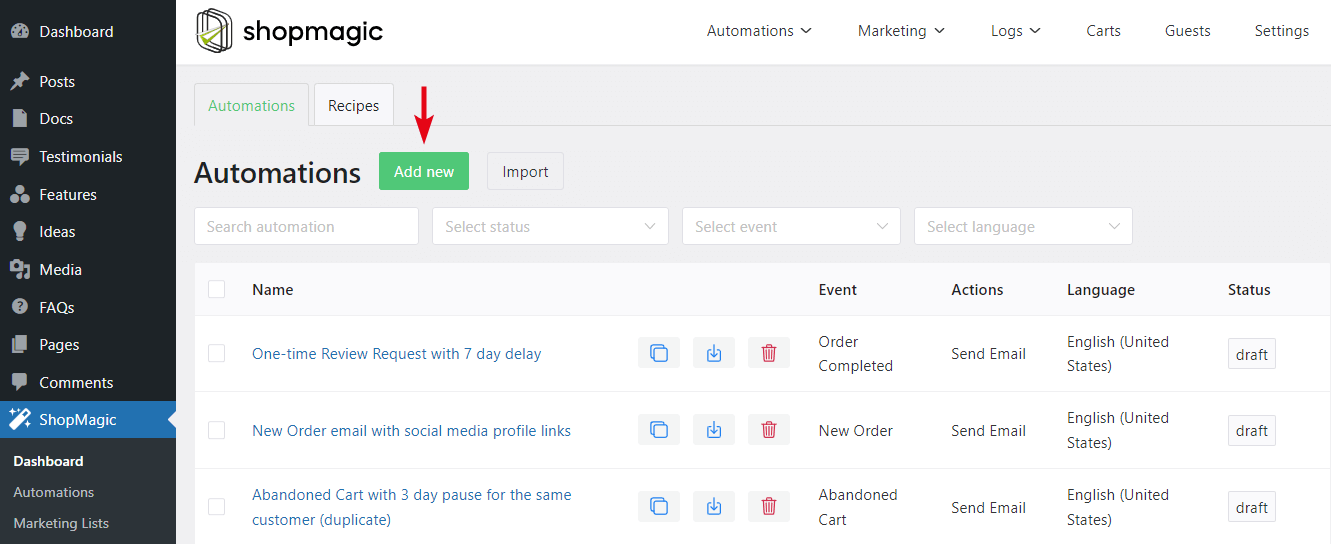
You will be automatically redirected to the automation’s creator.
-
Edit the email automation
✅ Starting from the top, add a title for your automation.
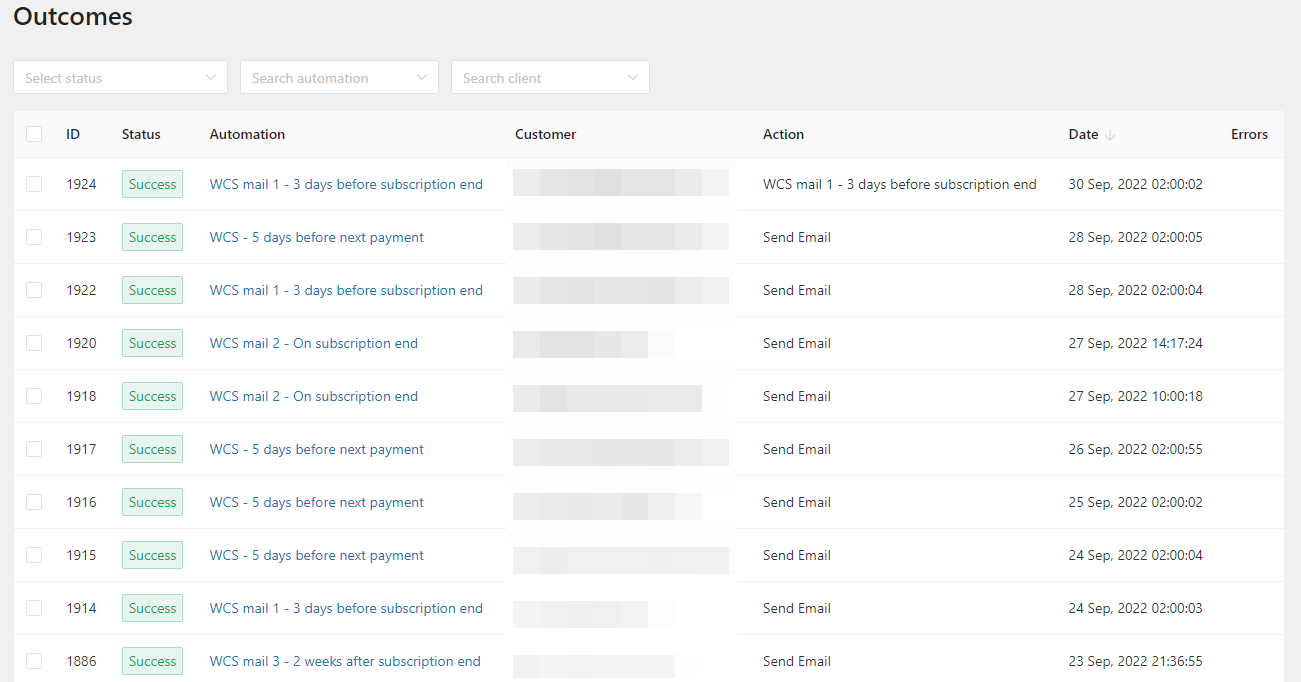
 💡 The title is not required, however, it is a good idea to add one. Such a – properly titled – automation, will be easier to distinguish e.g. in the Outcomes.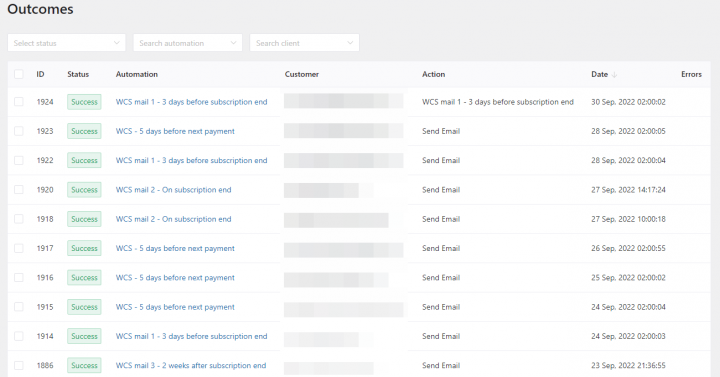
✅ Next, let’s choose the right title for our automation.
Event – WooCommerce HTML email template is not dependent on the type of event. You can use every available event, and it will work.
💡 As a general rule, I’m selecting the option to recheck the order status before run.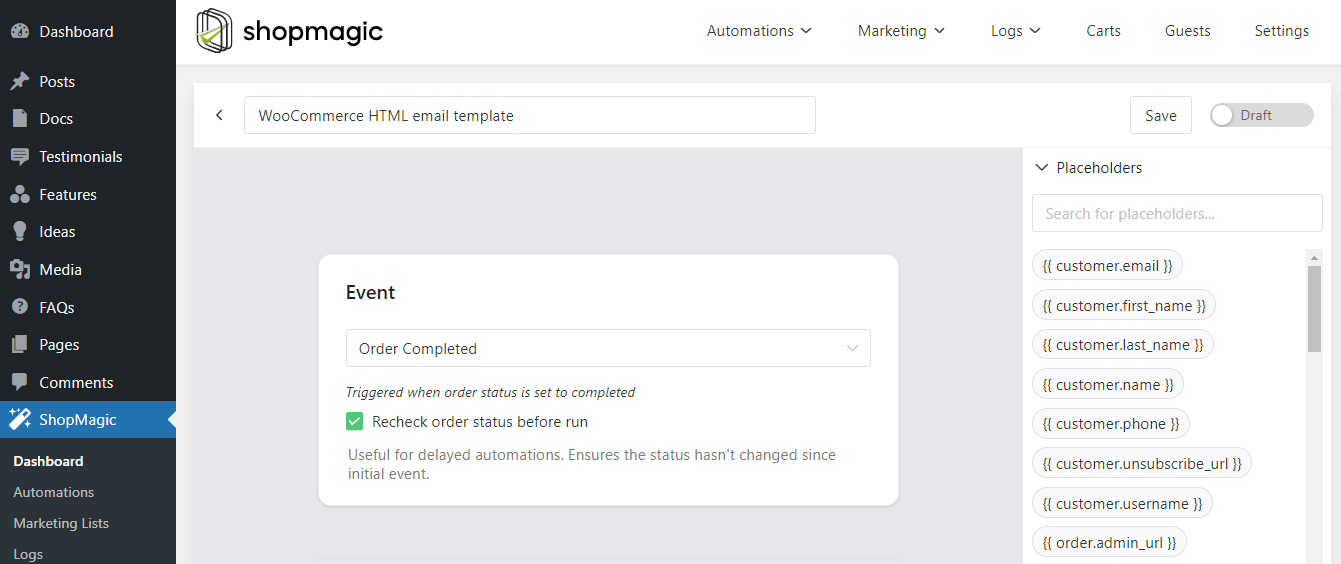
-
Assign a filter
Optional step, but if used properly… it can be a game changer 💣.
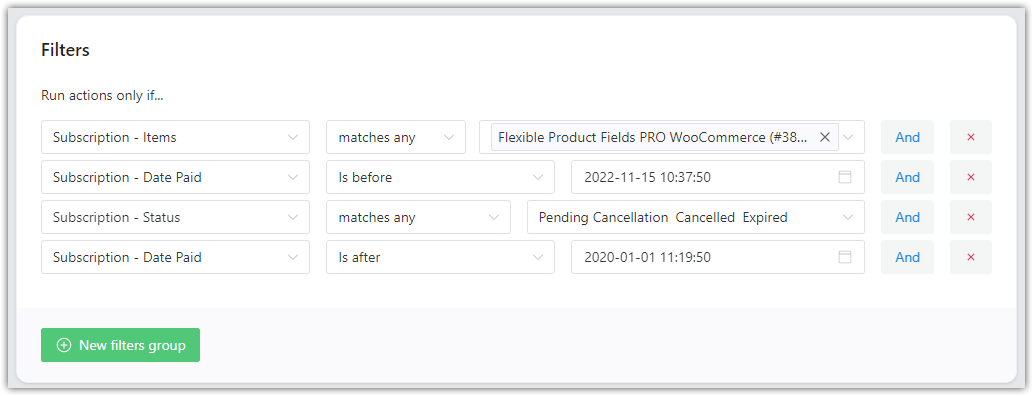 💡 Not assigning filters, will make your automation global. It means that it will be triggered by every order with a specified event. If you want to learn more about filters, check out our blog and dedicated article.
 -
Create an action for the WooCommerce HTML email template
The final step. If you checked out our other guides, you will notice some differences here 🙂:
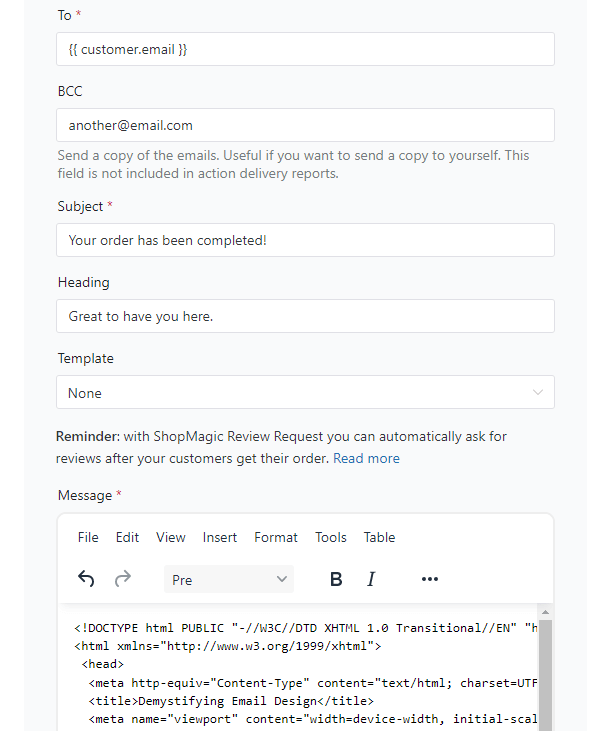
-
WooCommerce email template customizer – Action
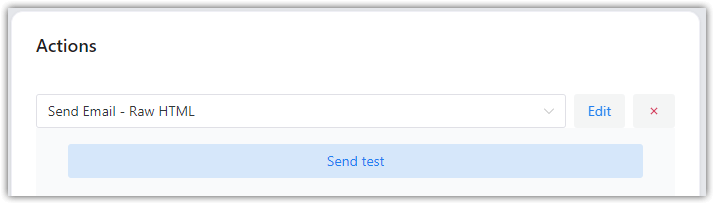
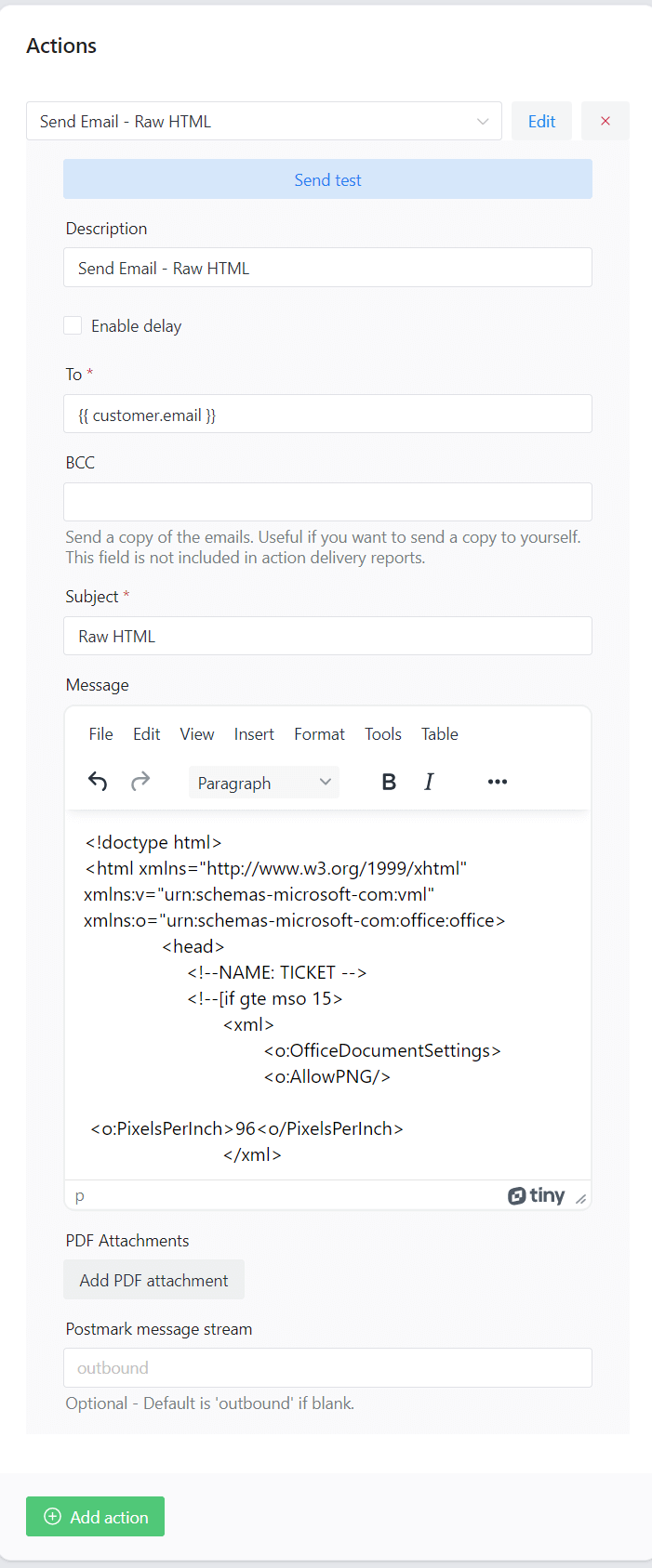
Actions -> Raw HTML First, from the Action’s dropdown menu, select Send Email – Raw HTML. It’s required, if you want to use the WooCommerce HTML email template.

Description for your reference only The second field is the description. Similar to the automation’s title. Simply describe the automation’s purpose. Or not. It’s up to you.
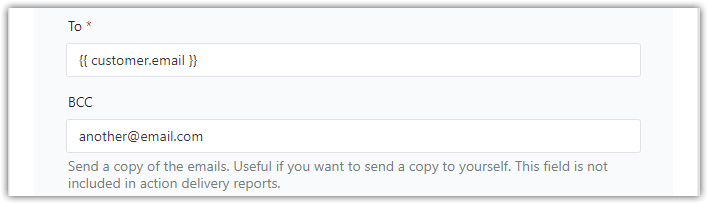
BCC – send a copy of the emails BCC field – It’s not a mistake. Maybe you didn’t know, but it’s available starting from the 2.4 version of ShopMagic. You may ask – how to add a BCC field to your automation. Update ShopMagic to the latest version (at least 2.20), and BCC will be automatically added to your automation.

Subject – attract your customers Subject – How you will attract your customers? Do not forget that this field supports placeholders, so feel free to use them.
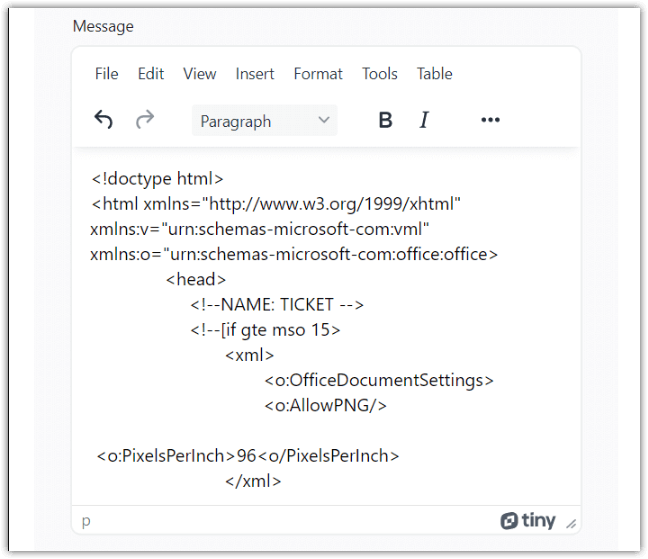
HTML Raw in ShopMagic Message – The most important field when creating a WooCommerce HTML email template. Here you can write or paste your code. Maybe you have a pre-written HTML template? No problem. You will be able to use it. You can also search for some inspirations on Google. There are plenty of websites with ready-to-use templates.
💡 Of course, you may use the email template customizer to create emails for WordPress. -
Final effect
Does it really work?
Of course. Check the proof below ⤵️. I also used one of the available templates. Made some small modifications, changed the images, and voilà!
And the winner is…
You. You are the winner. With our plugin, you will be able to increase sales and customer loyalty. What’s even better, you will be saving a lot of time through automation. All of this, including the WooCommerce HTML email template, is available for free.
Comment, share, like, or subs… If you have any questions about ShopMagic – simply contact us.
PS. If you want to use the code from this guide, check Pastebin. A little outdated but still working 😉.
Summary & more about ShopMagic
Today, you’ve learned how to build a custom email template in WordPress and WooCommerce with a free email customizer. Create custom emails without hooks, coding, and headache with ShopMagic.
ShopMagic free - WooCommerce email template customizer
Looking for a WooCommerce email template customizer? Look no longer. ShopMagic is your choice if you want to create WooCommerce email templates - including Raw HTML.
Download for free or Go to WordPress.orgFinally, check out our blog for more about email marketing automation.
More about WooCommerce email template customizer
-
ShopMagic: Advanced filters

Advanced filters explained. In this article we explain to you everything there is to know about ShopMagic’s advanced filters. -
WooCommerce automation guide

All about WooCommerce email marketing. In this article we give you tips on how to send the best follow up emails in WooCommerce. All this with ShopMagic.
