


• Skip to primary navigation
  • Skip to main content
ShopMagic logo cropped for use as a site icon
WP Desk

WP Desk

WooCommerce Plugins

Flexible Invoices

Flexible Invoices

Automate invoicing

Flexible Coupons

Flexible Coupons

Gift cards and tickets

ShopMagic

  • Pricing
  • Add-ons
  • Docs
  • Support
  • Blog
  • Ideas
  • My account
  • English
ShopMagic 2.4 is here: Customer coupons and placeholders UI

Published: May 7, 2020 / Updated: June 12, 2026 / Blog, New Release Wednesday

ShopMagic 2.4 is here: Customer coupons and placeholders UI

Maciej Swoboda

It’s New Release Wednesday! We are thrilled to announce that we’ve released an entirely new add-on Customer Coupons which will allow you to send unique, personalized coupons to your customers. What’s more, we’ve added a brand-new user interface for configuring and inserting placeholders.

New add-on: Customer Coupons

Customer Coupons opens whole new possibilities for your online marketing. Now you can send a coupon code to your customers as a thank you for a product review or provide a great incentive to shop in your store.

When you install the add-on, you will see a new placeholder shop.coupon:
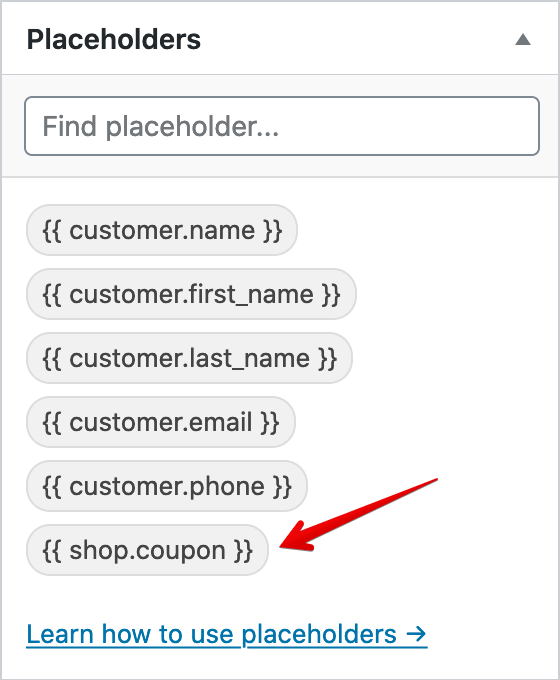
WooCommerce Shop Coupon Placeholder@2x

You will find the whole step-by-step configuration process in our docs, so make sure to check it out: Using Customer Coupons add-on →

Just insert the placeholder in your email message, and it will automagically create a new unique customer coupon and display the code like this:
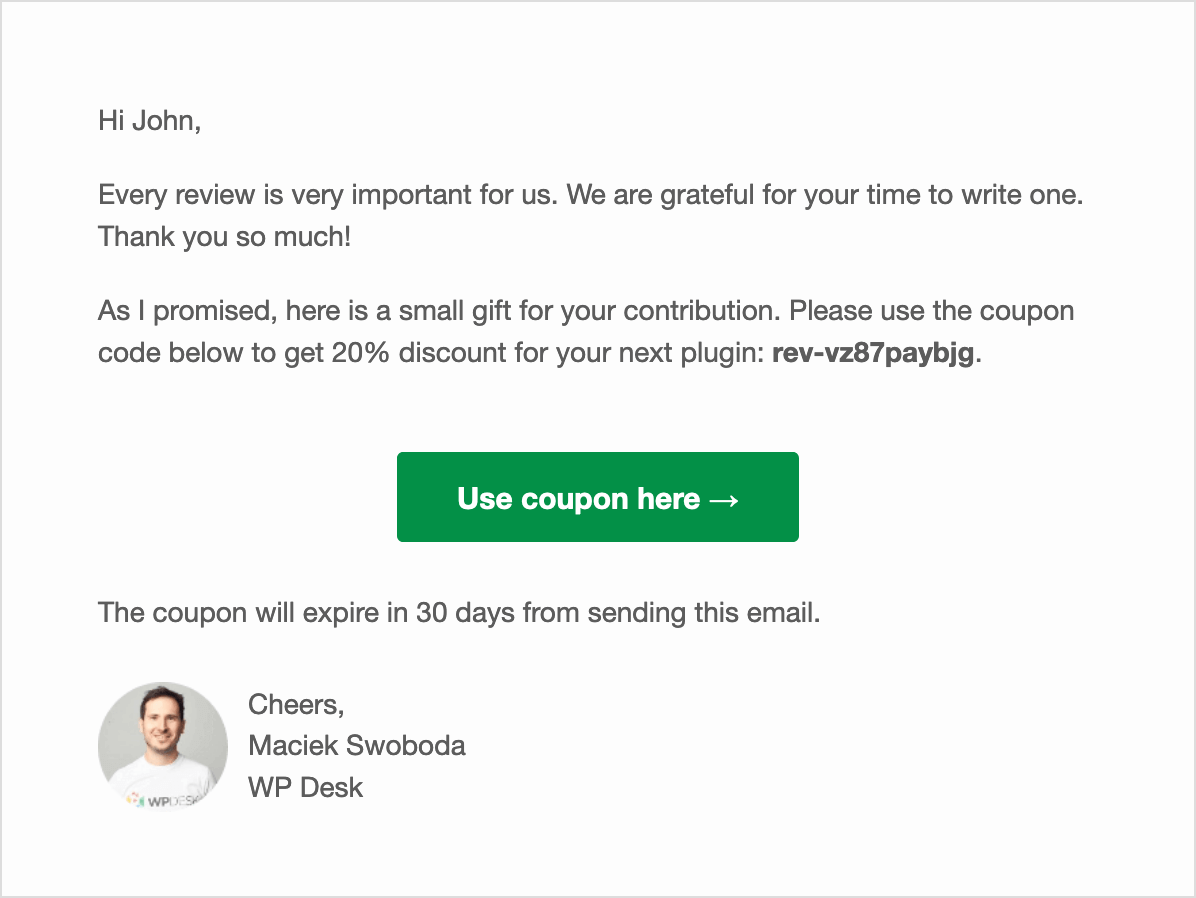
WooCommerce Shop Coupon Example

New placeholders UI

Along with the customer coupons, we added a wholly new user interface to configure and insert placeholders. Just click the placeholder, and you will be presented with a modal dialog with all necessary options:
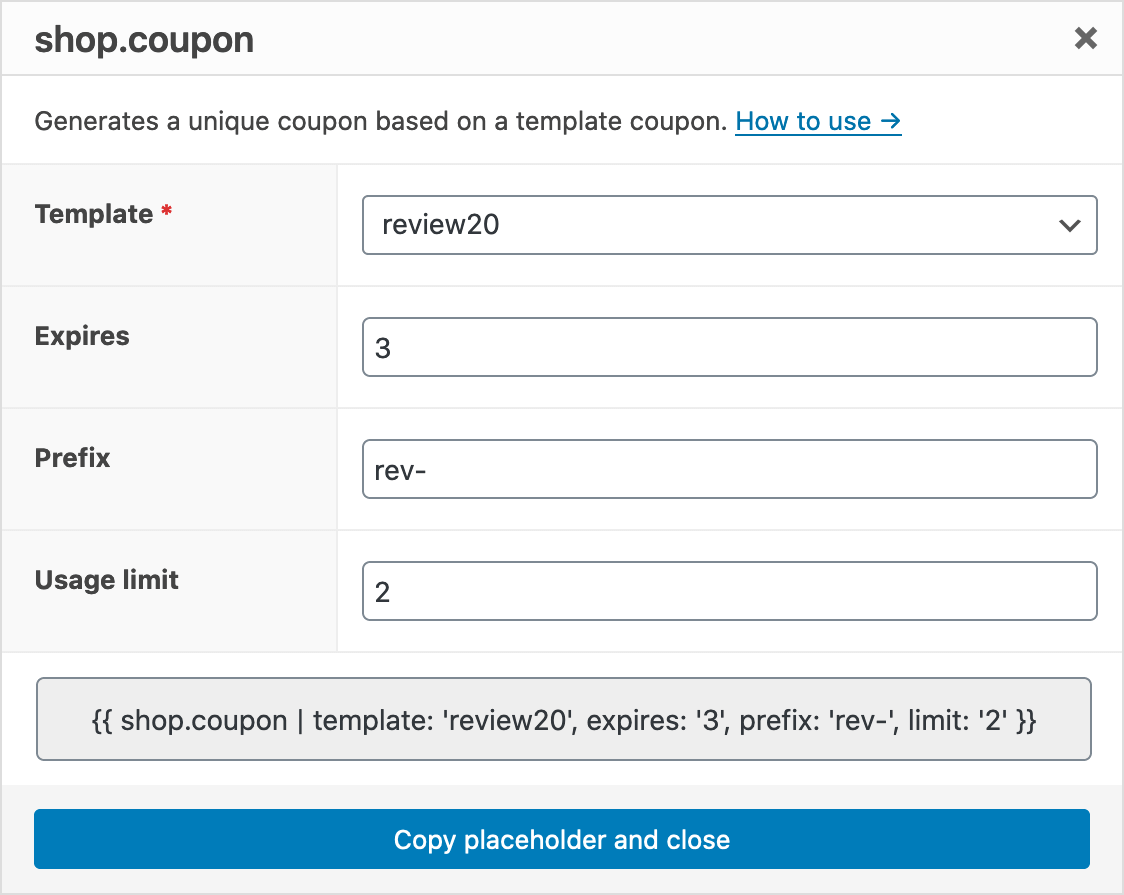
WooCommerce Shop Coupon Dialog

Just fill in the fields and easily copy the placeholder code ready to be pasted into your message! As easy as a pie!

Did I mention that it is also possible to filter placeholders by name? Yet, it is!
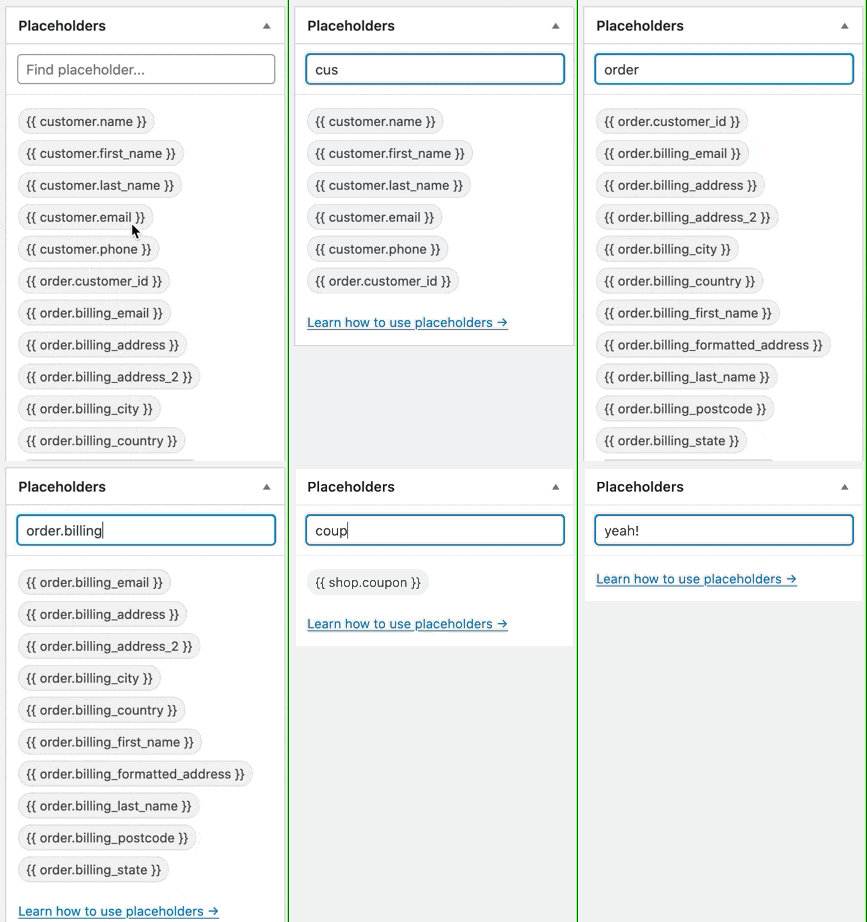
ShopMagic Filter Placeholders

BCC field in emails

Since 2.4 we also support the BCC field in ShopMagic.

When you enable the BCC field, you will see it below the To field in your email actions:
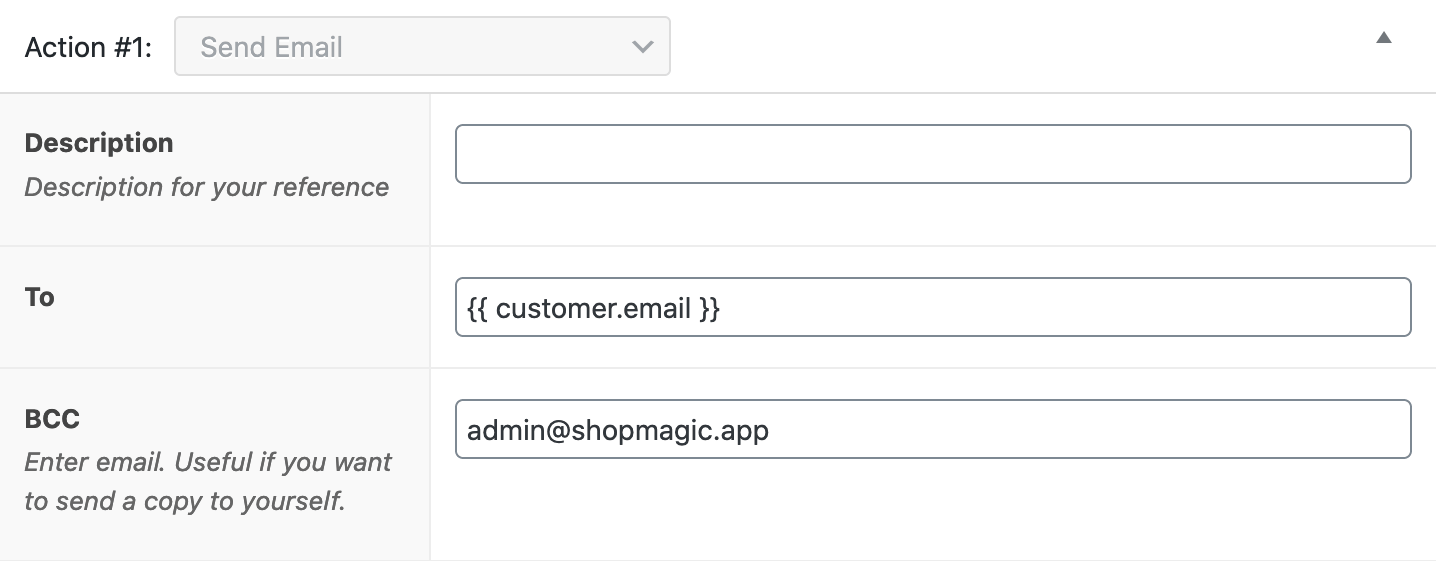
ShopMagic Bcc Field

That’s all for today. Please make sure to come back for more next week. We are going to release ShopMagic 2.5 with advanced filters!

About Maciej Swoboda

Fundador de WP Desk, enamorado de WordPress desde 2006. Cree en el poder de la comunidad WP, habla en WordCamps de todo el mundo y ayuda a la gente a construir mejores negocios con WooCommerce.

  • Terms & Conditions
  • Privacy Policy
  • Support Policy
  • Refund Policy

© 2026 A WP Desk WP Desk Automation

Manage Consent
To provide the best experiences, we use technologies like cookies to store and/or access device information. Consenting to these technologies will allow us to process data such as browsing behavior or unique IDs on this site. Not consenting or withdrawing consent, may adversely affect certain features and functions.
Functional Always active
The technical storage or access is strictly necessary for the legitimate purpose of enabling the use of a specific service explicitly requested by the subscriber or user, or for the sole purpose of carrying out the transmission of a communication over an electronic communications network.
Preferences
The technical storage or access is necessary for the legitimate purpose of storing preferences that are not requested by the subscriber or user.
Statistics
The technical storage or access that is used exclusively for statistical purposes. The technical storage or access that is used exclusively for anonymous statistical purposes. Without a subpoena, voluntary compliance on the part of your Internet Service Provider, or additional records from a third party, information stored or retrieved for this purpose alone cannot usually be used to identify you.
Marketing
The technical storage or access is required to create user profiles to send advertising, or to track the user on a website or across several websites for similar marketing purposes.
  • Manage options
  • Manage services
  • Manage {vendor_count} vendors
  • Read more about these purposes
View preferences
  • {title}
  • {title}
  • {title}