





WordPress sends email through the server’s mail function, and on a lot of hosting that function is either disabled or untrusted by the receiving side. The result looks the same from the inside: no error, no bounce, and a customer who never got the message. Before changing anything, you need to know whether the email was never sent or sent and then discarded, because those are two different repairs.
Why WordPress is not sending emails
The difference matters more than it sounds. Buying an SMTP plugin to fix an automation that never ran spends money on the wrong half of the problem, and the emails still do not arrive. Telling the two apart takes a log of what was sent and when, which is exactly what WordPress does not keep.
Table of contents
- Why WordPress is not sending emails?
- ShopMagic – a free email plugin
- How will ShopMagic help you with WordPress emails?
- Summary & more about ShopMagic
ShopMagic
Avoid WordPress not sending emails and try ShopMagic. Watch your email automation get queued for the future and control the past actions in the Outcomes tab.
Download for free or Go to WordPress.orgWhy WordPress is not sending emails?
There can be some reasons why your emails don’t reach users, they land in spam, or are not sent at all!
💡 First, try sending a test email to check if there is an issue with the server or spam filters.
If that doesn’t work, you might need to contact your email provider as they may need additional information from you such as:
- SMTP details,
- your email configuration,
- or SSL certificates.
It’s also possible that you miss emails in general, as WordPress is not sending many emails.
By default, you get a WordPress email when you register, ask for a password reset, or do some actions to get admin email notifications (for example, changing the admin email). But you cannot customize or check if they’re sent.
ShopMagic – a free email plugin
The good news is that you can get a free plugin to create, customize, and send emails in WordPress. The plugin works with WooCommerce too! You can create multiple email templates with an easy-to-use and nice-UI email customizer.
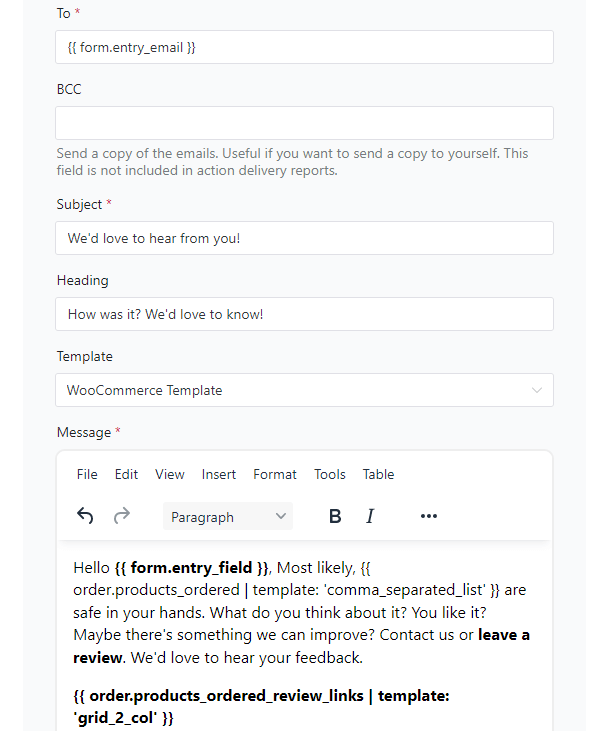
You can use placeholders, filters, events, and more to personalize your emails and make your email marketing work!

How will ShopMagic help you with WordPress emails?
What’s more, you can check, track, and see all emails with ShopMagic analytics tools.
Queue
First, you can see all emails awaiting sending.
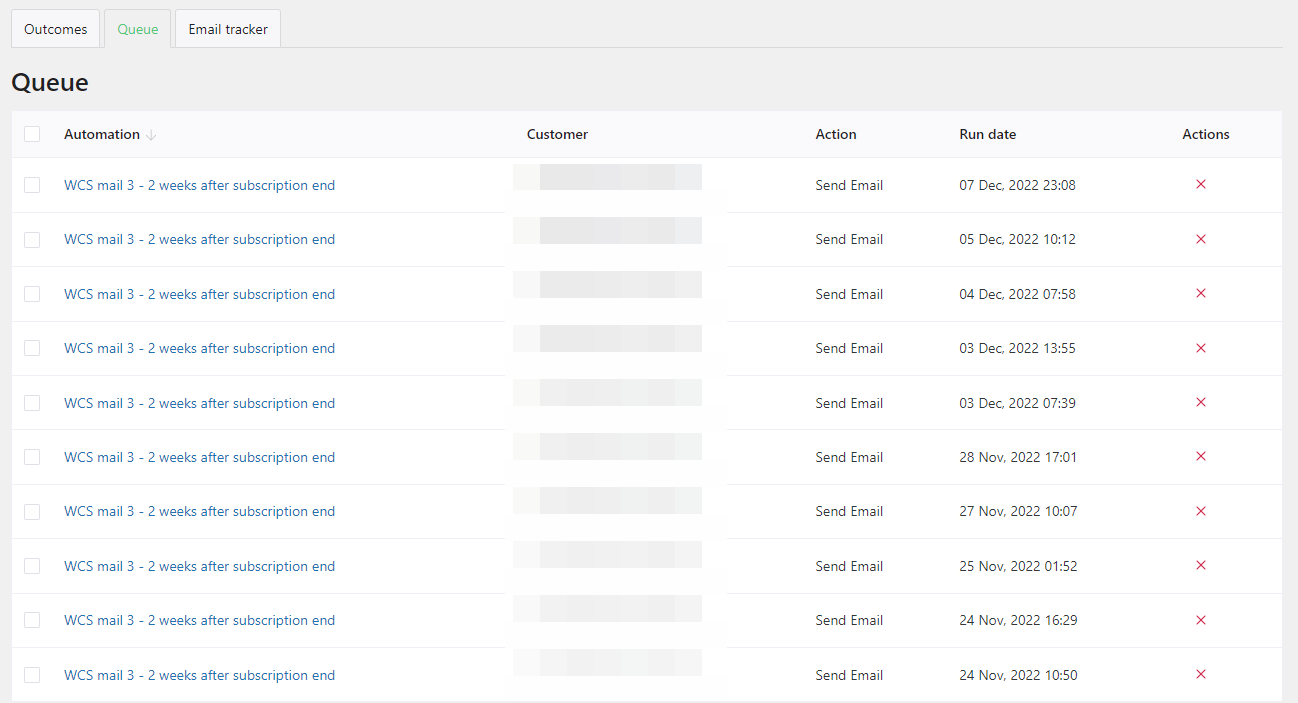
✅ This is especially useful if you delay your emails, but it can also be useful in other situations because all ShopMagic actions are queued with the use of Action Scheduler.
Unless you decided to skip the queue (which you can, by the way), all actions are added to the queue until they are fired 🚀.
If you decided to turn off adding actions to the queue, they won’t show up there (which is obvious, right?).
Outcomes
Next, you may also check if WordPress is sending new emails:
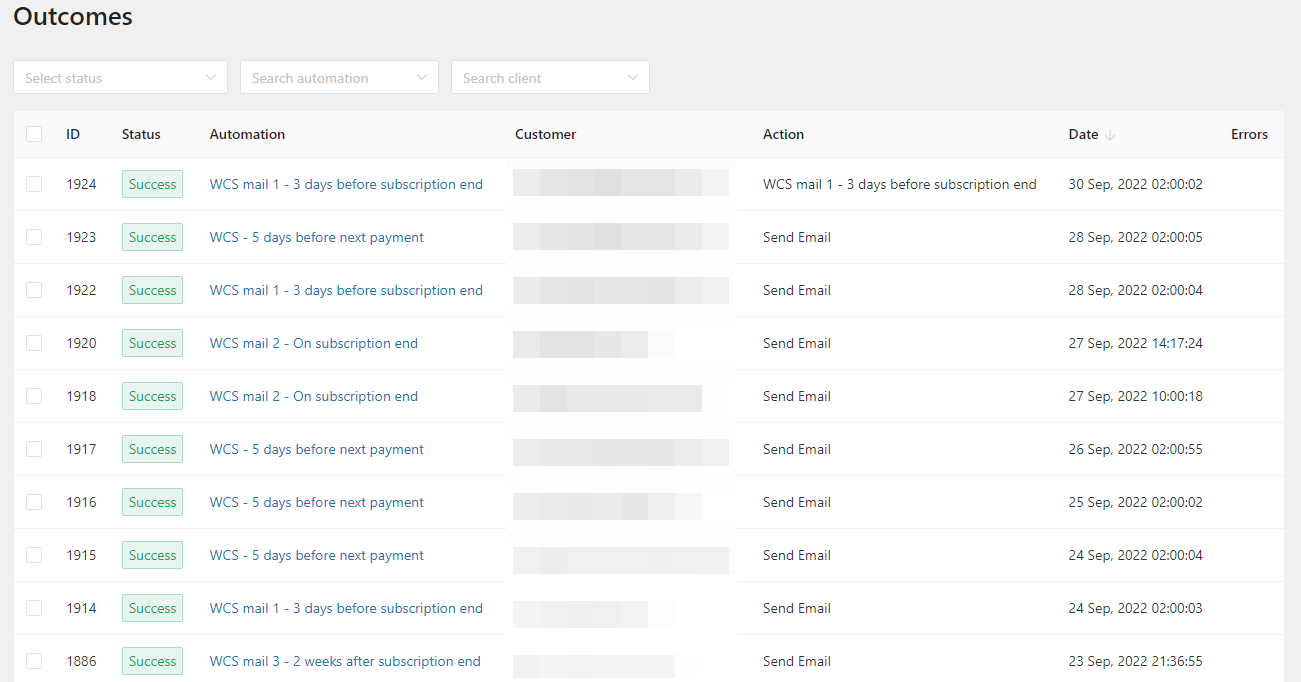
⬇️ This is where you find it in ShopMagic’s menu ⬇️

Email tracker
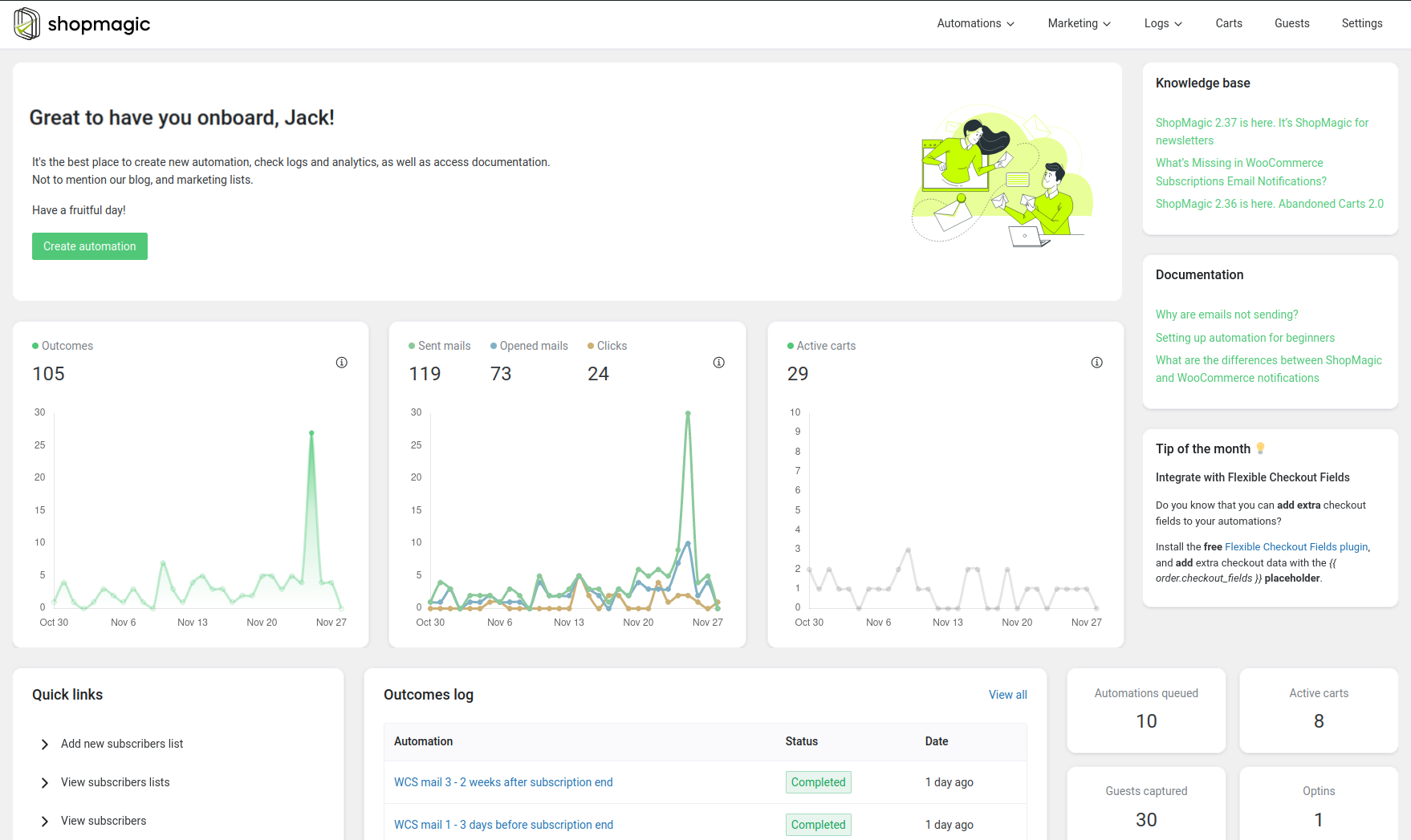
Also, you may check the results of your email automation campaigns in one place (per automation and customer)!
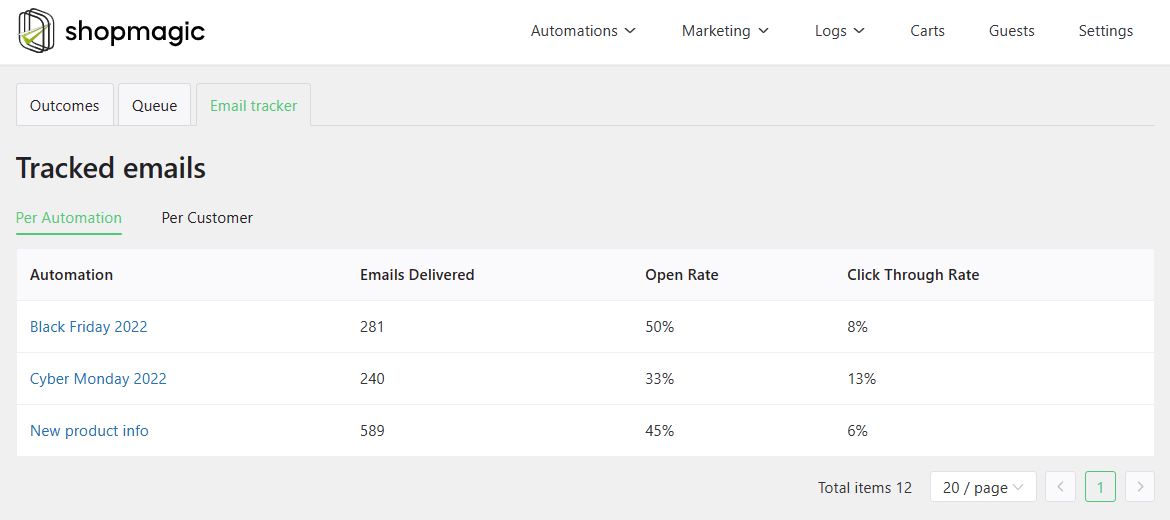
That’s a great way to see the effects of your custom emails, so you may learn what works and what to optimize! It’s also possible to see the results in the main dashboard of the plugin.
Test emails
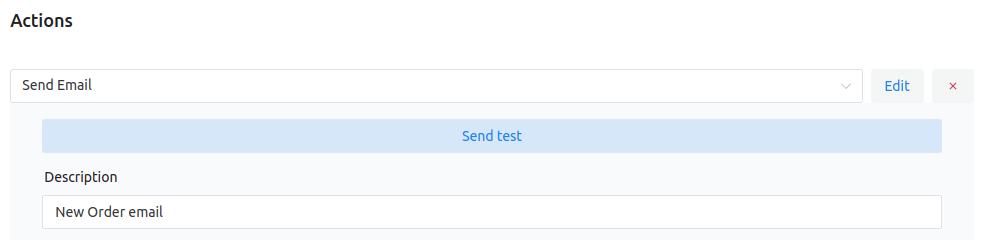
Finally, you may send a test email to see if WordPress is not sending your emails either.
To do that, open one of your automation with an email action and test its delivery.
Summary & more about ShopMagic
In this article, you’ve learned why WordPress is not sending emails. Also, how to send custom emails in WordPress (and WooCommerce) with a free plugin 🚀! Email queue, outcomes, results, and testing emails in ShopMagic will help you in better email communication.
As you’ve seen, ShopMagic helps you with customizing emails in WordPress with very, very useful features. Hope you like them and that they will help you get more from ShopMagic.
ShopMagic
Avoid WordPress not sending emails and try ShopMagic. Watch your email automation get queued for the future and control the past actions in the Outcomes tab.
Download for free or Go to WordPress.orgPrevent WordPress not sending emails and start sending beautiful emails today!
If you have any questions let us know.
Is WordPress not sending emails? Try these solutions:
-
All about WooCommerce Marketing Automation

Marketing Automation. Implement a WooCommerce marketing automation into your WooCommerce store. -
WooCommerce Automated Emails [free]

Use ShopMagic for automated emails. Send WordPress follow-ups with the best (and free) email automation plugin.
