





The default email customizer in WooCommerce is HTML/ PHP based. Today, I will show you how to use ready-to-use WooCommerce automation templates, send custom emails, and more. Send better emails with our free email customizer plugin for WordPress and WooCommerce!
How to customize WooCommerce emails without editing templates
WooCommerce gives you a logo, two colours, a footer line and, for each email, a subject, a heading and a block of additional content. Everything else is a PHP template, so changing the body means copying files into your theme and keeping them working through every update.
A visual editor removes that step. You write the message itself, drop in placeholders for order and customer data, and pick the event that sends it, which also means you can create emails WooCommerce does not ship with at all. ShopMagic does this in the free version and comes with ready automation recipes, so the common cases are a few clicks rather than a build.
Table of contents
- Default emails in WooCommerce
- Get ShopMagic – a free email customizer for WooCommerce!
- WooCommerce email customizer with [free] automation recipes
- How to create new email templates with ShopMagic?
- Examples of custom emails for WooCommerce
Default emails in WooCommerce
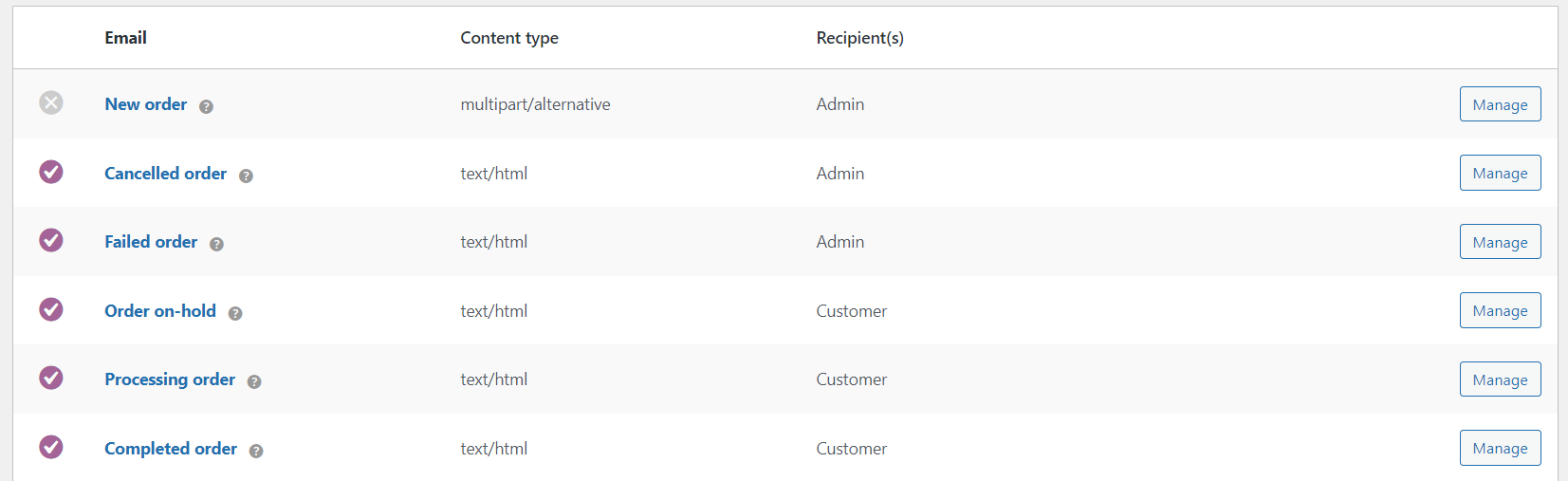
As you know, WooCommerce gives you some standard email templates:
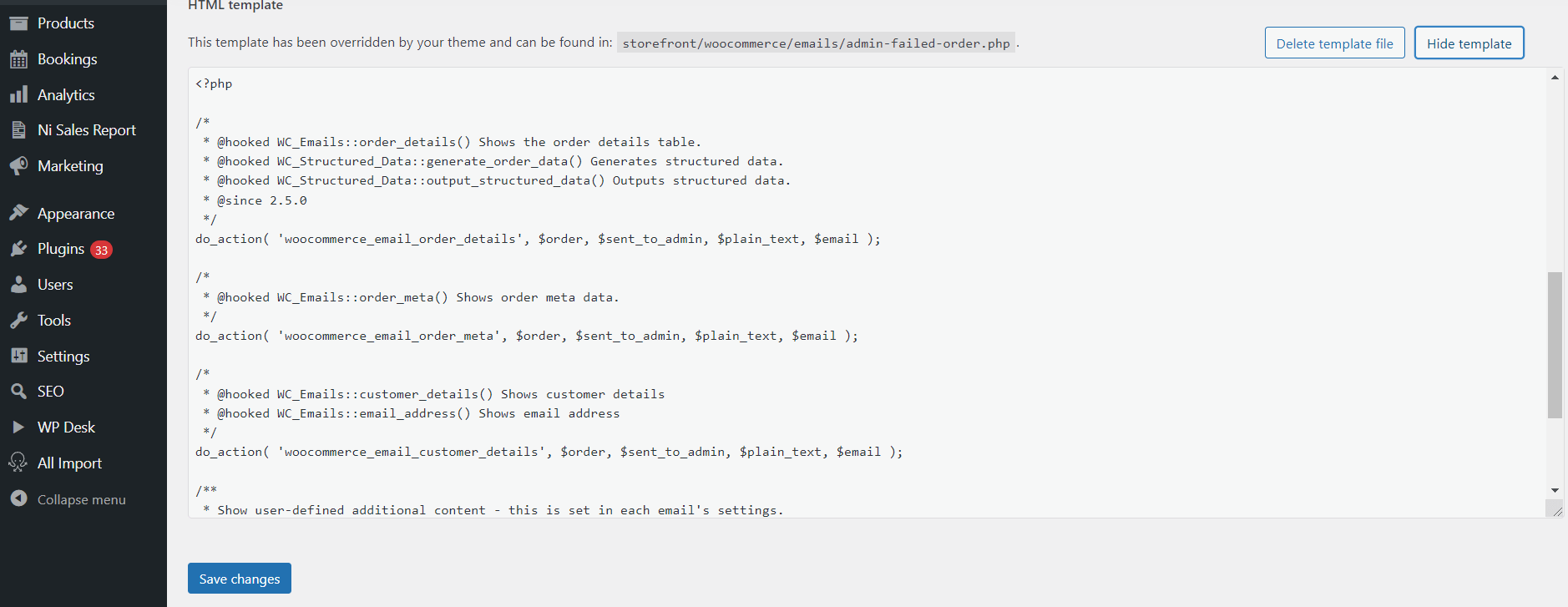
And you may customize them with some HTML/ CSS/ PHP:
But, there is a better email customizer with the free plugin to create, personalize, and send emails in WooCommerce!
Get ShopMagic – a free email customizer for WooCommerce!
First, get the plugin!
ShopMagic
The best WooCommerce email customizer plugin you'll find out there. Give it a try!
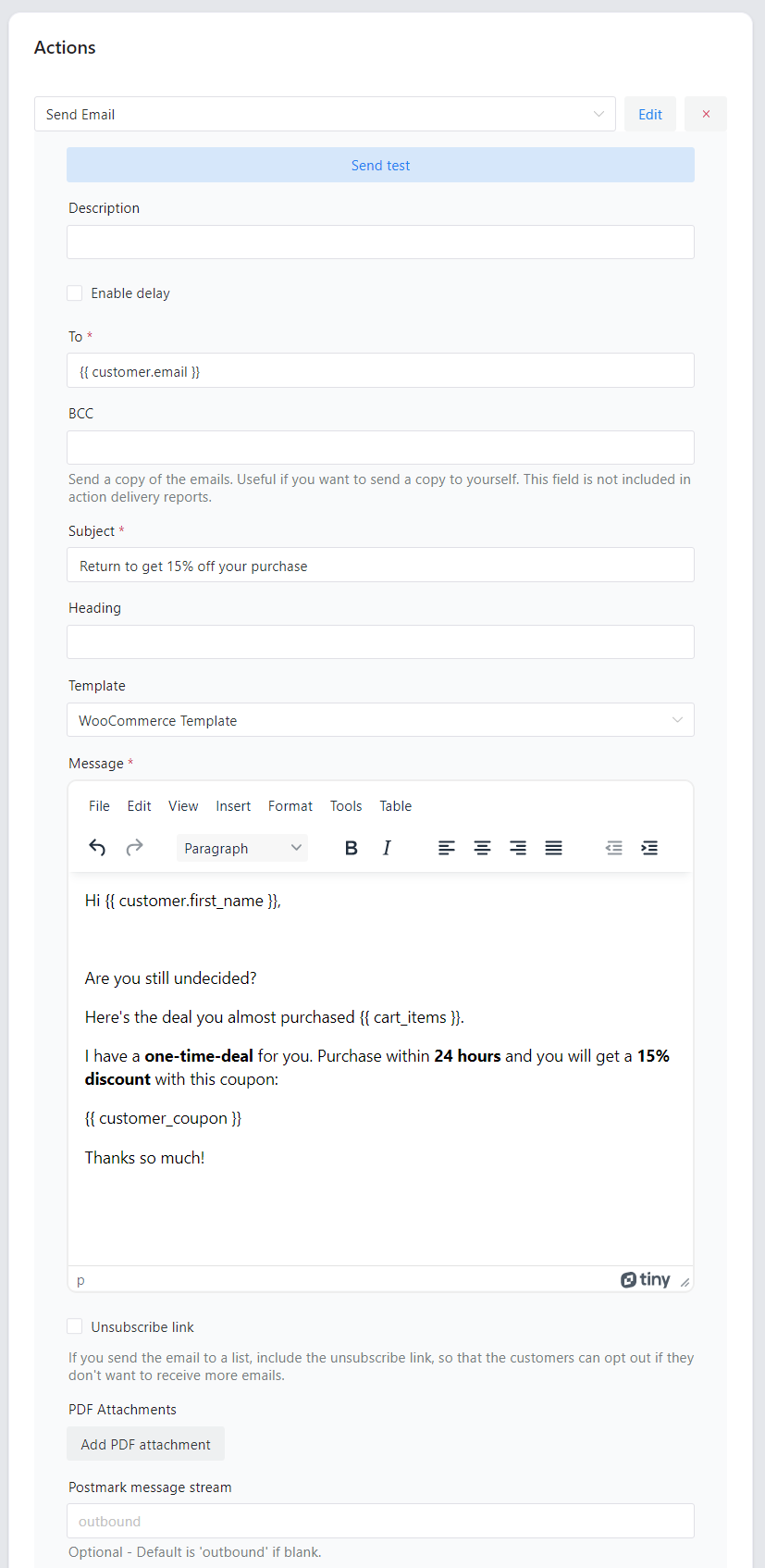
Download for free or Go to WordPress.orgShopMagic gives you an easy-to-use email customizer with a clear UI.
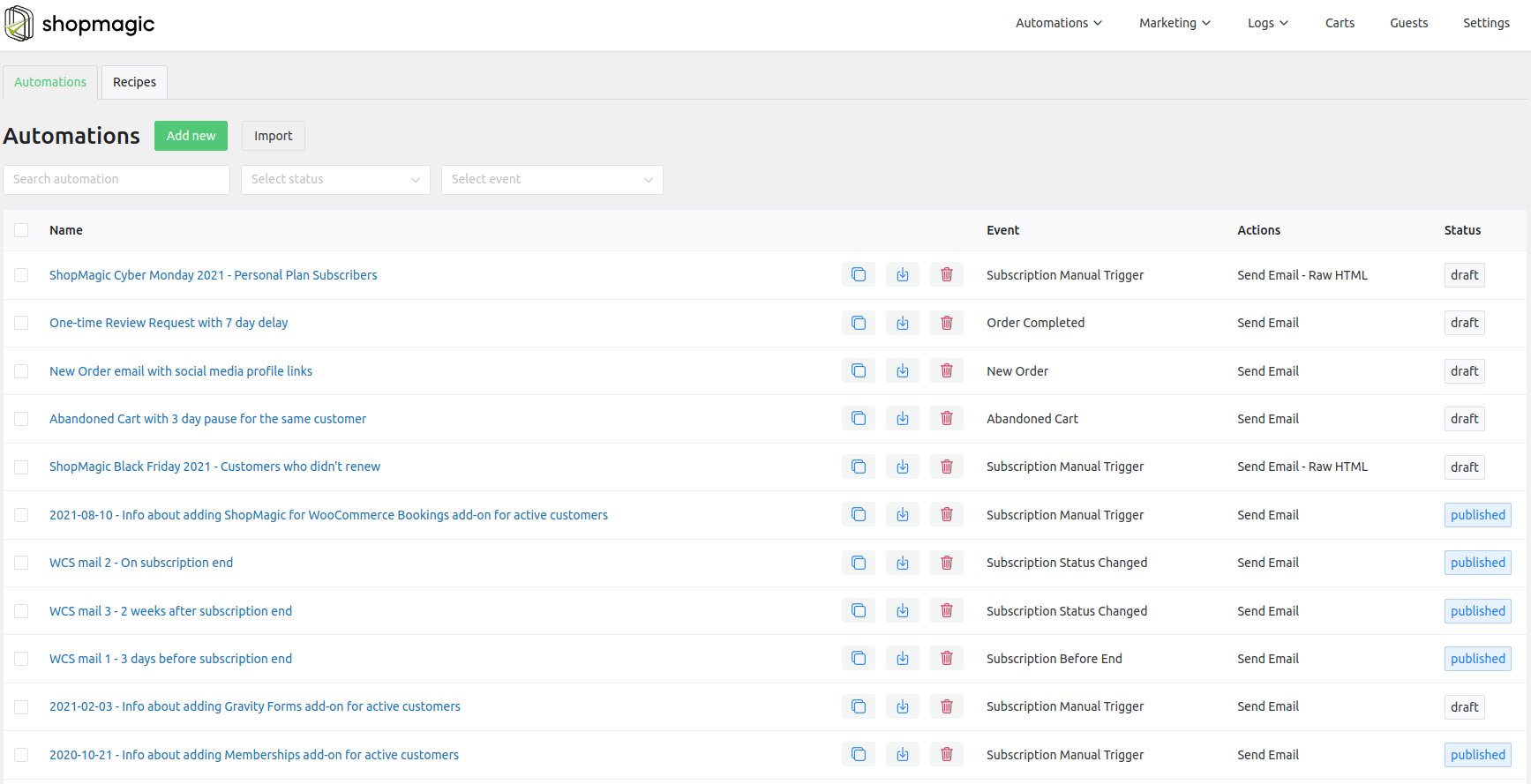
What’s more, you can create multiple emails for successful marketing of your WooCommerce store.
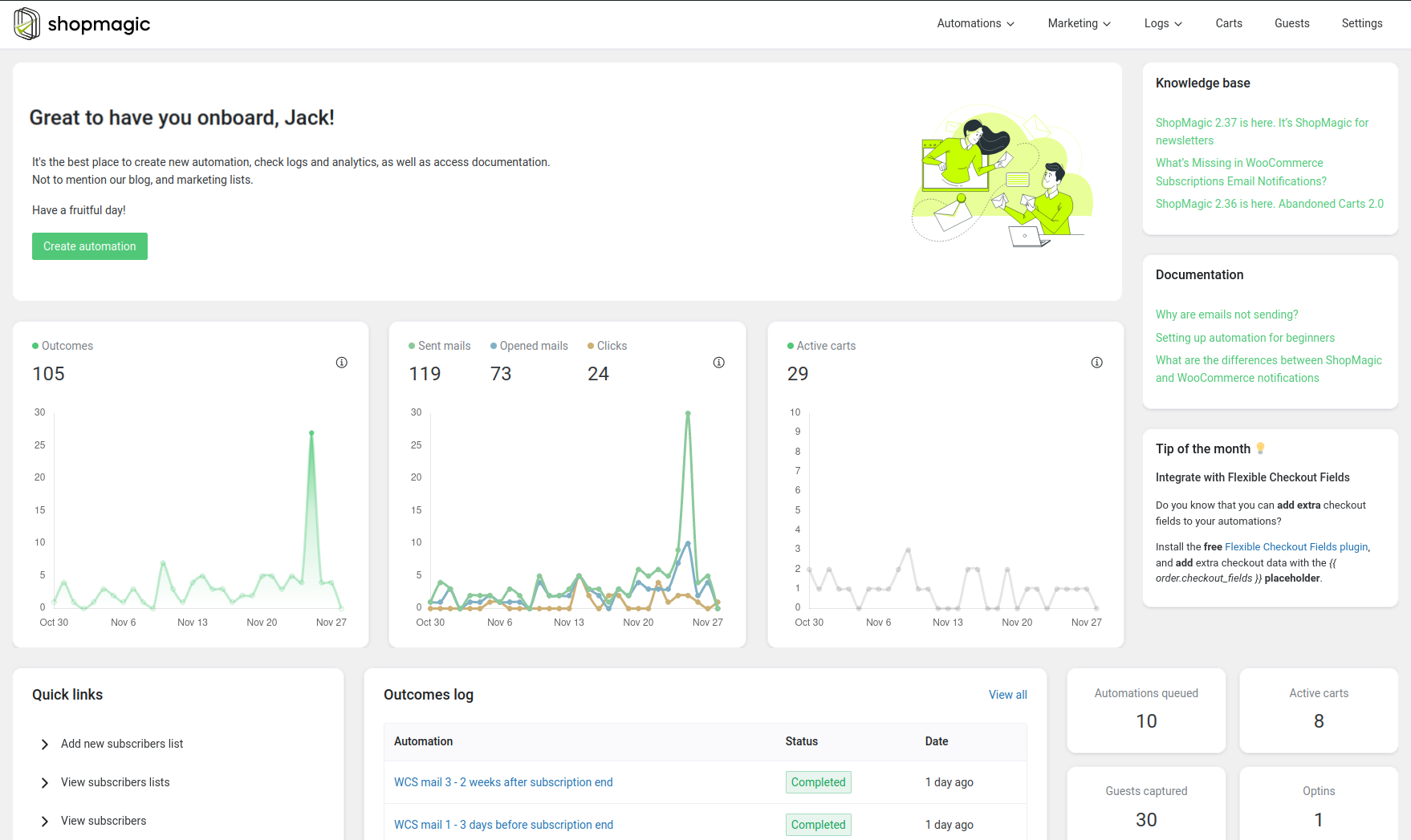
Moreover, there are also great tools to check the results!
In the dashboard:
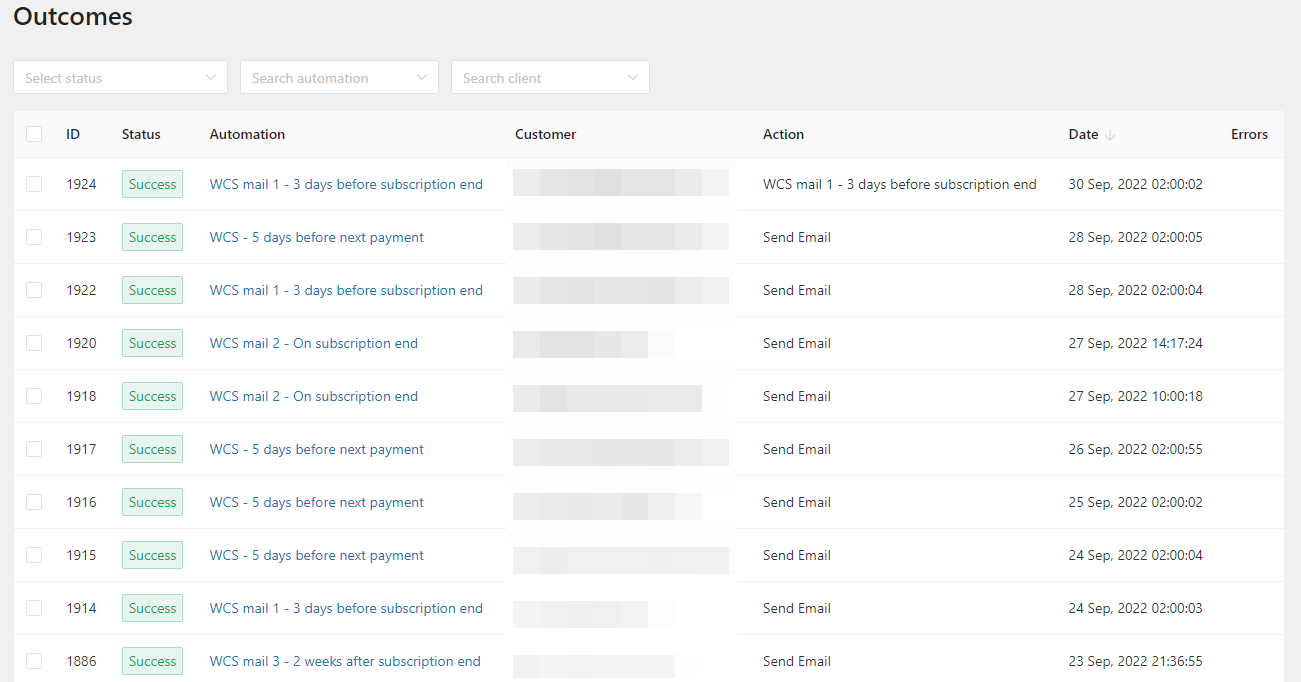
With the outcomes:
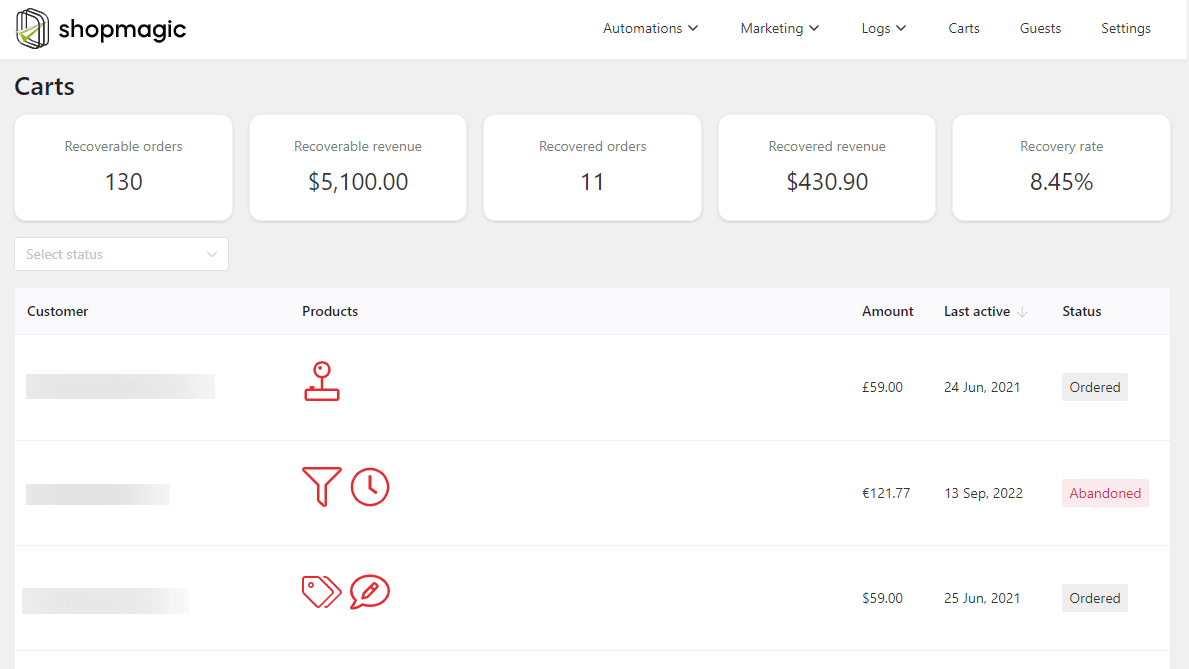
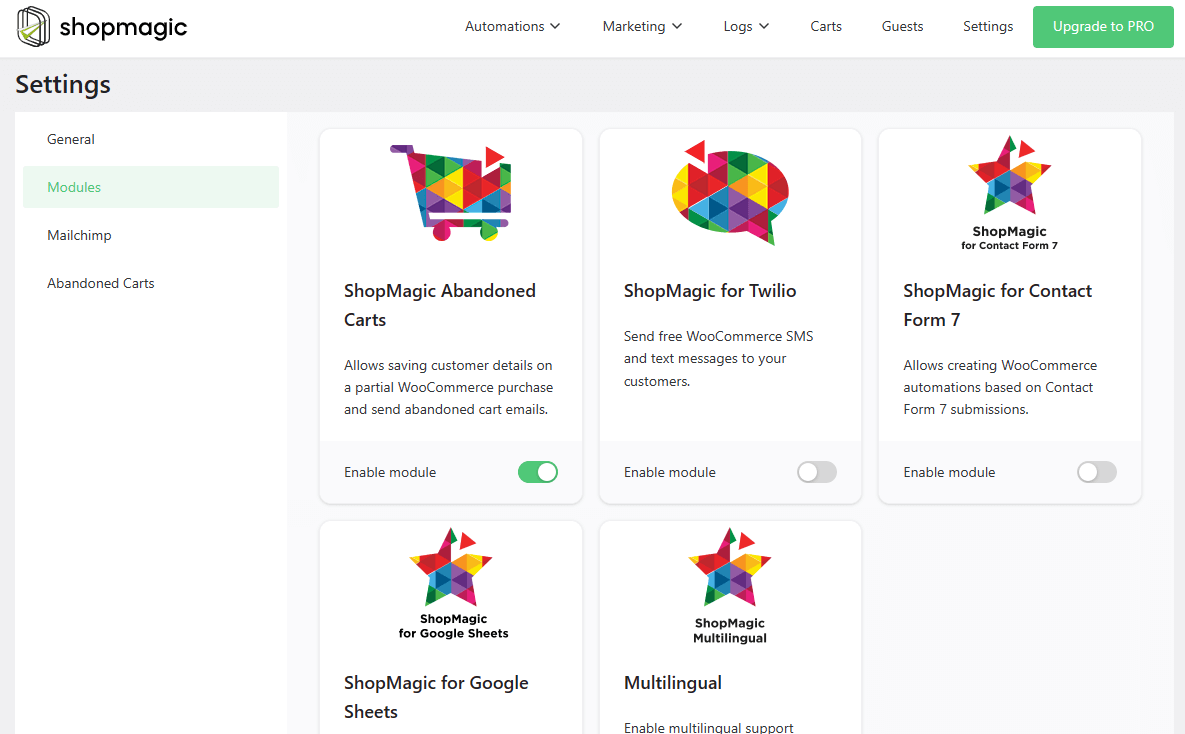
Abandoned carts (with a free add-on):
And more!
WooCommerce email customizer with [free] automation recipes
The plugin can also save you time with pre-made email templates and automations.
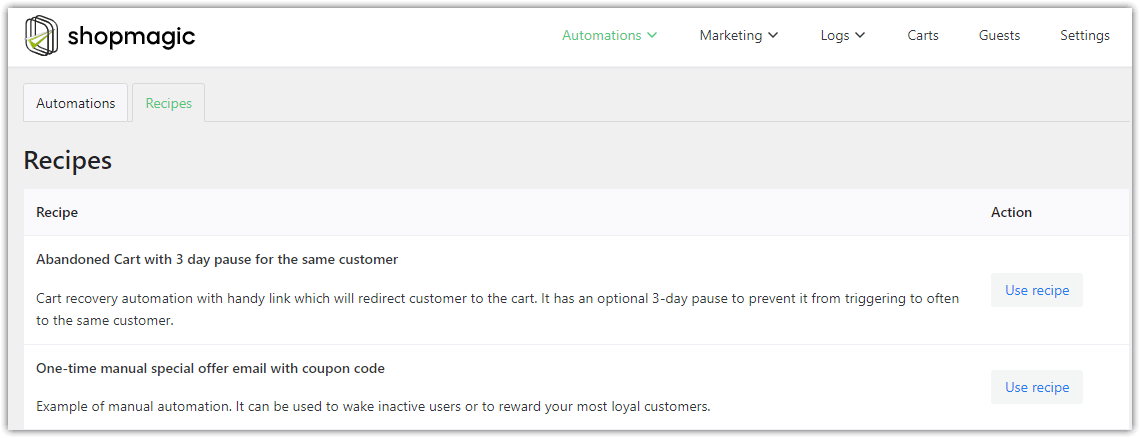
Most of them are ready to implement right away 😀. Of course, you can edit the automation & the email template to personalize the content.
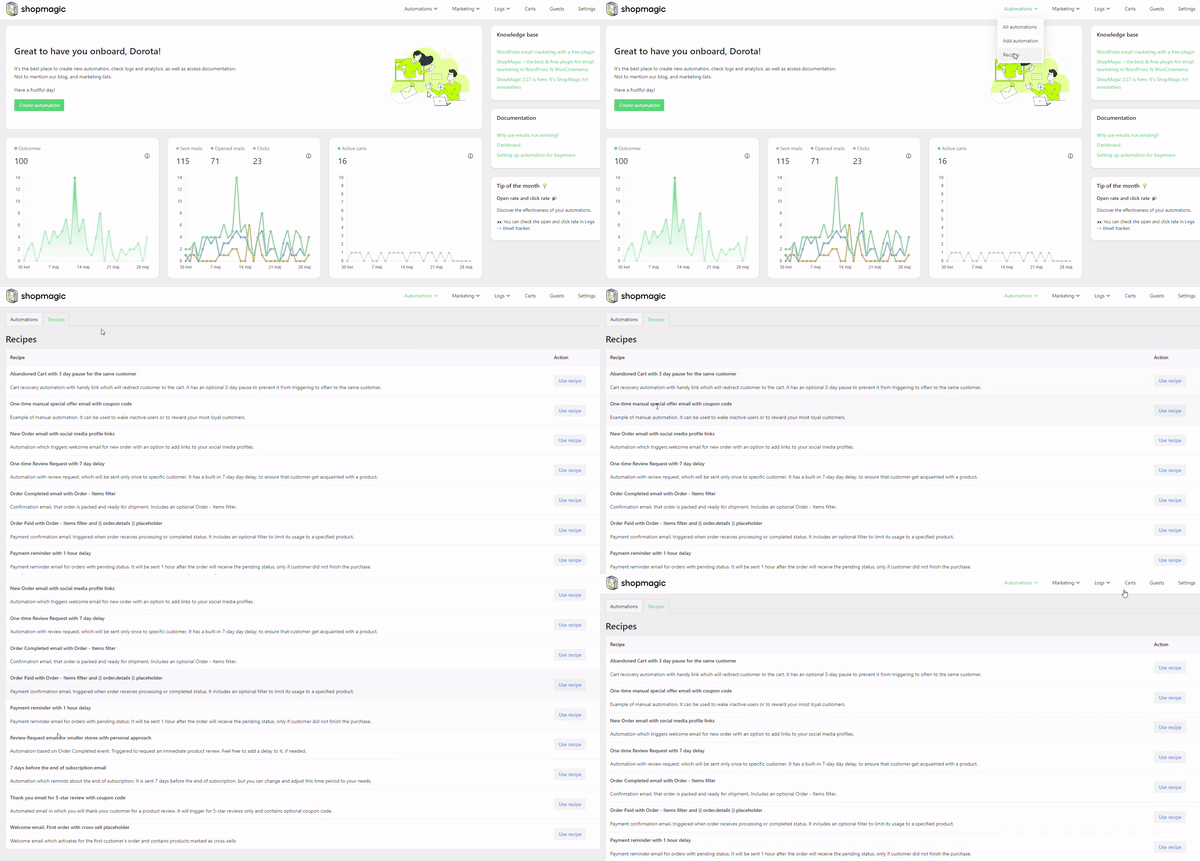
First things first, take a look at the screenshot to see what the Recipes tab looks like:
How to use a recipe?
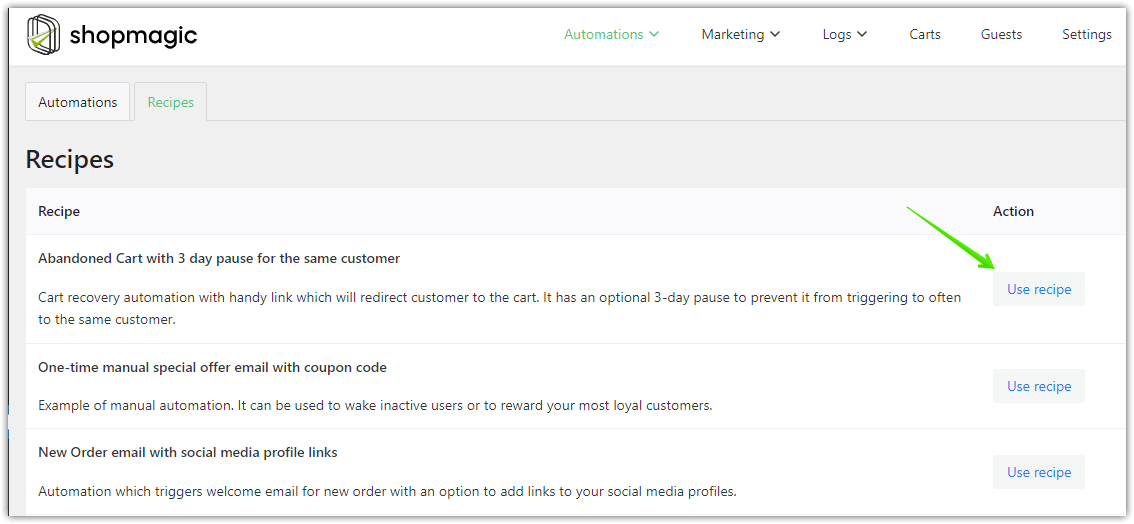
Do you see a use recipe button on the right side of the screen? Simply click on it, and ShopMagic will do the rest. The selected recipe will turn into a draft. You can use it or adjust it to your needs. After all the necessary changes, you just need to publish it, like any other WooCommerce automation.
That’s it!
How to create new email templates with ShopMagic?
Now, what if you’d like to build your custom email template and such automation yourself?
Of course, it’s possible 😀!
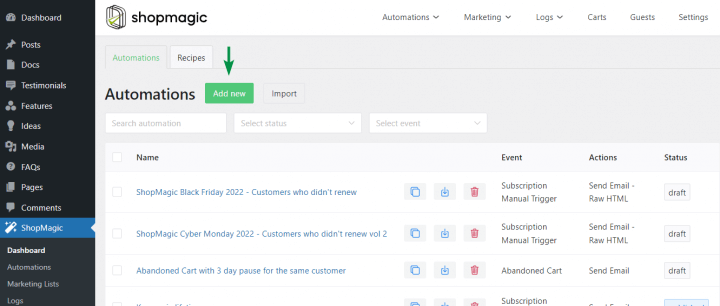
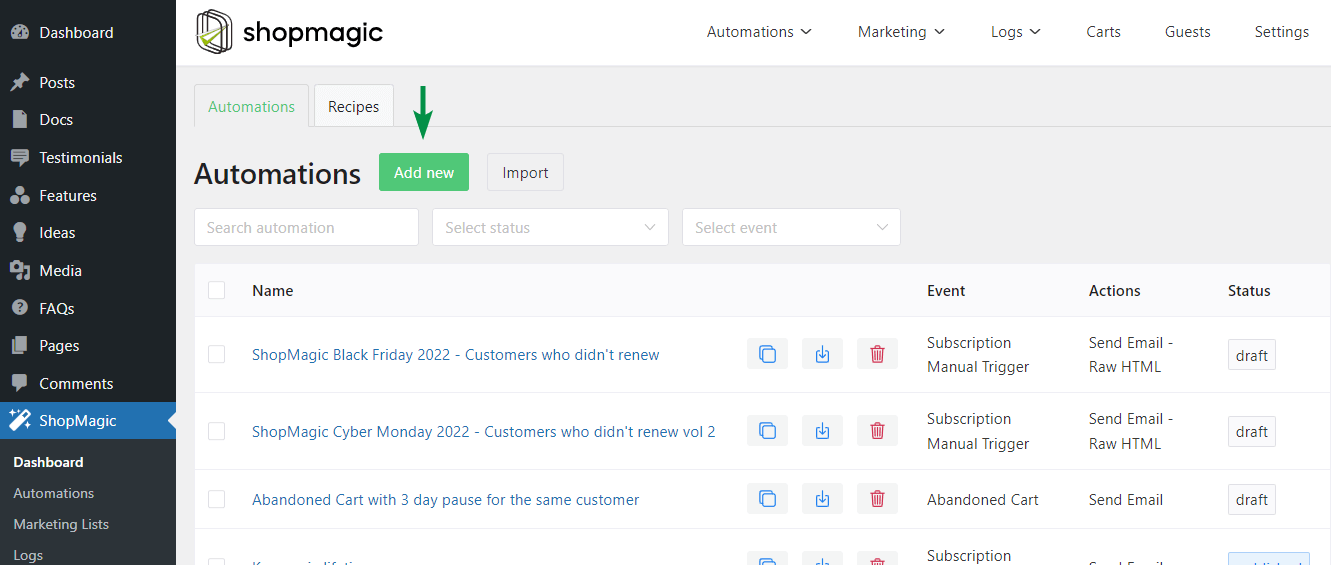
- First, create a new automation.
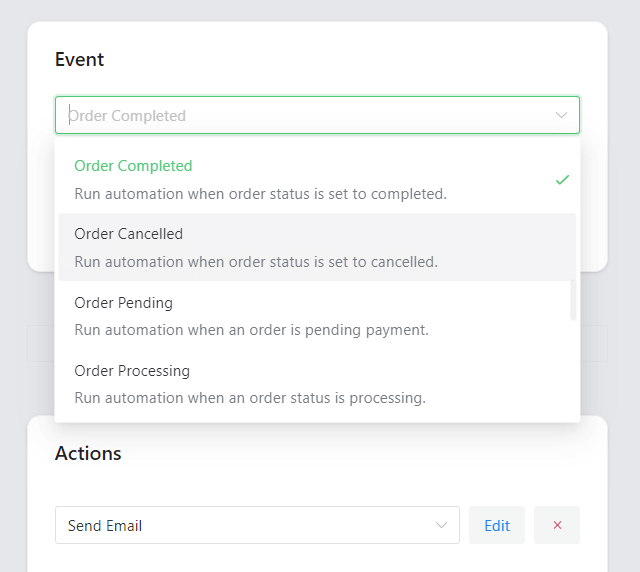
- Choose the Events
- Then, decide about Filters
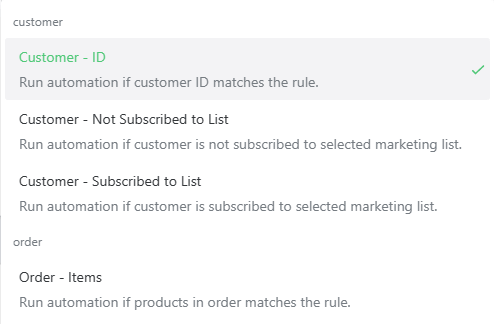
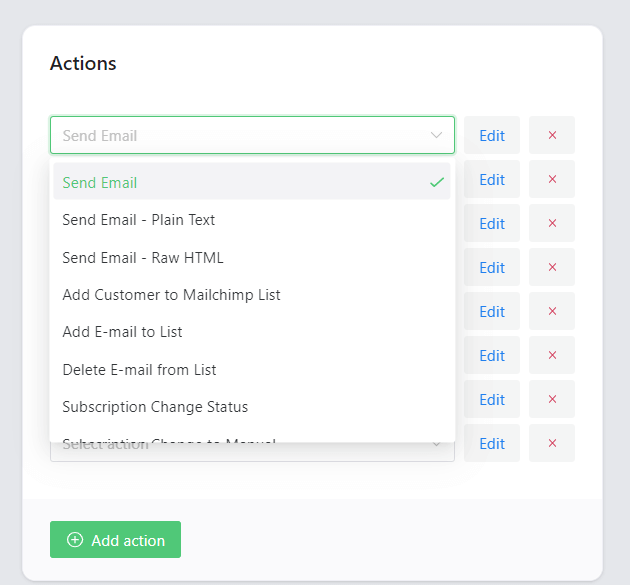
- Next, choose to send an email from Actions
- Finally, use the email customizer to create personalized WooCommerce emails!
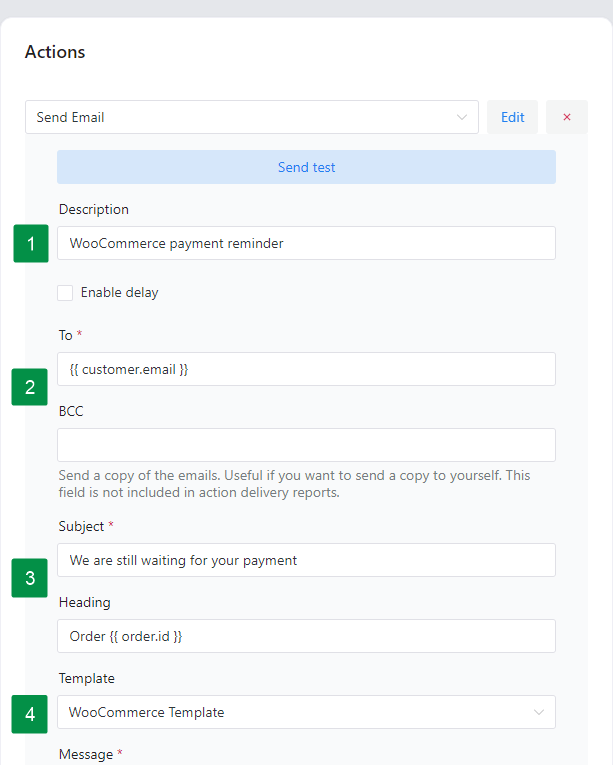
As you can see, in a few steps, you may build custom emails for WooCommerce. And you may create additional Actions inside the same automation! So, it’s possible to send multiple emails, send order data to Google Sheets, SMS notifications, rescue abandoned carts (with free add-ons), save customer emails to email lists, and more ⭐!
Examples of custom emails for WooCommerce
Now, let’s take a look at some inspiring email automation templates you could also use in your store.
-
Create beautiful emails
With ShopMagic, it’s possible to create personalized email templates using UI as well as custom HTML:
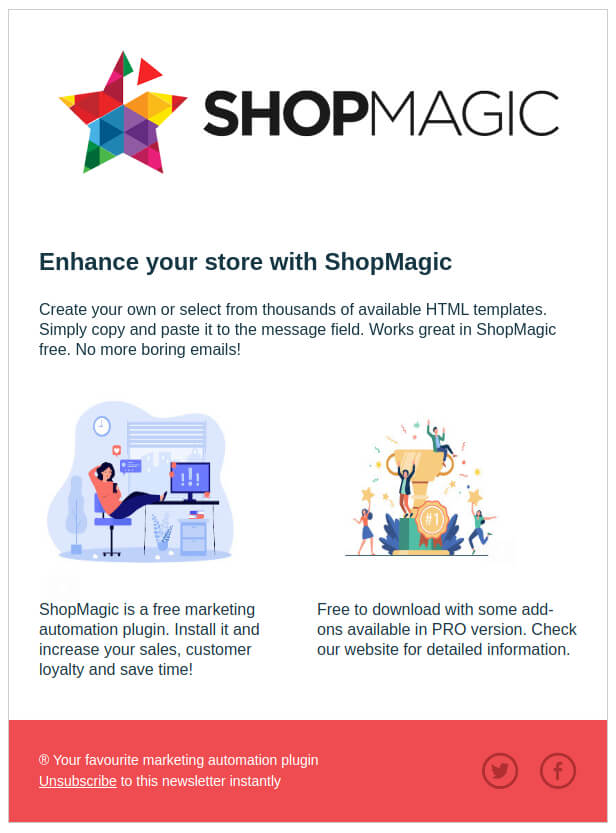
Send personalized and beautiful emails in WordPress & WooCommerce -
Send email after order
You may send different emails after customers buy your products and services:
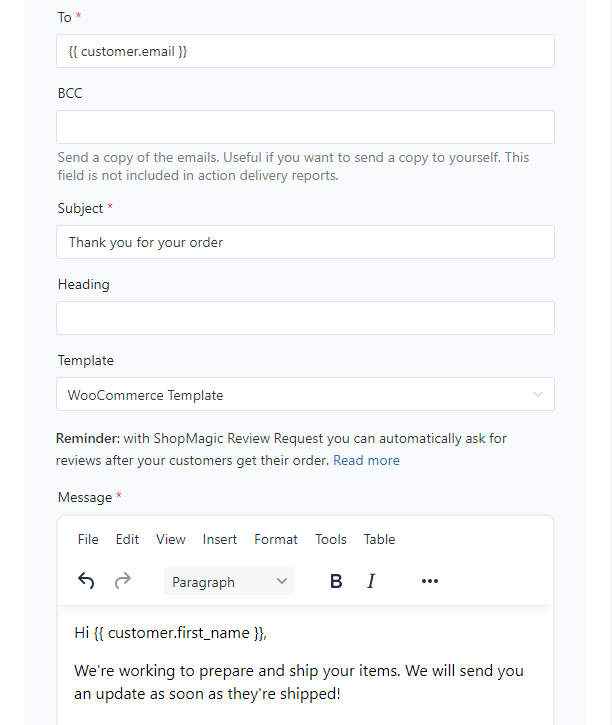
Your custom after-purchase email content -
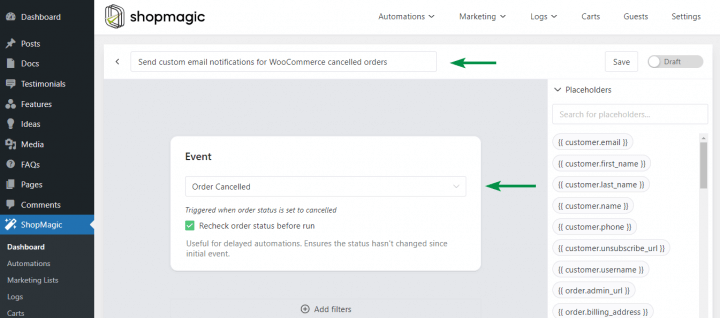
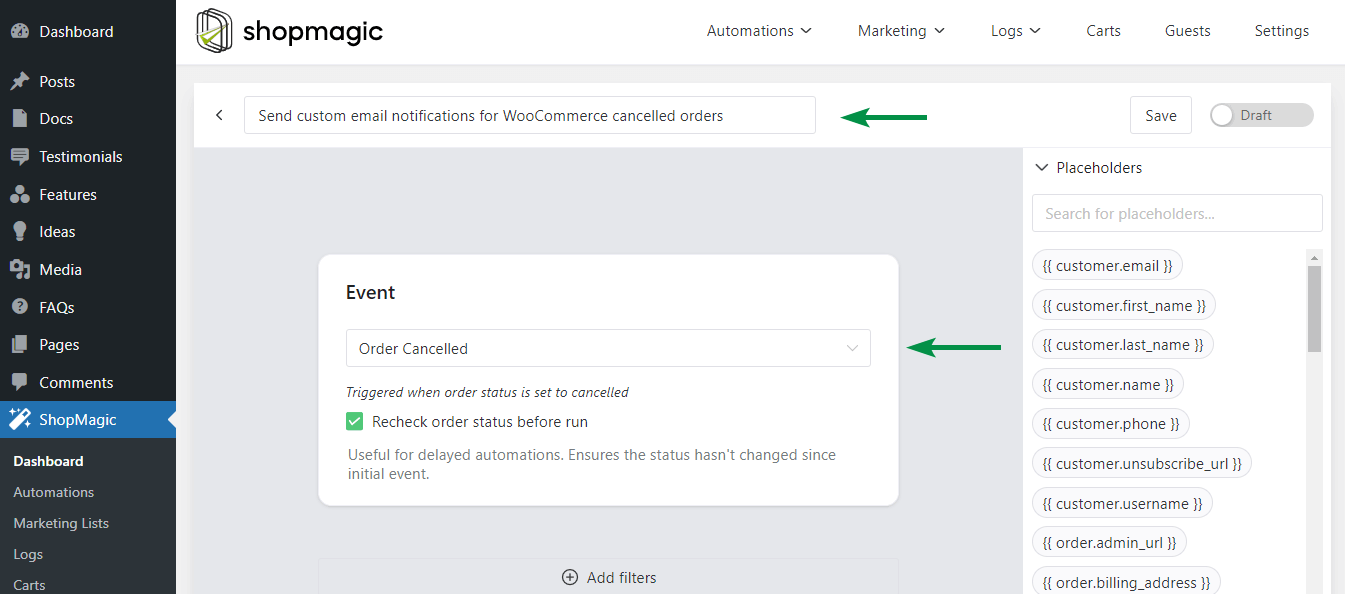
Cancel order email
You can use ShopMagic to get customer feedback about cancelled orders (or convince them to buy with a discount coupon).
-
Rescue abandoned carts automatically
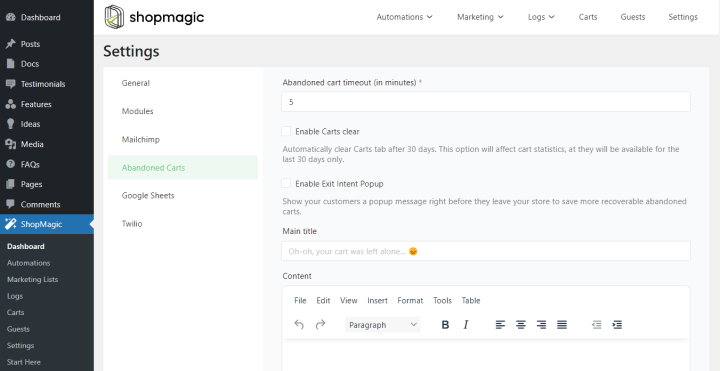
ShopMagic lets you send automated emails for abandoned carts (also for guest checkout)!
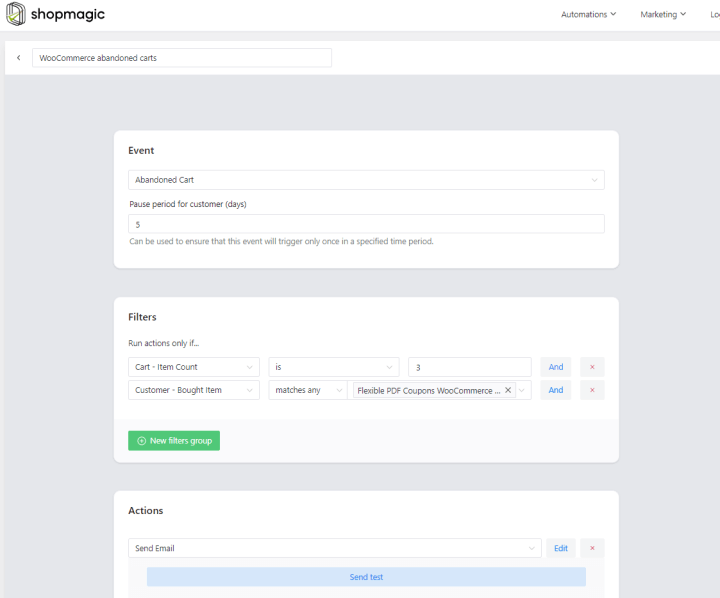
You just need to enable the free add-on
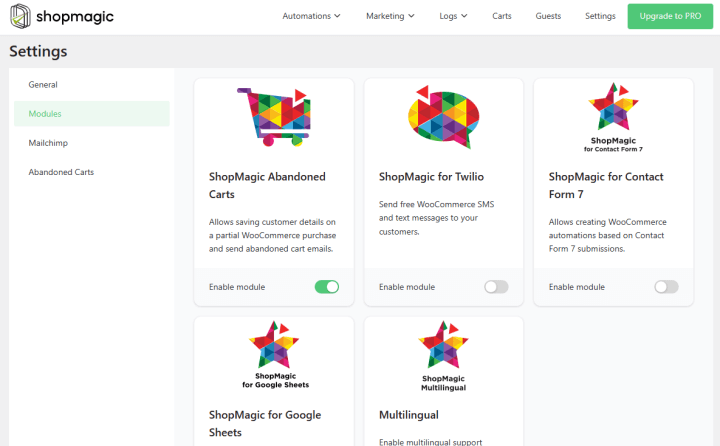
to use the Abandoned Carts’ advanced features!
-
Payment reminder
Sometimes customers forgot to pay. You can send reminder emails with ShopMagic too!
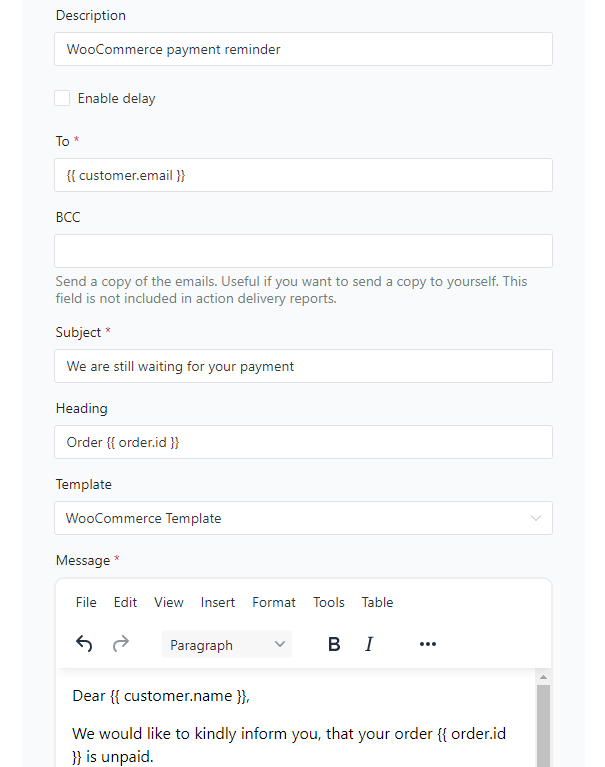


You may see how to set up pending payment email notifications in WooCommerce with ShopMagic.
Summary & more about ShopMagic
Today, you’ve learned how to send better emails with our free email customizer plugin for WordPress and WooCommerce! Also, you’ve seen some examples of recipes, email customizer options, and inspiring automation emails for WooCommerce you could send.
Download the free plugin & start building your email marketing today!
ShopMagic
The best WooCommerce email customizer plugin you'll find out there. Give it a try!
Download for free or Go to WordPress.orgFinally, take a look at our blog for more email marketing tips. And let us know if you have any questions!
More about our WooCommerce email customizer
-
WooCommerce Email marketing plugin

Use ShopMagic. The plugin is eye-pleasing and it’s filled to the brim with new features. Read on and find out what it can do. -
WooCommerce + Google Sheets
Export orders to Google Sheets. Find out how to use ShopMagic to export orders to Google Spreadsheets.
