





Every free WordPress email marketing plugin splits into one of two kinds, and that split decides everything else. Self-hosted plugins send through your own site, so there is no vendor quota but your host’s mail limits and your sending reputation become your problem. Service-connected plugins send through an external platform, which handles deliverability and caps the free tier at a monthly or daily number of messages. Pick the kind first and the shortlist writes itself. Below: a comparison of the main options on that basis, what to check in a free version before installing it, and what ShopMagic’s free version actually covers.
Which free email marketing plugin fits your site
| Plugin | Where email is sent from | Sending limit on the free plan | WooCommerce order triggers |
|---|---|---|---|
| ShopMagic | Your own site | Set by your host, not by the plugin | Yes, in the free version |
| FluentCRM | Your own site, through your SMTP | Set by your host or SMTP provider | Yes |
| MailPoet | Your site, or MailPoet’s own sending service | Your host’s limit, or the service’s free quota | Yes |
| Newsletter | Your own site | Set by your host | Through an extension, not the core plugin |
| Brevo | Brevo’s platform | Vendor’s free-tier quota | Yes |
| Mailchimp for WooCommerce | Mailchimp’s platform | Vendor’s free-tier quota | Yes |
| Omnisend | Omnisend’s platform | Vendor’s free-tier quota | Yes |
Free-tier quotas change often, so check the current numbers on each vendor’s pricing page before deciding on that basis.
What the two kinds actually cost you
Sending from your own site means no contact limits, no monthly cap and no data leaving your database. It also means your emails go out with your server’s reputation behind them, which is fine for a few hundred transactional messages and becomes a deliverability problem at newsletter volume. The usual fix is to point the plugin at an SMTP service, which keeps the plugin free and moves the sending to someone who does it professionally.
Sending from an external platform means deliverability is handled for you and the free tier runs out. It also means your customer list lives on someone else’s system, which matters for a shop that treats the list as an asset.
Five things to check in any free version
Marketing pages say “free” long before the useful part is free. Before installing, check:
Contact limit. Some free plans count subscribers rather than sends, and the cap arrives sooner than you expect.
Automation on the free plan. A plugin that sends newsletters for free but charges for triggered emails is not free for a shop, because triggered emails are the point.
WooCommerce events. Specifically whether order status, product bought and cart value are available as triggers and filters, not just “WooCommerce supported”.
Branding in the footer. Several free tiers add the vendor’s logo to every email you send.
What happens to the list if you stop. Export matters more on a service-based plan than on a self-hosted one.
WordPress and WooCommerce free email plugin! Meet ShopMagic.
Create, customize, and send custom emails in WordPress and WooCommerce with the plugin! No worries, it's free!
Download for free or Go to WordPress.orgOne thing is worth settling before any of this. WP Desk telemetry from 19,803 WooCommerce stores, collected in August 2026, shows 86.2% of orders placed as guests. A guest does not create an account, so unless the address is captured at checkout and the consent question is handled there, the list that any of these plugins would send to is never built in the first place.
Table of contents
- Which free plugin fits your site
- ShopMagic: what the free version does
- Features: tracking, dashboard, multilingual
- Use without WooCommerce
- How an automation is built
- Summary
- Frequently asked questions
ShopMagic: what the free version does
ShopMagic sits in the self-hosted column: emails go out from your own site, the list stays in your database, and nothing counts your contacts.
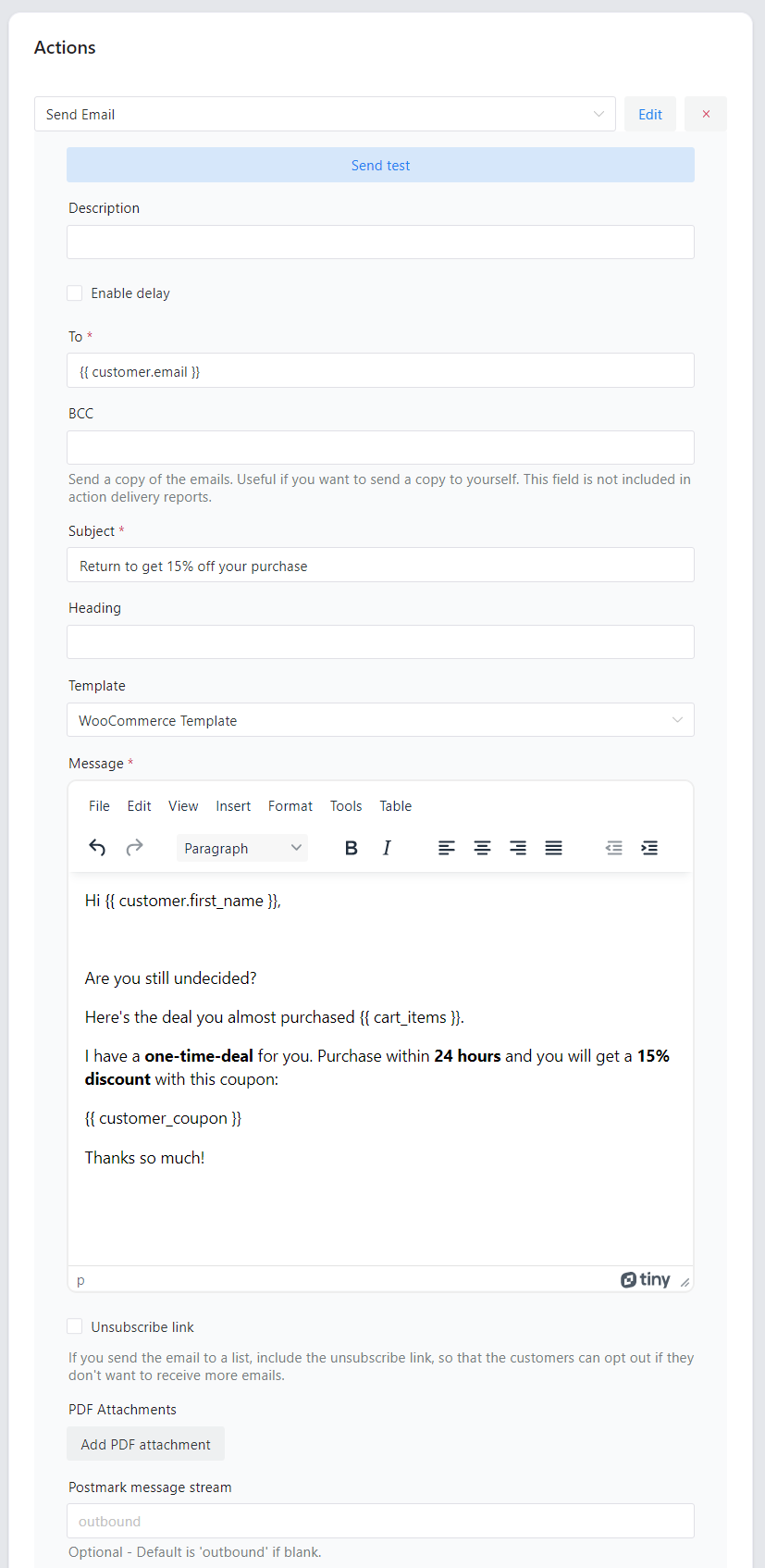
Create and send emails in WordPress and WooCommerce
Build the message in the editor, with placeholders pulling in customer and order data.
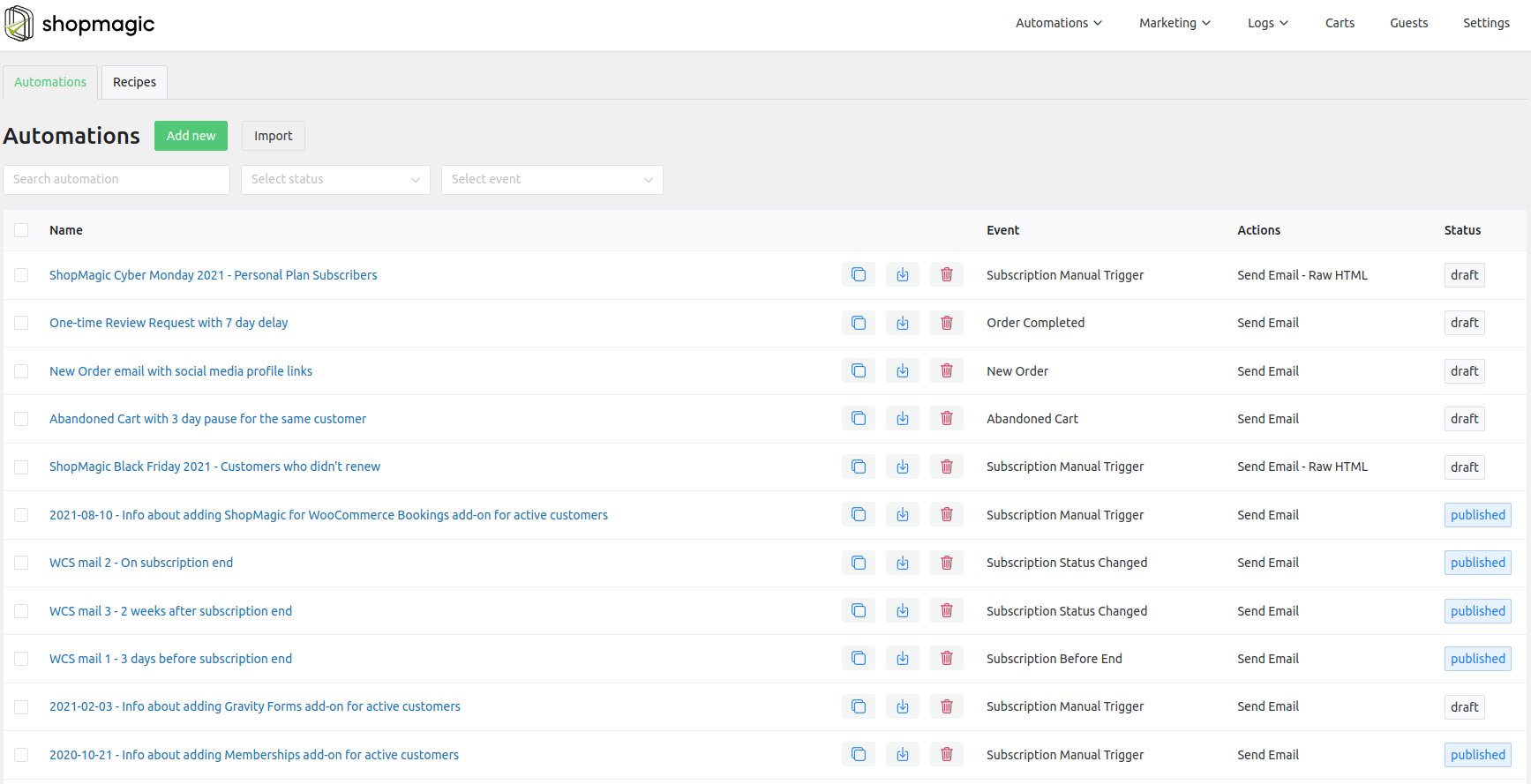
Unlimited automations, and actions that are not emails
There is no cap on how many automations you create, and an automation does not have to end in an email. It can send data to Google Sheets, fire an SMS, post to Slack or save a customer address.
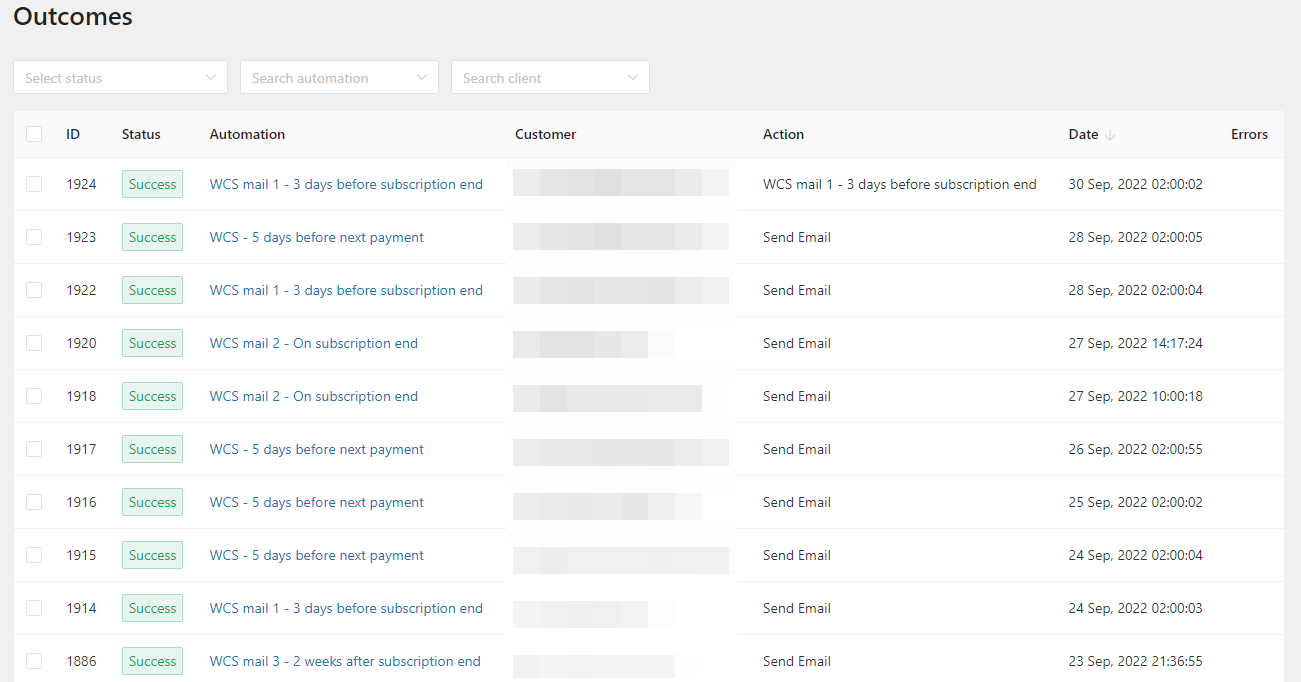
Logs and results in one place
Queued actions, what was sent and what failed, all in the Logs tab.
Features: tracking, dashboard, multilingual
Open rate and click rate
ShopMagic tracks what happens to the emails after they leave: whether they were opened and whether the links were clicked.
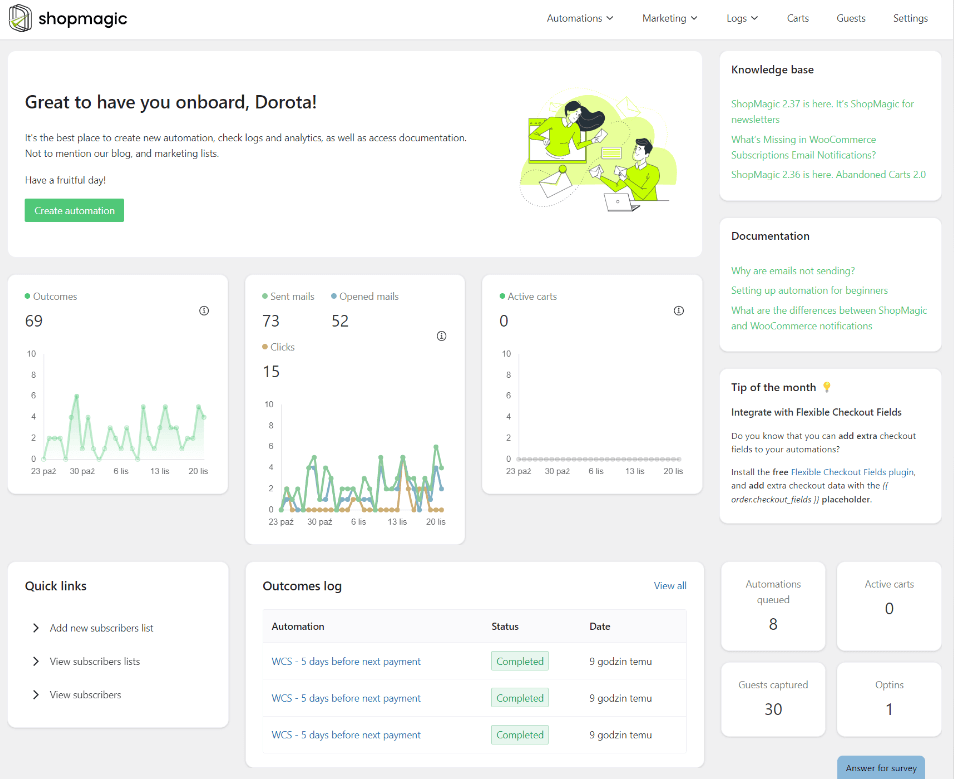
Statistics live in the Logs tab, where they can be filtered by recipient or by campaign, and the last 30 days are summarised as charts on the dashboard. Tracking is in the free version, with no email limit and no cap on how much data is collected.
Worth knowing how open tracking works before trusting the number: it relies on a tracking pixel, and mail clients that block images or preload them distort open rates in both directions. Click rate is the more reliable of the two figures.
The dashboard
One screen holding what you need day to day:
- creating a new email automation quickly,
- statistics across all automations,
- shortcuts to recently created automations,
- links into the documentation,
- a feed of articles and usage examples.
The dashboard is in both versions, free and PRO.
Multilingual stores
Sending one email in several languages at once is rarely a good answer, so ShopMagic adapts the message to the recipient’s language instead. The module is built into the main plugin and only needs switching on in the settings.
To be precise about what this replaces: it handles translating the automations and their emails. Translating the site itself is still a job for WPML or an equivalent, so this removes a dependency inside ShopMagic rather than on the site as a whole.
Use it without WooCommerce
Most people run ShopMagic for shop communication, but WooCommerce is not required. The plugin also hooks into WordPress events, so an automation can fire when a post is published or a comment arrives, and it integrates with form plugins, subscription plugins and Slack.
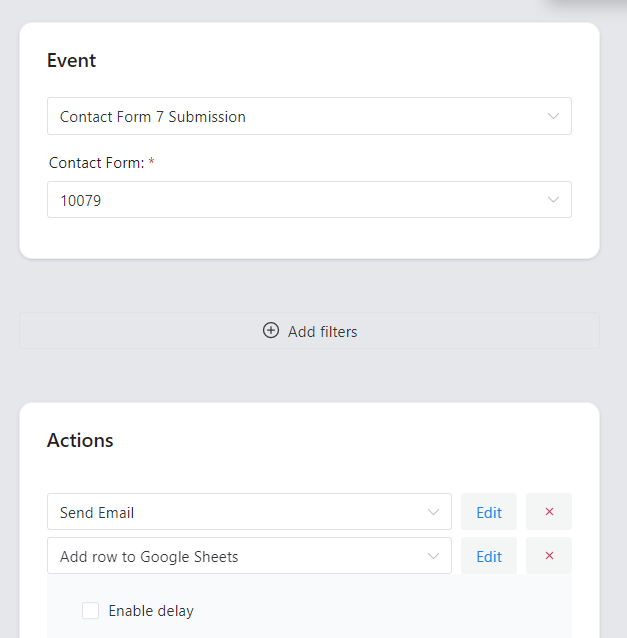
That makes it workable on a blog or a site with no shop at all: newsletters triggered by new posts, or form submissions pushed into Google Sheets with a notification attached.
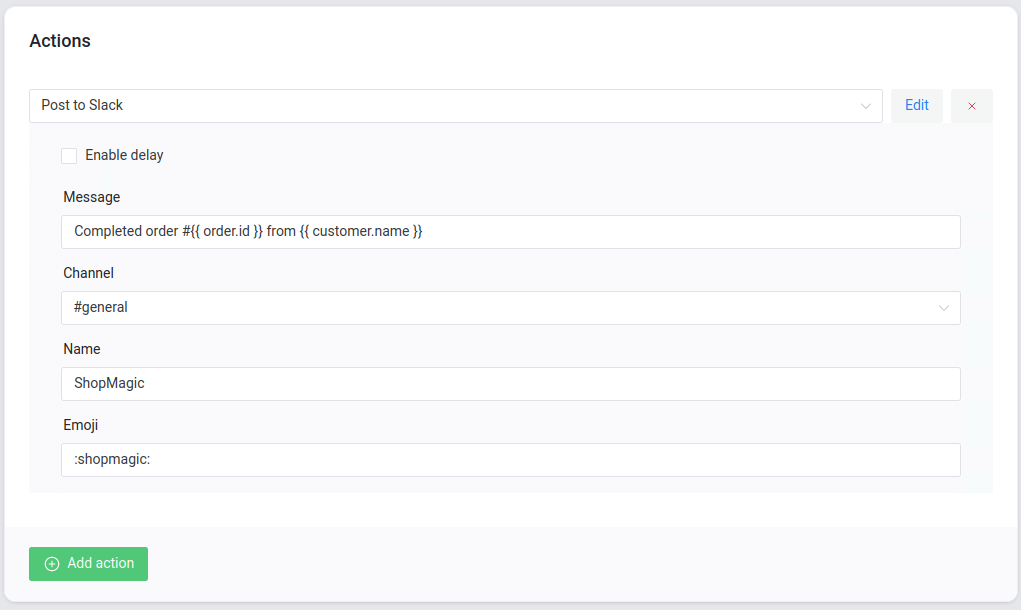
We use it this way ourselves at WP Desk: new posts in certain categories go to a Slack channel as a short note with a link.
More on this in using ShopMagic for email marketing in WordPress.
The interface
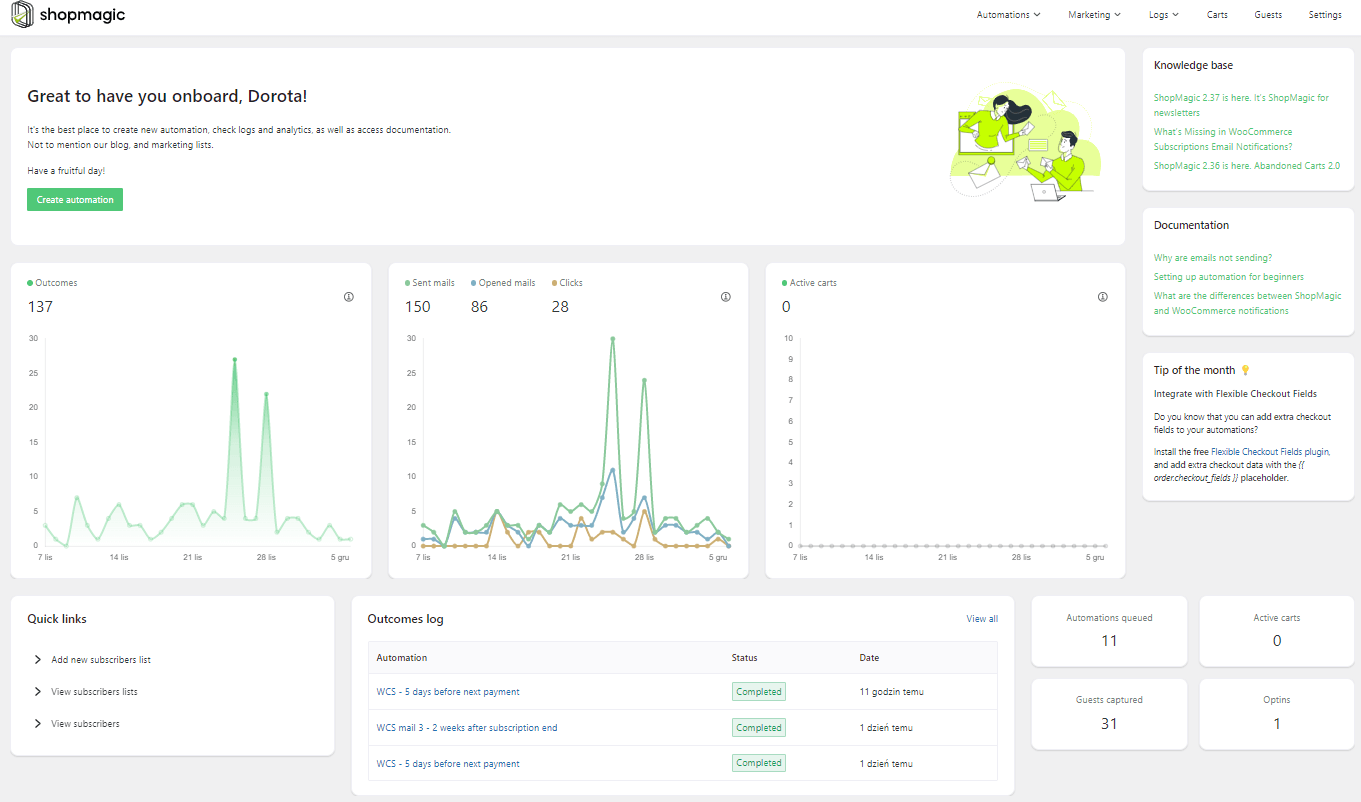
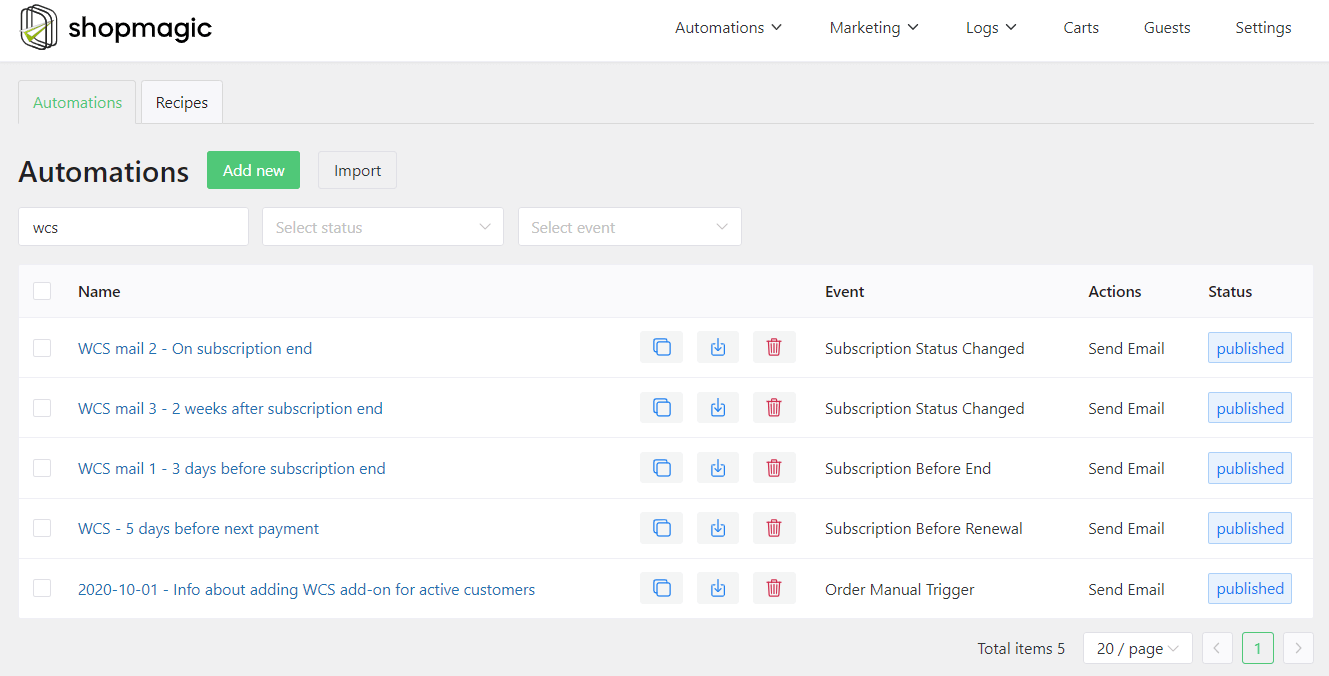
A horizontal menu sits at the top of the screen, alongside the classic WordPress menu. The Logs tab holds automation results, queued actions and the email tracker. A page under Settings installs the free extensions without going to the WordPress directory, so adding ShopMagic Abandoned Carts or ShopMagic for Google Sheets is one click.
How an automation is built
Every automation has three parts, and understanding them is most of the learning curve.
Event is what starts it: an order reaching a status, a form submitted, a post published. Filter decides who qualifies: order value above an amount, a specific product, a customer group. Action is what happens: an email, an SMS, a row in a spreadsheet, a Slack message.
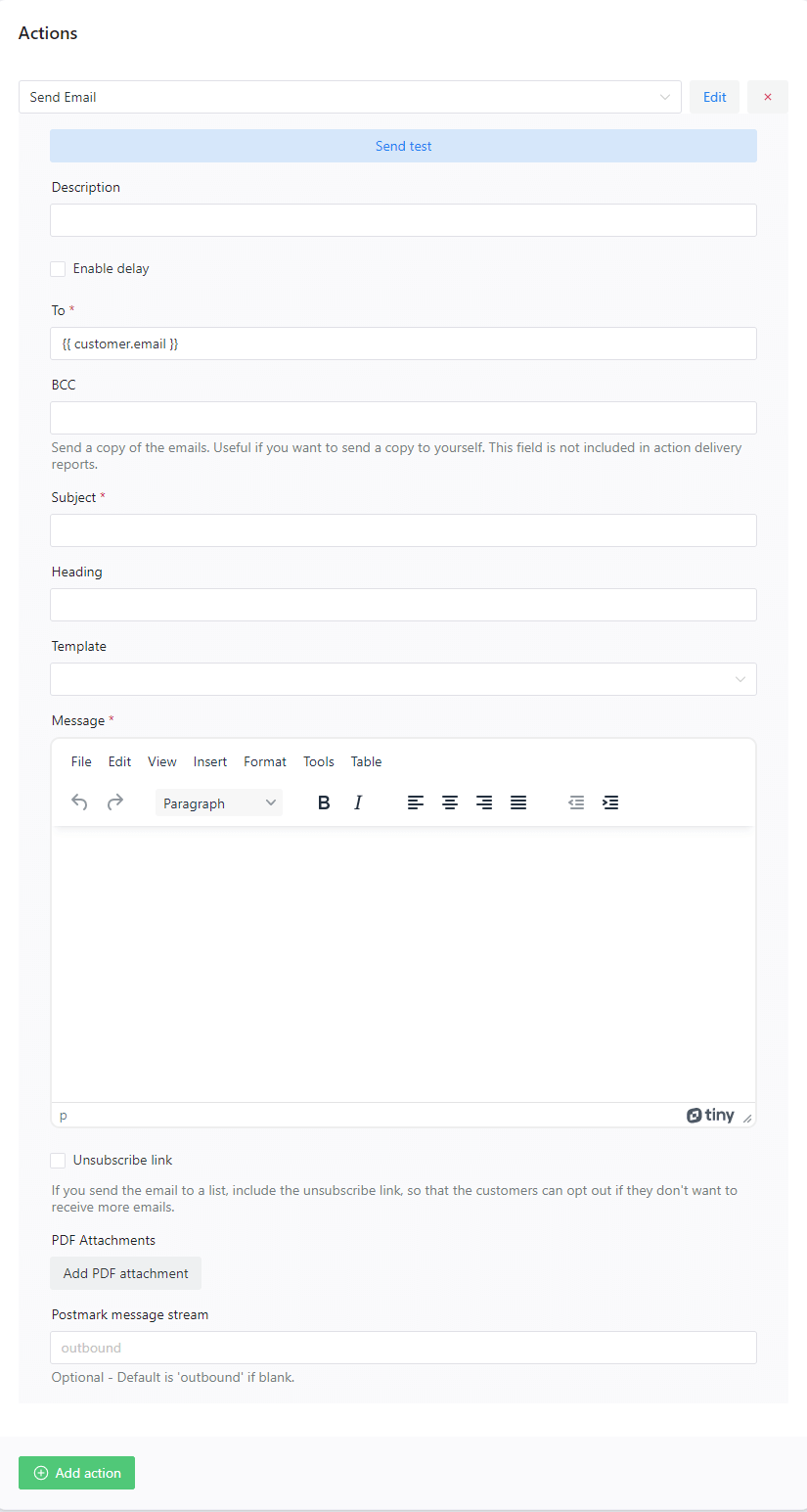
This structure is why conditional sending is possible at all. WooCommerce has a fixed list of emails tied to order statuses; here the trigger and the audience are separate choices, so the same event can produce different messages for different customers.
Events and actions are searchable by keyword, placeholders sit in a panel on the right, and the automation goes live with a single toggle.
WordPress and WooCommerce free email plugin! Meet ShopMagic.
Create, customize, and send custom emails in WordPress and WooCommerce with the plugin! No worries, it's free!
Download for free or Go to WordPress.orgSummary
Choosing a free email marketing plugin for WordPress is really one decision: whether the email leaves from your own site or from an external platform. Self-hosted plugins such as ShopMagic, FluentCRM and MailPoet impose no contact limit and keep the list in your database, at the cost of your server’s sending reputation, which is usually solved by pointing them at an SMTP service. Platform-based plugins such as Brevo, Mailchimp and Omnisend take deliverability off your hands and cap the free tier instead. Neither is better in the abstract; a shop sending a few hundred transactional emails a month and a blog mailing ten thousand subscribers want opposite answers.
Whichever direction you lean, check five things before installing: the contact limit, whether automation is free or paid, whether WooCommerce order data is available as a trigger and a filter, whether the vendor’s branding is added to your emails, and how you would export the list if you left.
ShopMagic’s free version covers the WooCommerce triggers, unlimited automations, open and click tracking with no data cap, multilingual sending, and actions beyond email such as Google Sheets, SMS and Slack. It runs without WooCommerce too, which makes it a reasonable choice for a blog rather than only a shop. The practical first step is smaller than choosing a plugin: make sure the email address and the consent are captured at checkout, because most buyers never create an account and a plugin with no list to send to does nothing.
WordPress and WooCommerce free email plugin! Meet ShopMagic.
Create, customize, and send custom emails in WordPress and WooCommerce with the plugin! No worries, it's free!
Download for free or Go to WordPress.orgThe documentation covers every event, filter and action, and the ideas board is where feature requests go.
Frequently asked questions
What is the best free email marketing plugin for WordPress?
It depends on where you want email sent from. Self-hosted plugins such as ShopMagic, FluentCRM and MailPoet have no contact cap and keep your list on your own site. Platform-based options such as Brevo, Mailchimp and Omnisend handle deliverability and limit the free tier instead.
Is there a sending limit in a free WordPress email plugin?
In self-hosted plugins the limit comes from your hosting provider rather than the plugin. In platform-based ones it is the vendor’s free-tier quota, which changes often enough to be worth checking on their pricing page.
Do I need WooCommerce to use ShopMagic?
No. It also runs on WordPress events such as a published post or a submitted form, so it works on a blog or a site with no shop.
Is email tracking available in the free version?
Yes. Open and click tracking are in the free version, with no limit on emails or on how much data is collected.
How reliable are open rates?
Less reliable than click rates. Open tracking depends on a pixel loading, and mail clients that block or preload images distort the figure in both directions.
What is an event, a filter and an action?
The event starts the automation, the filter decides who qualifies, and the action is what happens. Separating them is what makes conditional sending possible, which WooCommerce’s fixed order emails cannot do.
Does ShopMagic replace WPML?
Only for automations and their emails, which it handles by adapting to the recipient’s language. Translating the site itself still needs WPML or an equivalent.
Can I send more than email from one automation?
Yes. An action can be an SMS, a row sent to Google Sheets, a Slack message or a saved contact, and several actions can hang off the same event.
