



ShopMagic for Contact Form 7 (Contact Form 7 add-on) lets you use data submitted in the forms directly in your automations.
Prerequisites:#
You’ll need to have the ShopMagic core plugin, the Contact Form 7 plugin and the ShopMagic for Contact Form 7 add-on. ShopMagic for Contact Form 7 can be downloaded from the WordPress repository.
How to use this add-on:#
Create new automation and choose Contact Form 7 Submission as an Event type (1) and specify from which form you want to retrieve data (2).
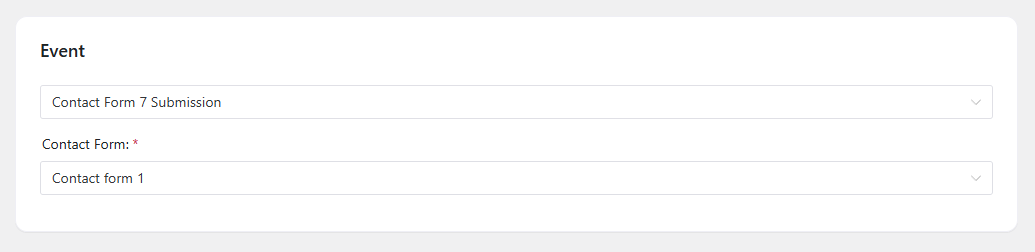
You can now move to select and create an Action. ShopMagic for Contact Form 7 lets you create numerous Action types:
- Send email
- Send email in plain text
- Add Customer to Mailchimp List
- Add Customer to ShopMagic List
- Delete Customer from ShopMagic List
- Add order note (private or note to the customer)
- Send SMS with Twilio
Here’s an example of the most popular Action type, Send email:
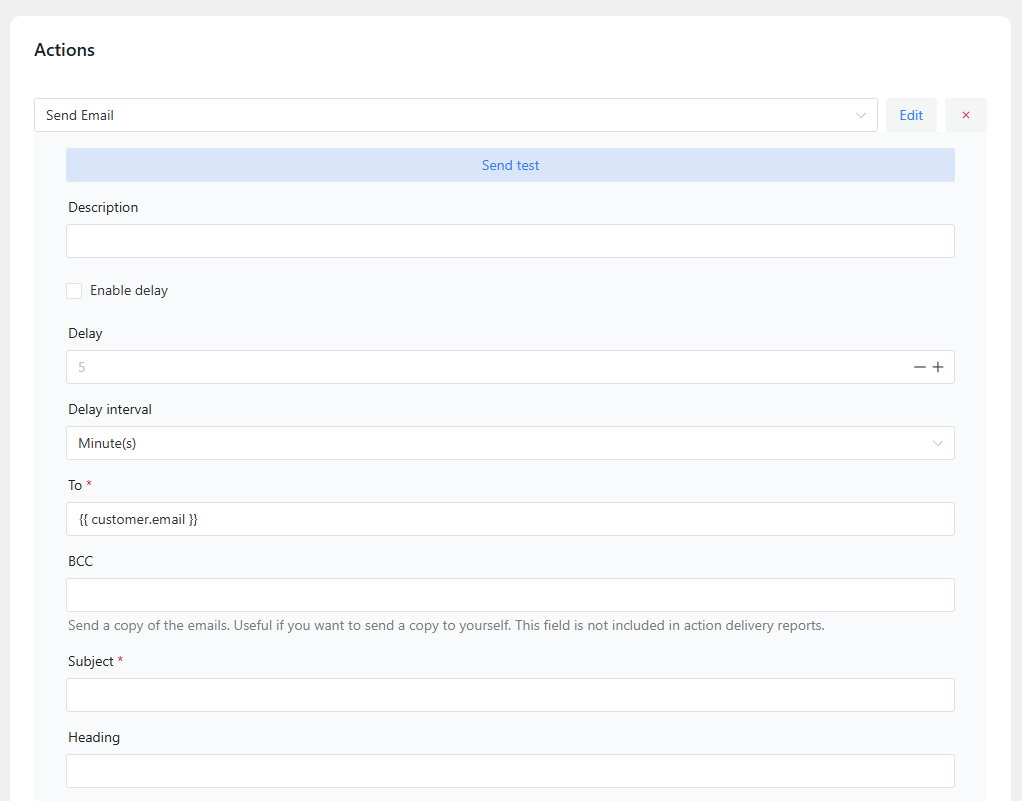
When creating a message, you can use all of the data submitted in the forms. To retrieve data from a specified form field, use {{ form.entry_field }} placeholder and enter the name of that field:
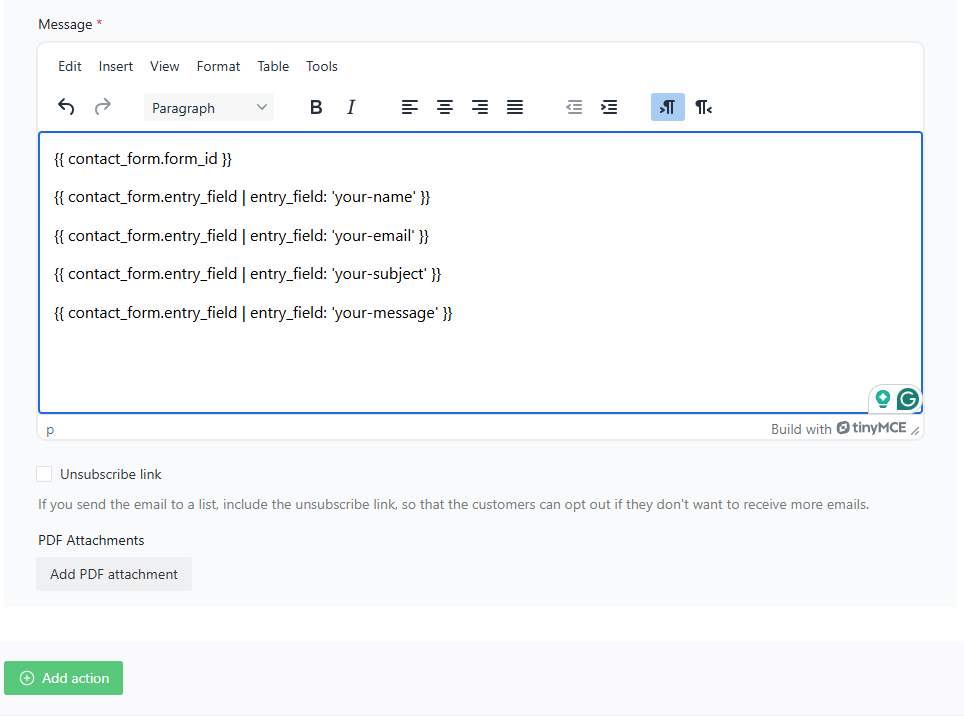
You can also retrieve the ID of a form by using {{ form.form_id }} placeholder.