





In short, ShopMagic is an email customizer plugin for WordPress and WooCommerce. What’s inside? WooCommerce email attachments, duplication, exporting and importing automations, WooCommerce reply to email in bulk, and options for the email header. Also, several other “make life better” kinds of improvements for your successful email marketing!
Have you ever wanted to customize WooCommerce emails but the default settings were not enough?
Today, you will learn how to create custom email templates in WordPress and WooCommerce with the email header, attachments, and custom reply to email options. Let’s begin!
Table of contents
- Default WooCommerce email options
- ShopMagic – a better email customizer
- Advanced email header options for WooCommerce
- WooCommerce email attachments with ShopMagic
- Custom reply-to email address
ShopMagic
Add WooCommerce email attachments and customize the WooCommerce email header. All this and more are now available in ShopMagic🙂
Download for free or Go to WordPress.orgDefault WooCommerce email options
WooCommerce gives you some options for email customization. Of course, they may not suffice but let’s take a look.
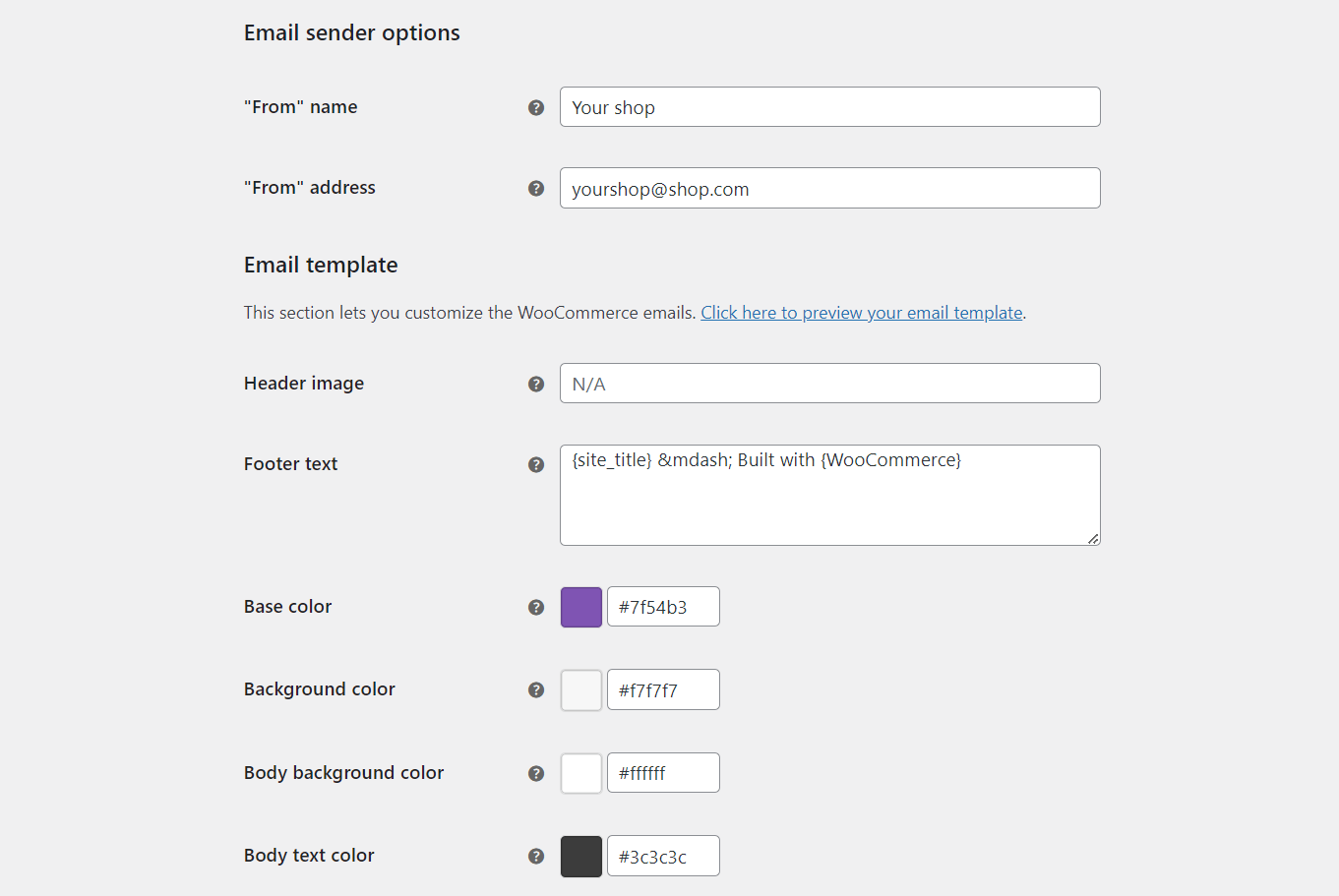
As you can see, there are some settings for the email header for your WooCommerce emails already. However, if you want advanced options you need to use hooks or a plugin. That’s where ShopMagic comes in!
What’s more, ShopMagic lets you create, customize, and send personalized emails in a standalone WordPress!
Ok, let’s take a look now at ShopMagic.
ShopMagic – a better email customizer
The plugin gives you more options to prepare custom email templates in WooCommerce (and WordPress).
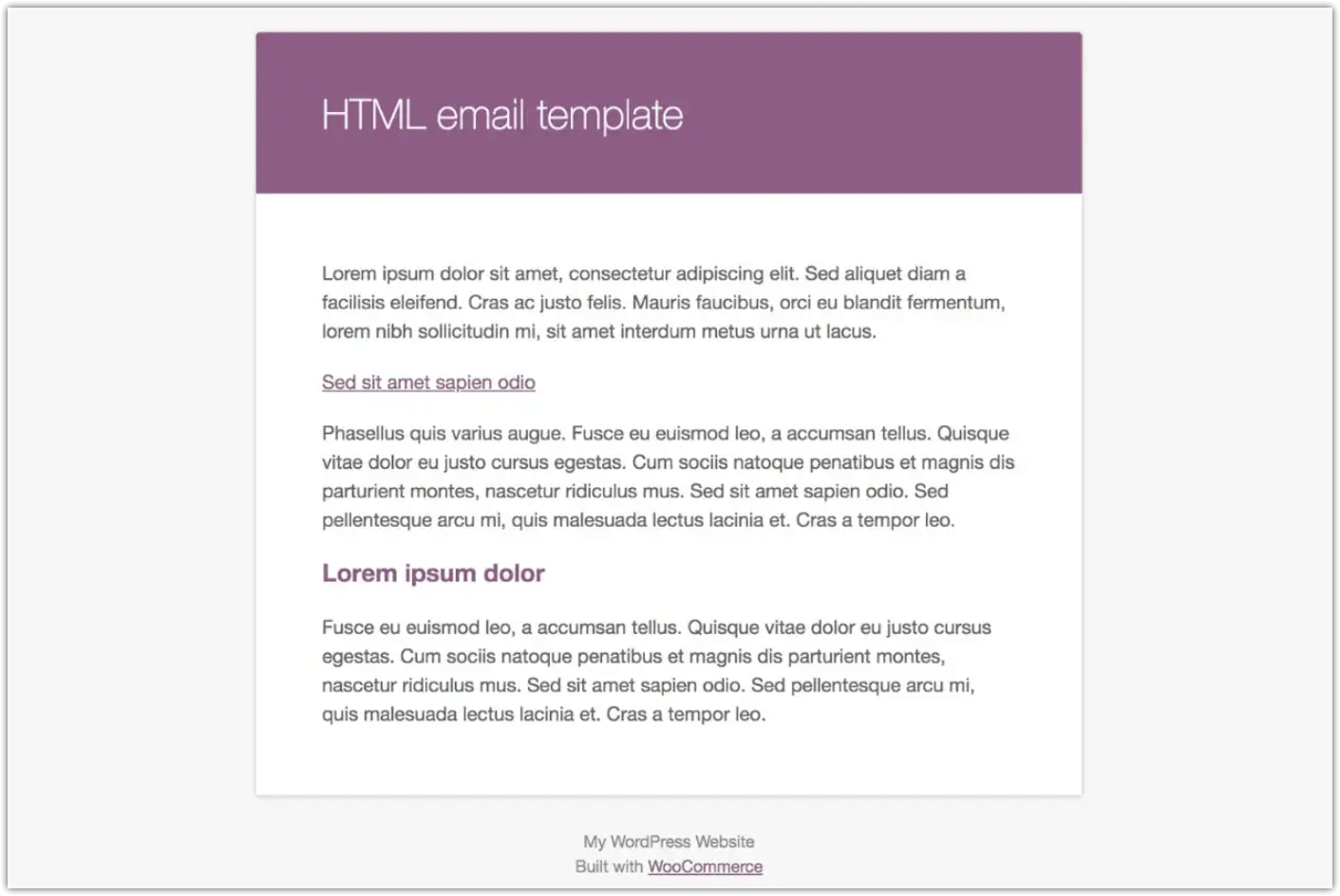
So, your emails may change from this:
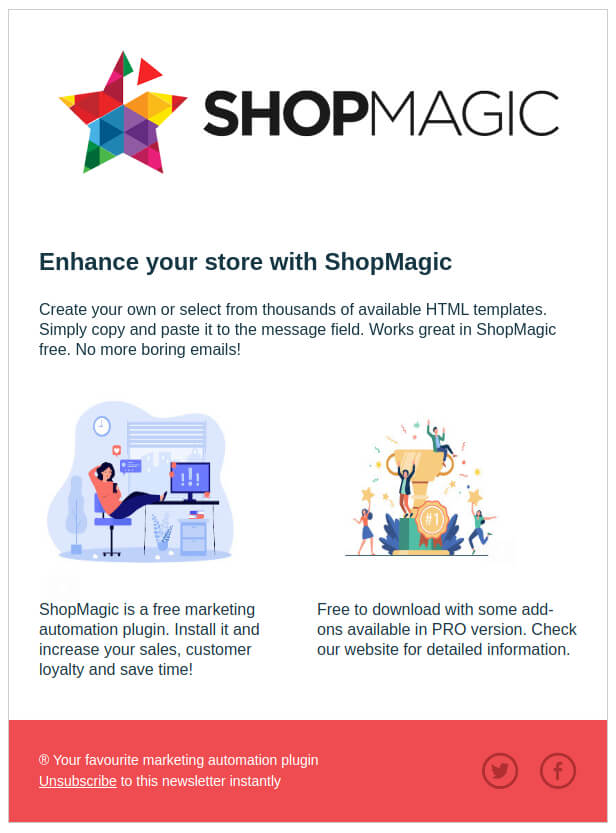
To beautiful emails:
ShopMagic PRO
By the way, did you know that ShopMagic is also available in a PRO version? It’s a bundle of add-ons that will give your emails all add-ons, advanced options, and integrations 🚀.
ShopMagic PRO £69
Add WooCommerce email attachments and customize the WooCommerce email header. All this and more are now available in ShopMagic🙂
Add to cart or View DetailsDuplicating automations
ShopMagic allows you to create multiple emails and marketing automation campaigns. Also, to copy them fast:

✅ It will create a copy of automation, saved as a draft.
Exporting and importing automations
Another feature that will improve your everyday life. Especially if you are using staging environments. ShopMagic will let you export (one, selected, or all) automations and then import them to your other website.
✅ All of this, available directly on the automations screen, next to the duplication feature.
ShopMagic email header options for WooCommerce
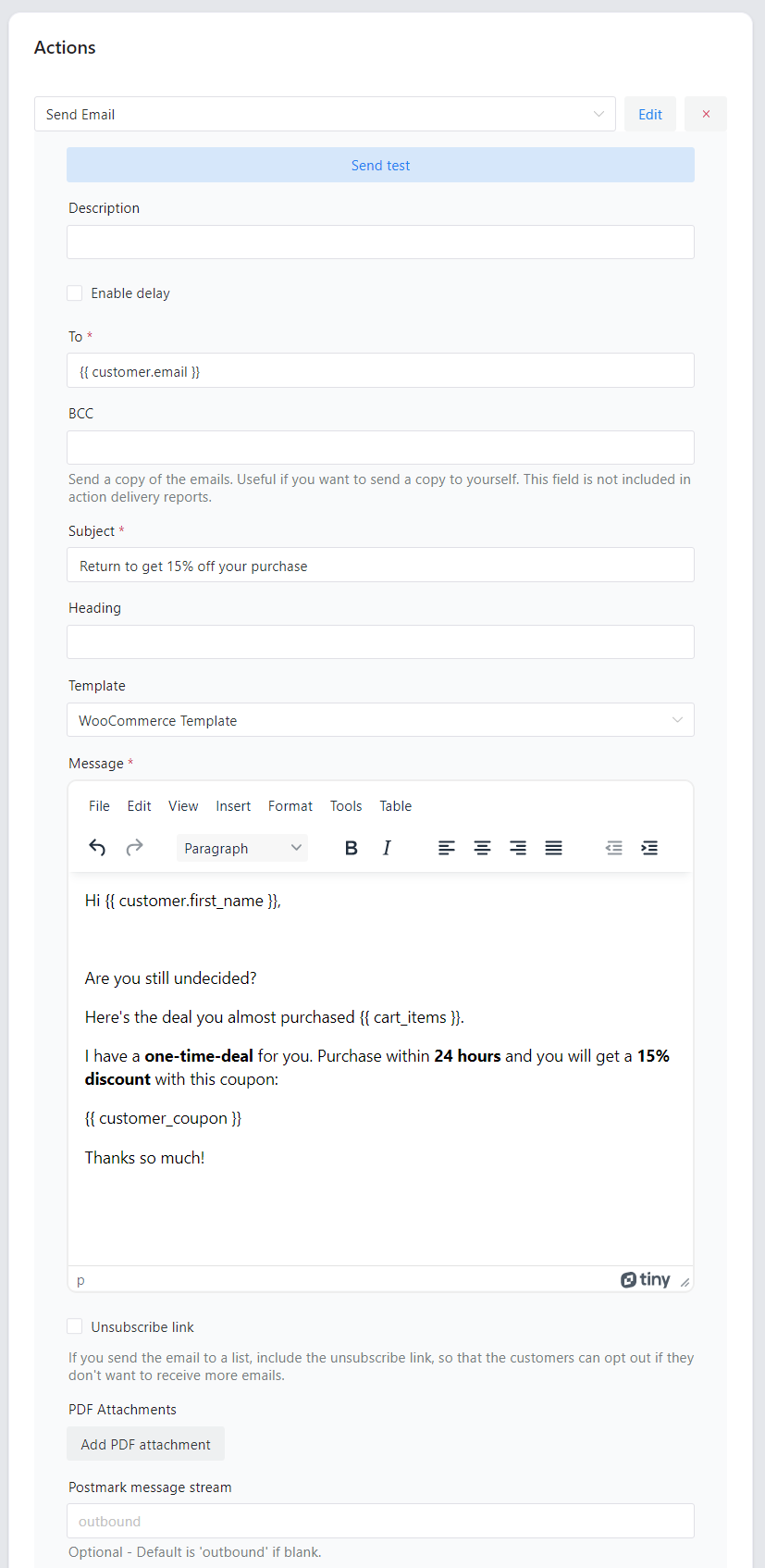
You may use ShopMagic to create emails and adjust email headers easily.
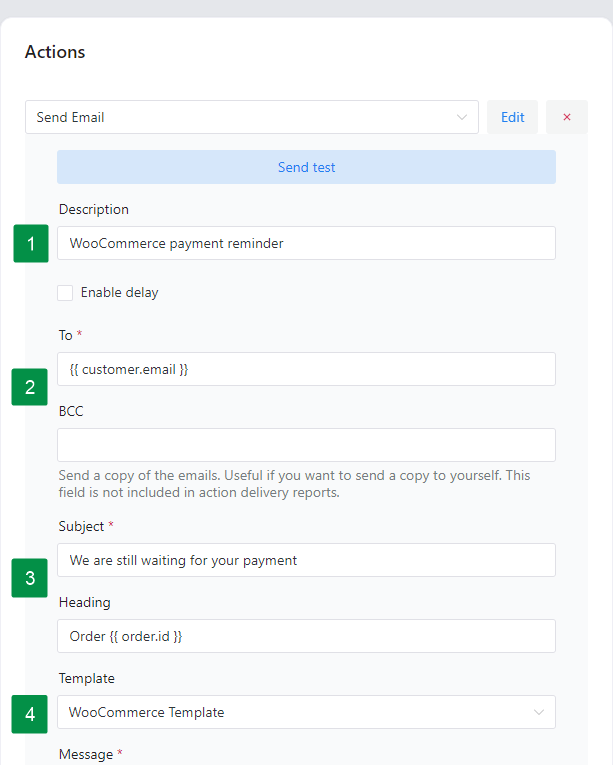
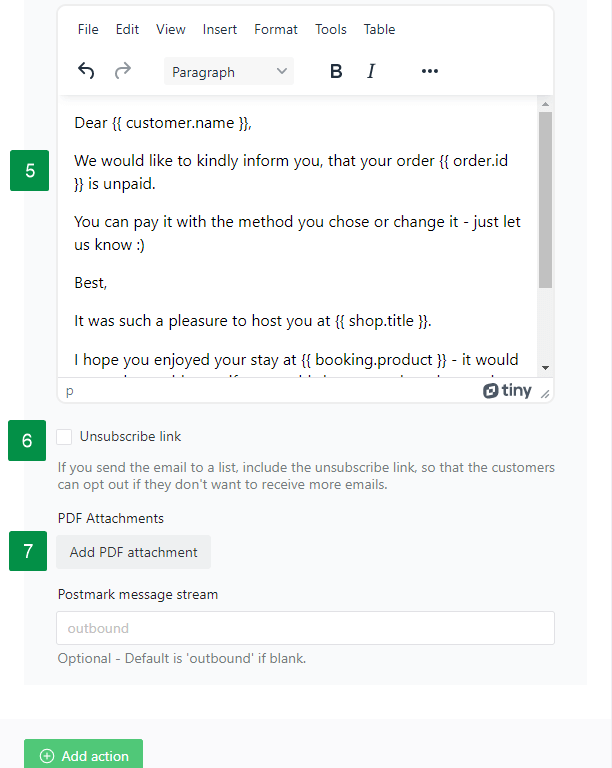
➡️ Take a look at the available fields:
- Description. It’s the title for your automation.
- To and BCC. In the “To” field, you can define the main recipient of your email. BCC is optional but can be used in every automation.
- Subject and Heading of your email.
- Template. Choose a WooCommerce template or create your custom HTML.
- Message. You can write your message to the customer. You may use placeholders.
- Unsubscribe field. Optional field for unsubscribing from your mailing list.
- PDF Attachments field. If you want to send some files to recipients.
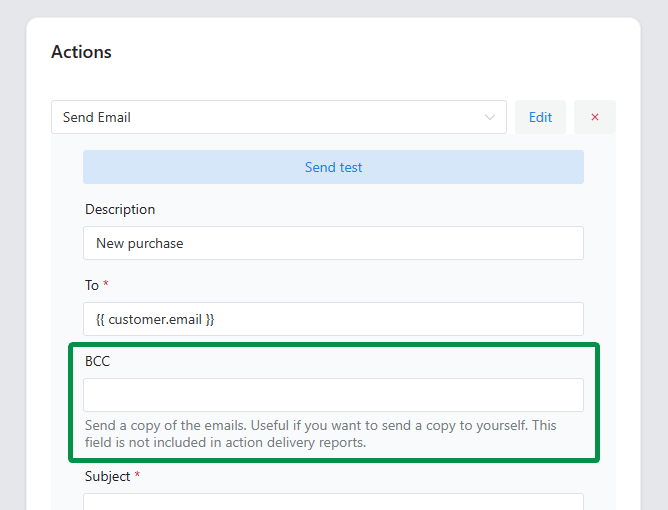
BCC field available for everyone
BCC (Blind carbon copy) allows the sender of a message to conceal the person who entered the BCC field from the other recipients. The BCC field will be available in every automation and for every user. If you do not want to use it – simply omit this field while creating your automation.
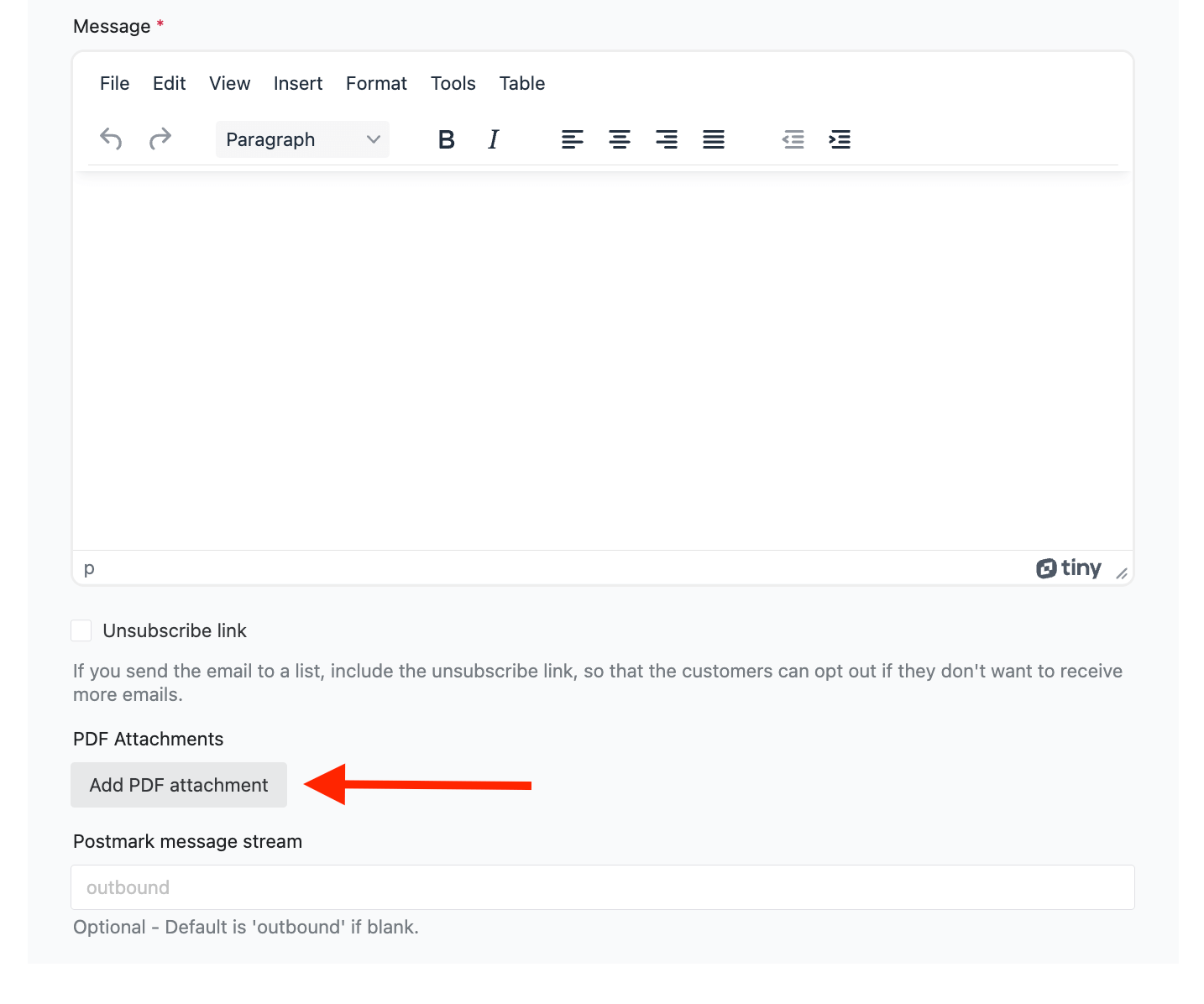
WooCommerce email attachments with ShopMagic
With this option, you can add PDF attachments to all of your follow-up emails created in ShopMagic. Guides, manuals, invoices – you name it. You can add one or more attachments, it’s entirely up to you.
Custom reply-to email address
Custom reply-to email is another useful feature for your custom WooCommerce emails. You can assign custom email and name, for all of the emails sent from ShopMagic. You can do it in plugin settings.
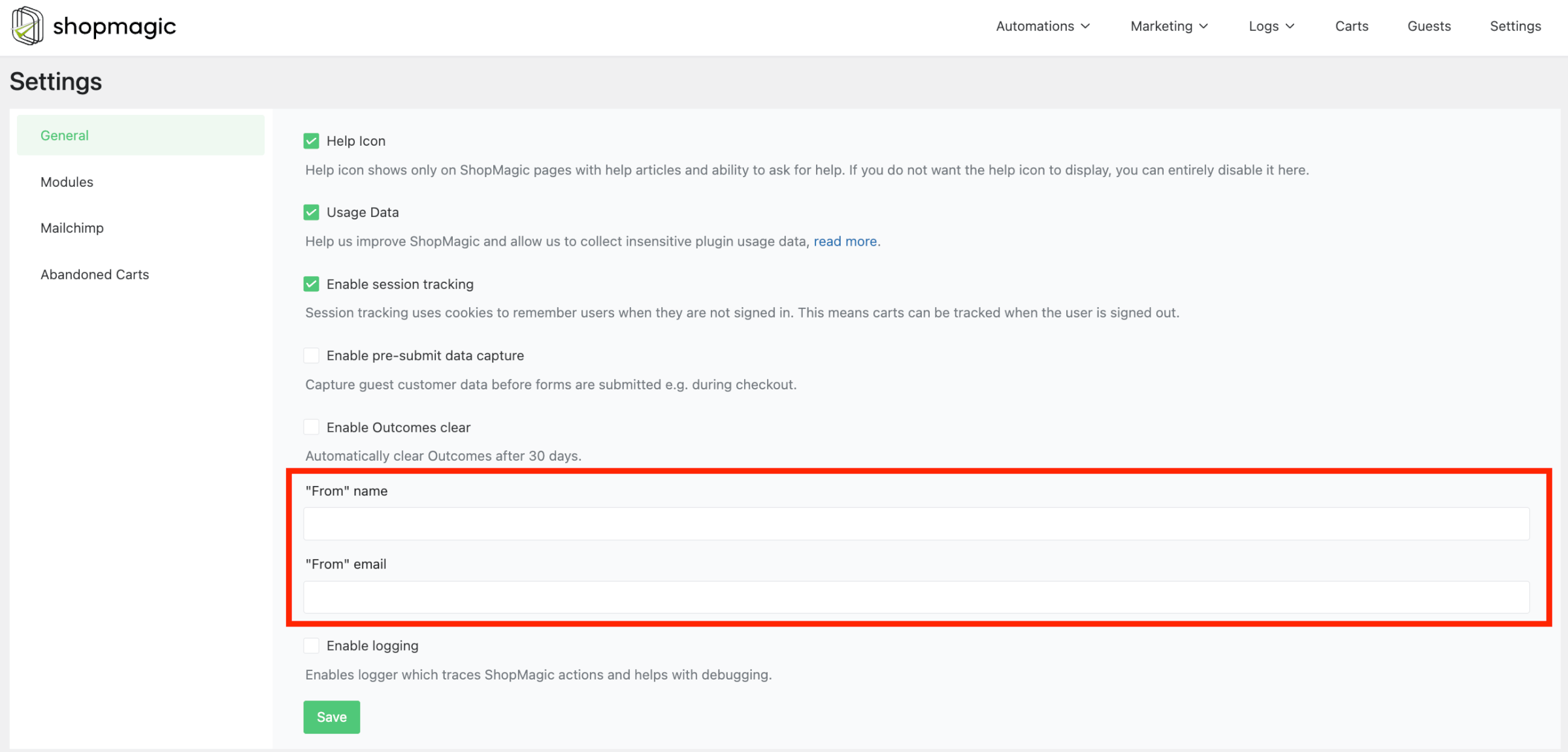
✅ If you use this feature, and enter custom email and/or name, it will use your new settings. If you leave it untouched, nothing happens and ShopMagic will still use email and name from WooCommerce > Settings > Emails.
Summary & more about ShopMagic
In this article, you’ve learned how to create custom email templates in WordPress and WooCommerce with an email header, attachment, and a custom reply to email options.
Download the free plugin and start sending personalized emails in WordPress and WooCommerce today!
ShopMagic
Add WooCommerce email attachments and customize the WooCommerce email header. All this and more are now available in ShopMagic🙂
Download for free or Go to WordPress.org👉 If you have any questions contact us →.
More about our free plugin
-
All about WordPress email marketing

Free plugin [ShopMagic]. Easily create and manage email campaigns, track results, and automate processes. -
WooCommerce Automated Emails [free]

Use ShopMagic for automated emails. Send WordPress follow-ups with the best (and free) email marketing automation plugin.
