




The thank-you page is the most under-used screen in a WooCommerce store. The customer has just paid, their guard is down, and in almost every shop what they get is an order number and a blank space where the next step should be.
Where to send the customer after they pay
Somewhere that continues the purchase rather than restarting it. The thank-you page should answer the question the customer actually has, which is what happens next, and then make one offer that follows from what they just bought.
One offer, not a grid of related products. A post-purchase upsell works because it reads as advice rather than merchandising, and advice stops being credible at the second suggestion. If somebody has bought a camera, the offer is the memory card, not a carousel of three bags, two tripods and a second camera.
The offer also has to be cheap relative to what was just spent. The usual guidance is to keep it under a quarter of the order value, because the customer has just made a considered decision and has no appetite for a second one. An accessory at fifteen percent of the basket gets added without much thought. A second major purchase gets ignored.
Why the email matters more than the page
Most of the post-purchase upsell happens in email, not on the thank-you page, for a simple reason: the page is seen once, for a few seconds, by somebody who is already reaching for the tab close button.
The email reaches them later, when the product has arrived and the gap it leaves is obvious. A customer who has just unpacked a printer knows they need paper in a way they did not know it at checkout. That is why the second message in a follow-up sequence converts better than anything on the confirmation screen, and why the delay is worth more attention than the copy.
The one thing the thank-you page does better is immediacy, which matters for anything that can still be added to the same shipment. If your fulfilment allows it, an offer to add to an unshipped order is the strongest version of this, because the customer avoids a second delivery charge.
Choosing what to offer
Start from what was bought rather than from what needs to move. An upsell chosen from stock levels is visible as such, and it costs more in trust than it returns in margin.
The practical method is to look at what your repeat customers bought second. Most stores have that data and almost none of them use it, because it sits in the orders table rather than in a report. Two or three pairings usually account for most of it, and those pairings are the automations worth building first.
For anything personalised, a note on the order itself can carry part of the message. There is a walkthrough of that in our guide to WooCommerce custom email purchase notes, which covers putting order-specific content into a message that still goes out automatically.
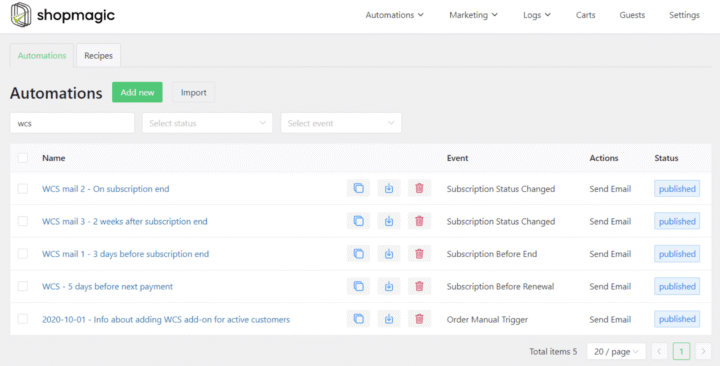
Offering the right accessory means the automation has to know what was in the order. ShopMagic filters on the products a customer actually bought, so one automation per pairing is enough and nobody receives an offer for something they already own.
Summary
The thank-you page should answer what happens next and then make exactly one offer, chosen from what the customer just bought. A single suggestion reads as advice and a grid reads as merchandising, which is why a camera buyer should see the memory card rather than a carousel. The offer stays cheap relative to the order, usually under a quarter of its value, because a customer who has just made a considered decision will not make a second one.
Most of the work happens in email rather than on the page. The confirmation screen is seen once, briefly, by somebody about to close the tab, while the email arrives after delivery, when the gap the product leaves has become obvious. The exception is anything that can still join an unshipped order, where the thank-you page wins because the customer avoids a second delivery charge. What to offer comes from what repeat customers bought second, which sits in the orders table rather than in any report, and two or three pairings usually account for most of it. An upsell chosen from stock levels is visible as such and costs more in trust than it earns.
Frequently asked questions
These three decide whether a post-purchase upsell is worth building.
Does an upsell email annoy customers?
It does when it arrives before the product. Sent after delivery and limited to one relevant item, it is usually read as a useful reminder rather than a pitch.
Should the upsell include a discount?
Not usually. The convenience of adding one item to a store you already trust does most of the work, and a discount this early teaches the customer to wait next time.
What if the store only sells one product?
Then the upsell is quantity, a subscription, or the same item as a gift. The logic does not change, only the catalogue it draws from.
