





How to sell more in less time and with less effort 🤔? I bet that almost every store owner is thinking about how to do it. In this article, I’ll show you the answer. We will create a WooCommerce product recommendation email with ShopMagic – an email automation engine for WordPress & WooCommerce. Let’s send customized emails to your customers and send them more product recommendations today!
Do you miss a way to send product recommendations in WooCommerce?
Let me show you a plugin to send customized emails in WooCommerce and use it as your product recommendation engine!
Table of contents
- How can ShopMagic help you in sending product recommendation emails?
- What is a WooCommerce product recommendation email?
- Let’s create product recommendation emails in WooCommerce – 5 steps!
How can ShopMagic help you in sending product recommendation emails?
➡️ ShopMagic is a follow-up email and marketing automation plugin. We designed and developed it for WooCommerce stores. With our plugin, you will be able to improve your communication with customers and increase conversion rates.
ShopMagic
Send product recommendation emails with ShopMagic. Create the most convincing product recommendation email in a blink!
Download for free or Go to WordPress.orgShopmagic PRO is armed 💪 with some extra add-ons which let you delay emails, segment customers, or even manually fire actions! If you are curious about how it works create a demo account and test it freely for 7 days!
What is a WooCommerce product recommendation email?
If you are running a store, most likely you know the cross-selling term. There’s a chance that you are even using this strategy.
➡️ We will use ShopMagic as our WooCommerce product recommendation engine. It will be our tool to get more reviews, build relationships with WooCommerce customers, and increase sales.
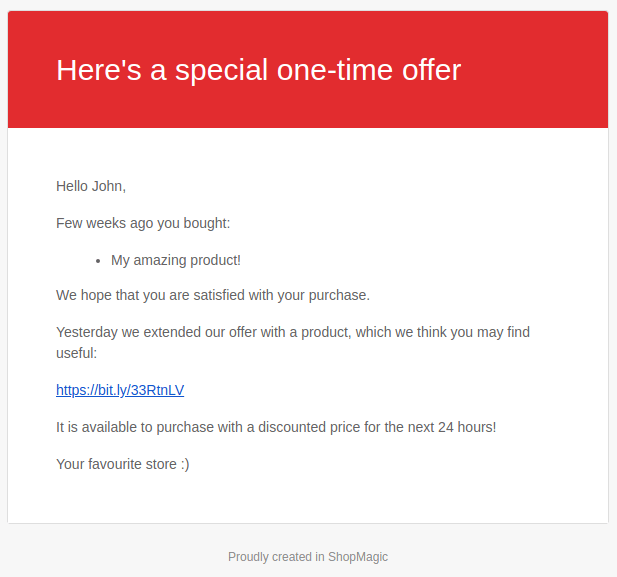
That’s why we will create a WooCommerce product recommendation email which will be sent four weeks after the initial purchase. The period which I suggested (4 weeks) is just an example. It’s you, who knows your store and products the best.
With a properly created WooCommerce product recommendation email, you will be able to sell more. What’s even better, such an email will be fully automated and won’t require any additional work from you. You can relax and let ShopMagic increase your revenue 📈.
Let’s create customized product recommendation emails in WooCommerce!
Do you need to send product recommendation emails in WooCommerce? Luckily, the ShopMagic email marketing automation engine is simple and with this mini guide, we will prepare our new emails in no time.
ShopMagic PRO £69
Send product recommendation emails with ShopMagic. Create the most convincing product recommendation email in a blink!
Add to cart or View DetailsLet me show you 5 simple steps to create customized emails in WooCommerce with product recommendations.
-
Installing and activating ShopMagic
The free version of ShopMagic can be downloaded from the WordPress repository. You can also download it from your WordPress dashboard just like other plugins.
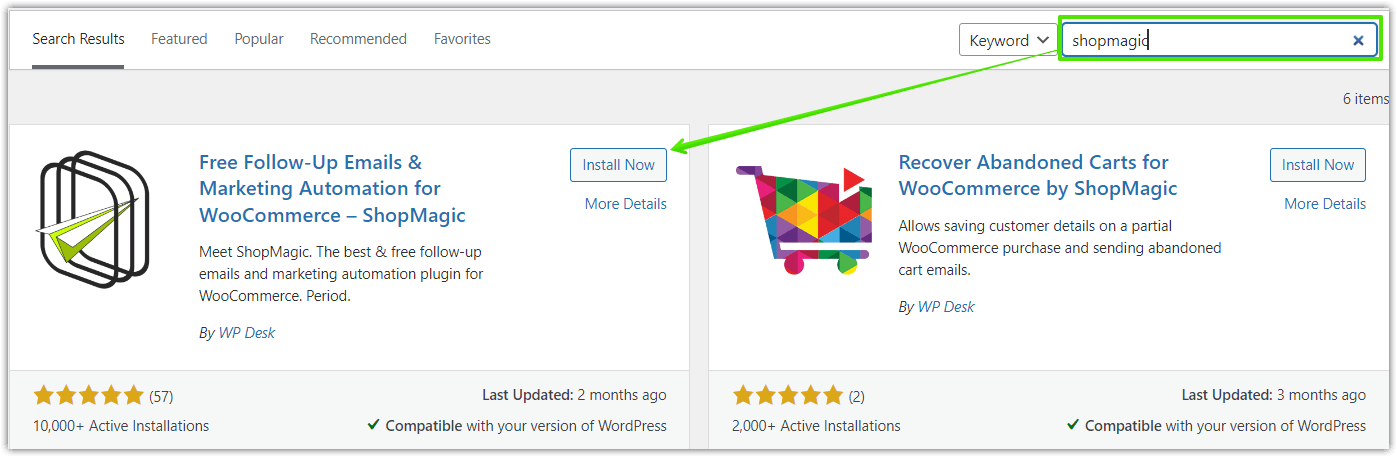
Install and activate ShopMagic 💡 For the sake of saving time, I won’t be writing here a full guide on how to install and activate our add-ons. If you have any problems, we have an excellent article available in our documentation, which should be helpful. -
Creating a new automation
In the ShopMagic menu, click on Add new. It will open a new window in your dashboard.
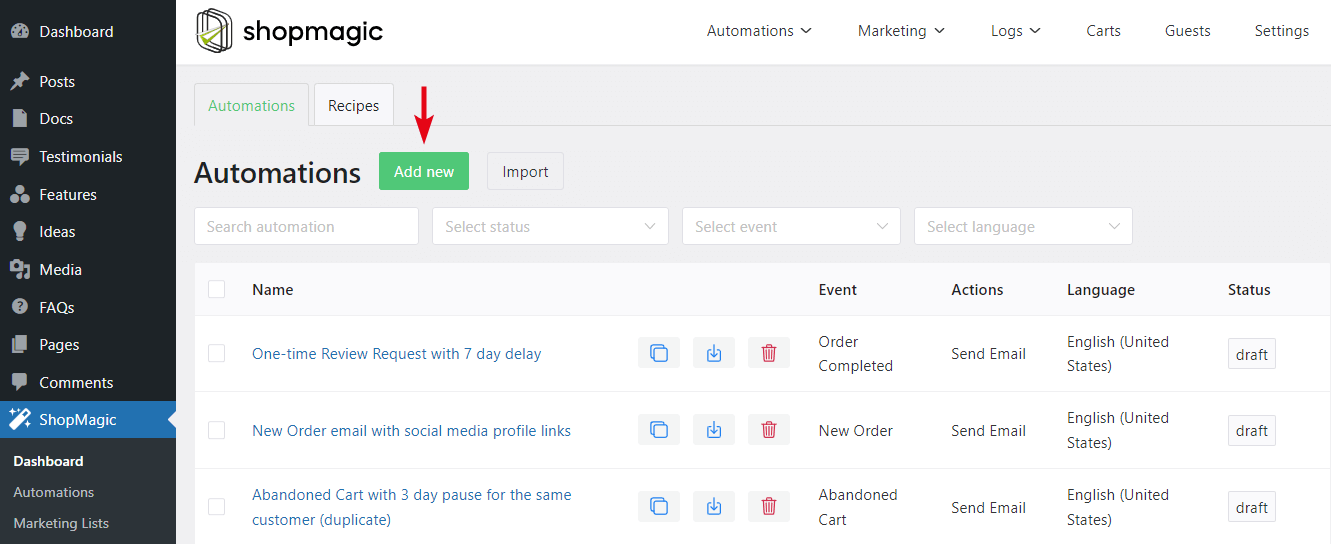
Create new automation in ShopMagic Here, you will be creating the automation for the WooCommerce product recommendation email. From the available events select Order Completed ⬇️.
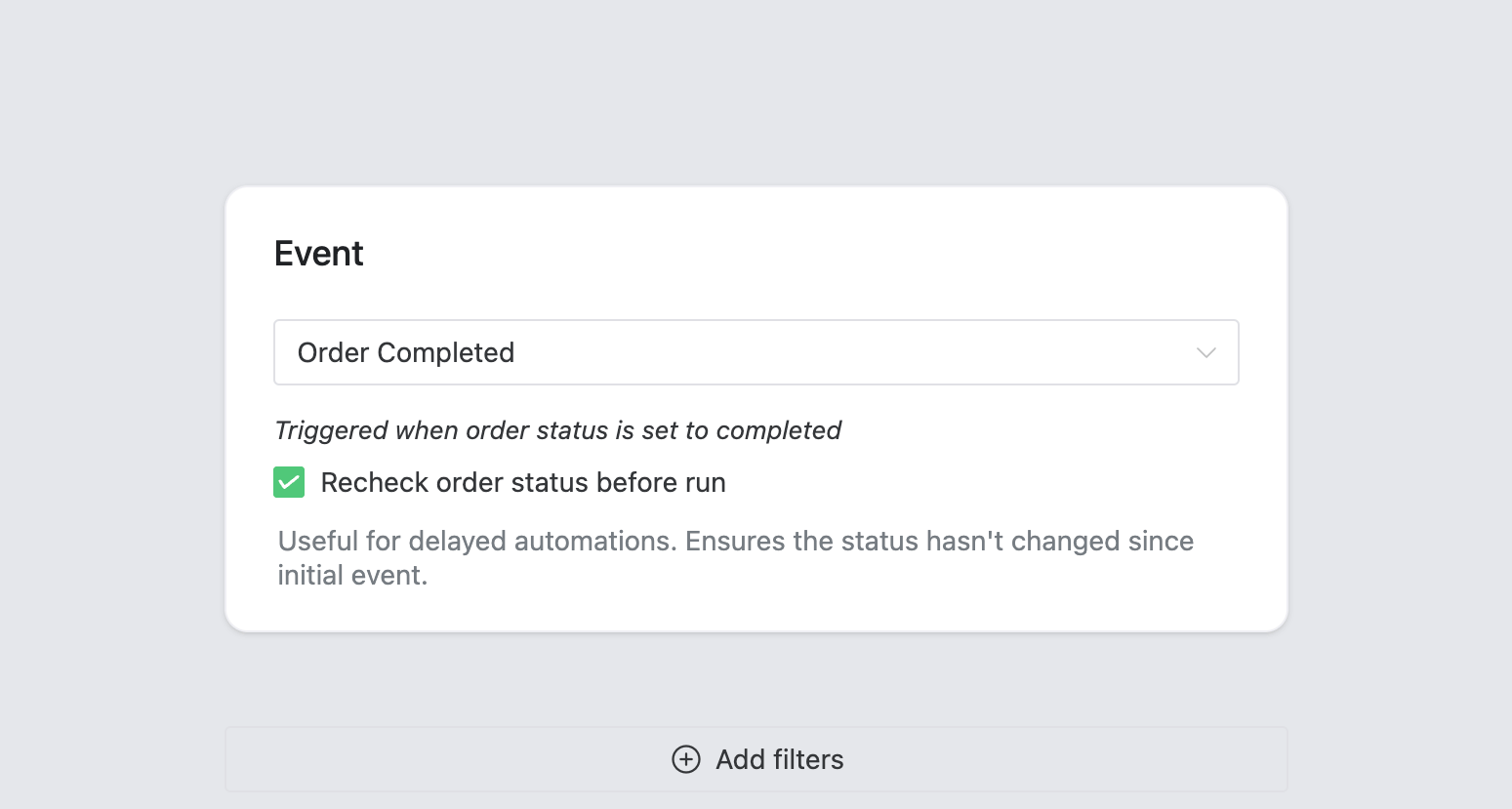
Event: Order Completed ➡️ Select the Recheck order status before run option, to be 100% sure, that the order status did not change before the automation started.
➡️ Do not forget to add a title. It’s entirely up to you, how you title your new automation.
-
Adding a filter to your product recommendation email
WooCommerce product recommendation email is an example of automation, where assigning a filter is a very good idea. Thanks to the filter we will be targeting a specified product with our email. You will be able to connect the order for product A and send a product recommendation email for product B.
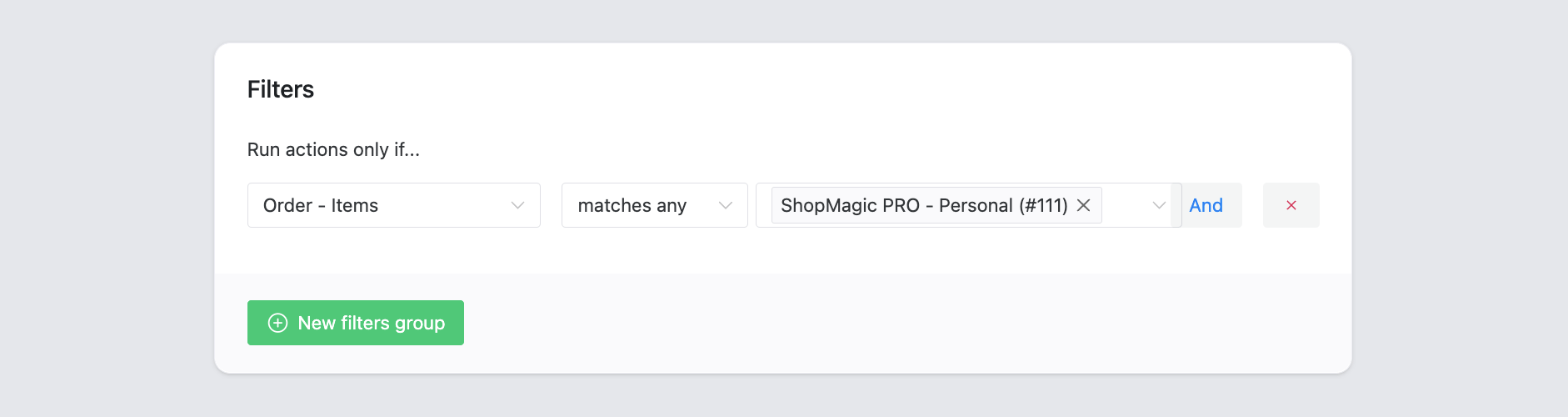
Order – items filter in ShopMagic ⭐ HINT: Part of ShopMagic PRO is an Advanced Filters add-on. This add-on comes with lots of additional filters. If you prefer to target a specified category instead of an item, with Advanced Filters it will be a breeze. -
Creating an action for WooCommerce product recommendation email
The final part of our automation. As always, screenshot comes first, so take a look at my configuration:
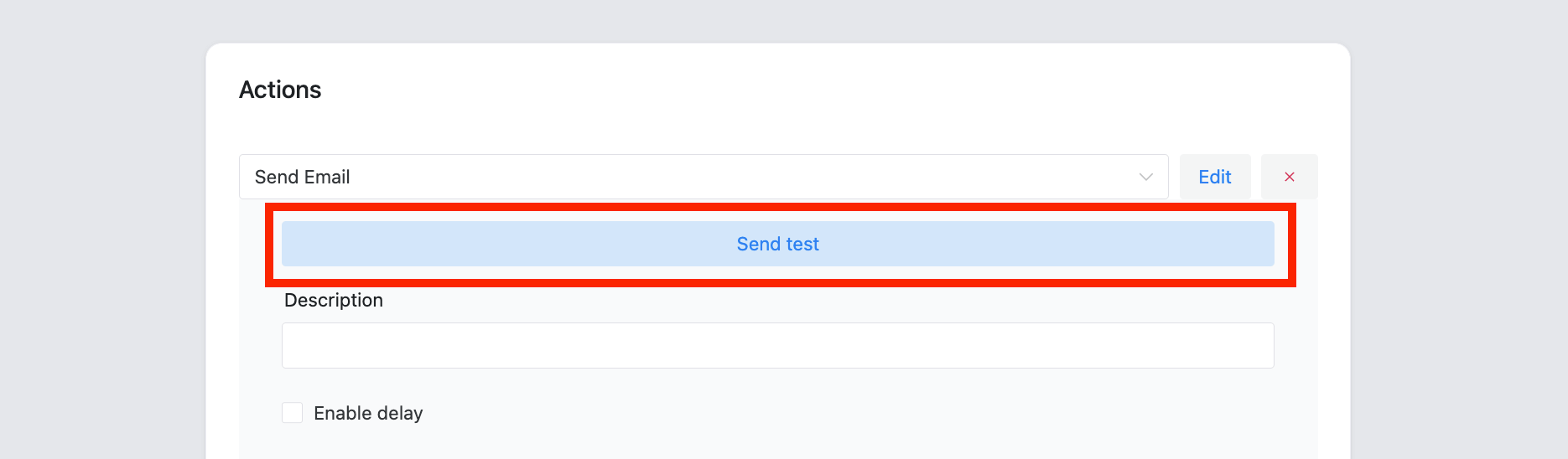
Send a test email before sending the actual product recommendations email in WooCommerce We are starting with selecting a type of action. Select Send email. It’s the best choice for our example.
You can write your description to distinguish this automation from similar ones. As you can see in my screenshot, I described mine as a WooCommerce product recommendation email and added a product name.
Now it’s time to delay an email. I delayed mine for 4 weeks. It’s enough time to get acquainted with the item. On the other hand, four weeks is a good time to remind customers about your store 😜
Field To is for the recipient. Initially, it’s filled with placeholders. Subject and Heading also support placeholders, so feel free to use them.
You can choose from WooCommerce Template and none in the Template field.
The Message field also supports placeholders. In this field, we will write a message to the customer, with our product recommendations.
-
Email automation
It wasn’t that hard, don’t you think? Our newly created automation for WooCommerce product recommendation email is ready to be sent. You can test it with a Send test feature.
A sample WooCommerce product recommendations sent with ShopMagic Of course, you can use ShopMagic as your WooCommerce product recommendation engine by sending multiple email campaigns.
Summary
Today, you’ve learned how to use ShopMagic as your email automation engine to send emails with WooCommerce product recommendations. Visit the plugin page to see all features.
ShopMagic PRO £69
Send product recommendation emails with ShopMagic. Create the most convincing product recommendation email in a blink!
Add to cart or View DetailsWhat do you think about such a use of ShopMagic? Will you implement it in your store? Let us know, we love to hear your stories and learn how you use our plugin.
Related to product recommendations in WooCommerce
-
Beat Post-Purchase Dissonance

What is post purchase dissonance? This is how to handle your customers feeling miserable after a purchase with successful email marketing automation in WordPress & WooCommerce. -
How to delay and schedule emails with ShopMagic?

Schedule and delay emails. Use ShopMagic’s Delayed Actions add-on to schedule and delay emails in WooCommerce. It’s one of the most popular ShopMagic features!
