





ShopMagic lets you run successful email campaigns in WordPress and WooCommerce. You may use the plugin and its free Abandoned Carts add-on to send follow-up emails and rescue some carts. And finally, you may use the UTM parameters for Google Analytics – that’s the beauty of our plugin and smooth WooCommerce integration! Read this blog post for more details.
Standard WooCommerce emails may not be enough when you want to measure email campaign results.
Today, I will show you a free email customizer to create and send emails in WooCommerce with UTMs.
Knowing your customers is crucial.
Table of contents
- WooCommerce Google Analytics integration
- How to add custom links with UTMs in WooCommerce?
- Summary & more about ShopMagic
ShopMagic
Free Follow-Up Emails & Marketing Automation for WooCommerce. Now ShopMagic is also a WooCommerce Google Analytics integration!
Download for free or Go to WordPress.orgWooCommerce Google Analytics integration
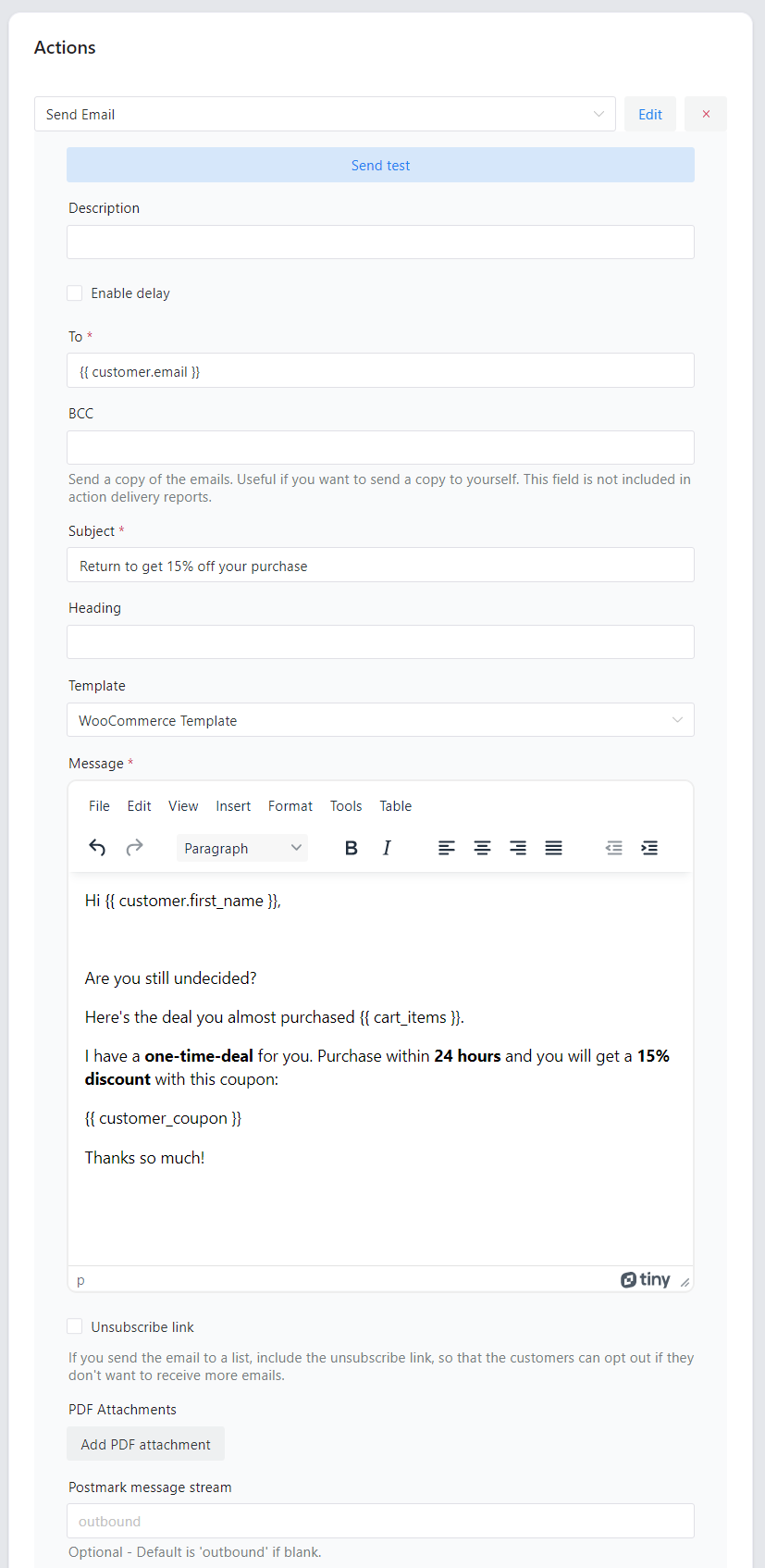
So, ShopMagic lets you use an email customizer:
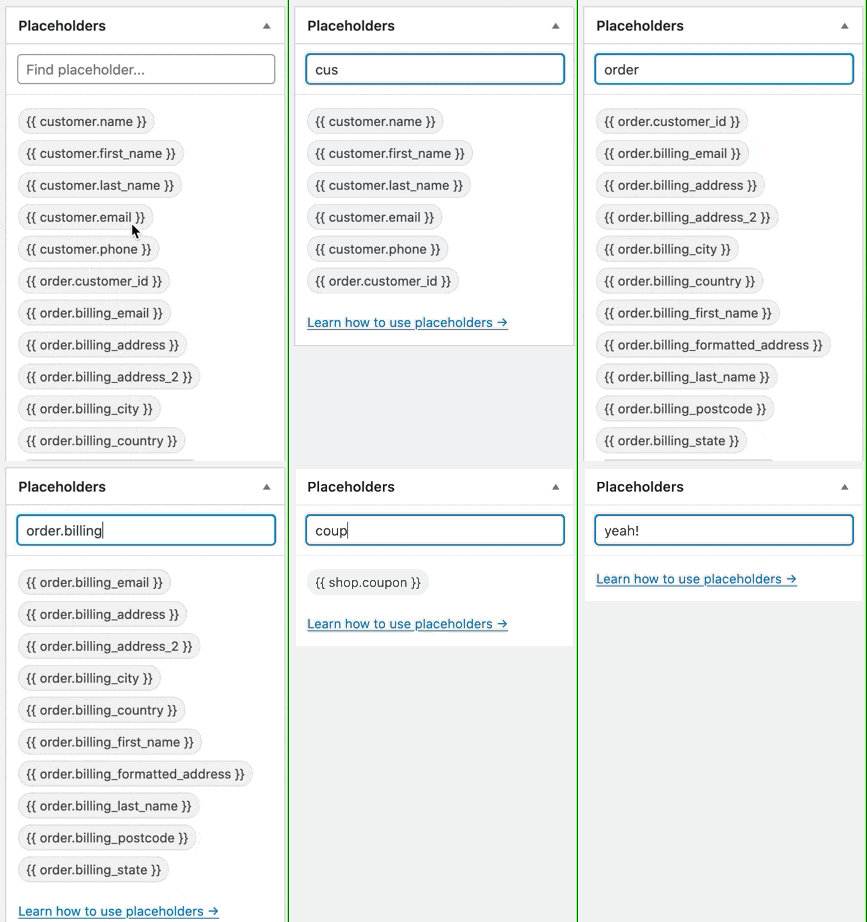
You can also use placeholders to get the email content faster:
Let’s go back to the WooCommerce Google Analytics integration and UTMs.
After installing ShopMagic, enable its free add-on called Abandoned Carts.
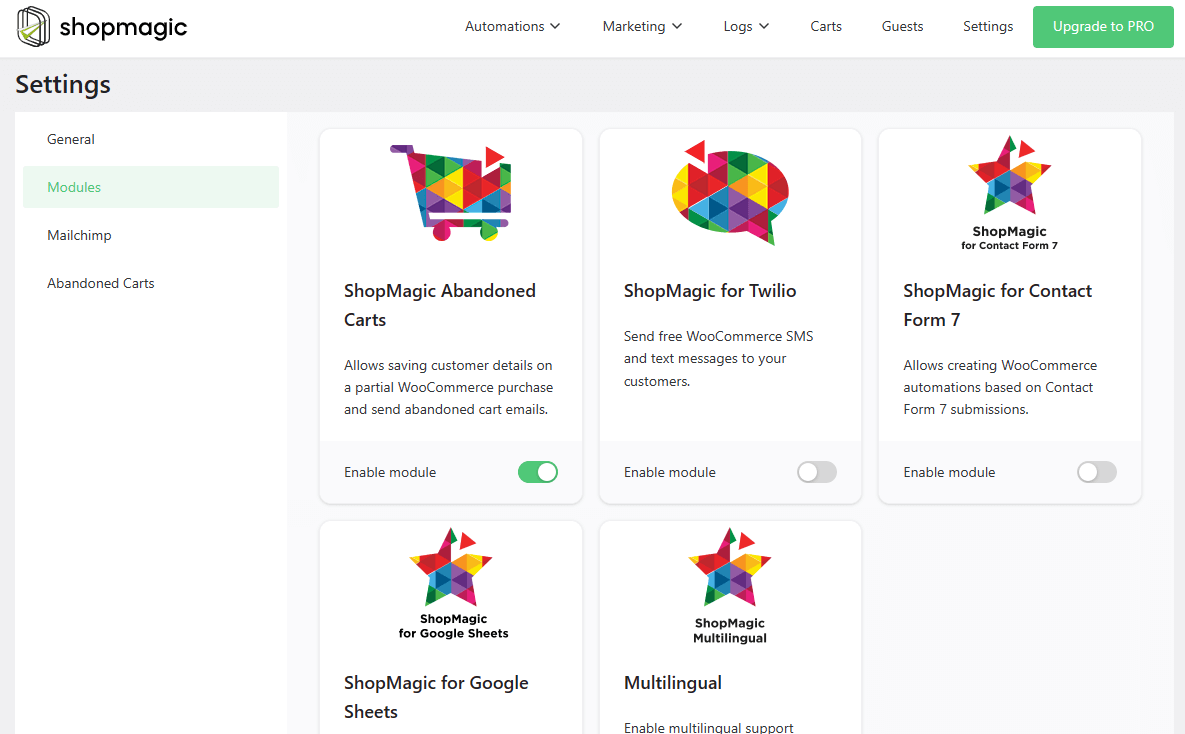
The add-on allows you to rescue some abandoned carts and gives you more placeholders, including {{ cart.link }}.
We decided to add a user-friendly UTM builder to all applicable placeholders.
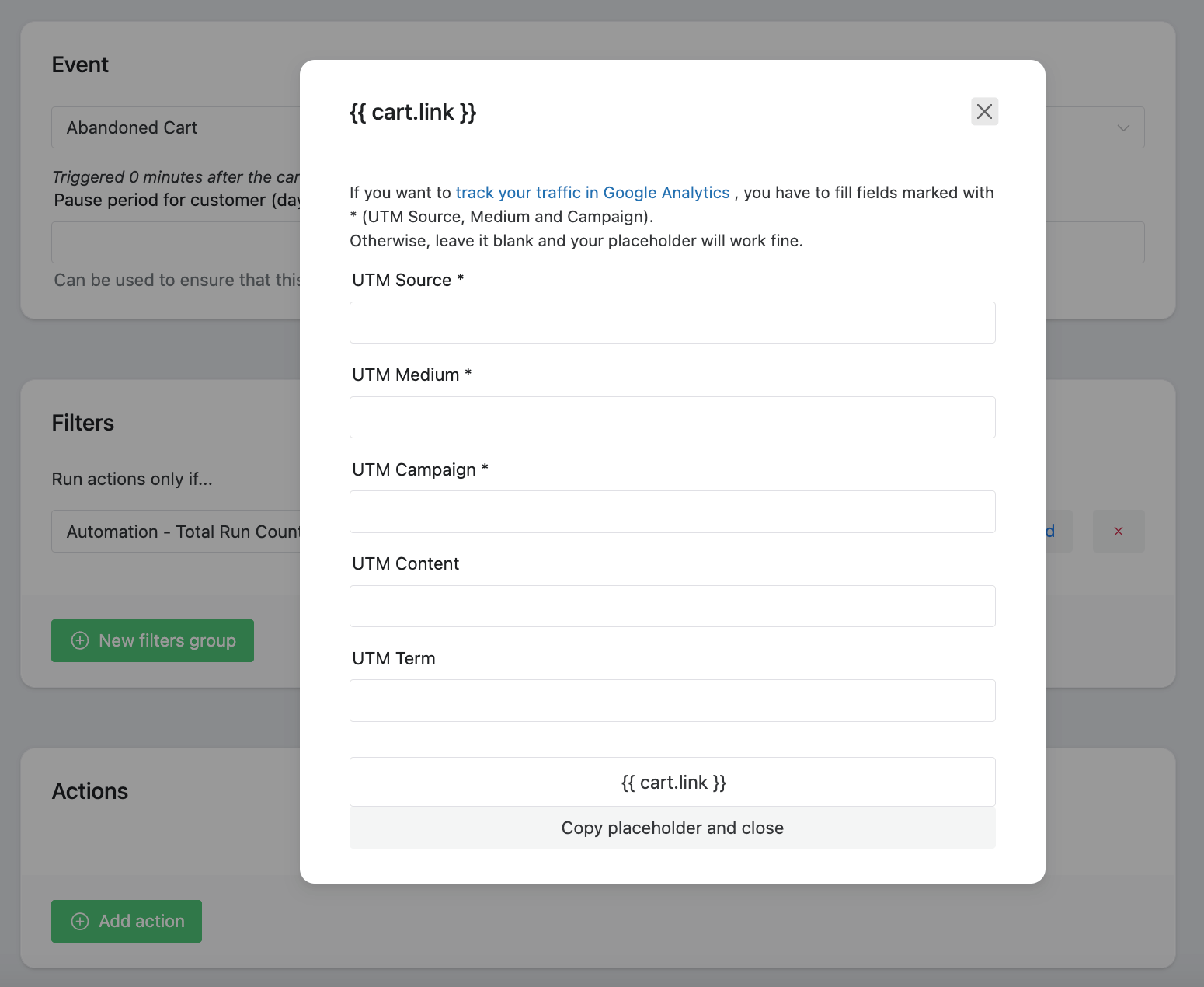
When you click on {{ cart.link }} you will see that the dialog changed a little:
➡️ As you can see, there are five new fields, which are:
- UTM Source
- UTM Medium
- UTM Campaign
- UTM Content
- UTM Term
➡️ These fields are parameters. UTM parameters will let you track and identify the traffic in your store. If you are going to use them, remember that the first three (source, medium, and campaign, marked with an asterisk) are required to properly identify the traffic, so the minimum setup should look like this:
How to use the Google Analytics WooCommerce integration to build custom links with UTMs?
Or, even simpler “how to add custom links with UTMs in WooCommerce?”
It’s super simple 🙂. You just have to create names for parameters. It’s your UTM builder, so feel free to name them as you want. Here’s one of our examples:
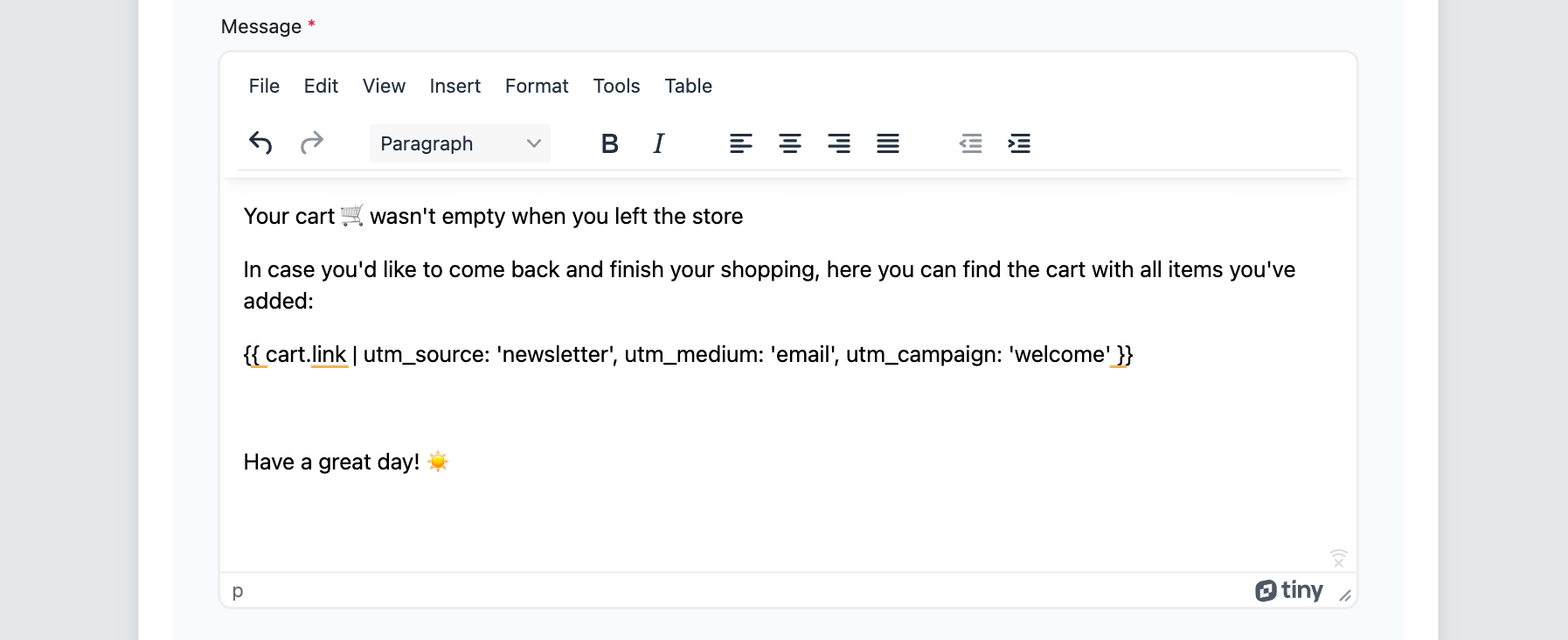
➡️ If you are new to Google Analytics and UTMs – don’t worry. Your customer won’t see the difference between placeholders with and without UTMs because UTM is invisible in the customer’s inbox.
What if I prefer not to use it 🤔?
No problem, simply click on copy placeholder and close button, and your placeholder won’t have UTM parameters, thus, traffic from your website won’t be trackable in GA 🚫.
UTM compatible placeholders
However, to sum it up in one sentence, all placeholders which use URLs and links will let you add UTMs.
Summary & more about ShopMagic
Today, you’ve learned how to add UTMs to links in customized emails in WooCommerce.
I encourage you to get ShopMagic, enable Abandoned Carts, and send personalized emails with UTM for Google Analytics.
ShopMagic
Free Follow-Up Emails & Marketing Automation for WooCommerce. Now ShopMagic is also a WooCommerce Google Analytics integration!
Download for free or Go to WordPress.orgOf course, if you have any questions let us know.
Finally, get more tips about WooCommerce email marketing & ShopMagic.
Related to Google Analytics WooCommerce integration
-
WooCommerce new order email notifications
WooCommerce email notifications. Two examples of a customized WooCommerce new order email notification. -
Connect Google to WooCommerce
Export orders to Google Sheets. Find out how to use ShopMagic to export orders to Google Spreadsheets.
