





Every WooCommerce email is instant by default. Something happens, the message goes out, and that is the entire scheduling model. For transactional notifications it is the right behaviour. For everything else it is the reason good emails get ignored.
What a delay actually changes
It moves the email from the moment the store did something to the moment the customer is ready to read it, and those are rarely the same moment.
Consider what happens without one. A review request fires when the order is marked completed, which in most workflows is when the parcel leaves the warehouse. The customer receives it three days before the product arrives. A win-back email fires on a schedule rather than on the customer’s own purchase history, so it reaches somebody who ordered last week. A cart recovery email arrives ninety seconds after the customer closed the tab, while they are still deciding.
In all three the content was fine. The timing made it useless, and in the cart case actively unhelpful, because an email that arrives before the customer has finished thinking reads as surveillance rather than service.
The delays worth setting
Cart recovery wants its first email somewhere between one and four hours. Earlier feels like being watched, later and the intent has cooled. The second, if you send one, belongs about twenty-four hours after the first.
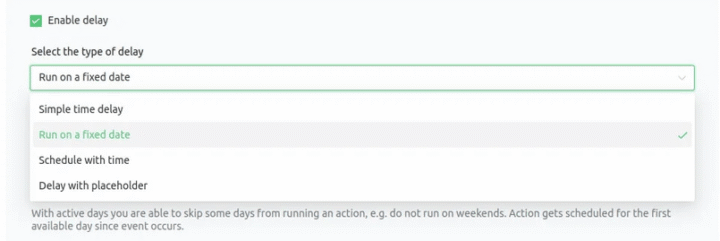
Review requests want seven to fourteen days after the product arrives, which for most stores means adding the shipping time on top of whatever status change triggers the automation. Post-purchase check-ins want two or three days after delivery, early enough to catch a problem and late enough that the customer has opened the box.
Win-back wants the longest delay of all, set from the customer’s last order rather than from a date in a calendar, which is the distinction between an automation and a newsletter.
What breaks when delays are faked
Stores without a delay feature usually improvise one, and the improvisations fail in predictable ways. A WordPress cron job fires only when somebody visits the site, so a low-traffic store sends its delayed emails hours late or not at all. A scheduled export to an external tool loses the connection between the email and the order it belongs to. A manual send works until the person doing it takes a week off.
The reliable version holds the action in a queue and runs it when the time arrives, regardless of traffic, and it survives the order changing in the meantime. That last part matters more than it sounds: a review request scheduled for day ten should not go out if the order was refunded on day four, and only a queue that re-checks its conditions at send time can prevent that. Our guide to scheduling emails in WordPress and WooCommerce goes through the mechanics.
A delay is only as good as the queue behind it. Delayed Actions holds each scheduled action in the queue with its own timer, in minutes, hours or days, and re-checks the automation’s conditions before it sends.
Summary
WooCommerce sends every email the instant its trigger fires, which suits transactional notifications and nothing else. Without a delay, a review request keyed to order completion reaches the customer days before the parcel does, a win-back runs on a calendar rather than on the customer’s own history, and a cart recovery email arrives ninety seconds after the tab closed, while the decision is still being made.
The delays that work: one to four hours for the first cart recovery email and about twenty-four hours for the second; seven to fourteen days after delivery for a review request, which usually means adding shipping time to the status change that triggers it; two or three days after delivery for a post-purchase check-in; and the longest wait of all for win-back, measured from the customer’s last order rather than from a date. Improvised delays fail in known ways, since WordPress cron only runs when someone visits the site, an external export loses the link back to the order, and a manual send stops when the person stops. A real queue runs on time regardless of traffic and re-checks its conditions before sending, so a review request scheduled for day ten does not go out on an order refunded on day four.
Frequently asked questions
These three come up as soon as a store adds its first delay.
What happens to a delayed email if the order changes?
That depends on the conditions attached to it. An automation that re-checks its filter at send time will skip the email, which is what you want for refunds and cancellations.
Can a delay be set in hours rather than days?
Yes, and cart recovery is the case that needs it. Days are too coarse for anything happening inside a single session.
Do delayed emails work on a low-traffic store?
Only if the queue does not depend on page visits. This is the single biggest difference between a real scheduler and a WordPress cron job.
