





Email marketing in WordPress and WooCommerce with a free plugin? Yes, it’s possible! Today, I will show you how to send an email to WordPress users or WooCommerce customers for free! Then I will show you one PRO add-on Manual Actions to manually send emails to your customers any time you want. Meet ShopMagic – our free email marketing WordPress plugin!
Have you ever wanted to send an email in WordPress? Or add custom emails in WooCommerce? Then you know it’s not so easy!
The good news is that there is a free email marketing plugin (ShopMagic) for WordPress & WooCommerce. Read to learn more 🙂!
Table of contents
- Get a free email marketing plugin for WP and Woo!
- Email marketing in WordPress
- Send emails manually with Manual Actions (PRO)
- How does this WordPress plugin send email work?
- ShopMagic add-ons (free and PRO)
Get a free email marketing plugin for WP and Woo!
Do you know it already? Download it for free below ⤵️.
The free version of the plugin lets you send emails in WordPress and WooCommerce. If you need more advanced filters, events, and integrations choose the PRO version (with all add-ons).
ShopMagic PRO £69
The best plugin to send customized emails in WordPress and WooCommerce. Build your email marketing today!
Add to cart or View DetailsEmail marketing in WordPress
First, let’s see how the plugin helps you send an email in WordPress. Then, I will show you its usage in WooCommerce (free and with some PRO add-ons).
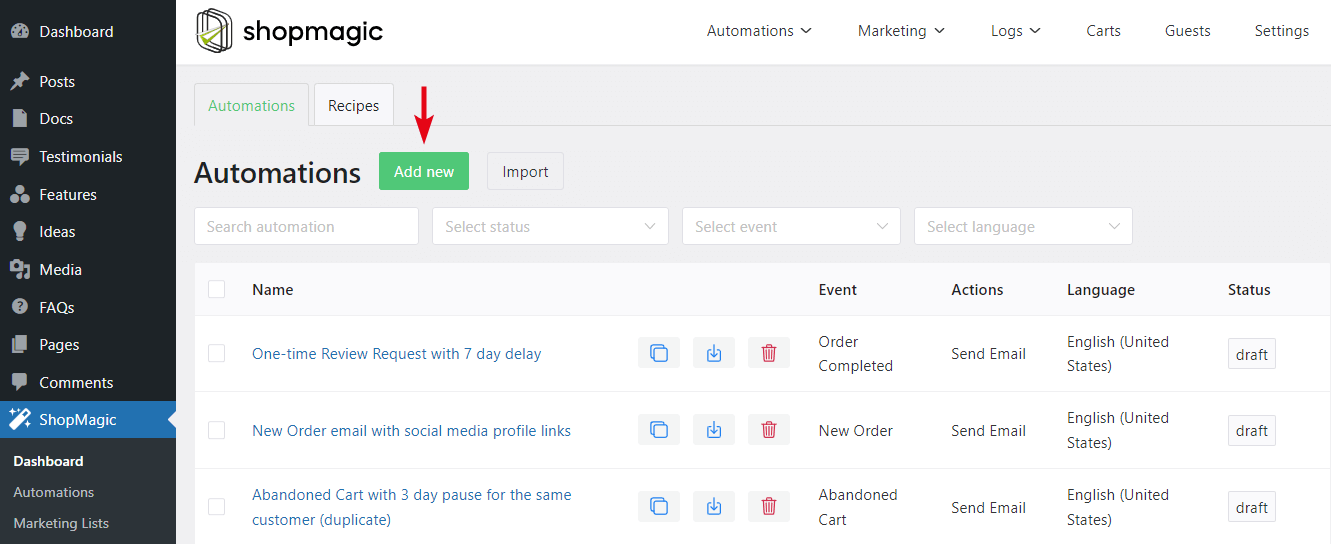
So, after installing the free plugin, just add new automation:
Then, choose the Event, Filters, and Actions of your choice. Let’s assume we want to send emails to users after the CF7 form submission (with a free add-on).
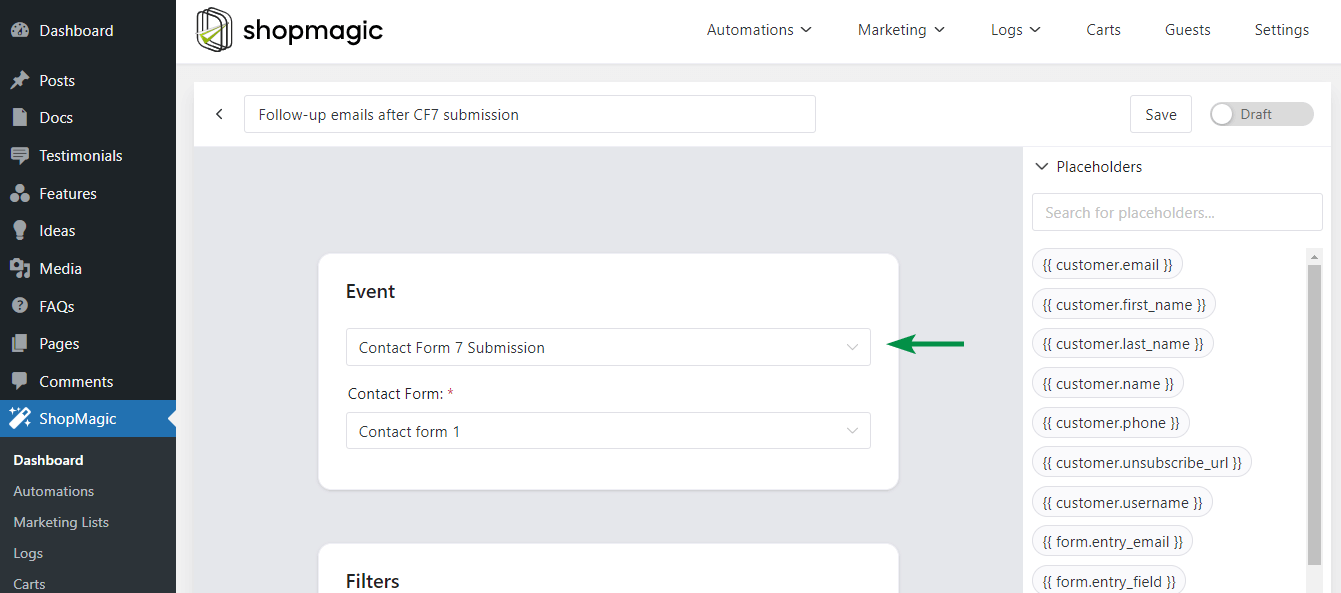
You can also choose some Filters, but the most important part is Actions.
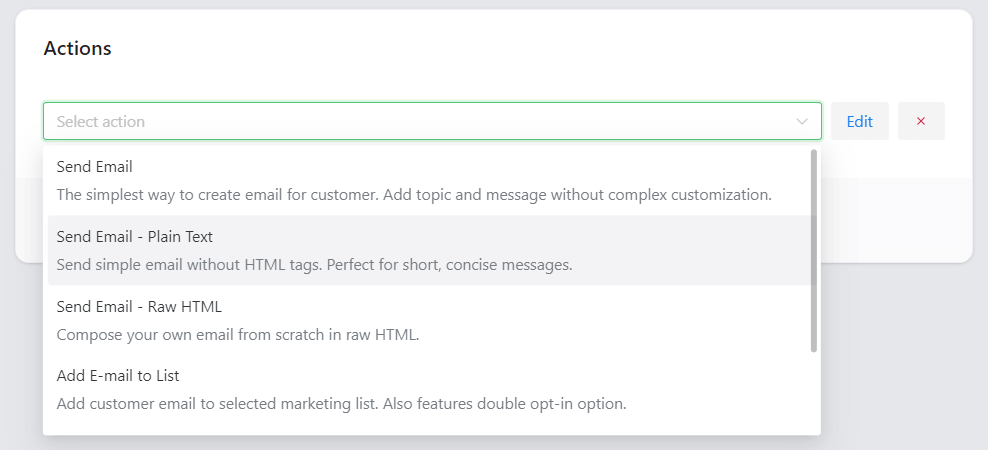
Choose to send an email. Next, let’s take a look at the email customizer!
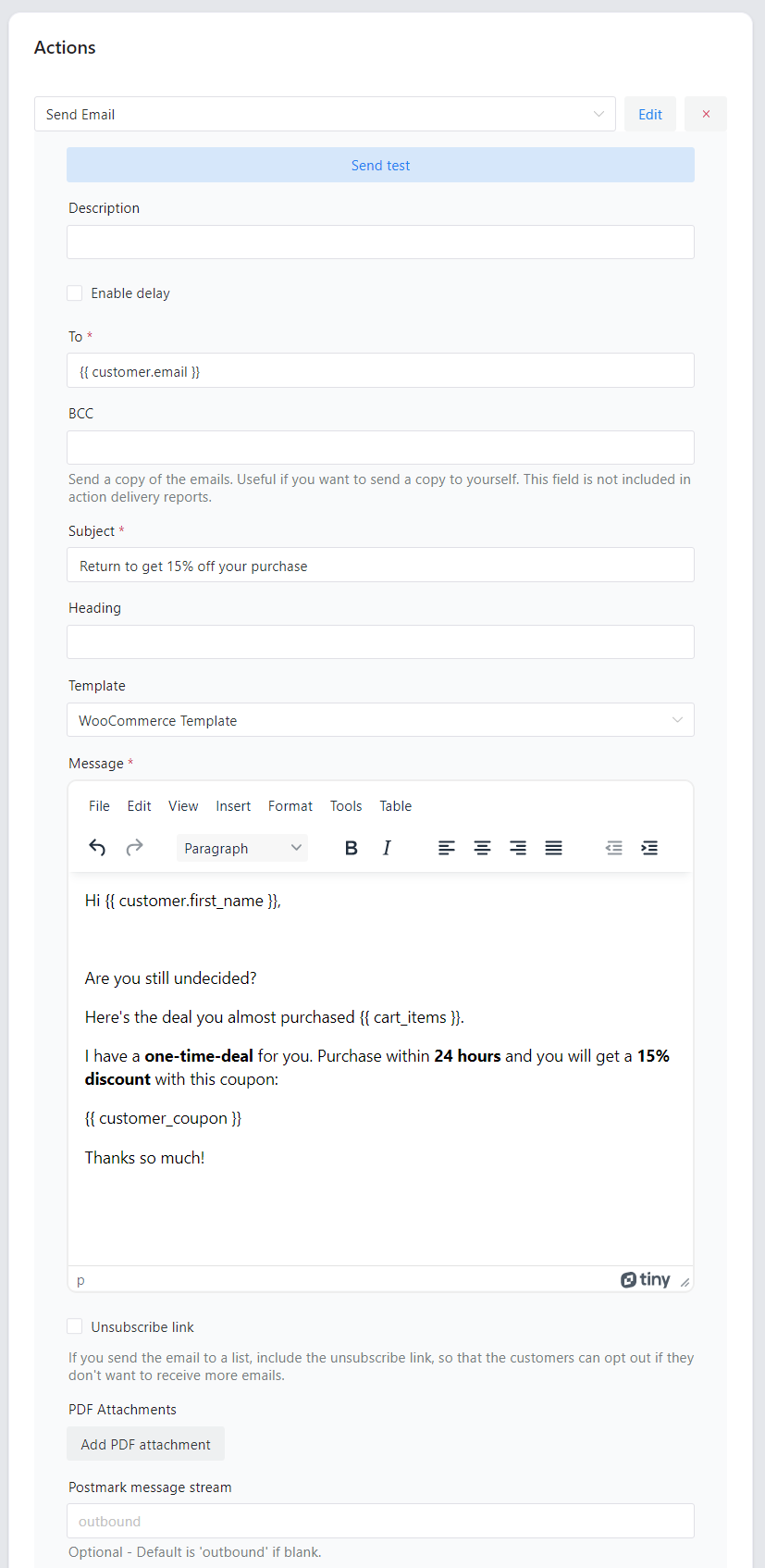
Finally, take a look at the example of the email for your WordPress users 🙂.

Send emails manually with Manual Actions (PRO)
ShopMagic is built around automating your marketing efforts. So why the heck have we built manual actions to automations 🙂?
➡️ This is simple: because there are quite a few use cases when you need to manually decide and send some emails to your customers (or perform other actions).
You can also delay the email, for example by minutes, days, hours, or weeks. So you may send an email when you launch a new product with a quick note to your WordPress users or WooCommerce customers 🙂 without waiting on an additional trigger (Event).
Our use case
This is just the scenario that happens right now with the Manual Actions add-on. When you buy ShopMagic PRO you get access to all new add-ons as long as you have an active subscription! But we had no easy way of informing our customers that we added a new add-on to their account.
How does this WordPress plugin send email work?
This is easy. You need just 3 steps:

- Select manual event. Select Order Manual Trigger to send emails to customers who placed the order.
- Write a message. Write a message to your customers. A newsletter, coupon, or anything else!
- Preview and send. When you are ready, just preview and send your emails to customers. You may also send a test email to your email address if you want.
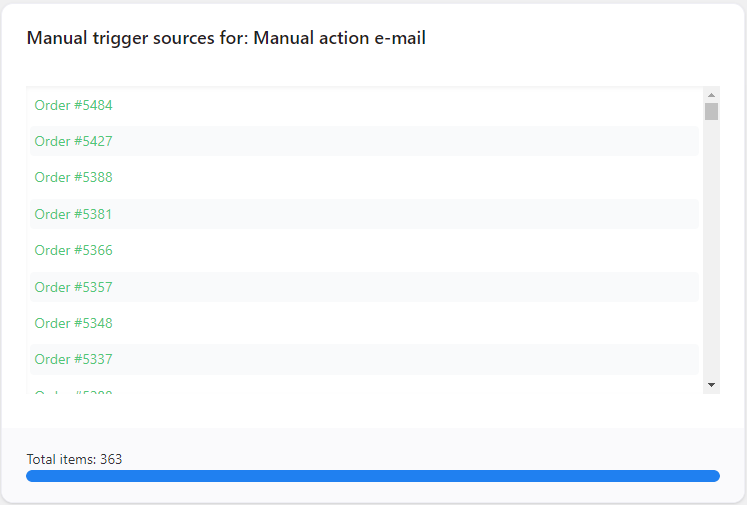
Before sending the email, you’ll be able to see matched orders and exactly what actions are going to be executed:
Other use cases for ShopMagic & sending emails manually
What are other use cases:
- Informing customers about a new product.
- Sending simple newsletters.
- Creating and sending customer coupons for a selected group of them.
- Informing customers about store maintenance.
- Sending promo deals.
- Asking for a review of old orders.
There are so many uses for Manual Actions that you’ll find one for yourself 🙂.
ShopMagic add-ons (free and PRO)
Today, you’ve learned about email marketing in WordPress and WooCommerce. And how to send an email to WordPress users or WooCommerce customers with a free plugin.
ShopMagic
The best plugin to send customized emails in WordPress and WooCommerce. Build your email marketing today!
Download for free or Go to WordPress.orgPlease remember that there is also the PRO version with all add-ons. Check all add-ons (free and PRO) →
If you have any questions about sending emails in WordPress and WooCommerce let us know 🙂.
More about our WordPress plugin for email marketing
-
Send WooCommerce Welcome Email

Create a welcome email in ShopMagic. How to prepare an engaging WordPress welcome email that you can use in your WooCommerce store. -
ShopMagic 3.0. What’s new?

Introducing ShopMagic 3.0. The next major release of the plugin is an eye-pleasing package filled to the brim with new features.
