



ShopMagic Delayed Actions
Time-travel your WooCommerce emails and delay your send times
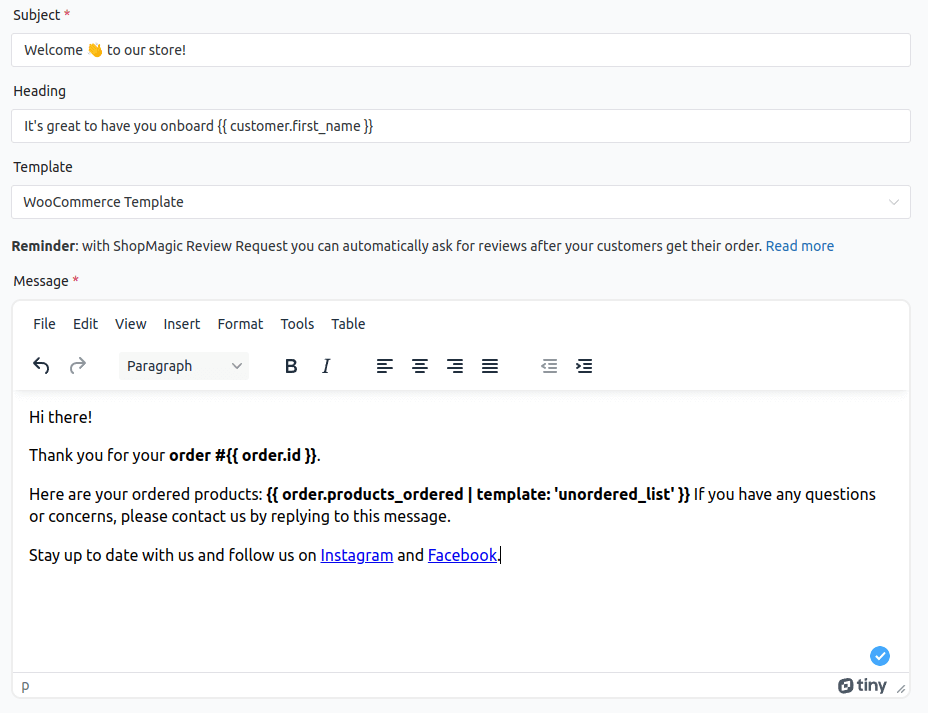
Delay to grow, improve your cashflow, and get customers to like you more
Start recovering unpaid orders with delayed reminders
Your customer didn't finish their purchase? Increase your revenue by sending a timely payment reminder.
Automatically create repeat customers with follow-up emails
Build your customer loyalty and get more conversions with single emails or time-based sequences.
Strategically spread your communication over time
Stop spamming your customers' inboxes - nobody likes a "BOOM! 7 different emails just hit your inbox!".
What others are saying about ShopMagic and Delayed Actions?
Here are some of the most recent reviews we’ve received:
Very nice service! The application works as it needs. I like it 🙂
This plugin is fantastic. It is very easy to use and setup.
Flexible settings and full control over your delayed emails
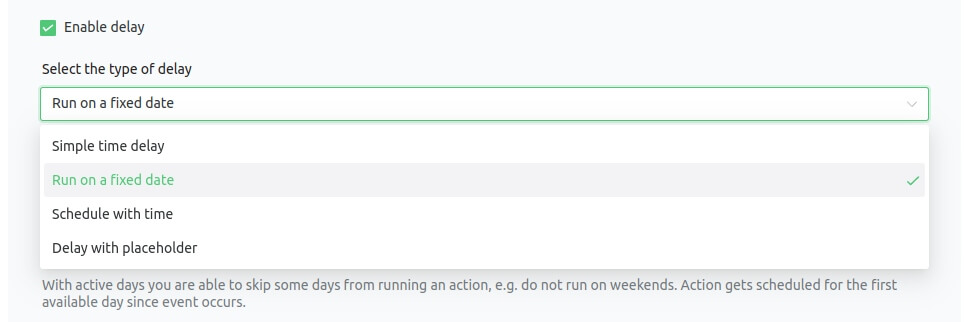
Set delay times freely
Delay your emails by any number of minutes, hours, days, or weeks.
See all scheduled emails
Full insight into your sending queue - it's always available for inspection.
Cancel bad messages
Anything waiting in the queue that shouldn't be sent? Cancel it with a click!
No coding required
We have already done the work for you.
Lots of seemingly simple WooCommerce issues (like setting an email delay) require digging in code when done by yourself.
With Delayed Actions, you don't need to worry about the functions.php file, child themes, or file templates.
All email delay settings are available with a click and won't be overwritten with the next WordPress update.
Increase Sales with Delayed Actions
✅ Delay emails to reach your customers at the best possible time. Stop cluttering their inboxes with seven emails sent at the same time.
✅ Easily create time-based email sequences and workflows. Nurture and educate your customers to get more conversions.
✅ Send occasional emails with promotions and coupons on specific dates, like next Friday or Free Shipping Day.
✅ Plugin documentation and demo
ShopMagic PRO
Delayed Actions add-on is available as part of ShopMagic PRO.
Personal
£69 Billed yearly, cancel anytime
- Updates & Support for 1 Site
- 1-on-1 Email Support
- All core features included
Lifetime
£299 One time payment
- Lifetime Updates & Support for 1 Site
- Premium 1-on-1 Support
- All core features included
Professional
£99 Billed yearly, cancel anytime
- Updates & Support for 25 Sites
- Priority 1-on-1 Support
- All core features included
ShopMagic PRO Add-ons
-

ShopMagic Advanced Filters
Adds conditional logic to execute actions based on certain criteria, e.g. order total value.
-

ShopMagic Customer Coupons
Adds ability to create personalized coupon codes for customers and send them automatically.
-

ShopMagic Delayed Actions
Delay an email of a specified amount of minutes, hours, days or weeks with this ShopMagic add-on.
-

ShopMagic Flexible Subscription
Enables automations for subscription events like status changes, renewals, cancellations.
-

ShopMagic Gravity Forms
Allows creating email automation in WooCommerce based on the submission of a form from Gravity Forms.
-

ShopMagic Manual Actions
Allows triggering ShopMagic actions manually, for example sending emails to customers.
-
ShopMagic Review Requests
Adds review requests with direct links to products in WooCommerce orders for customers to review.
-

ShopMagic Slack
Allows you and your team to stay up to date with what’s happening in your store right in Slack.
-
ShopMagic Webhooks
Allows to integrate ShopMagic automations with external apps or systems via REST API.
-

ShopMagic WooCommerce Bookings
Allows to create automations based on bookings events, such as status changes or before expiry.
-

ShopMagic WooCommerce Memberships
Allows to create automations based on membership events, such as status changes or before expiry.
-

ShopMagic WooCommerce Subscriptions
Allows to create automations based on subscription events, such as payments, or status changes.