





Regardless of what eCommerce platform you use or what niche you’re in, statistically, most of your shoppers abandon their carts without buying. According to SalesCycle, about 75.6% of carts were abandoned in 2018. That means that if you don’t have an abandoned cart recovery email set up, you might be losing even three out of four potential buyers. That’s a lot of money left on the table, so this article will help you deal with that.
By default, WooCommerce doesn’t give you any emails to recover customers thus lowering the abandoned cart rate.
Today, I will show you how to battle abandoned carts and recover a cart in WooCommerce with a free plugin!
Table of contents
- Recover an abandoned cart in WooCommerce with custom emails!
- What is abandoned cart recovery & how to have one in WooCommerce?
- Abandoned cart recovery for WooCommerce (Get a free plugin)
- WooCommerce recover abandoned cart: best practices & tips
- Summary & more about ShopMagic
Recover an abandoned cart in WooCommerce with custom emails!
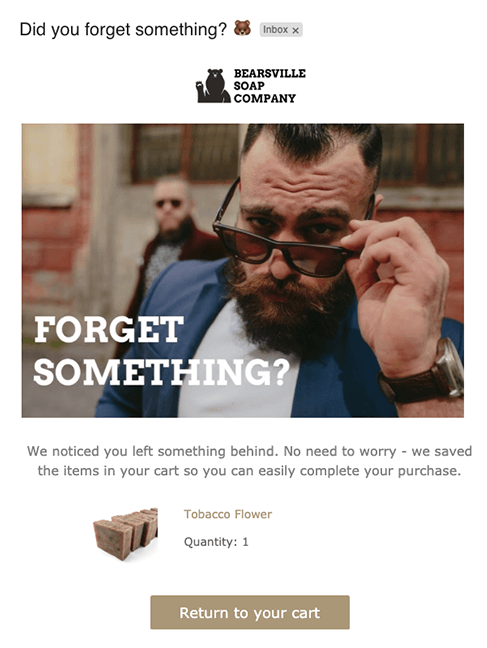
➡️ Now, with 46.1% of people who read abandonment cart emails, the good news’s that you can easily recuperate a lot of the lost potential just by sending your list a few engaging e-mail reminders. Further, to SalesCycle’s research — out of 46.1% of people who open your follow-up emails, about 13% click the call to action, and 35% of those who click end up buying something.
The simple truth behind why this works is that most people who add items to their shopping cart usually have the intention to buy. Your job is only to reignite their desire 🦸🏻♂️.
So we established how important it’s to have a few emails lined up for that occasion. It’s time to talk about how to write such emails to get them opened and generate sales.
So here comes the lowdown on how to write compelling cart abandonment emails, that people can’t resist.
What is abandoned cart recovery & how to have one in WooCommerce?
Abandoned carts happen when customers leave their carts without placing an order. There may be different reasons why this happens. But, the important thing for you is to recover as many abandoned carts as possible. A recovered cart means the customer finishes the purchase (for example, thanks to a reminder, a call, or your email).
Abandoned cart recovery for WooCommerce (Get a free plugin)
This is where it’s worth mentioning a plugin that will do most of the work for you. Meet ShopMagic. It’s a free plugin for follow up emails and automations in WordPress. You can complement the plugin with add-ons – paid and free.
ShopMagic
With ShopMagic you'll be able to recover abandoned carts in WooCommerce with ease. Download the plugin for free and feel free to complement it with the Abandoned Carts addon.
Download for free or Go to WordPress.orgCurious about what the plugin looks like from the inside? No problem, take a look:
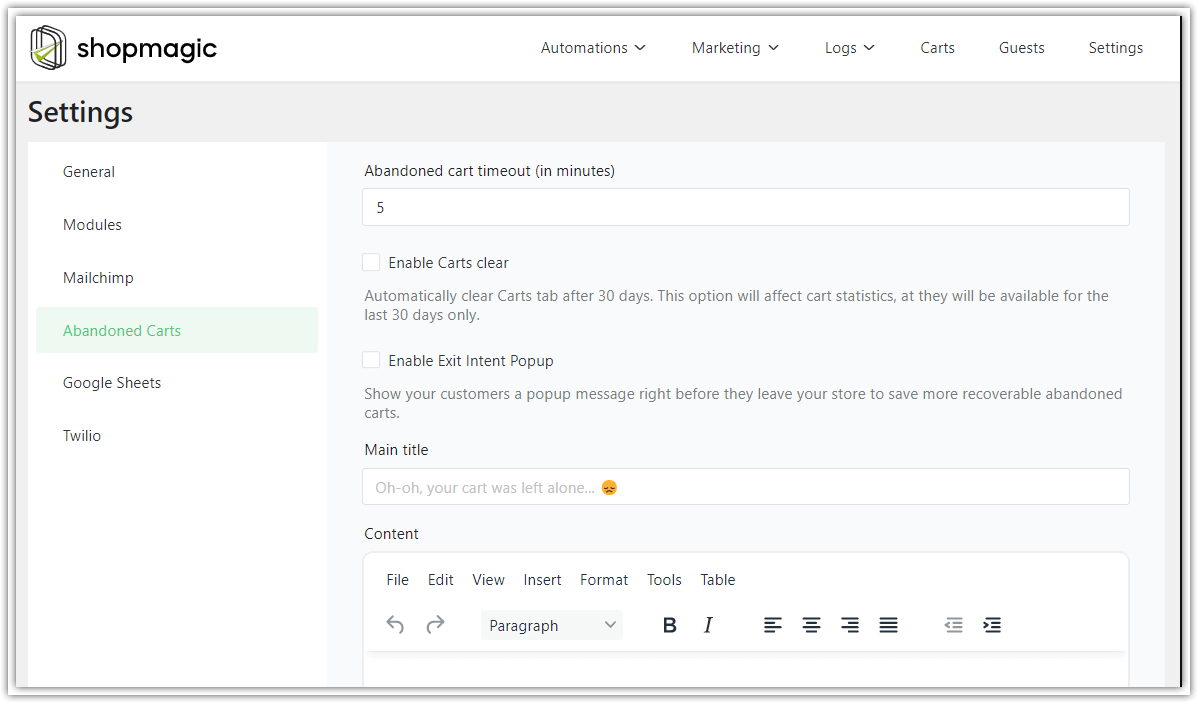
✅ ShopMagic Abandoned Carts, in addition to recovering abandoned shopping carts, will also give you insight into additional data.
➡️ You will learn how many carts you have recovered, what their value was, how many more orders (carts) you can recover, and their potential value.

Abandoned cart recovery for WooCommerce. You’re ready to go!
So that is about it. Every point on this list can give you an advantage over your competitors. That’s because they look for the easy way out and don’t put in the effort to optimize their abandonment cart emails for sales. The truth is, that often all we need to do to make the buying decision is just a spark. That makes us FEEL good about a product 💫.
And as the old marketing adage says, people buy based on emotion and then justify with logic. So make sure you tick all the boxes and give them as many good reasons to buy as possible.
WooCommerce recover abandoned cart: best practices & tips
I hope the following tips will help you with abandoned cart recovery in WooCommerce.
✅ Make sure your timing is accurate
In most cases, this abandoned cart sequence consists of three emails. According to Omnisend, the best times to send them are after an hour from an uncompleted purchase, then after 12 hours, and finally the last call — after 24 hours. Having less than three messages is likely to decrease your chances while having more than three will not necessarily increase them.
✅ Start with a catchy subject line
One of the research studies showed that approximately 64% of people decide if they open an email or not based on the subject line. So make sure your list knows who the email came from and what’s the context i.e. what items they abandoned.
One of the most effective techniques is to use the prospect’s first name, which also makes you sound like a friend (and you wouldn’t ignore your friend’s emails, would you?). Lastly, use good old urgency. Tell people to hurry before their cart gets cleared within, for example, 24 hours. Simple yet very effective.
✅ Use pictures of abandoned products
Sometimes “one image tells more than a thousand words” and showing your product again will do the job.
✅ Give a clear call-to-action
Make it easy for your prospects to finish the order by making the call-to-action button big and explicit.
✅ Write great copy
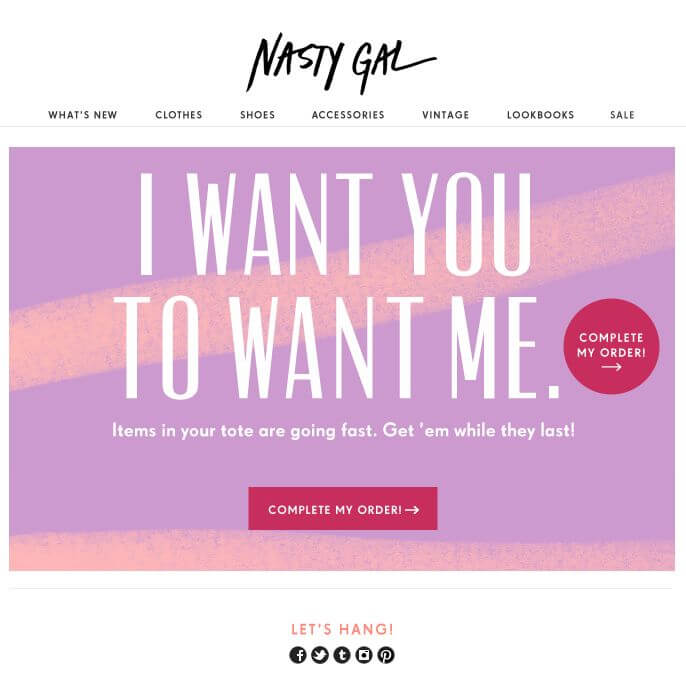
If you want to shine in someone’s inbox, you can’t do what everyone else does. Most eCommerce emails are bland and scream at people with big product photos and discount coupons but fail to talk to you like a person. So infuse personality into your emails and make them fun to read.
One of the coolest emails I’ve seen was written from the product’s standpoint. So the product was basically “telling me” how sad it is because I forgot about it. The funniest thing about it was that it felt like an emotion-laden conversation. It also warmed up my perception of that brand.
✅ Use clients’ testimonials & reviews
Nothing builds credibility so well as the opinion of people who already enjoy the product. Testimonials answer upfront some objections in the prospect’s head, without you having to do it in the copy. The more detailed the description, the more vivid the image in someone’s head. Sometimes this is enough for people to sell themselves on an item they want.
✅ Include some FAQ
Answering a few most common questions can dissolve many objections and tip the scales in your favour.
✅ Optimize layout and visuals
61% of email opens happening on mobile devices. Make sure that the user experience you provide is seamless. Remember that nowadays, everyone is just one click away from another shop, website, or app. It is good to treat people’s attention like gold.
Summary & more about ShopMagic
Today, you’ve learned why it’s smart to send custom emails to recover each abandoned cart in WooCommerce. And how to make it happen with a free plugin (ShopMagic & its free add-on).
ShopMagic
With ShopMagic you'll be able to recover abandoned carts in WooCommerce with ease. Download the plugin for free and feel free to complement it with the Abandoned Carts addon.
Download for free or Go to WordPress.orgIf you have any questions let us know.
Related to WooCommerce abandoned cart recovery
-
WooCommerce abandoned carts

Abandoned carts in WooCommerce. See how to stop losing profit due to the abandoned carts in WooCommerce. All this with ShopMagic Abandoned Carts. -
Reduce abandoned carts rate

Lower abandoned carts number. Find the answer to the question: Why even care about WooCommerce abandoned carts?
