





An abandoned cart email is the one message your store sends to someone who has already decided they want the product. That makes it the easiest conversion available, and the easiest to waste, because most templates are built around the fact that the customer left rather than around the thing they were buying.
What makes a good abandoned cart email
Five things, and most templates get two of them.
- The subject line names the product, not the behaviour. “Still thinking about the Oak Side Table?” beats “You left something in your cart”, because one is about the thing they wanted and the other is about something they did.
- The cart is visible inside the email. Product name, image, price. Nobody should have to click to remember what this is about.
- One link, and it restores the cart. Not the homepage, not the category page. If the customer has to rebuild the order, most will not.
- The first message carries no discount. Send it within a few hours and ask for nothing. A discount in the first email teaches repeat customers that abandoning is how you get a better price.
- The sequence stops at two or three. Past that you are not reminding, you are pestering, and an unsubscribe costs more than the cart did. Short of spamming, it is hard to damage a store with these emails, and that is the one way to manage it.
ShopMagic
A WooCommerce newsletter plugin. Customize, edit, and send out a newsletter in WordPress and WooCommerce.
Download for free or Go to WordPress.orgTable of contents
- Default emails in WooCommerce
- Use a free email marketing plugin for WordPress & WooCommerce
- Newsletter in WooCommerce
- Subscription announcements (ShopMagic settings)
- Summary & more about ShopMagic
Default newsletters in WooCommerce
In WooCommerce, you have several standard emails for certain order statuses.
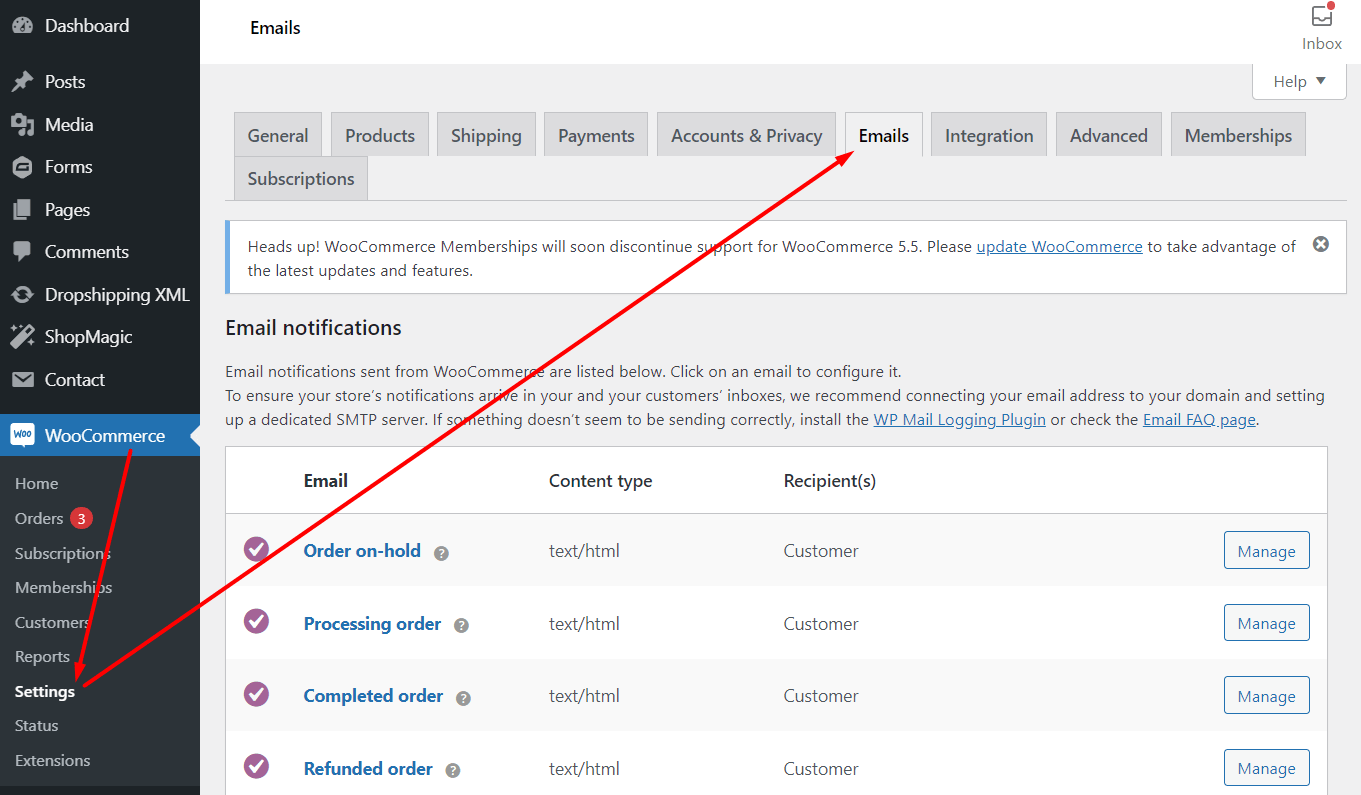
Of course, you can customize them but, in my opinion, it may be hard to adjust them to send newsletter emails. The main reason is that these emails are mainly for informing about the WooCommerce order status change.
👉🏽 The customization of the default emails also requires some knowledge.
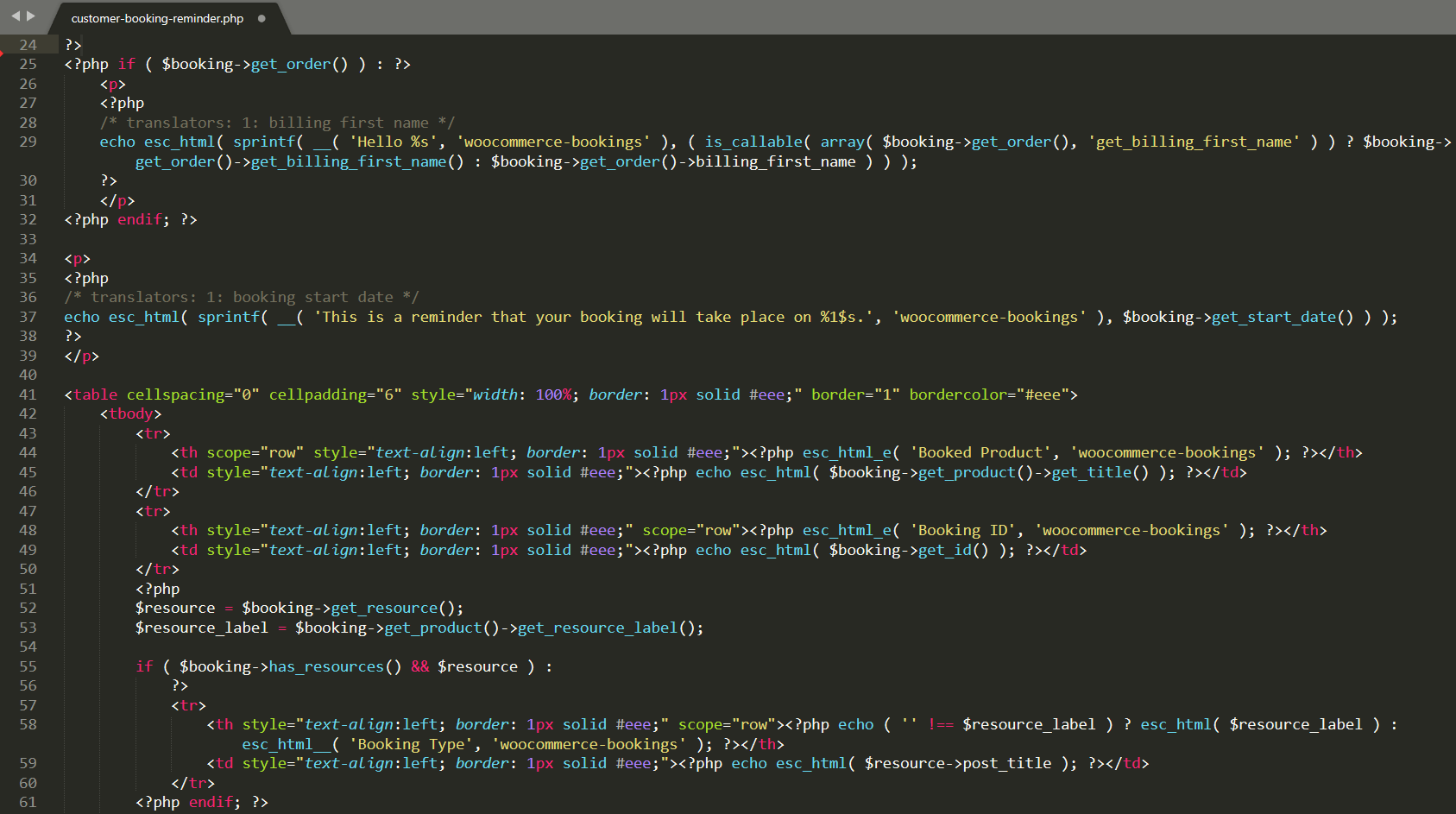
Is there something easier 🤨?
Use a free WooCommerce newsletter plugin
If you want to create and send new emails in WordPress and WooCommerce, I encourage you to use ShopMagic 🪄.

✅ This free plugin lets you customize emails for WordPress users, WooCommerce orders, subscription announcements, follow-ups, abandoned cart recovery messages, newsletter emails, and more!
Caught your attention? So have a look at the default WYSIWYG email content editor in ShopMagic. It’s intuitive and easy to use!
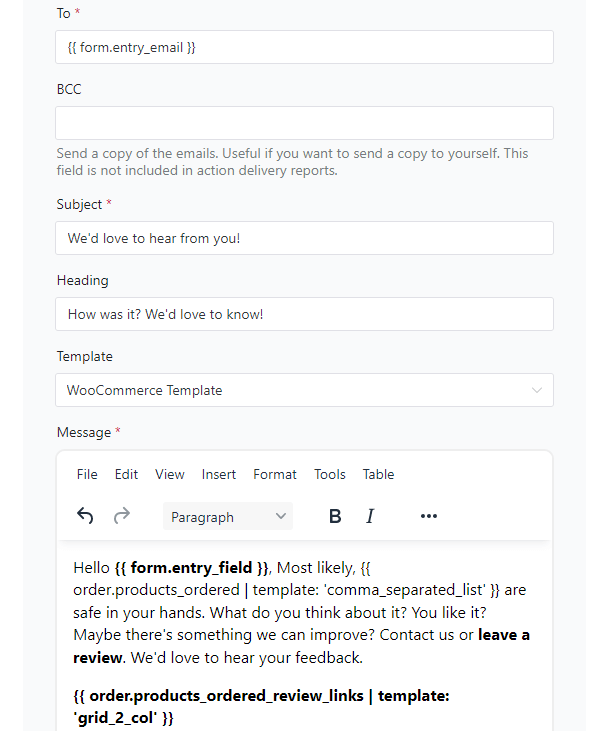
Download the ShopMagic free plugin ⤵️ and send newsletter emails in WordPress & WooCommerce and give it a try.
ShopMagic
A WooCommerce newsletter plugin. Customize, edit, and send out a newsletter in WordPress and WooCommerce.
Download for free or Go to WordPress.orgShopMagic PRO £69
A WooCommerce newsletter plugin. Customize, edit, and send out a newsletter in WordPress and WooCommerce.
Add to cart or View Details🔥 Ok, let’s now see some examples of customized emails and ShopMagic possibilities!
WooCommerce newsletter
✅ You can use ShopMagic to gather WooCommerce customers’ emails from orders:
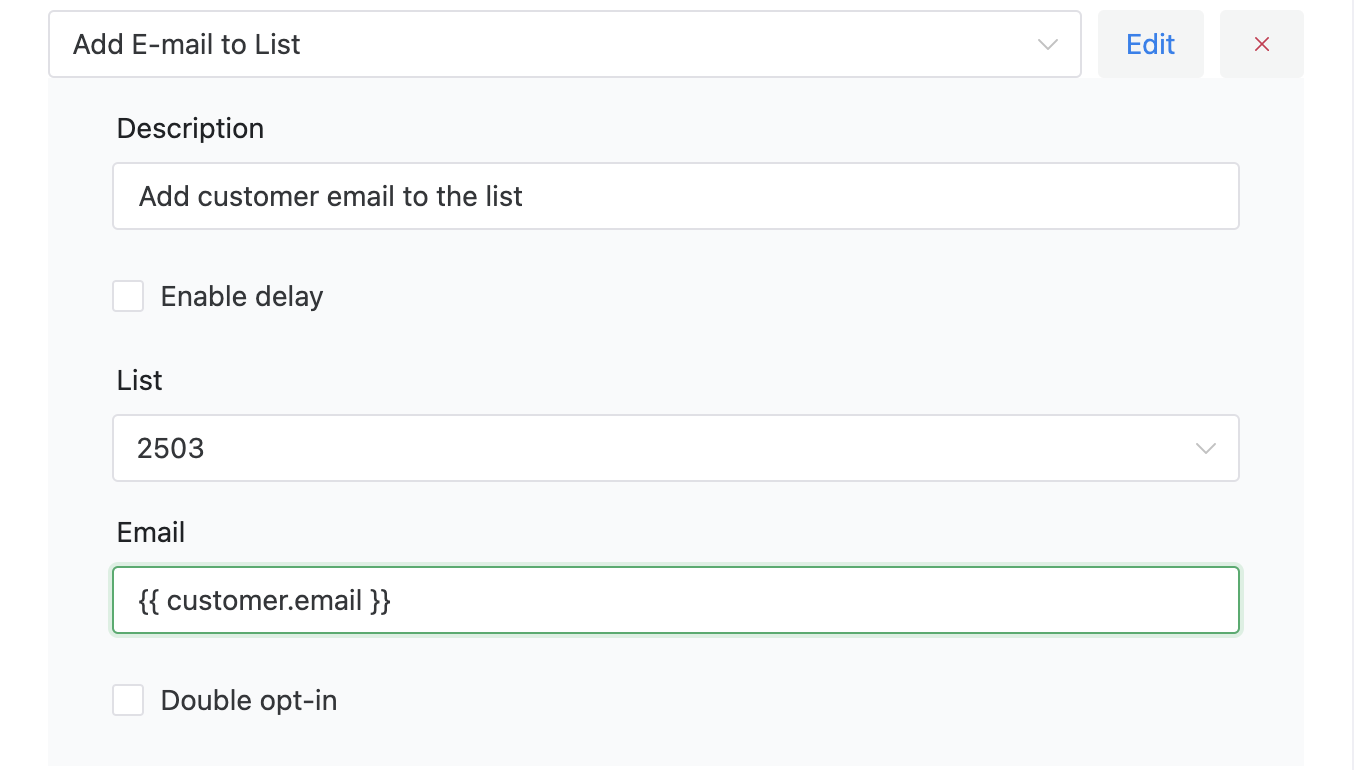
✅ You can add customers & users to your custom email lists in WordPress.
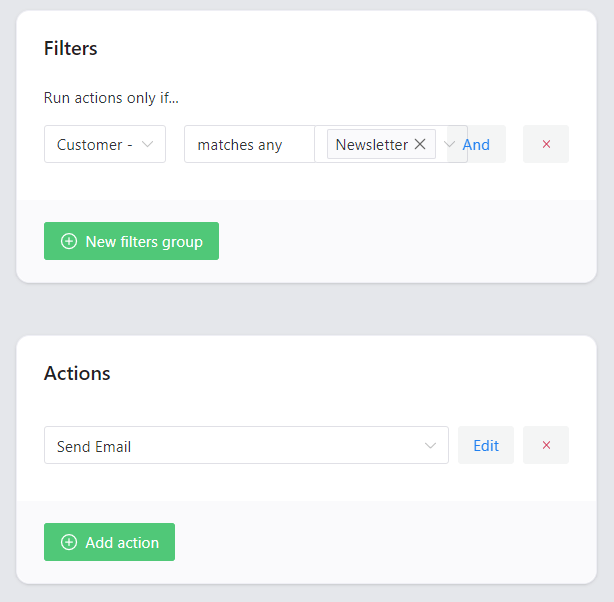
✅ Then, it’s just a matter of your needs, as you can send newsletter emails to WordPress users and WooCommerce customers automatically after customizing the message!
1️⃣ Email Lists
With lists, you can manage your marketing opt-ins or opt-outs. Make sure you have customer consent to send marketing emails.
You can find opt-ins within the Lists tab, along with subscribers and import/export options.
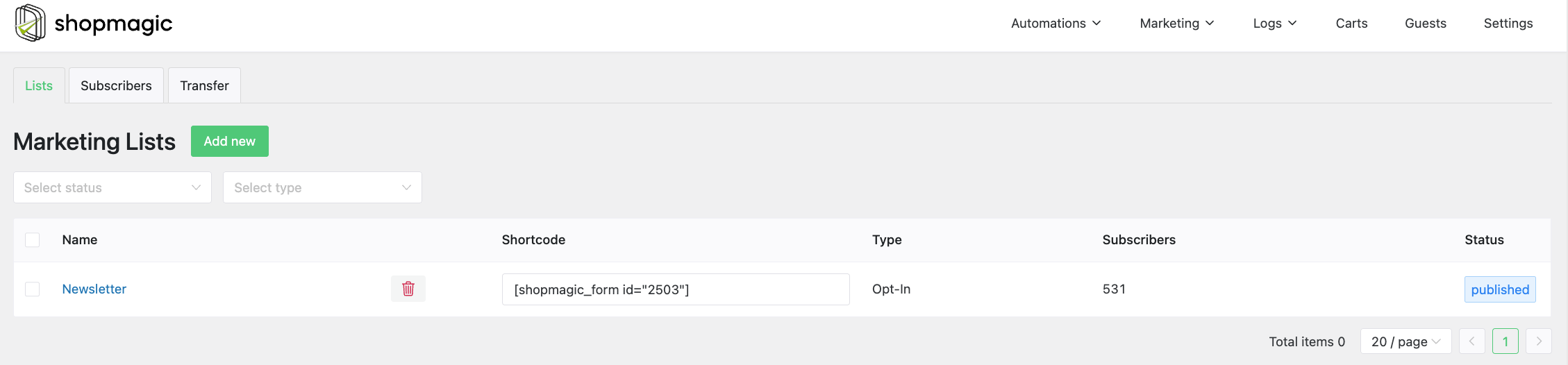
The first tab is called Marketing Lists. Here you can view all of your lists, their type, whether they are opt-in or opt-out, how many subscribers they have, and copy a shortcode of a form, which I’ll explain shortly.
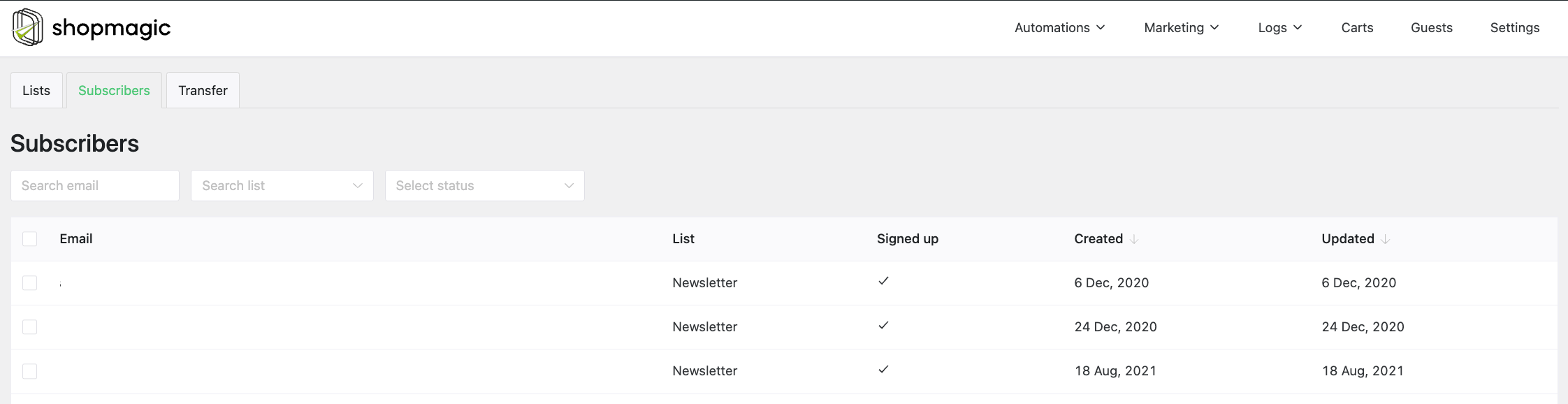
The second tab, which is Subscribers lets you check all the subscribers, sort them, check their lists, and, what is a highly welcome upgrade – delete a customer from it:
2️⃣ Import and export
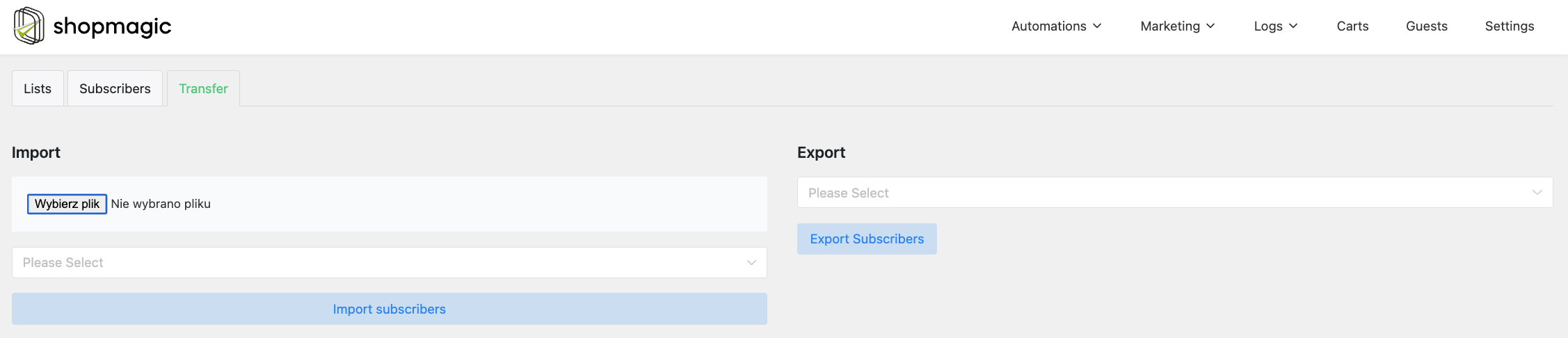
The third tab is for importing and exporting marketing lists. Here you can import a list of customers from external software or reversely export it to a file. Both these functions work on CSV file types:
3️⃣ ShopMagic’s Forms
I’ve already mentioned that you can create a sign-up form directly in our plugin. To achieve it, simply click on edit list, and you’ll see a metabox which you can use to customize your form. As it is a simple form, it can have a name and labels, and you can choose to switch it into a double opt-in form.
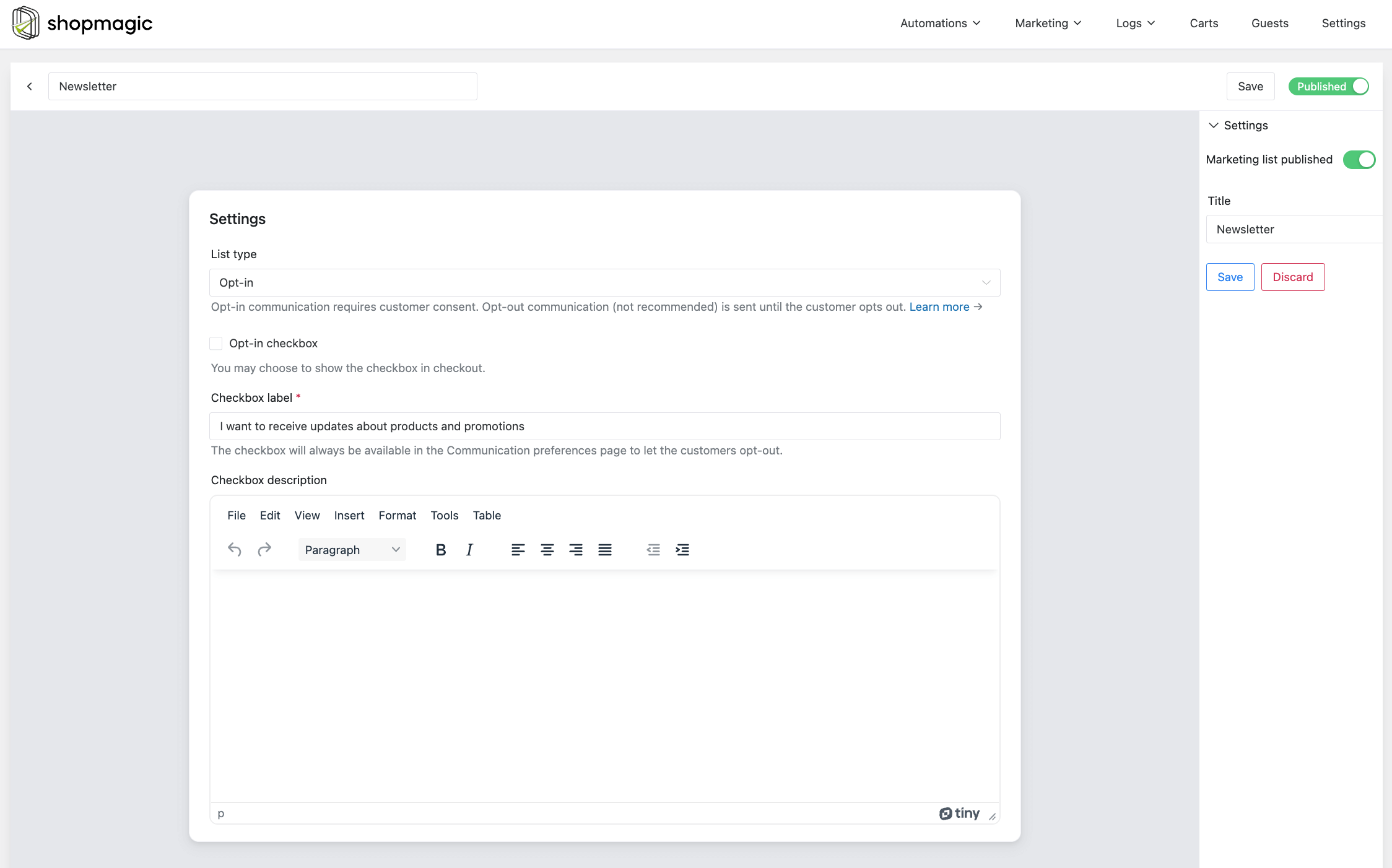
4️⃣ Double opt-in form
Similar to a form, but requires customer confirmation before adding one to the list. It generates a unique link, which is sent to a customer’s email address. The customer has to click on it to confirm the subscription.
Of course, you can still use Contact Form 7 or Gravity Forms plugins and their forms as sign-up form for your customers.
5️⃣ How to subscribe and unsubscribe?
To sum up a little. There are three ways to add a customer to a list:
- Customers can sign up through a form.
- In the checkout, if you selected such an option in a specified list.
- Customers can also be added to the lists with an automation, and Add E-mail to List action type
Regarding unsubscribing, there are four ways of how it can be done:
- Through the placeholder,
{{ customer.unsubscribe_url }}which can be added to the message field in automation. - Through the optional link in the footer.
- Admin can manually delete a customer from the list.
- With automation and Delete E-mail action.
Subscription announcements (ShopMagic settings)
Let’s see now how to send subscription announcements. I would like to send them manually.
✅ You can send manual emails to orders, but also target customers:
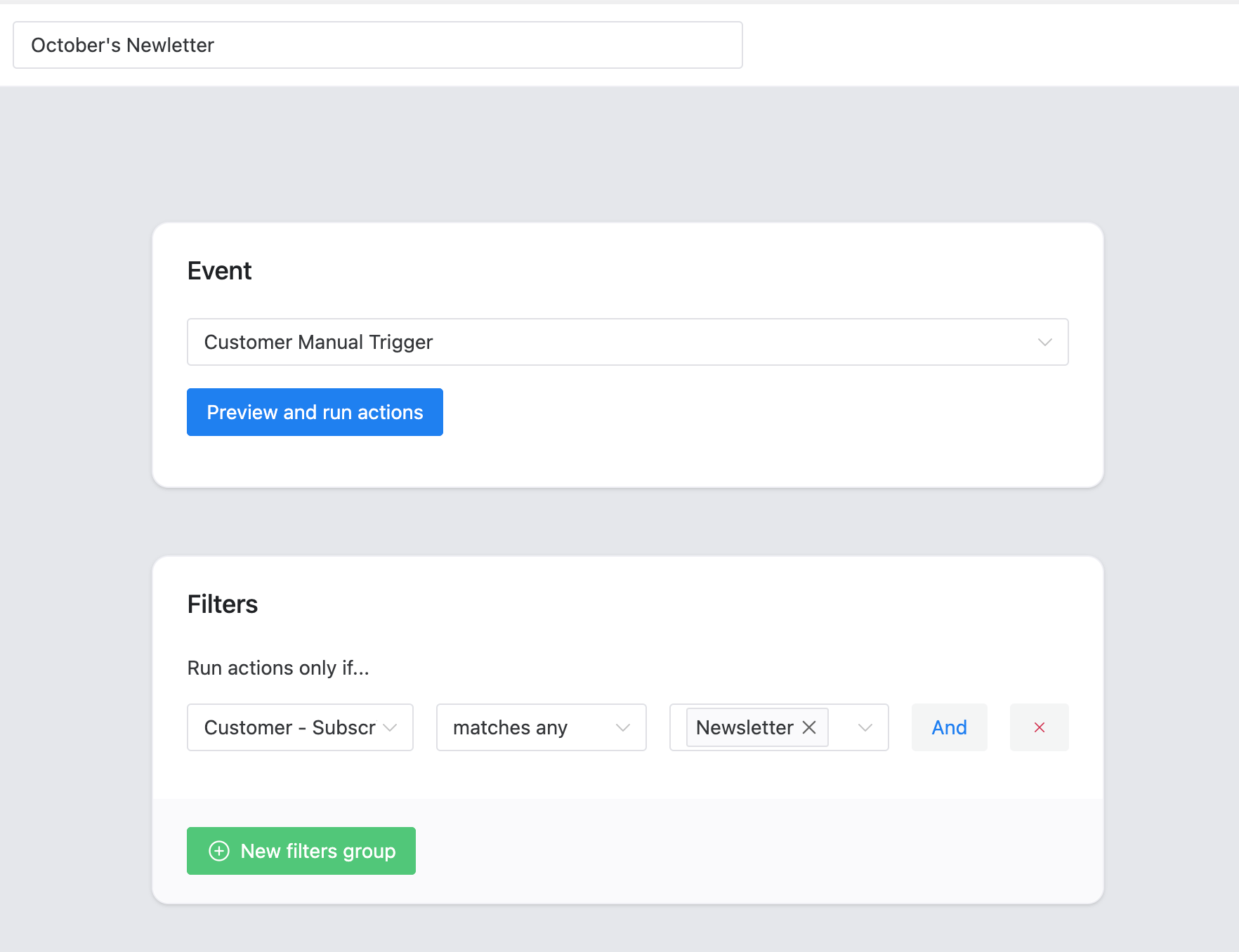
✅ With this trigger, you can send your monthly newsletter emails for WooCommerce right from your WordPress admin. Of course, you may also trigger subscriptions:
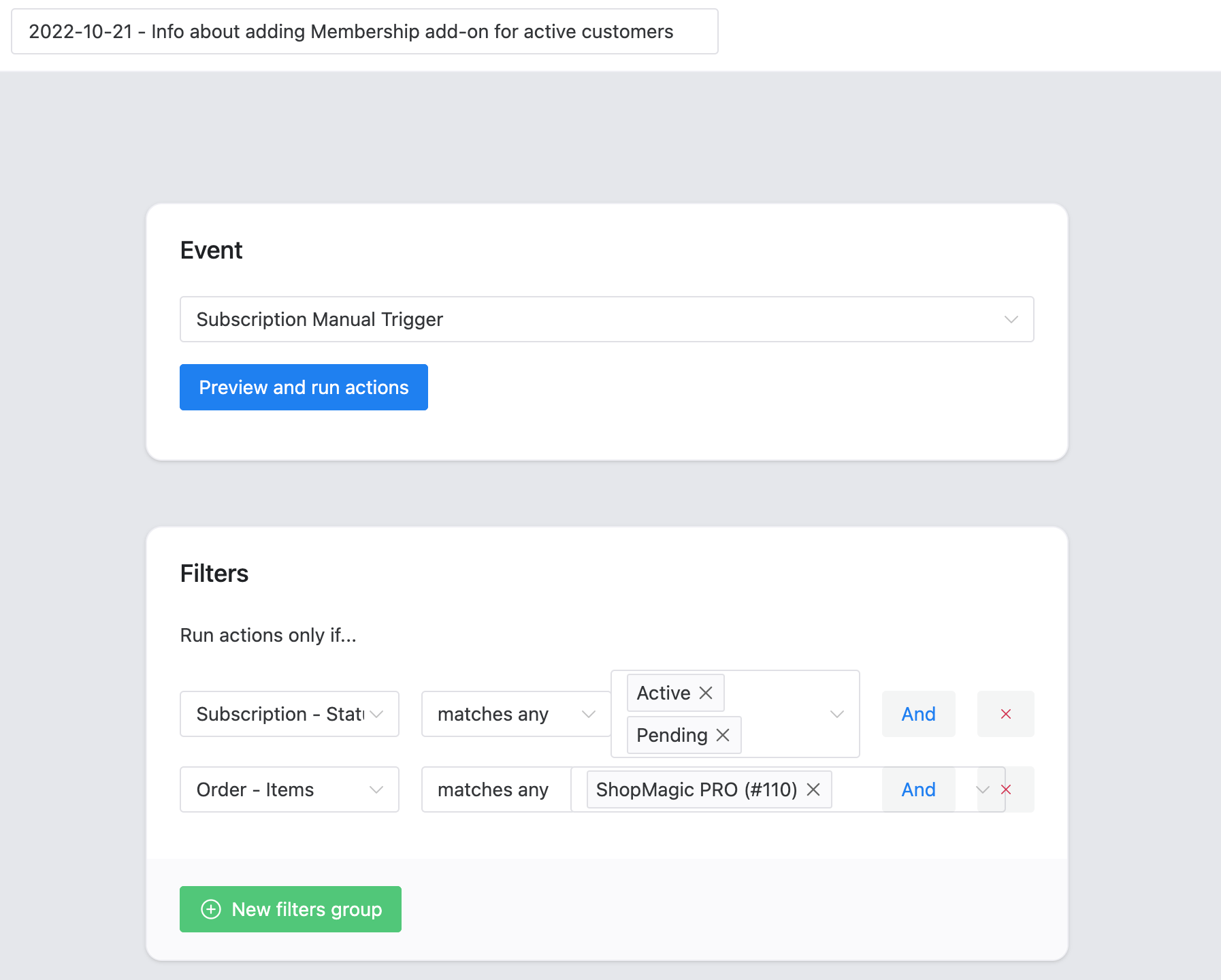
✅ The Subscription Manual Trigger gives you the ability to target specific subscriptions with filters (i.e. total, purchased products, categories, dates, payment gateways, and even more) and then send emails or perform some more actions on the selected subscriptions.
⬇️ I will show you some possible settings for ShopMagic automation in detail ⬇️
Actions
There are a lot of actions (triggers) for ShopMagic:
- CF7 form submission,
- WooCommerce orders,
- customer-related actions,
- subscribers for newsletters,
- actions for memberships, subscriptions, and bookings with the PRO add-ons,
- and more.
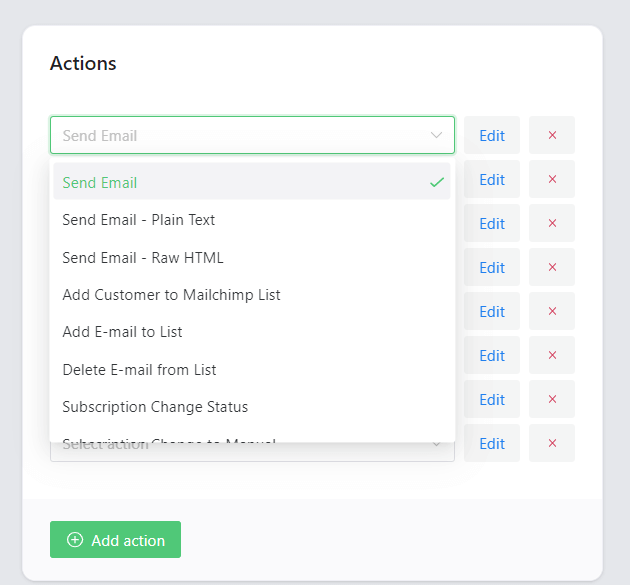
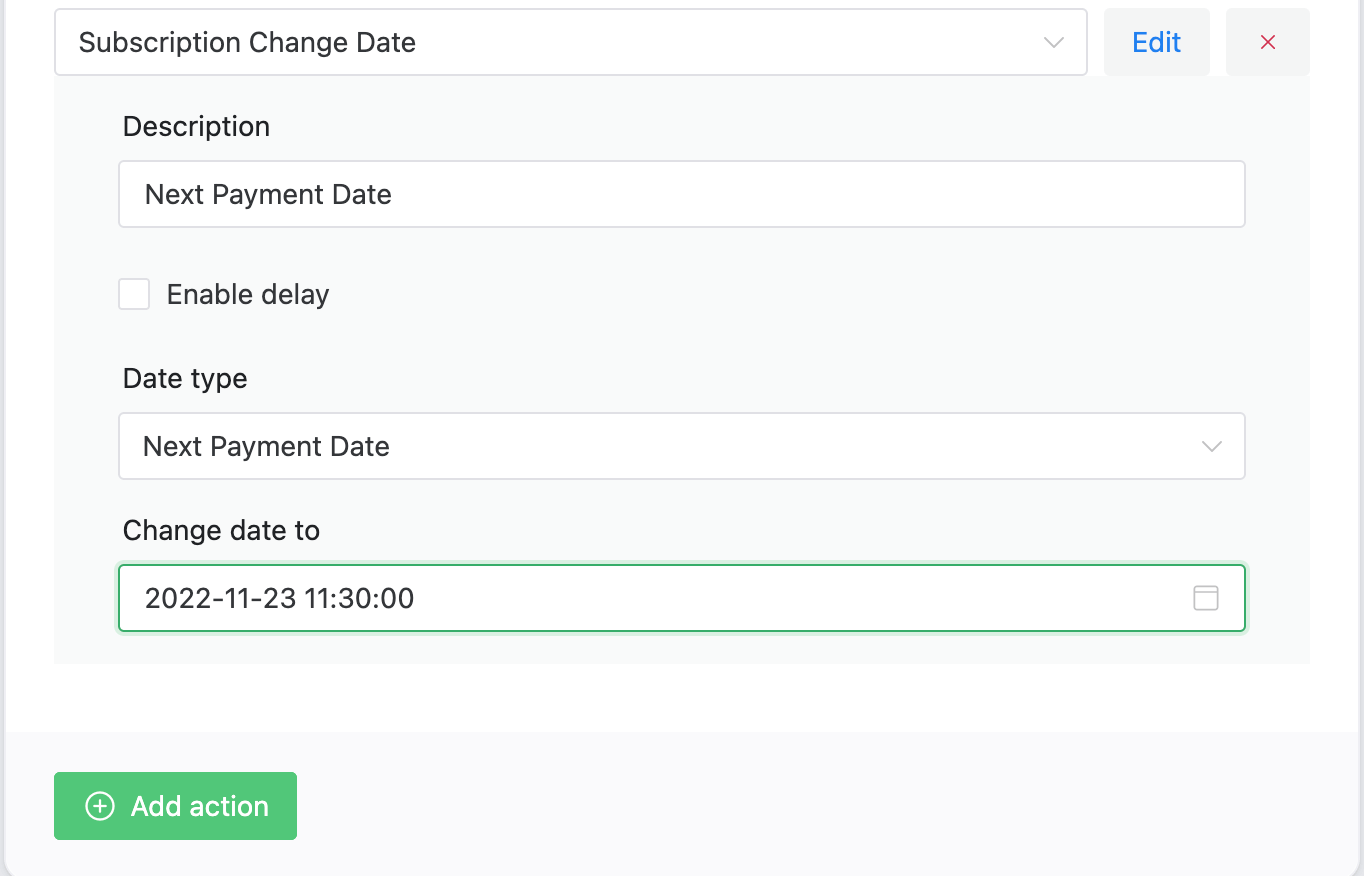
👉🏽 For example, you can change the subscription’s next payment date easily using the appropriate action:
Filters
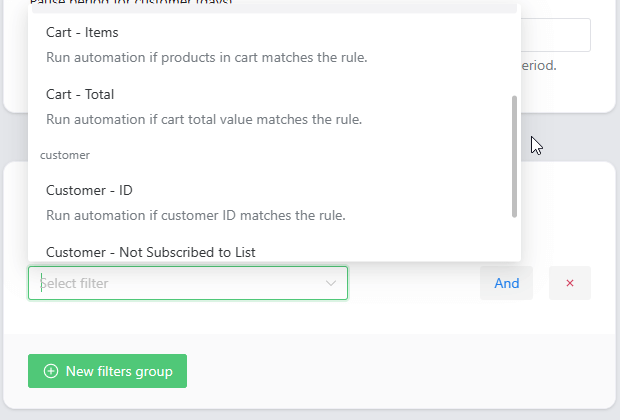
👉🏽 ShopMagic gives you also a way to filter users, customers, orders, subscriptions, etc. It means you can build email marketing campaigns and send newsletter emails based on conditions.
Outcome logs
👉🏽 You can also see the outcomes of your automation in the ShopMagic logs. So if there is an error with performing the action, you will be able to see detailed information about what went wrong:

Order Notes
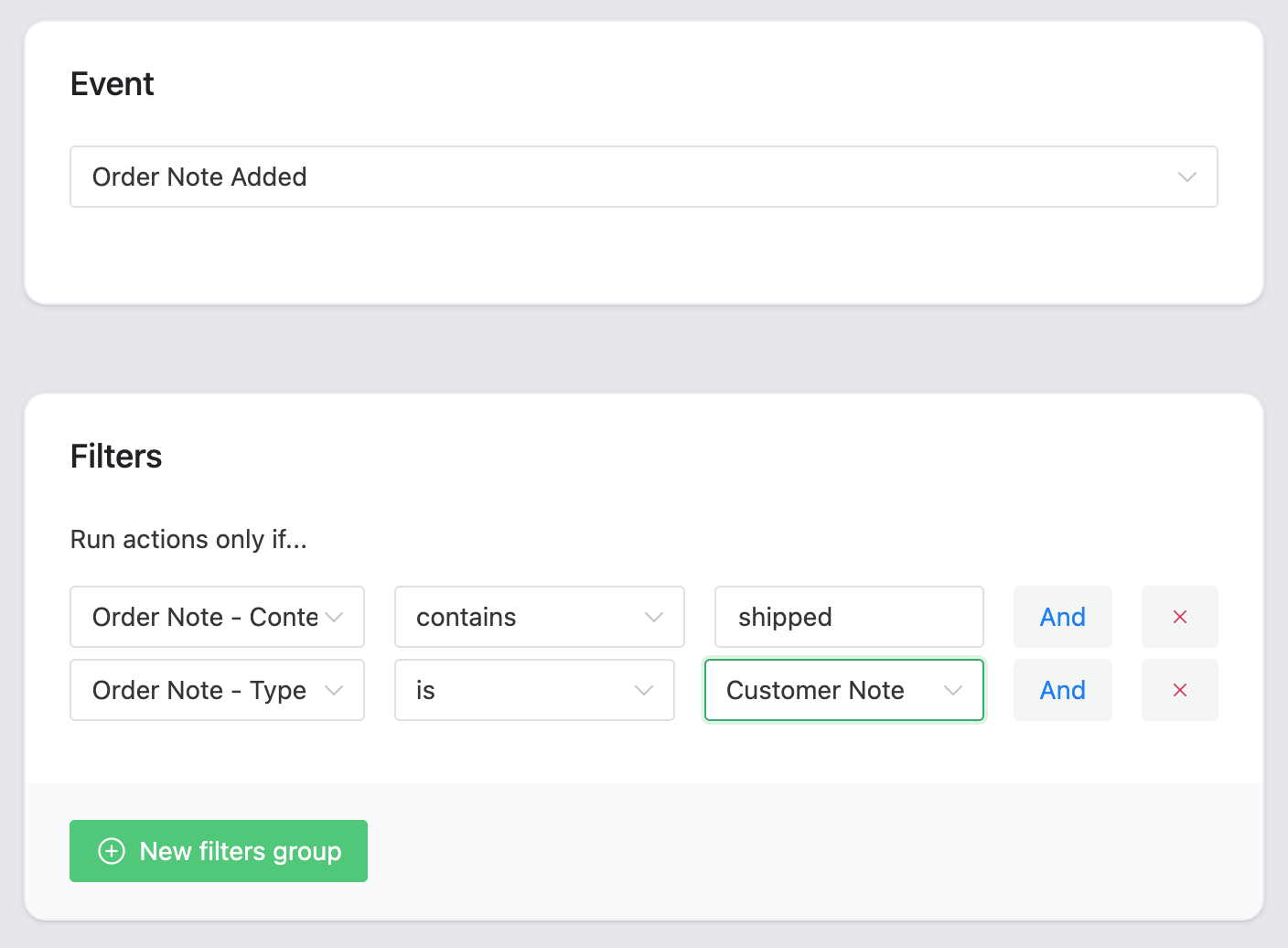
👉🏽 ShopMagic gives you also full support for WooCommerce order notes. This includes:
- Order Note Added event fired whenever a new note is added to the order.
- Order Note Type and Content filters to select customer/private notes or target notes with specific text.
- Order Note Content and Author placeholders which you can use to send emails or post notifications to Slack (PRO).
Custom formatting in date placeholders
👉🏽 You can also choose your formatting of the date placeholders:

Summary & more about ShopMagic
Today, you’ve learned how to send customized newsletter emails, subscription announcements, and messages in WordPress and WooCommerce with a free plugin!
Download the ShopMagic free and start building successful newsletter email campaigns in WooCommerce!
ShopMagic
A WooCommerce newsletter plugin. Customize, edit, and send out a newsletter in WordPress and WooCommerce.
Download for free or Go to WordPress.orgIf you have any questions, let us know. And in the meantime, have a look at some related articles ⤵️.
More about this WooCommerce newsletter plugin
-
Email Marketing with ShopMagic

ShopMagic & Email Marketing. Find out how to use ShopMagic [free] in WooCommerce Email Marketing. -
Email Notifications with ShopMagic

WooCommerce Email Notifications. In this article we give you tips on how to use ShopMagic to customize and send email notifications.
