



WordPress remains the cornerstone of many websites, from small blogs to major e-commerce platforms. Communicating effectively with your audience or customers directly from your site is crucial, and that’s where email integration comes into play. Today, we’ll explore how you can enhance your WordPress site’s emailing capabilities. Psst… you’ll probably need a free plugin to send an email from WordPress. Keep reading…😉
Table of contents
- Understanding WordPress and its email sending capabilities
- The limitations of WordPress’s default email functionality
- ShopMagic 🪄: An improved WordPress email sending
- Real-world applications of ShopMagic when sending emails from WordPress
- Conclusion
Understanding WordPress and email its sending capabilities
WordPress, by default, offers basic email functionalities through its wp_mail() function, which relies on PHP’s mail function to send emails. However, this native solution often 🚫 lacks the reliability and features needed for effective communication. Emails may end up in spam folders, or worse, not get delivered at all. This is where additional plugins step in to provide more robust, reliable, and feature-rich solutions.
The limitations of WordPress’s default email functionality
As I mentioned in the previous paragraph, WordPress uses wp_mail() function to send emails, and this comes with some limitations. These include:
- Deliverability Issues: Emails sent via PHP mail are more likely to end up in spam folders, or not be delivered at all, because they typically lack proper authentication that ISPs (Internet Service Providers) require.
- Lack of Features: The default email system offers no support for email tracking, personalization, automation, or bulk emailing, which are essential for effective communication strategies.
- Technical Challenges: Managing email settings through PHP requires a deeper technical understanding and can be cumbersome for non-technical users.
I rush to help – the best way to send email from WordPress would be to use a (free) WordPress email plugin.
🔽 Download ShopMagic for free 🔽
ShopMagic free email sending plugin for WordPress
Send emails like a PRO. Overcome default WordPress email settings with ShopMagic.
Download or Go to WordPress.orgShopMagic 🪄: An improved WordPress email sending
We know what users are looking for when they want to send emails from WordPress. That’s why we created the ShopMagic💚.
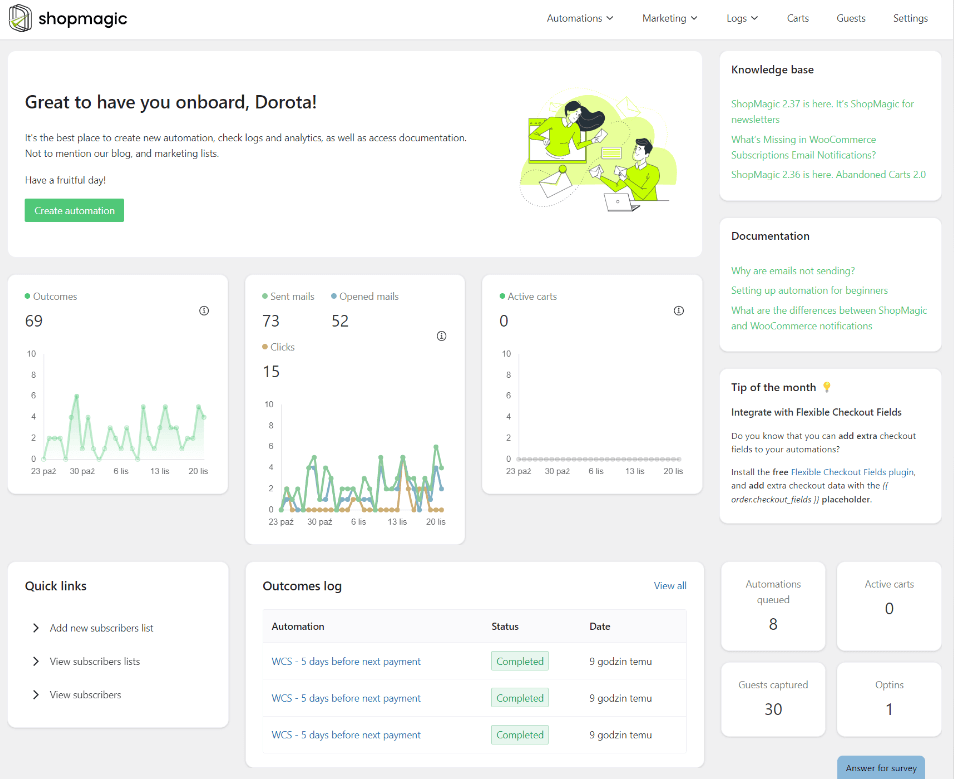
ShopMagic is designed to overcome the challenges of WordPress’s default email system by offering a robust, feature-rich platform that’s easy to use.
ShopMagic free email sending plugin for WordPress
Send emails like a PRO. Overcome default WordPress email settings with ShopMagic.
Download or Go to WordPress.org5 things Shopmagic is better at sending emails from WordPress than WordPress itself 😋:
1️⃣ Improved email deliverability: ShopMagic allows for the integration with SMTP (Simple Mail Transfer Protocol) service providers. SMTP is the industry standard for sending emails, which includes proper authentication that significantly improves email deliverability and ensures that your communications reach the inbox, not the spam folder
2️⃣ Advanced email automation: With ShopMagic, you can automate emails based on specific triggers and actions within your WordPress site. For example, you can automatically send a welcome email when a new user registers, or a confirmation email when a purchase is made. This level of automation is simply not possible with the default WordPress email settings.
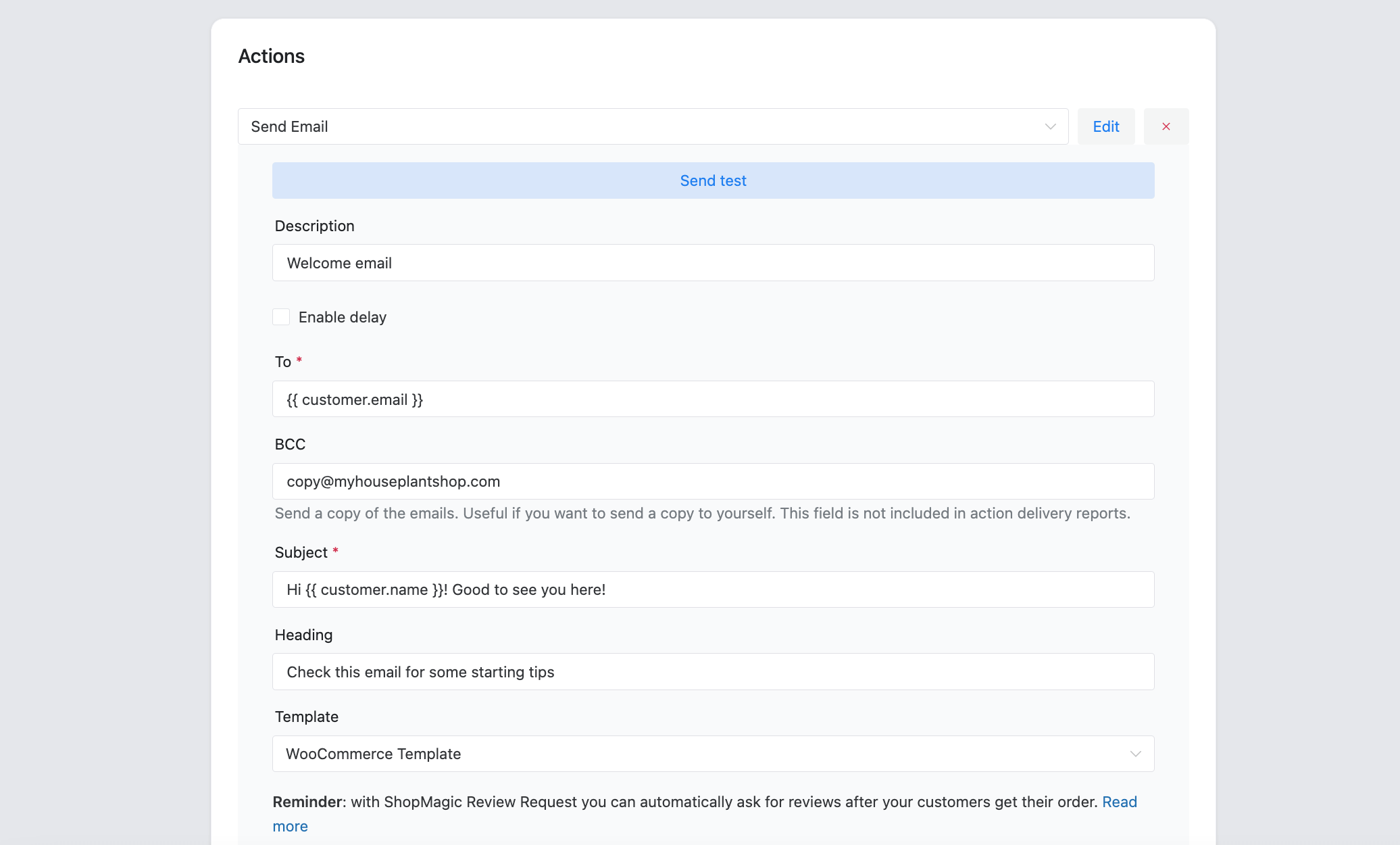
3️⃣Personalization and customization: ShopMagic supports the use of placeholders and variables to personalize emails. You can address users by their first name, reference their last purchase, or customize emails based on user behavior. Personalized emails are more engaging and can lead to higher conversion rates.
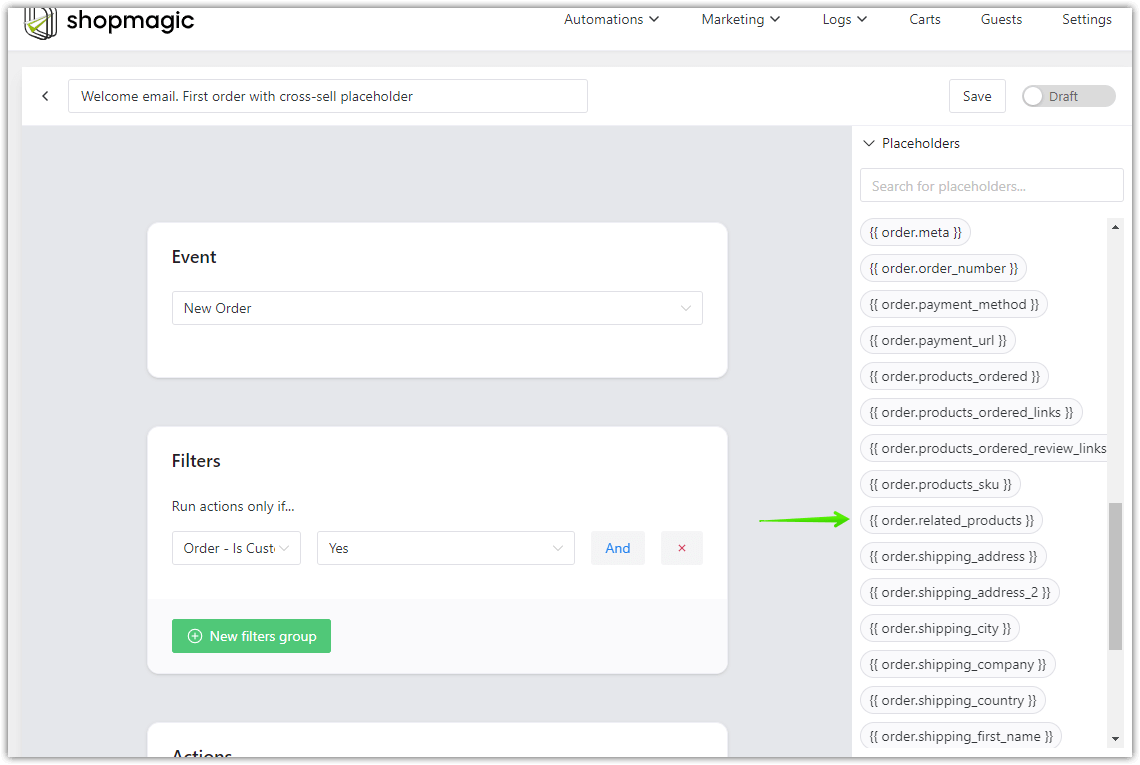
4️⃣ User-Friendly interface: Setting up ShopMagic doesn’t require deep technical expertise. The plugin offers a user-friendly interface within the WordPress dashboard where you can manage all aspects of your email communications. This makes it accessible even for users with limited technical knowledge. All this will help you send emails from WordPress easily!
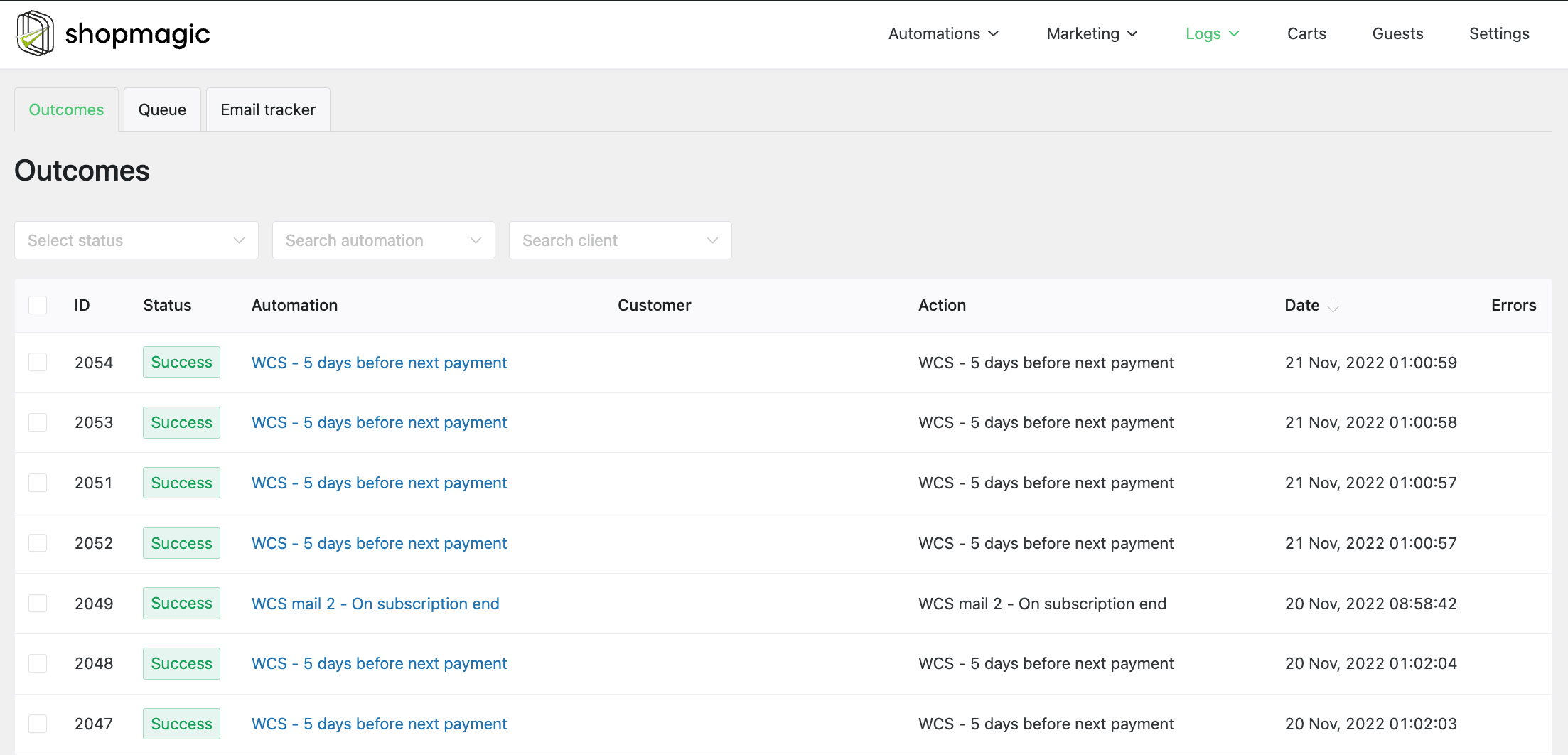
5️⃣Detailed Analytics and Logs: ShopMagic provides detailed logs and analytics for each email sent. You can track delivery status, open rates, and click-through rates, which are crucial for analyzing the effectiveness of your email campaigns and making informed decisions to optimize them.
Real-world applications of ShopMagic when sending emails from WordPress
Imagine you run an online store. With ShopMagic, you can set up:
- ✅Order confirmation emails
- 📦Shipping updates
- 🎂Birthday or anniversary promotions
- 🛒Abandoned cart reminders to coax customers back to complete their purchases
Each of these automated emails can be crucial in converting and retaining customers, making ShopMagic an invaluable tool for business growth.
Conclusion
Having a tool like ShopMagic to handle your site’s email needs is indispensable. Therefore by automating and personalizing your emails, you not only improve the efficiency of your communications but also enhance the overall user experience. Whether you manage a blog, a corporate site, or an online store, ShopMagic equips you with the tools to maintain effective, reliable, and professional email communication with your audience.
Installing ShopMagic is a smart step towards optimizing your WordPress site’s functionality, enhancing both user engagement and site management in 2024 and beyond. Give it a try and experience the difference it can make in your digital communication strategy.
ShopMagic free email sending plugin for WordPress
Send emails like a PRO. Overcome default WordPress email settings with ShopMagic.
Download or Go to WordPress.org